INSTALLATION MANUAL EN
the connectors as illustrated in figure 5.
- Lastly, attach the head profile to the clips (A) that are
secured to the installation surface.
CONNECTION OF THE LUMINAIRE TO THE POWER SUPPLY
- Connect MOOD only to a safe converter with 12Vdc for the
HE configured models with 120 LED/metre or 24 Vdc for UHE
configured models with 240 LED/metre stabilised voltage
(sold separately) and with power at least 10% higher than the
total load. For the total load calculation check plate data
printed on the product label.
If more than one luminaire must be connected to the
converter ensure that the total sum of the power absorbed
by the luminaires (check the plate data shown on the product
label) does not exceed the maximum power permitted by the
Converter.
- DOMUS Line guarantees the product only if powered with a
Converter supplied by us.
HOW MOOD TDM WORKS (with TouchDimmer switch)
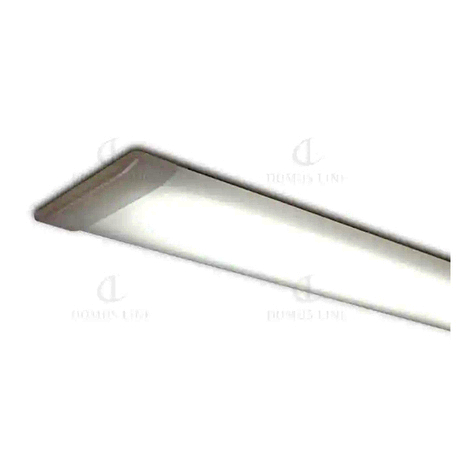
MOOD HE TDM and MOOD UHE TDM refer to configurations
of the luminaires that have a built-in electronic TouchDimmer
switch that allows switching on, switching off and brightness
intensity adjustment. As indicated in the INSTALLATION
section, these configurations can be installed individually or
in combination with MOOD HE or MOOD UHE (configurations
of luminaires without switch) to allow simultaneous switching
on, switching off and dimming of all the luminaires.
INSTALLATION OF A SINGLE LUMINAIRE
- Secure the clips (A) to the installation surface using the
screws (B) provided in the package as illustrated in figure 1.
- Using pliers, break one of the four membranes (G) on the
closing head located on the side of the intake cable (IN) to
run the power supply cable as illustrated in figure 2.
- Connect the power supply cable (F) to the intake cable (IN)
connector (D) and seat the connectors as illustrated in figure
3. Then attach the profile to the clips (A) that have been
secured to the installation surface.
INSTALLATION OF LUMINAIRES IN A CONTINUOUS ROW
- Secure the clips (A) to the installation surface using the
screws (B) provided in the package as illustrated in figure 1.
- Using pliers, break one of the four membranes (G) on the
closing head located on the side of the intake cable (IN) to
run the power supply cable as illustrated in figure 2. Then
break out the membrane (H) located on the side of the
output cable (OUT) positioned in correspondence to the
closing head membrane located on the side of the intake
cable (IN) on the second luminaire as illustrated in figure 4.
- After extracting the intake cable (IN) from the tail profile
head, attach it to the clips that are secured to the installation
surface.
- Then connect the power supply cable (F) to the intake cable
(IN) connector and seat the connectors as illustrated in figure
3.
- Then connect the output cable (OUT) connector to the
intake cable (IN) connector on the second luminaire and seat