manuals.online logo
Brands
  1. Home
  2. •
  3. Brands
  4. •
  5. DRAKE
  6. •
  7. Media Converter
  8. •
  9. DRAKE DAD860 User manual

DRAKE DAD860 User manual

Other manuals for DAD860

1

This manual suits for next models

1

Other DRAKE Media Converter manuals

DRAKE 1002613A User manual

DRAKE

DRAKE 1002613A User manual

DRAKE SDM1000 User manual

DRAKE

DRAKE SDM1000 User manual

DRAKE PEG-NE24-IP User manual

DRAKE

DRAKE PEG-NE24-IP User manual

DRAKE HDE24 User manual

DRAKE

DRAKE HDE24 User manual

DRAKE DSE24A User manual

DRAKE

DRAKE DSE24A User manual

DRAKE DUC864 User manual

DRAKE

DRAKE DUC864 User manual

DRAKE DSE24A User manual

DRAKE

DRAKE DSE24A User manual

DRAKE SDI24A User manual

DRAKE

DRAKE SDI24A User manual

DRAKE DSE24 User manual

DRAKE

DRAKE DSE24 User manual

DRAKE DSE24A User manual

DRAKE

DRAKE DSE24A User manual

DRAKE DSE 2 PLUS User manual

DRAKE

DRAKE DSE 2 PLUS User manual

DRAKE DAV860 User manual

DRAKE

DRAKE DAV860 User manual

DRAKE ENCODER HOST EH244 User manual

DRAKE

DRAKE ENCODER HOST EH244 User manual

DRAKE DDC864A User manual

DRAKE

DRAKE DDC864A User manual

DRAKE PEG-NE24-IP-C User manual

DRAKE

DRAKE PEG-NE24-IP-C User manual

DRAKE DUC864A User manual

DRAKE

DRAKE DUC864A User manual

DRAKE ND-24-IP User manual

DRAKE

DRAKE ND-24-IP User manual

DRAKE 1002606 User manual

DRAKE

DRAKE 1002606 User manual

DRAKE 1002613B User manual

DRAKE

DRAKE 1002613B User manual

DRAKE MMTS20 User manual

DRAKE

DRAKE MMTS20 User manual

DRAKE DAD860 User manual

DRAKE

DRAKE DAD860 User manual

DRAKE HDE24A User manual

DRAKE

DRAKE HDE24A User manual

DRAKE HDE24 User manual

DRAKE

DRAKE HDE24 User manual

DRAKE TUM714 T User manual

DRAKE

DRAKE TUM714 T User manual

Popular Media Converter manuals by other brands

TR-Electronic CMS582M-4096/4096 IOL DMS 14H7 KRF Assembly instructions

TR-Electronic

TR-Electronic CMS582M-4096/4096 IOL DMS 14H7 KRF Assembly instructions

Korenix JetCon 2301S user manual

Korenix

Korenix JetCon 2301S user manual

StarTech.com ET91000LCOAM manual

StarTech.com

StarTech.com ET91000LCOAM manual

Alesis AI-3 Reference manual

Alesis

Alesis AI-3 Reference manual

Caton Vpro 5100 user guide

Caton

Caton Vpro 5100 user guide

Cypress CSC-5500 Operation manual

Cypress

Cypress CSC-5500 Operation manual

H&B TX-100 Installation and instruction manual

H&B

H&B TX-100 Installation and instruction manual

Bolin Technology D Series user manual

Bolin Technology

Bolin Technology D Series user manual

IFM Electronic Efector 400 RN30 Series Device manual

IFM Electronic

IFM Electronic Efector 400 RN30 Series Device manual

GRASS VALLEY KUDOSPRO ULC2000 user manual

GRASS VALLEY

GRASS VALLEY KUDOSPRO ULC2000 user manual

Linear Technology DC1523A Demo Manual

Linear Technology

Linear Technology DC1523A Demo Manual

Lika ROTAPULS I28 Series quick start guide

Lika

Lika ROTAPULS I28 Series quick start guide

Weidmuller IE-MC-VL Series Hardware installation guide

Weidmuller

Weidmuller IE-MC-VL Series Hardware installation guide

Optical Systems Design OSD2139 Series Operator's manual

Optical Systems Design

Optical Systems Design OSD2139 Series Operator's manual

Tema Telecomunicazioni AD615/S product manual

Tema Telecomunicazioni

Tema Telecomunicazioni AD615/S product manual

KTI Networks KGC-352 Series installation guide

KTI Networks

KTI Networks KGC-352 Series installation guide

Gira 0588 Series operating instructions

Gira

Gira 0588 Series operating instructions

Lika SFA-5000-FD user guide

Lika

Lika SFA-5000-FD user guide

manuals.online logo
manuals.online logoBrands
  • About & Mission
  • Contact us
  • Privacy Policy
  • Terms and Conditions

Copyright 2025 Manuals.Online. All Rights Reserved.

Instruction Manual
TM is a registered trademark of R. L. Drake LLC
© Copyright 2010 R.L. Drake LLC P/N: 3852492-D-2010
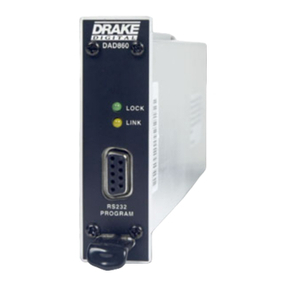
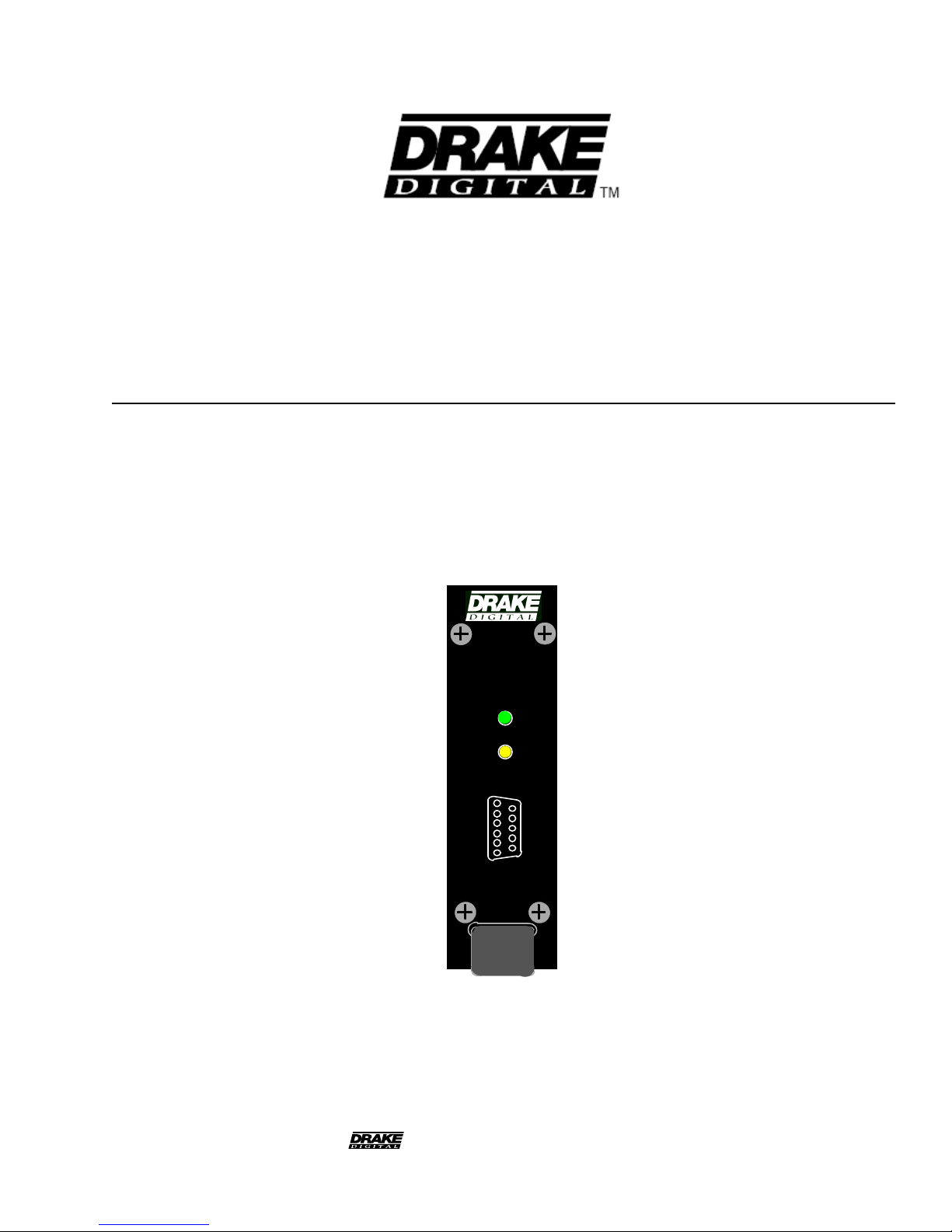
DAD860 and DAD860A
Digital to Analog Decoders
DAD860
LINK
LOCK
RS232
PROGRAM
2 Caution Statements
TO REDUCE THE RISK OF FIRE OR ELECTRIC SHOCK, DO NOT EXPOSE THIS PRODUCT
TO RAIN OR MOISTURE.
DO NOT OPEN THE CABINET, REFER SERVICING TO QUALIFIED PERSONNEL ONLY.
TO PREVENT ELECTRIC SHOCK, DO NOT USE THIS (POLARIZED) PLUG WITH AN EXTENSION
CORD RECEPTACLE OR OTHER OUTLET UNLESS THE BLADES CAN BE FULLY INSERTED TO
PREVENT BLADE EXPOSURE.
POUR PREVENIR LES CHOCS ELECTRIQUES, NE PAS UTILISER CETTE FICHE POLARISEE
AVEC UN PROLONGATEUR, UNE PRISE DE COURANT OU UNE AUTRE SORTIE DE COUR-
ANT, SAUF SI LES LAMES PEUVENT ETRE INSEREES A FOND SANS EN LAISSER AUCUNE
PARTIE A DECOUVERT.
WARNING:
CAUTION:
ATTENTION:
A product and cart combination should be moved
with care. Quick stops, excessive force and uneven
surfaces may cause the product and cart combina-
tion to overturn.
The lightning flash with arrow head symbol, within
an equilateral triangle, is intended to alert the user
to the presence of uninsulated "dangerous voltage"
within the product's enclosure that may be of
sufficient magnitude to constitute a risk of electric
shock to persons.
The exclamation point within an equilateral triangle
is intended to alert the user to the presence of
important operating and maintenance (servicing)
instructions in the literature accompanying
the product.
CAUTION
WARNING: TO PREVENT FIRE OR
ELECTRICAL SHOCK DO NOT
EXPOSE TO RAIN OR MOISTURE
RISK OF ELECTRIC SHOCK
DO NOT OPEN
CAUTION: TO REDUCE THE RISK OF ELECTRIC
SHOCK,
DO NOT REMOVE COVER
NO USER-SERVICEABLE PARTS INSIDE
REFER SERVICING TO QUALIFIED PERSONNEL
Important Safety Instructions 3
1. Read Instructions—All the safety and operating instructions should be read
before the product is operated.
2. Retain Instructions—The safety and operating instructions should be
retained for future reference.
3. Heed Warnings—All warnings on the product and in the operating in-
structions should be adhered to.
4. Follow Instructions—All operating and use instructions should be followed.
5. Cleaning—Unplug this product from the wall outlet before cleaning. Do not
use liquid cleaners or aerosol cleansers. Use a damp cloth for cleaning.
6. Attachments—Do not use attachments that are not recommended by the
product manufacturer as they may cause hazards.
7. Water and Moisture—Do not use this product near water—for example,
near a bathtub, wash bowl, kitchen sink or laundry tub; in a wet basement; or
near a swimming pool; and the like.
8. Accessories—Do not place this product on an unstable cart, stand, tripod,
bracket, or table. The product may fall, causing serious injury to a child or adult,
and serious damage to the product. Use only with a cart, stand, tripod, bracket,
or table recommended by the manufacturer, or sold with the product. Any
mounting of the product should follow the manufacturer's instructions, and
should use a mounting accessory recommended by the manufacturer.
9. A product and cart combination should be moved with care. Quick stops,
excessive force, and uneven surfaces may cause the product and cart
combination to overturn.
10. Ventilation—Slots and openings in the cabinet are provided for ventilation
and to ensure reliable operation of the product and to protect it from
overheating, and these openings must not be blocked or covered. The
openings should never be blocked by placing the product on a bed, sofa, rug,
or similar surface. This product should not be placed in a built-in installation
such as bookcase or rack unless proper ventilation is provided or the
manufacturer's instructions have been adhered to.
11. Power Sources—This product should be operated only from the type of
power source indicated on the marking label. If you are not sure of the type of
power supplied to your home, consult your product dealer or local power
company. For products intended to operate from battery power, or other
sources, refer to the operating instructions.
12.GroundingorPolarization—Thisproductmaybeequippedwitha polarized
alternating-current line plug (a plug having one blade wider than the other). This
plug will fit into the power outlet only one way. This is a safety feature. If you are
unable to insert the plug fully into the outlet, try reversing the plug. If the plug
should still fail to fit, contact your electrician to replace your obsolete outlet.
Do not defeat the safety purpose of the polarized plug.
Alternate Warnings—If this product is equipped with a three-wire grounding-
type plug, a plug having a third (grounding) pin, the plug will only fit into a
grounding-type power outlet. This is a safety feature. If you are unable to insert
the plug into the outlet, contact your electrician to replace your obsolete outlet.
Do not defeat the safety purpose of the grounding-type plug.
12 a. Mise à la terre ou Polarisation—Cet appareil est équipé avec un cordon
d'alimentation à trois fils. Il est a brancher sur une prise ayant un connecteur a
la terre. Assurez-vous que la connection a la terre ne manque pas.
13. Power-Cord Protection—Power-supply cords should be routed so that
they are not likely to be walked on or pinched by items placed upon or against
them, paying particular attention to cords at plugs, convenience receptacles,
and the point where they exit from the product.
14. Outdoor Antenna Grounding—If an outside antenna or cable system is
connected to the product, be sure the antenna or cable system is grounded so
as to provide some protection against voltage surges and built-up static
charges. Article 810 of the National Electrical Code, ANSI/NFPA 70, provides
information with regard to proper grounding of the mast and supporting
structure, grounding of the lead-in wire to an antenna discharge unit, size of
grounding conductors, location of antenna-discharge unit, connection to
grounding electrodes, and requirements for the grounding electrode.
See Figure A.
15. Lightning—For added protection for this product during a lightning storm,
or when it is left unattended and unused for long periods of time, unplug it from
the wall outlet and disconnect the antenna or cable system. This will prevent
damage to the product due to lightning and power-line surges.
16. Power Lines—An outside antenna system should not be located in the
vicinity of overhead power lines, other electric light or power circuits, where it can
fall into such power lines or circuits. When installing an outside antenna system,
extreme care should be taken to keep from touching such power lines or circuits
as contact with them may be fatal.
17. Overloading—Do not overload wall outlets, extension cords, or integral
convenience receptacles as this can result in a risk of fire or electric shock.
18. Object and Liquid Entry—Never push objects of any kind into this product
through openings as they may touch dangerous voltage points or short-out parts
that could result in a fire or electric shock. Never spill liquid of any kind on the
product.
19. Servicing—Do not attempt to service this product yourself as opening or
removing covers may expose you to dangerous voltage or other hazards. Refer
all servicing to qualified service personnel.
20. Damage Requiring Service—Unplug this product from the wall outlet and
refer servicing to qualified service personnel under the following conditions:
a. When the power-supply cord or plug is damaged,
b. If liquid has been spilled, or objects have fallen into the product,
c. If the product has been exposed to rain or water,
d. If the product does not operate normally by following the operating
instructions. Adjust only those controls that are covered by the operating
instructions as an improper adjustment of other controls may result in damage
and will often require extensive work by a qualified technician to restore the
product to its normal operation,
e. If the product has been dropped or damaged in any way, and
f. When the product exhibits a distinct change in performance—this indicates
a need for service.
21. Replacement Parts—When replacement parts are required, be sure the
service technician has used replacement parts specified by the manufacturer
or have the same characteristics as the original part. Unauthorized substitutes
may result in fire, electric shock or other hazards.
22. Safety Check—Upon completion of any service or repairs to this product,
ask the service technician to perform safety checks to determine that the
product is in proper operating condition.
23. Wall or Ceiling Mounting—The product should be mounted to a wall or
ceiling only as recommended by the manufacturer.
24. Heat—The product should be situated away from heat sources such as
radiators, heat registers, stoves, or other products (including amplifiers) that
produce heat.
NOTE TO CATV SYSTEM INSTALLERS:
THIS REMINDER IS PROVIDED TO CALL THE
CATV SYSTEM INSTALLER'S ATTENTION TO
ARTICLE 820 - 40 OF THE NEC THAT PRO-
VIDES GUIDELINES FOR PROPER GROUND-
ING AND, IN PARTICULAR, SPECIFIES
THAT THE CABLE GROUND SHALL BE CON-
NECTED TO THE GROUNDING SYSTEM
OF THE BUILDING, AS CLOSE TO THE POINT
OF CABLE ENTRY AS PRACTICAL.
POWER SERVICE GROUNDING
ELECTRODE SYSTEM
(NEC ART 250, PART H)
GROUND CLAMPS
GROUNDING CONDUCTORS
(NEC SECTION 810-21)
ANTENNA
DISCHARGE UNIT
(NEC SECTION 810-20)
ANTENNA
LEAD IN
WIRE
ELECTRIC
SERVICE
EQUIPMENT
GROUND CLAMP
NEC - NATIONAL ELECTRIC CODE
Figure A
Example of antenna grounding as per National Electrical Code, ANSI/NFPA 70

4 Table of Contents / Specifications
TABLE OF CONTENTS
2Caution Statements
3Important Safety Instructions
4Table of Contents / Specifications
5General Description / Installation and Mounting
6DAD860 and DAD860A Connections / Notes
7DAD860 Controller Controls and Connections
8DAD860 Setup and Programming
11 CATV Channel Frequencies
12 Broadcast TV Channel Frequencies
13 Service / If You Need To Call For Help
14 Warranty
Specifications subject to change without notice or obligation.
RF INPUT
Frequency Range:
Channel Plans:
Input Channel BW:
Demod Modes:
Broadcast:
CATV:
Symbol Rates:
8VSB:
64QAM:
256QAM:
Recommended
Input Level Range:
8VSB:
64 QAM:
256QAM
Input Connector:
Impedance:
Return Loss:
ASI OUTPUT
Connector
TS Stream Type
Included Program(s)
Clock
NTSC VIDEO AND
AUDIO OUTPUTS
Video Output Connector:
Impedance:
Level:
Format:
VBI Data:
Audio Outputs:
Level:
Aspect Ratio:
GENERAL
Power Requirement:
DAD860
DAD860A
Dimensions and Weight:
DAD860
DAD860A
54 MHz to 864 MHz
Broadcast, STD CATV, HRC, IRC
6 MHz
8VSB, ATSC Standard-
18 video formats
64QAM, 256QAM Annex B
Auto Detected
10.76 MS/s
5.057 MS/s
5.3606 MS/s
-26 to +30 dBmV
-15 to +15 dBmV
-12 to +15 dBmV
Type F Female,
75 Ohms
6 dB or better
(DAD860A only)
Front Panel BNC
MPTS or SPTS
All programs that are present in the
demodulated RF channel.
DVB-ASI stream w.270 MHz clock.

Type F, Female
75 Ohms
1 V p-p.
480i NTSC
NTSC Parental Control and EIA-608
Closed Captioning
L& R, Mono or Stereo
250 mV rms nominal, user adjustable

AFD Ready.
User Programmable -
Cropped, Ltr Box, Stretched, AFD/Ltr
Box, AFD/Cropped
5 VDC, 390 mA
12VDC, 220 mA
5 VDC, 550 mA
12 VDC @ 260 mA
Supplied by Drake PSM121 or RMM4
3.43” H x 1.024” W x 9.5” D
13.1 oz.
3.43” H x 1.024”W x 12.5” D
14.5 oz.
DAD860 & DAD860A SPECIFICATIONS
GENERAL DESCRIPTION
The R. L. Drake DAD860 and DAD860A are high
quality, low noise, frequency agile, digital to analog
decoders designed for receiving digital signals from
off-air or CATV channels. Output of the DAD860 is
baseband NTSC video and stereo audio. The
DAD860A, only, has these NTSC outputs plus an
additional ASI output containing the entire demodu-
lated transport stream for the tuned RF channel (all
programs included).
The NTSC output of a DAD860 or DAD860A can be
connected to VMM series modulators to place the
programming on an off-air or CATV channel, or to any
other device requiring baseband audio and video input.
General Description 5
Parameters for the DAD860 can be set up with the
DAD860 Controller Module or by front panel RS232
connection to a PC running ‘DAD860 Remote
Control Software’.
The one-unit wide module can be rack mounted using
the 12 position RMM12 rack mount, and is powered
by the Drake PSM121 Power Supply. Up to 10 units
plus the DAD860 Controller Module, or 12 units
without the Controller Module can be mounted in the
12 position rack mount. If no controller is required,
the RMM4 chassis and power supply may be used for
up to 4 DAD860s. DAD860As require more current
from the power supply and thus require the above
capacity to be reduced by two.
INSTALLATION AND MOUNTING
Install the decoders in the RMM12 rack mounting
frame. Slide each module into the frame from the
front so that the mounting rails on the top and bottom
of the DAD engage the mounting tracks on the frame.
Similarly, mount the PSM121 Power Supply, again
making sure that its mounting rails line up with the
tracks in the frame. Apply the same mounting
procedure to the DAD860 Controller.
Note that, while the drawings on this page show only
DAD860s installed, various combinations of
DAD860(A)s and VMM600 or VMM860 modulators
could be installed in the same RMM12 or RMM4.
Plug the supplied power cable into the receptacle on
the rear of the PSM121 Power Supply, and attach a
connector to the POWER receptacle on the rear of
each of the DAD860s, VMM modulators, and the
DAD860 Controller if used.
If the DAD860 Controller is used, plug the supplied
cable into the COMM receptacle on its rear panel.
You will note that the other end of this cable termi-
nates in ten three conductor female connectors.
Insert one of these connectors into the LINK recep-
tacle on each of the DAD860s installed in the rack.
While these connectors can be inserted in any
order, it is suggested that cables be connected to
the DAD860s in numerical order from either left to
right or right to left - depending on which side of the
rack the DAD Controller is mounted.
Connect an RF source (off-air or CATV) to the RF IN
connector on each unit and connect the VIDEO
OUT and AUDIO L and R connections to the appro-
priate inputs of each modulator or other desired
device.
Then connect the power supply power connector to
the appropriate power source using the supplied
line cord.
DAD860
LOCK
LINK
RS232
PROGRAM
DAD860
LOCK
LINK
RS232
PROGRAM
DAD860
LOCK
LINK
RS232
PROGRAM
DAD860
LOCK
LINK
RS232
PROGRAM
DAD860
LOCK
LINK
RS232
PROGRAM
DAD860
LOCK
LINK
RS232
PROGRAM
DAD860
LOCK
LINK
RS232
PROGRAM
PSM121 POWER SUPPLY
DAD860
LOCK
LINK
RS232
PROGRAM
DAD860
LOCK
LINK
RS232
PROGRAM
DAD860
LOCK
LINK
RS232
PROGRAM
UNIT
DAD860
DRAKE
DAD860 Controller
ENTER
+5 VDC
(4.5A Max)
Pins 1, 4, 7,
12, 15, 18,
21, 24, 27,
+12 VDC
(3A Max)
Pins 2, 3, 5,
6, 8, 9, 11,
13, 14, 16,
17, 19
GND:
Pins 10, 20,
22, 23, 25,
26, 28, 29,
31, 32, 34,
35, 3730, 33, 36
CONFORMS TO
UL STD 1950
CERTIFIED TO
CAN/CSA STD
C22.2 NO.950-95
37
19
20
1
100-240 V~
50/60 Hz 75 WATTS
~
C US
3008858
VIDEO OUT
AUDIO
R
L
RF IN
LINK
POWER
VIDEO OUT
AUDIO
R
L
RF IN
LINK
POWER
VIDEO OUT
AUDIO
R
L
RF IN
LINK
POWER
VIDEO OUT
AUDIO
R
L
RF IN
LINK
POWER
VIDEO OUT
AUDIO
R
L
RF IN
LINK
POWER
VIDEO OUT
AUDIO
R
L
RF IN
LINK
POWER
VIDEO OUT
AUDIO
R
L
RF IN
LINK
POWER
VIDEO OUT
AUDIO
R
L
RF IN
LINK
POWER
VIDEO OUT
AUDIO
R
L
RF IN
LINK
POWER
VIDEO OUT
AUDIO
R
L
RF IN
LINK
POWER
COMM
POWER
+5V
+12V
GND
DAD860
LOCK
LINK
RS232
PROGRAM
VIDEO OUT
AUDIO
R
L
RF IN
LINK
POWER
F1
F2
F3
R1
R2
R3
R4
R5
R6
FRONT PANEL INDICATORS & CONNECTIONS
F1 - LOCK LED - This green LED lights continu-
ously when the DAD860 is locked to the selected
incoming signal. If the lock is lost, such as when no
signal or a noisy signal is present, this LED will flash
on and off continuously
F2 - LINK LED - This amber LED flashes on and off
when the particular DAD860 is selected for pro-
gramming by the DAD860 CONTROLLER or
‘DAD860 REMOTE CONTROL SOFTWARE’.
F3 - RS232 PROGRAM - This RS232 connector is
intended to attach to a PC running ‘DAD860 RE-
MOTE CONTROL SOFTWARE’ for programming
the DAD860 as an alternative to using the DAD860
CONTROLLER module.
F4 - ASI OUTPUT, BNC CONNECTOR - not shown.
This BNC connector is only provided on the DAD860A
model and is located just above the LOCK LED.
REAR PANEL CONNECTIONS
R1 - VIDEO OUT - This “F” type connector supplies
the NTSC baseband video output to a modulator or
other suitable device.
R2 - LINK - This receptacle connects to one of the
ten serial cables from the DAD860 CONTROLLER
module for programming the desired parameters
into the DAD860.
R3 - POWER - This receptacle connects to one of
the twelve power cables from the PSM121 power
supply. The cable provides +5V, +12V and GND to
each device to which it is connected.
R4 - RF IN - This “F” type connector attaches to a
CATV (QAM) or off-air (8-VSB) digital TV signal
source.
R5 & R6 - AUDIO L & R - These two RCA Phono
connectors provide left and right stereo audio output
to a modulator or other suitable device.
RMM12 INSTALLATION OF DAD860 AND DAD860A
The DAD860A draws additional current from the power
supply compared to the DAD860 model. Thus when
the DAD860A is paired with VMM series agile modu-
lators, one less DAD860A/VMM pair can be used
compared to use with the VMM600 or VMM860 fixed
modulators. Example useable combinations are:
10 DAD860A + 1 PSM121 + 2 open spaces
6 DAD860A + 6 VMM600 + 1 PSM121
5 DAD860A + 5 VMM860AG/AS + 1 PSM121
12 DAD860 + 1 PSM121
6 DAD860 + 6 VMM (fixed or agile) + 1 PSM121
Other combinations are possible. The user must refer
to the specification for each model and make sure
that total load will not exceed the PSM121 rating.
DAD860 CONTROL MODULE
The DAD860 Control Module may be used to control
either the DAD860 or DAD860A. Models may be
mixed and use a single controller.
The DAD860 Control Module is 2 units wide and thus,
if used, one pair of DAD/VMM must be replaced by
the controller. For example: one could control 10
DAD860 units but only 8 DAD860A units in one
RMM12.
RMM4 INSTALLATION OF DAD860 AND DAD860A
Any combination of DAD860, DAD860A, and VMM
series - either fixed or agile - can be mounted ‘on their
side’ in the RMM4 rack.
CONNECTIONS / NOTES
6 DAD860 / DAD860A
GND
+12V
+5V
POWER
COMM
DAD860 Controller Controls and Connections 7
F1
F2
F3
F4
F5
F6
F7
R1
R2
F1 - LCD DISPLAY- This displays the selected
DAD860 unit number, the selected parameter, and
its value.
F2 - UP Button - When in program mode, this
button scrolls upward through the available param-
eter values. When not in the program mode, this
button will have no effect.
F3 - LEFT Button - This button scrolls counterclock-
wise through the available parameters for the
selected unit.
F4 - UNIT Button - This button scrolls in numeric
order through the available DAD860 units. When a
unit is selected, its amber LINK LED will flash
continuously. While the LINK light is flashing, the
LCD will display the selected unit number and the
signal to noise ratio of the received signal or “NO
LOCK” if no signal is being received. After a unit is
selected, the controller backlight and the selected
unit’s amber LINK light will extinguish after approxi-
mately 40 seconds if there are no other control
inputs.
F5 - ENTER Button- Pressing this button for two
seconds will enter the program mode for the se-
lected DAD860. This is indicated by the LCD
flashing on and off at an interval of approximately
one second. Once in the program mode, pressing
ENTER will store the value of the selected param-
eter and exit program mode.
R1 - COMM Connector - This connector provides a
means of connecting the controller to each of the
DAD860 units. Asupplied cable is attached to this
connector the other end of which is terminated in
ten numbered three conductor connectors. The
connector number corresponds to the unit number
of the DAD860 to which it is connected.
R2 - POWER Connector - This three conductor
connector connects to one of the twelve cables from
the PSM121 power supply to supply power for the
programmer.
FRONT PANEL INDICATORS & CONNECTIONS
REAR PANEL INDICATORS & CONNECTIONS
F7 - DOWN Button - When in program mode, this
button scrolls downward through the available
parameters. When not in the program mode, it will
have no effect.
ENTER
DAD860 Controller
DRAKE
DAD860
UNIT
POWER SUPPLY
The DAD860 requires multiple power supply voltages
that are all obtained from the Drake model PSM121
power supply module. The PSM121 mounts in the
RMM12 rack tray along with one to twelve DAD860
decoders (or other similar Drake models such as
VMM600 series modulators). The PSM121 provides
+5V, +12V and GND connections to each unit.
The PSM121 operates over a wide range of AC input
voltages from 90 VAC to 240 VAC, 50/60 Hz, and has
an 3 wire line cord receptacle. Power consumption
from the AC line will be around 60 W with twelve
DAD860 decoders installed. In many cases, the
power will be below this level.
F6 - RIGHT Button - When in program mode, pressing
this button will save the selected parameter value and
will then scroll clockwise to the next parameter, while
remaining in the program mode. When not in program
mode, it will scroll clockwise through available
parameters without saving any data. When in program
mode, it is also used to access secondary menus,
progress through secondary menu trees and to store
the value selections in these menus.
6
8 DAD860 Setup and Programming
INTRODUCTION
The programming of each DAD860(A) in an RMM12
rack mounting frame is done with the DAD860
Controller, or by a PC running Drake ‘DAD860 Remote
Control Software’. The following discussion will
describe the use of the DAD860 Controller. Use of
‘DAD860 Remote Control Software’ will be covered in
documentation included with the software.
NOTE: The information presented on pages 8, 9, and
10 applies to the DAD860 and DAD860A even though
the references will only mention DAD860.
The UNIT button on the DAD860 Controller is used to
select the unit to be programmed. The actual pro-
gramming is done via the UP, DOWN, LEFT, RIGHT
and ENTER buttons.
The chart below shows each of the menus that are
available for parameter value setup and/or viewing
for the DAD860 being programmed. Pressing the
LEFT or RIGHT arrow buttons will navigate through
these menus. You may do this without danger of
disturbing any of the current settings when not in
program mode.
As you navigate through the menus the parameter
name is listed on the top line of the display and the
current value is shown on the bottom line. For
setup purposes, it is best to progress clockwise
through the chart (use the right arrow button),
starting from the default UNIT # screen.
In the chart below shows the values that are avail-
able in each of these menus.
PROGRAMMING
To adjust and set a parameter value, enter the
program mode by pressing the center ENTER
button for approximately 3 seconds until the display
begins to flash. You are now in the program mode
and the UP and DOWN buttons will take you
through the various values for a given parameter.
Find the desired value for the selected parameter
and use the RIGHT arrow button to save that value
and progress to the next parameter, while remaining
in the program mode. (If the ENTER key is used,
the parameter value will be saved and program
mode exited.)
Proceed in this manner until all parameters have
been set to the desired value. Then press the
ENTER button to exit program mode and use the
UNIT key to proceed to the next DAD860 to be
programmed.
Pressing the LEFT arrow button while in program
mode will back up to the previous parameter without
saving the current parameter value to memory.
Once programming for a given DAD860 has been
completed, the information will be retained in the
units memory until it is reprogrammed, even when
power is removed.
RF LIST
OFF AIR
CATV STD
CATV HRC
CATV IRC
UNIT #
SN xx dB
BOOT UP
SYSTEM DRAKE
DAD860 CH PLAN
USE LIST
MAN SEL Select
MPEG #
Current
Channel
RF #
MPEG #
DAD860 CONTROLLER
MENU FLOW CHART
USE LIST
Select
Mode
Select
CH #
MPEG PGM
AUD PID Select
CH #
Select
Audio
PID #
SCAN
ADD
NEW
CLR LIST CONFIRM? CLEARING
CONFIRM?
Channel
Select
NEW
Scanning
ADD
Scanning
SCAN
TV TYPE
4:3
16:9
VERSION
NUMBER MODEVOLUME
0 - 100
AUDIO
1. ENG
2. SPA
3. FRE
MUTE SCR
BLUE SCR
NO VID MUTE
WEAK SIG
NO MUTE
NO MUTE
CROPPED
STRETCH
LTR BOX
AFD/CROP
AFD/ LTR.
SCAN NEW
CLR LIST
SCAN ADD
MAN SEL
DAD860 Setup and Programming (cont.) 9
RF LIST SECONDARYMENUS
ADAD860 can store in its memory a list of all of the
digital channels and the MPEG programs they
contain, which it can receive from the CATV or off-
air signal source to which it is connected. The
values shown for the RF LIST parameter each lead
to secondary menus that allow manipulation of this
stored channel and MPEG information. The follow-
ing is a description of each of these secondary
menu functions. These secondary menus can only
be accessed when in the program mode.
USE LIST - This function allows selection of the
desired channel and MPEG program from a chan-
nels LIST previously stored the DAD860’s memory.
From the “RF LIST” parameter screen USE LIST is
the default value.
1. Press the RIGHT arrow button. “USE LIST”
and the currently stored channel number will be
displayed.
2. Press the RIGHT button again. This will take
the operator to “RF # - MPEG # “ screen where the
desired channel and MPEG numbers can be
selected from the stored list using the UP and
DOWN arrow buttons.
3. Press the RIGHT arrow button again to
save the value and proceed to the next parameter in
the primary menu.
MAN SEL - This function allows storage of a
particular RF channel and MPEG program value
whether or not signals are being received. It is also
used to select a specific audio PID if that is desired.
1. From the “RF LIST” screen, use the UP or
DOWN arrow buttons to select MAN SEL.
2. In the MAN SELECT menu, choose MPEG
PGM to select a specific MPEG program OR choose
AUD PID to select one specific audio PID on this RF
channel. Video from the program containing this audio
PID will play, if available. Enter PID in decimal format.
3. Press the RIGHT arrow button. AMPEG
PGM or AUD PID RF CH# screen will appear.
4. Use the UP and DOWN arrow buttons to
select the desired RF channel.
5. Press the RIGHT arrow button again. If
MPEG PGM was chosen in step 2, the “MPEG PGM”
screen will appear. Use the UP and DOWN arrow
buttons to select the desired MPEG program number.
If AUD PID was chosen, a screen will appear to allow
setting any audio PID number, do so now.
6. Press the RIGHT arrow button again. This
will take you to the “RF # - MPEG #” screen in the
main menu with the desired channel selected.
7. Press the RIGHT arrow button again to save
the value and proceed to the next parameter in the
primary menu.
SCAN ADD - This function allows storage of an
additional channel to either a previously stored list or
an empty list, when the DAD860 is connected to a
signal source.
1. From the “RF LIST” screen, use the UP and
DOWN arrow buttons to select SCAN ADD.
2. Press the RIGHT arrow button. The “SCAN
ADD - CH 002” screen will appear.
3. Use the UP and DOWN arrows to select the
desired channel.
4. Press the RIGHT arrow button again. The
“SCAN ADD >>>>>” screen will appear followed
momentarily by the SCAN LOCK screen and on to
the “RF # MPEG” screen. At this point the unit will
exit program mode.
6. At this point you can re-enter program
mode, proceed to the “RF # - MPEG #” screen and
select the desired MPEG number for the newly
added channel.
7. Press ENTER to exit program mode.
NEW SCAN - This function is used to populate an
empty list when the unit is attached to a signal
source.
1. From the “RF LIST” screen use the UP or
DOWN arrows to select NEW LIST.
2. Press the RIGHT arrow button. The “SCAN
NEW” screen will appear.
3. Press the RIGHT arrow button again. A
“CONFIRM?” screen will appear.
4. An additional press of the RIGHT arrow
button will produce a “SCAN NEW - >>>>>>>>”
screen which will remain while the unit scans all
channels. This could take a minute or two.
5. When scanning is complete, you will briefly
see a “LOCK” screen followed by the “RF # - MPEG
#” screen in the main menu. You can then select the
desired channel from the newly stored list and
proceed to the next parameter in the primary menu.
CLR LST - This function is used to erase all infor-
mation from the units memory in preparation for
reprogramming.
1. From the “RF LIST” screen, use the UP or
DOWN arrows to select CLR LIST.
2. Press the RIGHT arrow button. This will
produce a “CLR LIST” screen.
3. Press the RIGHT arrow button again. A
“CONFIRM?” screen will appear.
4. An additional depression of the RIGHT
arrow will produce a “CLEARING - >>>>>>>>”
screen followed shortly by the “RF # - MPEG #”
screen which will now say “EMPTY”
5. You can now press the LEFT arrow button
to return to the “RF LIST” screen where you can
select the method you wish to use to reprogram the
unit’s memory.
10 DAD860 Setup and Programming (cont.)
ADDITIONAL MENU ITEMS
RF # - MPEG # - This menu screen allows selec-
tion of the desired channel and MPEG program
from the list saved in memory or by one of the
methods in the secondary menus described previ-
ously.
TV TYPE - Since the purpose of the DAD860 is
usually to provide 480i, 4:3 aspect ratio video for
display as a 480i signal, choose the 4:3 setting.
MODE - This selection determines how the video will
be displayed on the TV screen. One of the AFD
modes is recommended. “AFD/LTR” and “AFD/
CROP” use data that may be transmitted by the
broadcaster via the AFD (Active Format Description)
codes to automatically switch the DAD860’s output
between cropped or letterbox display to provide the
optimum viewing experience on a 4:3 TV. If no codes
are being transmitted, the aspect ratio will default to
“LTR BOX” or “CROPPED” respectively. If it is
desirable to ignore AFD codes and force a particular
mode, that may be done by selecting one of the
following settings.When wide screen video is being
received, “CROPPED” truncates the left and right
sides of the picture and expands it vertically to fill the
4:3 sized screen. Proper geometry is maintained.
This mode is sometimes called “Center Cut”.
“LTR BOX” will show the entire picture without
distortion, but will leave black bars above and below
the picture. “STRETCH” expands the picture verti-
cally without cropping the left and right sides. The
“STRETCH” mode is seldom used.
VOLUME - This menu determines the audio output
level of the audio audio outputs. The selections are
from 0 to 100. Adjust for maximum audio level without
distortion. 85 is the default value.
AUDIO - Determines the language of the output
audio when multiple languages are available. The
choices are “1. ENG” (English), “2. SPA” (Spanish)
and “3. FRE” (French).
WEAK SIG - This is used to select the video output that
is to be displayed if the signal on the selected channel
is either absent or too weak for successful decoding.
The choices are “NO MUTE”, and “MUTE”. If “NO
MUTE” is selected, pressing the RIGHT button will
take the user directly to the VERSION NUMBER
screen. However if “MUTE” is selected, the MUTE
SCR screen appears with the choices of “BLUE SCR”
(blue screen) and “NO VID” (no video). Use the up or
down buttons to make the desired selection and press
the right button to proceed to the Version Number
screen. Muting, if selected, will occur if the SNR
drops to 15 dB, and the unit will unmute when the
SNR then reaches 17 dB or higher. With no muting
selected, the screen will still go to blue screen at
around 3 dB below usable 8VSB SNR.
UNIT # - SN - This is the default screen when a
DAD860 is selected. It displays the unit number of
the selected DAD860 as well as the signal to noise
ratio (SN) of the signal being received. If no signal
is being received. “NO LOCK” will be displayed
instead of a signal to noise ratio.
CH PLAN - This menu allows the selection of the
type of channel plan that will be received. The
choices are “OFF AIR”, “CATV STD”, “CATV HRC”
and “CATV IRC”. Tables showing channel number
vs frequency of CATV STD and OFF AIR (broadcast
TV) channel plans are shown on pages 11 and 12
respectively.
PROGRAMMING WITH APC
In addition to being programmed with the ‘DAD860
Controller’, the DAD860 can be programmed with a
PC running ‘DAD860 Remote Control Software’.
Connection to the PC is accomplished using a
standard RS232 serial cable connected from a
serial port on the PC to the RS232 serial port in the
front panel of the DAD860.
Details of the programming procedure are included
in the documentation supplied with the software.
Once programming is complete, the RS232 cable
may be removed from the DAD860. It is not neces-
sary to leave the PC connected after programming
is complete.
MEMORYRETENTION
Regardless of whether a DAD860 is programmed
using the ‘DAD860 Controller’or a PC running
‘DAD860 Remote Control Software’, a DAD860 will
retain the programming even if power is removed
for prolonged periods.
VERSION NUMBER - The firmware version number of
the selected DAD860 is displayed on this screen.
ADD’L INFO - MANUAL SELECT PROGRAMMING
2) Enter the MPEG program number or an actual
audio PID number, but not both. When entering an
audio PID number, make sure the MPEG program
number is not programmed.
1) The RF channel must always be entered .
.