manuals.online logo
Brands
  1. Home
  2. •
  3. Brands
  4. •
  5. Durabrand
  6. •
  7. Telephone
  8. •
  9. Durabrand PH-323 User manual

Durabrand PH-323 User manual

Other manuals for PH-323

1

Other Durabrand Telephone manuals

Durabrand PH-5562 User manual

Durabrand

Durabrand PH-5562 User manual

Durabrand PH-323 User manual

Durabrand

Durabrand PH-323 User manual

Durabrand PH-301 User manual

Durabrand

Durabrand PH-301 User manual

Durabrand PH-3235 User manual

Durabrand

Durabrand PH-3235 User manual

Durabrand PH-568 User manual

Durabrand

Durabrand PH-568 User manual

Durabrand PH-301 User manual

Durabrand

Durabrand PH-301 User manual

Durabrand PH-568 User manual

Durabrand

Durabrand PH-568 User manual

Durabrand IB-PH5595 User manual

Durabrand

Durabrand IB-PH5595 User manual

Durabrand PH-301 User manual

Durabrand

Durabrand PH-301 User manual

Durabrand PH-417 User manual

Durabrand

Durabrand PH-417 User manual

Durabrand PH-3235 User manual

Durabrand

Durabrand PH-3235 User manual

Popular Telephone manuals by other brands

Philips BaseLine Pro manual

Philips

Philips BaseLine Pro manual

V-tech i6772 user guide

V-tech

V-tech i6772 user guide

BT FREELANCE XD 5100 quick start guide

BT

BT FREELANCE XD 5100 quick start guide

Uniden 1360 user guide

Uniden

Uniden 1360 user guide

Fanvil D800 user manual

Fanvil

Fanvil D800 user manual

Avaya IP500 user guide

Avaya

Avaya IP500 user guide

NEC Univerge SV9100 installation manual

NEC

NEC Univerge SV9100 installation manual

Amanda MiniSOHO Installation and programming manual

Amanda

Amanda MiniSOHO Installation and programming manual

Hitachi SelecSet 900 Series user guide

Hitachi

Hitachi SelecSet 900 Series user guide

mPTech HAMMER BS21 quick start guide

mPTech

mPTech HAMMER BS21 quick start guide

NEC 2000IVX user guide

NEC

NEC 2000IVX user guide

ooma Phone Genie quick start guide

ooma

ooma Phone Genie quick start guide

Siemens Gigaset S450 user guide

Siemens

Siemens Gigaset S450 user guide

Clarity RC100 operating instructions

Clarity

Clarity RC100 operating instructions

GE 2-9480 user guide

GE

GE 2-9480 user guide

Geemarc PHOTOPHONE 155 user guide

Geemarc

Geemarc PHOTOPHONE 155 user guide

Interquartz Gemini IQ333 operating instructions

Interquartz

Interquartz Gemini IQ333 operating instructions

SSS Siedle HT 840-0 operating instructions

SSS Siedle

SSS Siedle HT 840-0 operating instructions

manuals.online logo
manuals.online logoBrands
  • About & Mission
  • Contact us
  • Privacy Policy
  • Terms and Conditions

Copyright 2025 Manuals.Online. All Rights Reserved.

IB-PH323(MS)-WM-E-051003
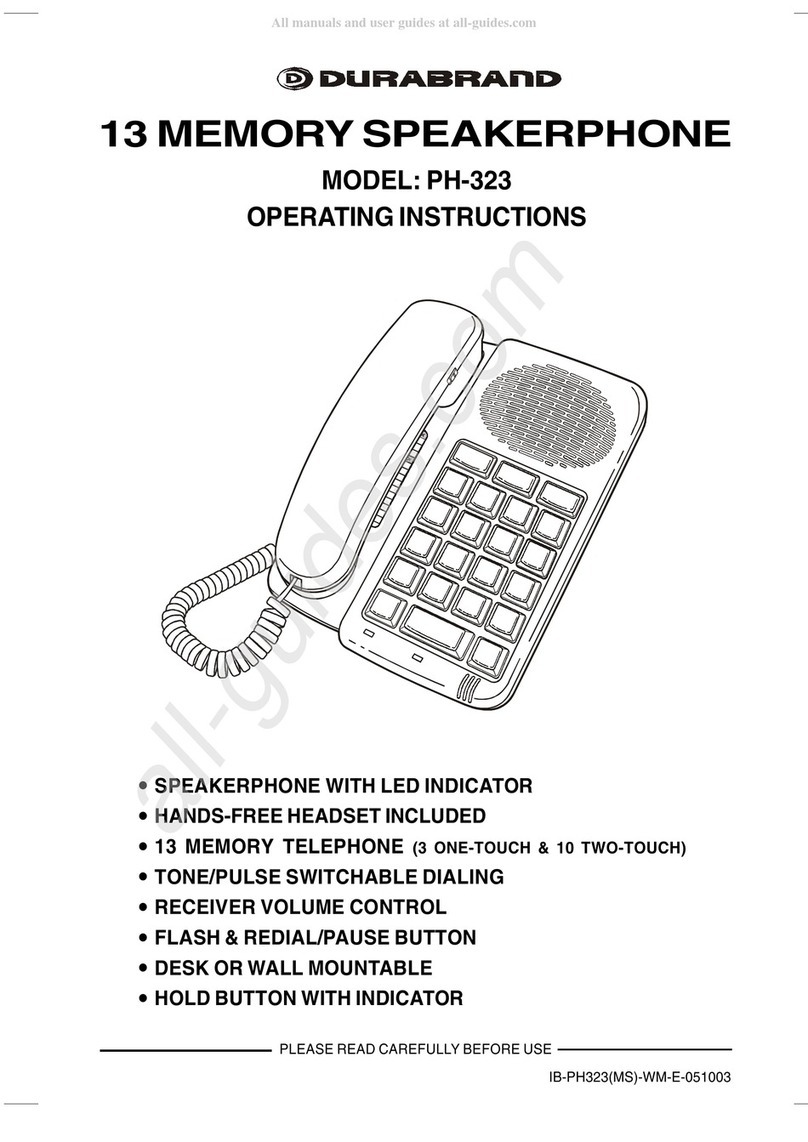
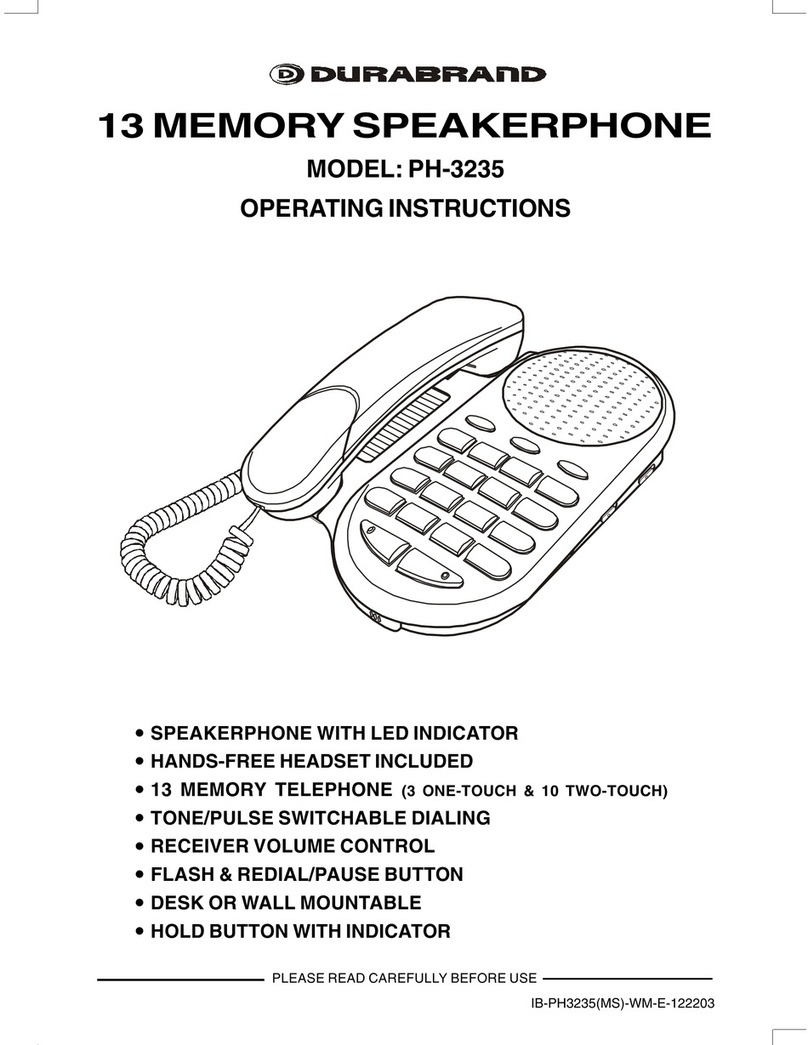
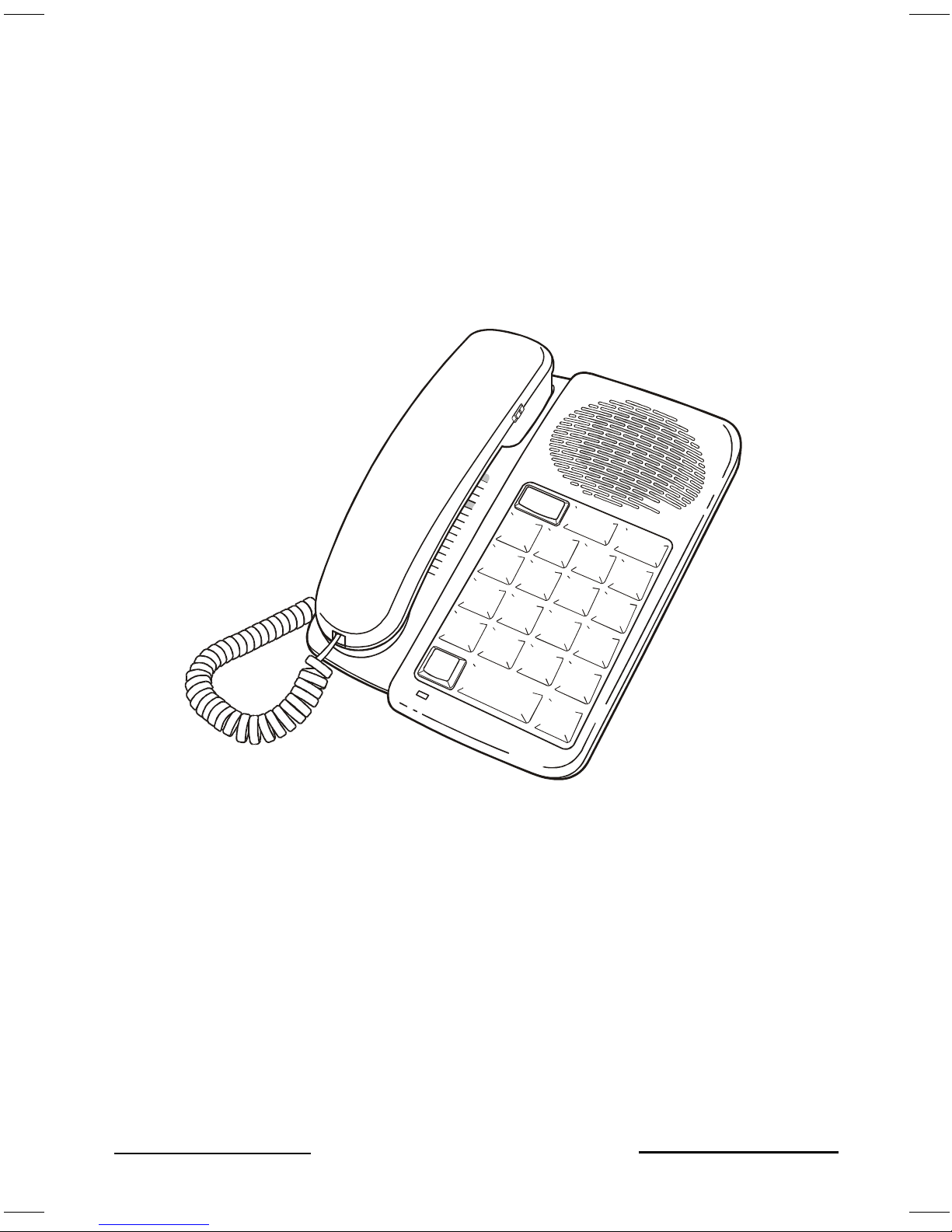
SPEAKERPHONE WITH LED INDICATOR
HANDS-FREE HEADSET INCLUDED
13 MEMORY TELEPHONE (3 ONE-TOUCH & 10 TWO-TOUCH)
TONE/PULSE SWITCHABLE DIALING
RECEIVER VOLUME CONTROL
FLASH & REDIAL/PAUSE BUTTON
DESK OR WALL MOUNTABLE
HOLD BUTTON WITH INDICATOR
13 MEMORY SPEAKERPHONE
MODEL: PH-323
OPERATING INSTRUCTIONS
PLEASE READ CAREFULLY BEFORE USE
IB-PH323(MS)-WM-E-043003.p65 5/10/03, 5:42 AM1
IB-PH323(MS)-WM-E-051003
When using your telephone equipment, the following basic safety precautions should always
be followed to reduce the risk of fire, electric shock and personal injury:
1. Read and follow all instructions and warnings.
2. Unplug this product from the wall outlet before cleaning. Do not use liquid cleaners or
aerosol cleaners. Use a slightly dampened cloth only.
3. Do not use this product near water, for example, near a bathtub, wash bowl, kitchen sink,
or laundry tub, in a wet basement, or near a swimming pool.
4. Do not place this product on an unstable cart, stand or table. The product may fall,
causing serious damage to itself.
5. Slots and openings in the cabinet at the back or bottom are provided for ventilation, to
protect the phone from overheating, these openings must not be blocked or covered. The
openings should never be blocked by placing the product on the bed, sofa, rug, or other
similar surface. This product should never be placed near or over a radiator, heat register
or a built-in installation such as a bookcase or cabinet unless proper ventilation is
provided.
6. Never push objects of any kind into this product through cabinet slots as they may touch
dangerous voltage points or short out parts that could result in risk of fire or electric shock.
Never spill liquid of any kind on the product.
7. To reduce the risk of electric shock, do not disassemble this product, but take it to a
qualified serviceman, when some service or repair work is required. Opening or removing
covers may expose you to dangerous voltages or other risks. Incorrect reassembly can
cause electric shock when the appliance is subsequently used.
8. Unplug this product from the wall outlet and refer servicing to qualified service personnel
under the following conditions:
A. When the cord or plug is damaged or frayed.
B. If liquid has been spilled into the product.
C. If the product has been exposed to rain or water.
D. If the product does not operate normally by following the operating instructions. Adjust
only those controls that are covered by the operating instructions because improper
adjustment of other controls may result in damage and will often require extensive work
by a qualified technician to restore the product to normal operation.
E. If the product has been dropped or the cabinet has been damaged.
F. If the product exhibits a distinct change in performance.
9. Avoid using a telephone (other than a cordless type) during an electrical storm. There may
be a remote risk of electric shock from lightning.
10. Do not use the telephone to report a gas leak in the vicinity of the leak.
11. Do not allow anything to rest on the telephone cord. Do not locate this product where the
cord will be abused by persons walking on it.
12. Never install telephone wiring during a lightning storm.
13. Never install telephone jacks in wet locations unless the jack is specially designed for wet
locations.
14. Never touch uninsulated telephone wires or terminals, unless the telephone line has been
disconnected at the network interface.
15. Be careful when installing or modifying telephone lines.
1
IMPORTANT SAFETY INSTRUCTIONS
SAVE THESE INSTRUCTIONS
HELP LINE 1-800-315-5885
IB-PH323(MS)-WM-E-043003.p65 5/10/03, 5:42 AM2
IB-PH323(MS)-WM-E-051003
FCC REGISTRATION
This telephone set is registered with the FCC based upon compliance with Part 68 of its rules.
Connection of this telephone to the nationwide telecommunications network must be through
a standard network jack (RJ11W or RJ11C) which you can order from your telephone company,
if not already installed.
NOTE: FCC registration does not constitute an expressed or implied guarantee of
performance. Only the Limited Warranty in this booklet covers the performance of this
telephone set.
IMPORTANT FCC INFORMATION
In the event that terminal equipment causes harm to the telephone network, the telephone
company should notify the customer, if possible, that service may be stopped. However, where
prior notice is impractical, the company may temporarily cease service providing that they:
1. Promptly notify the customer.
2. Give the customer an opportunity to correct the problem with their equipment.
3.Inform the customer of the right to bring a complaint to the Federal Communications
Commission pursuant to procedures set out in FCC Rules and Regulations Subpart E of Part 68.
The telephone company may make changes in its communications facilities, equipment,
operations or procedures, where such action is reasonably required in the operation of its
business and is not inconsistent with the rules and regulations in FCC Part 68. If such changes
can be reasonably expected to render any customer terminal equipment incompatible, the
customer shall be given adequate notice in writing, to allow the customer an opportunity to
maintain uninterrupted service.
RINGER EQUIVALENCE NO. (REN):
The REN is useful to determine the quantity of devices you may connect to your telephone line and
still have all of those devices ring when your telephone number is called. In most, but not all areas,
the sum of the RENs of all devices connected to one line should not exceed five (5.0). To be
certain of the number of devices you may connect to your line, as determined by the REN, you
should contact your local telephone company to determine the maximum REN for your calling area.
NOTE:
This equipment has been tested and found to comply with the limits for a Class B digital device,
pursuant to Part 15 of the FCC Rules. These limits are designed to provide reasonable
protection against harmful interference in a residential installation. This equipment generates,
uses, and can radiate radio frequency energy and, if not installed and used in accordance with
the instructions, may cause harmful interference to radio communications. However, there is no
guarantee that interference will not occur in a particular installation. If this equipment does
cause harmful interference to radio or television reception, try the following:
1. Reorient or relocate the receiving antenna.
2. Increase the separation between the equipment and receiver.
3. Connect the equipment into an outlet on a circuit different from that to which the receiver is
connected.
4. Consult the dealer or an experienced radio/TV technician for assistance.
GENERAL
The FCC prohibits customer-provided terminal equipment to be connected to party lines or to
be used in conjunction with coin telephone service.
This phone is hearing aid compatible.
2
IMPORTANT TELEPHONE COMPANY & FCC INFORMATION
CAUTION: TO REDUCE THE RISK OF FIRE, ELECTRIC SHOCK AND PERSONAL
INJURY, DO NOT OPEN CABINET.
WE SUGGEST THAT YOU REVIEW THE FOLLOWING INFORMATION PROVIDED BY
THE FCC (FEDERAL COMMUNICATIONS COMMISSION).
IB-PH323(MS)-WM-E-043003.p65 5/10/03, 5:42 AM3

IB-PH323(MS)-WM-E-051003
LAST NUMBER REDIAL - Just get a new dial tone and press the REDIAL/PAUSE button
(Useful if line is busy).
INTRODUCTION
SPEAKERPHONE - Allows you to make or answer phone calls hands-free, so that you
can work while carrying on conversation.
PAUSE FUNCTION - Press the REDIAL/PAUSE button for a pause in dialing a number.
DESK OR WALL MOUNTABLE - No special hardware needed, all cords and wall mount
adaptor included.
ADJUSTABLE HANDSET VOLUME CONTROL - Adjusts and raises volume of
receiver.
VOLUME SLIDE CONTROL - For speakerphone and headset volume.
HANDY TELEPHONE MEMORY INDEX
REVERSIBLE HANDSET HOLDER FOR WALL USE - Holds HANDSET in up-left
position, if your phone is wall mounted.
HEARING AID COMPATIBLE
FLASH BUTTON - For alternate pay service such as call waiting or getting a new dial tone
quickly.
YOUR SALES RECEIPT
You will need your sales receipt should you ever need warranty service. You should also
save the packing material if you want to move or ship this set.
3 ONE-TOUCH SPEED DIAL BUTTONS - For emergency or other frequently dialed
numbers.
10 MEMORY SPEED DIALING - Dials 10 stored numbers in tone or pulse.
ELECTRONIC HOLD BUTTON WITH INDICATOR LAMP - Allows you to put anyone on
HOLD while you get the door or talk without the other party hearing you.
FULL MODULAR JACKS - For easy plug-in installation.
DUAL TONE ELECTRONIC RINGER
FCC APPROVED
This set has been designed for easy, plug-in installation. However, household
telephone wiring can vary considerably.
We suggest you carefully read this instruction manual before operating this set.
3
HEADSET - Allows you to type and talk hands-free.
TONE/PULSE SWITCHABLE - Select the desired dialing mode.
This new PH-323 telephone has all the features of a 13 memory telephone.
IB-PH323(MS)-WM-E-043003.p65 5/10/03, 5:42 AM4
IB-PH323(MS)-WM-E-051003
INSTALLATION INSTRUCTIONS
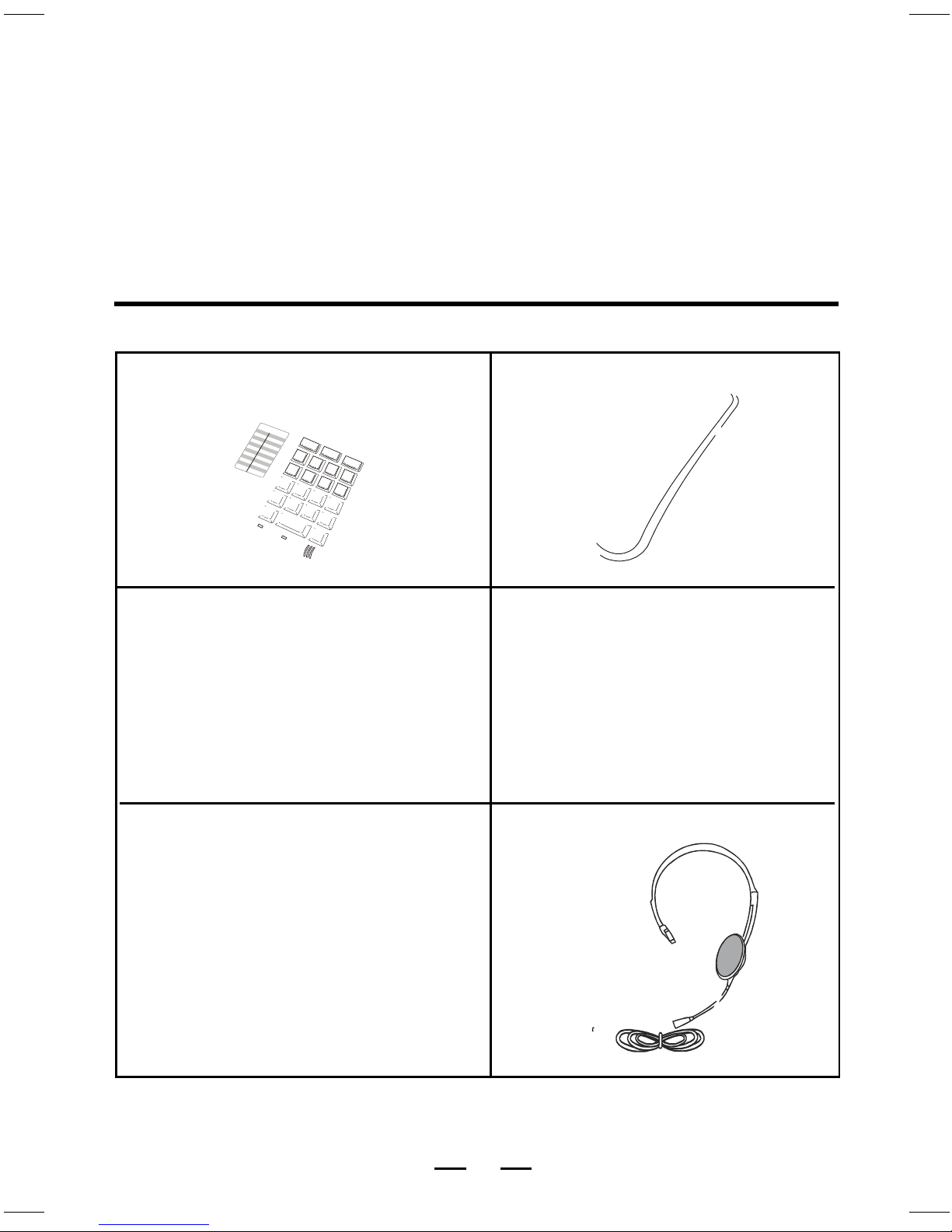
Unpack your set, you should find:
CAUTION:
This product is an electrical device and can be hazardous if immersed in water. To avoid
the possibility of electrical shock, do not use it while in the bathtub or shower or when you
are wet. If you accidentally drop it into water, first unplug its cord from the modular jack,
then remove the equipment from the water.
Avoid using this telephone during electrical storms in your immediate area, even though
your telephone company may be using protective measures to limit electrical surges from
entering your home, absolute protection from lightning is impossible.
4
MAIN SET HANDSET
COILED HANDSET CORD STRAIGHT TELEPHONE CORD
WALL MOUNT ADAPTOR HEADSET
IB-PH323(MS)-WM-E-043003.p65 5/10/03, 5:43 AM5
IB-PH323(MS)-WM-E-052403
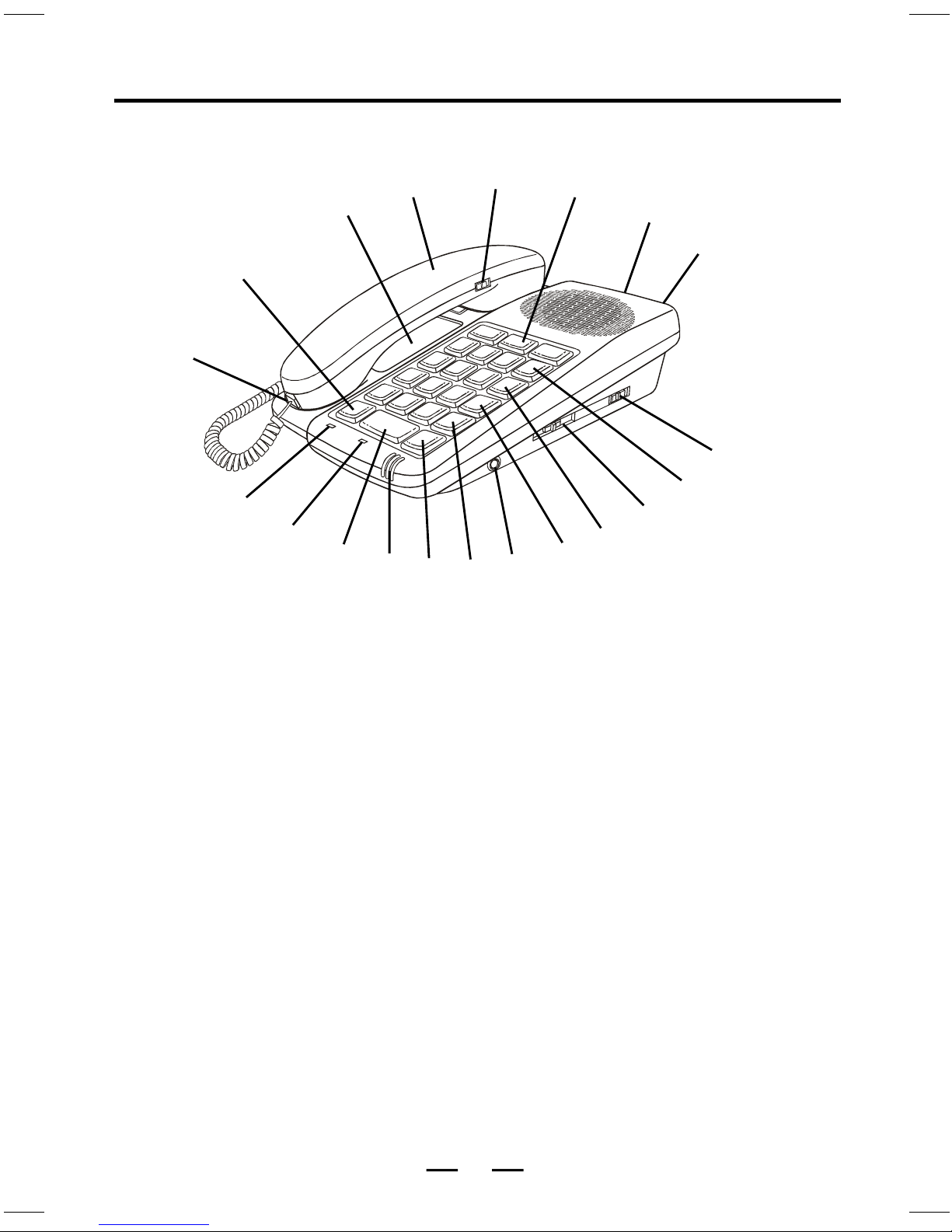
LOCATION OF CONTROLS
1. COILED CORD JACK
2. ELECTRONIC HOLD BUTTON - WITH
INDICATOR ALLOWS YOU TO PUT
LINE ON HOLD
3. MEMORY INDEX - RECORDS STORED
NUMBERS
4. COMFORTABLE ROUNDED HANDSET
5. RECEIVER VOLUME CONTROL
6. 3 ONE-TOUCH MEMORY BUTTONS -
ALLOWS YOU TO SPEED DIAL EMER-
GENCY OR OTHER FREQUENTLY
DIALED NUMBERS
7. RINGER HI/LOW/OFF SWITCH -
ADJUSTS THE VOLUME OF THE
RINGER OR TURNS OFF RINGER
FOR UNDISTURBED PRIVACY
8. PHONE JACK TO WALL OUTLET
9. TONE/PULSE SWITCH
10. AUTO MEMORY BUTTON - DIALS 10
STORED NUMBERS
11. SPEAKERPHONE/HEADSET
VOLUME CONTROL - ADJUSTS
SPEAKER OR HEADSET VOLUME
12. MEMORY STORE BUTTON - STORES
YOUR NUMBERS INTO MEMORY
13. FLASH BUTTON - FOR CALL WAITING
OR NEW DIAL TONE
14. HEADSET JACK - INSERT THE
HEADSET PLUG HERE TO USE THE
HEADSET
15. REDIAL/PAUSE BUTTON - QUICKLY
REDIALS THE LAST NUMBER YOU
DIALED / MAKES A PAUSE IN
DIALING A NUMBER
16. MUTE BUTTON
17. SPEAKERPHONE MICROPHONE
18. SPEAKERPHONE/HEADSET
BUTTON
19. SPEAKERPHONE/HEADSET
INDICATOR
20. HOLD INDICATOR
1
2
3
456
7
8
9
10
11
12
13
14
15
17
18
19
20
5
16
IB-PH323(MS)-WM-E-052403.p65 5/24/03, 11:12 AM6
IB-PH323(MS)-WM-E-051003
This set is designed
to connect directly
to a modular jack
If you have a 4-prong
style jack, simply use a
modular adaptor (not
included).
MODULAR JACK
TELEPHONE LINE
(4-prong style jack)
6
INSTALLATION INSTRUCTIONS
INSTALLATION
HANDSET
COILED HANDSET CORD
STRAIGHT TELEPHONE CORD
To Telephone Jack
TELEPHONE BASE
1. Insert the modular plugs of the
COILED
HANDSET CORD into the jack of the
TELEPHONE HANDSET and into the jack on the left side of the TELEPHONE BASE.
2. Insert the modular plugs of the
STRAIGHT
TELEPHONE CORD into the modular jack at
the
REAR
of the TELEPHONE BASE and into the TELEPHONE WALL JACK (either end
can be plugged in).
RINGER SETTING
This switch is located on the rear of the set. Select the desired function of the ringer.
HI - Loud rings on incoming calls.
LOW - Lower rings on incoming calls.
OFF - No rings on incoming calls.
NOTE: If your RINGER switch is in OFF position, only
THIS
phone will not ring, other
phones in your home on the same line will ring.
TONE/PULSE SWITCH
Select the type of dialing that you desire or that your telephone system requires.
TONE - The phone will operate using tone dialing. (If your phone doesnt dial out,
switch to PULSE.)
PULSE - The phone will dial using rotary pulse dialing.
NOTE: Even when your phone is set to pulse service, this phone can be switched to
temporary tone dialing for access to services that require tone signaling like
computer systems. Just press the button after dialing in pulse and your
buttons can now be used for tone signaling for this call only.
NOTE: When installation is completed, pick up the HANDSET to listen for dial tone
before using speakerphone or headset for the first time.
IB-PH323(MS)-WM-E-043003.p65 5/10/03, 5:43 AM7
IB-PH323(MS)-WM-E-052403
MAKING CALLS AS A NORMAL TELEPHONE
1. Select the desired dialing mode with the TONE/PULSE switch (do this only the first
time after installation).
2. Pick up the HANDSET and listen for dial tone.
3. Dial your call.
7
REDIAL/PAUSE BUTTON
1. REDIAL FUNCTION
The last number you called can be redialed using the speakerphone, the headset or the
normal telephone. This is useful especially when the line is busy.
A. Get a new dial tone and press the REDIAL/PAUSE button.
B. To get a new dial tone, press the FLASH button or hang up the phone for 2 seconds.
Then press the REDIAL/PAUSE button. This phone will remember the last number
dialed even overnight. If you do not want anyone to know which number you dialed,
pick up the phone and press any number.
2. PAUSE FUNCTION
If you make a dial with a pause in a number, simply press REDIAL/PAUSE for the pause.
HOLD BUTTON
You may use this button to temporarily HOLD the line. Pressing the HOLD button will light
the HOLD indicator. When HOLD is on, the other party can not hear your conversation.
Picking up the HANDSET or press SPEAKERPHONE/HEADSET on this phone or any
phone on the same line will stop the hold function.
INSTALLATION INSTRUCTIONS
HEADSET CONNECTION
Connect the plug of the HEADSET into the HEADSET jack on the right side of the phone.
NOTE:
Adjust the VOLUME of the SPEAKERPHONE/HEADSET to the desired sound level while
the other party is talking. If a squealing or whistling sound is heard, reduce the volume
setting or move the microphone away from your mouth.
NOTE: This phone may be used in 3 ways:
1. Normal handset;
2. Speaker telephone;
3. Hands-free headset.
To use the HEADSET:
1. Insert the HEADSET plug into the HEADSET jack described as above.
2. Press the SPEAKERPHONE/HEADSET button to get a dial tone.
3. Adjust the volume of the HEADSET by sliding the VOLUME control on the right side of the set.
TELEPHONE OPERATION
ANSWERING CALLS AS A NORMAL TELEPHONE
When your telephone rings
1. Lift the HANDSET and speak into the mouth piece of the HANDSET.
2. Hang up the HANDSET to release the telephone line when conversation is completed.
FLASH BUTTON
Useful for call waiting or getting a new dial tone.
MUTE BUTTON
This button is used in case you want to continue to listen to the caller but you dont want him
to momentarily hear you. Simply keep this button pressed down and only your side of the
conversation will be blocked.
IB-PH323(MS)-WM-E-052403.p65 5/24/03, 11:12 AM8
IB-PH323(MS)-WM-E-052403
SPEAKERPHONE & HEADSET
HANDS-FREE TELEPHONE OPERATION
MAKING CALLS WITH SPEAKERPHONE
1. Select the desired dialing mode with the TONE / PULSE switch (do this only the first
time after installation).
2. Press SPEAKERPHONE / HEADSET to get dial tone - no need to lift the HANDSET.
3. Adjust the VOLUME control on the right side of the phone.
4. Dial your call.
5. To hang up, press the SPEAKERPHONE / HEADSET button again.
NOTE 1: Be sure to notify the other party that you are using the speakerphone mode, the
other party may not wish anyone else to hear the conversation.
NOTE 2: Adjust the VOLUME of the SPEAKERPHONE to the desired sound level while the
other party is talking. If a squealing or whistling sound is heard, reduce the
speakerphone volume setting.
ANSWERING CALLS WITH HEADSET
1. Insert the HEADSET plug into the HEADSET jack on the right side of the phone as
described on the previous page.
2. When the phone rings, press the SPEAKERPHONE / HEADSET button.
3. Adjust the VOLUME control on the right side of the phone.
4. When you finished the conversation, press SPEAKERPHONE / HEADSET again.
MAKING CALLS WITH HEADSET
1. Select the desired dialing mode with the TONE / PULSE switch (do this only the first
time after installation).
2. Insert the HEADSET plug into the HEADSET jack on the right side of the phone as
described on the previous page.
3. Press the SPEAKERPHONE / HEADSET button to get dial tone.
4. Adjust the VOLUME control on the right side of the phone.
5. Dial your call.
6. To hang up, press the SPEAKERPHONE / HEADSET button again.
ANSWERING CALLS WITH SPEAKERPHONE
1. When the phone rings, press the SPEAKERPHONE button, it is not necessary to lift
the HANDSET.
2. Adjust the VOLUME control on the right side of the phone.
3. When you finished the conversation, press SPEAKERPHONE / HEADSET again.
To switch the conversation from headset to speakerphone, simply remove the HEADSET
plug from the HEADSET jack.
If you start your conversation with the handset and want to switch to headset, insert the
HEADSET plug into the jack and press the SPEAKERPHONE / HEADSET button.
If you start your conversation with speakerphone and want to switch to headset,
just insert the HEADSET plug into the jack.
8
NOTE: When using the phone for the first time after installation, before using speaker-
phone or headset (hands-free operation), pick up the handset first.
To switch the conversation from speakerphone to private, simply lift the HANDSET or
use the HEADSET included.
If you start your conversation with the HANDSET and want to switch to speakerphone,
press the SPEAKERPHONE / HEADSET button and replace HANDSET. Remember to
hang up by pressing the SPEAKERPHONE / HEADSET button again.
If you start your conversation with the HEADSET and want to switch to speakerphone,
just pull off the HEADSET plug from the jack.
IB-PH323(MS)-WM-E-052403.p65 5/24/03, 11:12 AM9
IB-PH323(MS)-WM-E-052403
Storing phone number into memory
9
MEMORY DIALING
You can quickly dial the numbers you stored into the 3 one-touch speed dial buttons or 10
two-touch speed dial memories.
For 3 one-touch dialing: For 10 two-touch dialing:
1. Press the SPEAKERPHONE / HEADSET button (the indicator will light), or pick up
the handset.
2. Press the STORE button.
In case you want to change a number you stored, simply store a new number, the old one
will be automatically erased.
NOTE 1. If you move your phone to another room or disconnect the phone line,
your stored numbers will remain in the memory for a short time, so
quickly reconnect it to the new jack or you will have to reprogram the
memory numbers.
NOTE 2. When storing emergency numbers (like 911) if the operator comes on, tell her
you are programming or testing a phone and you do not have an emergency.
Otherwise, they might dispatch the police to your location.
TO LIST YOUR MEMORY NUMBERS
1. Remove clear plastic cover MEMORY INDEX CARD.
2. Write numbers on MEMORY INDEX CARD (in pencil so you can change them later).
3. Replace MEMORY INDEX CARD and plastic cover.
If you want to store a calling card number into one of your memories, you may do this the
same way you program a phone number into memory. Also if you need a pause in the
number, simply press the REDIAL/PAUSE button on your phone.
4. Press one of the 3 one-touch
speed dial buttons (M1 to M3).
5. Repeat above steps 2 to 4 to store numbers into other memory locations.
3. Dial the phone number you want to store. You can store up to 15 digits.
TO DIAL NUMBER FROM 3 ONE-TOUCH NUMBERS
Get dial tone (by picking up HANDSET or pressing the SPEAKERPHONE / HEADSET button),
and press one of the 3 emergency buttons marked with the symbols M1, M2 or M3.
TO DIAL A NUMBER FROM MEMORY BUTTONS (10 NUMBER LOCATIONS)
1. Press SPEAKERPHONE / HEADSET or pick up HANDSET (listen for dial tone.)
2. Press AUTO and the numerical button in which the number you want to dial is
stored. The set will dial the number stored in the memory you selected
automatically.
EXAMPLE: Pressing AUTO 2 (in TONE or PULSE) will dial the number you stored in 2.
Press the AUTO button, and then press one of
the dialing keys (0 to 9) to store a phone
number in.
6. Press the SPEAKERPHONE / HEADSET button, or hang up the handset.
IB-PH323(MS)-WM-E-052403.p65 5/24/03, 11:12 AM10