manuals.online logo
Brands
  1. Home
  2. •
  3. Brands
  4. •
  5. EarthQuake
  6. •
  7. Amplifier
  8. •
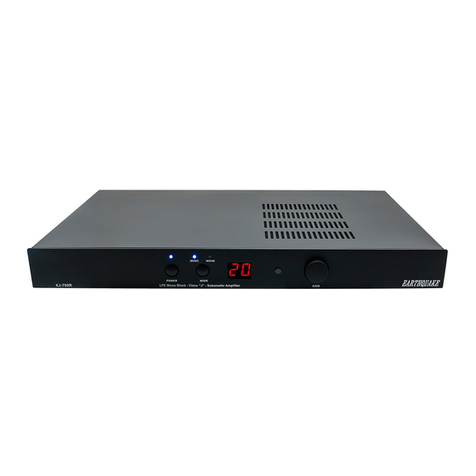
  9. EarthQuake XJ-700DSP User manual

EarthQuake XJ-700DSP User manual

Other EarthQuake Amplifier manuals

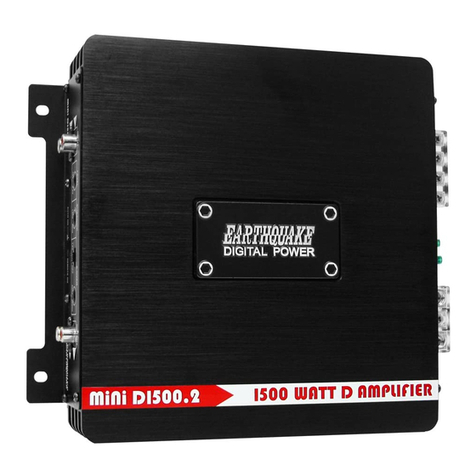
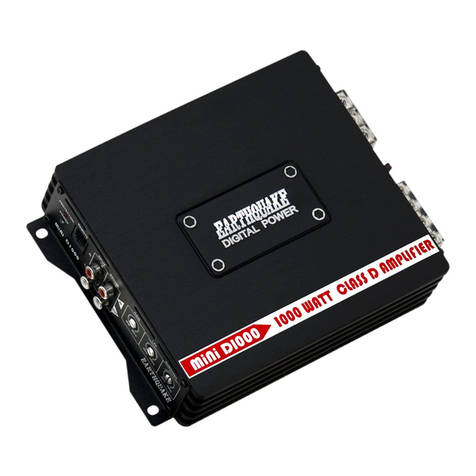
EarthQuake mini D1000 User manual

EarthQuake

EarthQuake mini D1000 User manual

EarthQuake PH2000W/D1 User manual

EarthQuake

EarthQuake PH2000W/D1 User manual

EarthQuake Cinenova 7300 User manual

EarthQuake

EarthQuake Cinenova 7300 User manual

EarthQuake PH800W/2 User manual

EarthQuake

EarthQuake PH800W/2 User manual

EarthQuake mini D Series User manual

EarthQuake

EarthQuake mini D Series User manual

EarthQuake Cinenova Grande BR 5 User manual

EarthQuake

EarthQuake Cinenova Grande BR 5 User manual

EarthQuake mini D1000 User manual

EarthQuake

EarthQuake mini D1000 User manual

EarthQuake Cinenova IR16 User manual

EarthQuake

EarthQuake Cinenova IR16 User manual

EarthQuake XJ-1000FR User manual

EarthQuake

EarthQuake XJ-1000FR User manual

EarthQuake PH800W/2 User manual

EarthQuake

EarthQuake PH800W/2 User manual

EarthQuake EQ-1000 User manual

EarthQuake

EarthQuake EQ-1000 User manual

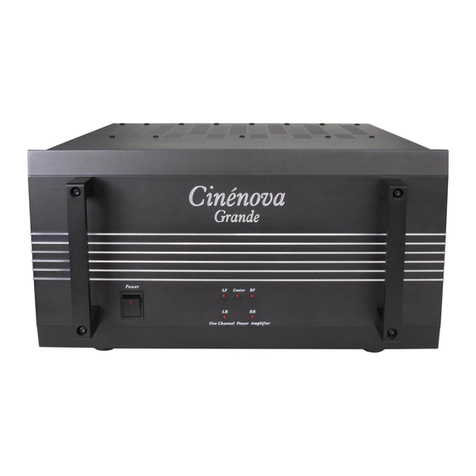
EarthQuake Cinenova Grande User manual

EarthQuake

EarthQuake Cinenova Grande User manual

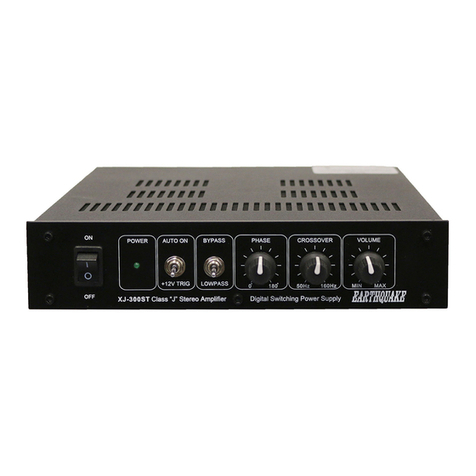
EarthQuake XJ-300ST User manual

EarthQuake

EarthQuake XJ-300ST User manual

EarthQuake XJ-1000FR User manual

EarthQuake

EarthQuake XJ-1000FR User manual

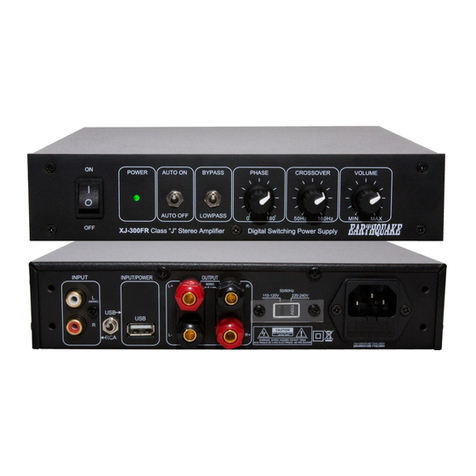
EarthQuake XJ-300 FR User manual

EarthQuake

EarthQuake XJ-300 FR User manual

EarthQuake IQ600 User manual

EarthQuake

EarthQuake IQ600 User manual

EarthQuake Cinenova-16 User manual

EarthQuake

EarthQuake Cinenova-16 User manual

EarthQuake XJ-300ST User manual

EarthQuake

EarthQuake XJ-300ST User manual

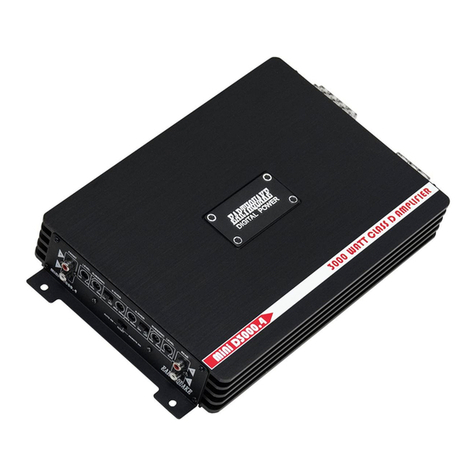
EarthQuake MiNi D3000.4 User manual

EarthQuake

EarthQuake MiNi D3000.4 User manual

EarthQuake T1000W/2 User manual

EarthQuake

EarthQuake T1000W/2 User manual

EarthQuake Xtreme 300W.2 User manual

EarthQuake

EarthQuake Xtreme 300W.2 User manual

EarthQuake MiNi D3000.4 User manual

EarthQuake

EarthQuake MiNi D3000.4 User manual

EarthQuake XJ-700R User manual

EarthQuake

EarthQuake XJ-700R User manual

EarthQuake XJ-300 FR User manual

EarthQuake

EarthQuake XJ-300 FR User manual

Popular Amplifier manuals by other brands

Magnat Audio EDITION FOUR Owner's manual/warranty document

Magnat Audio

Magnat Audio EDITION FOUR Owner's manual/warranty document

Inter-m PA-2000A Operation manual

Inter-m

Inter-m PA-2000A Operation manual

Yamaha TX6n owner's manual

Yamaha

Yamaha TX6n owner's manual

Peavey TNT 150 user guide

Peavey

Peavey TNT 150 user guide

Bosch LBB 1903/10 Installation and user instructions

Bosch

Bosch LBB 1903/10 Installation and user instructions

Avocent Emerge DA1200D Installer/user guide

Avocent

Avocent Emerge DA1200D Installer/user guide

Redgum RGi35 operating instructions

Redgum

Redgum RGi35 operating instructions

Cambridge Audio AXA25 user manual

Cambridge Audio

Cambridge Audio AXA25 user manual

Alpine MRP-M200 owner's manual

Alpine

Alpine MRP-M200 owner's manual

Technical Pro H1502UrBT user manual

Technical Pro

Technical Pro H1502UrBT user manual

FMS EMGZ307 operating manual

FMS

FMS EMGZ307 operating manual

Racal Instruments 5601 user manual

Racal Instruments

Racal Instruments 5601 user manual

Valcom V-1094A Technical specifications

Valcom

Valcom V-1094A Technical specifications

Cambridge Audio 851D user manual

Cambridge Audio

Cambridge Audio 851D user manual

QSC 3800 Specifications

QSC

QSC 3800 Specifications

NAD C300 owner's manual

NAD

NAD C300 owner's manual

Rotel RMB-1077 owner's manual

Rotel

Rotel RMB-1077 owner's manual

Peavey Monitor 300 Series operating guide

Peavey

Peavey Monitor 300 Series operating guide

manuals.online logo
manuals.online logoBrands
  • About & Mission
  • Contact us
  • Privacy Policy
  • Terms and Conditions

Copyright 2025 Manuals.Online. All Rights Reserved.

Earthquake Sound Corp. | (510) 732-1000 | U.S. Toll Free: (800) 576-7944 | www.earthquakesound.com
USER MANUAL
XJ-700DSP
LFE MONO BLOCK
700 WATTS CLASS "J" AMPLIFIER
3
4 - 5
6
6
7
8
9 - 11
12
13 - 15
16
17
About Earthquake Sound Corporation.................................................
Safety Instructions.................................................................................
Introduction............................................................................................
Product Overview
Front Panel...............................................................................
BackPanel................................................................................
RemoteControl.........................................................................
ConnectingYourXJ-700DSP..................................................................
Dimensions and Specifications..............................................................
Room Tuning With iWoofer™ Mobile App............................................
For Your Records..................................................................................
Warranty Information............................................................................
Table of Contents
Earthquake Sound Corp.| (800) 576-7944 | www.earthquakesound.com
© 2020 Earthquake Sound Corporation.All rights reserved.
This document should not be construed as a commitment on the part of Earthquake Sound Corporation.
The information is subject to change without notice.
Earthquake Sound Corporation assumes no responsibility for errors that may appear within this document.
Earthquake Sound Corporation
2727 McCone Avenue
Hayward,CA 94545
United States of America
Tel:510-732-1000
Fax:510-732-1095
Tech support:tech@earthquakesound.com
The Sound That Will Move You
S O U N D
WARNING:This product is capa-
ble of generating high sound
pressure levels.You should ex-
ercise caution when operating
these speakers. Long term ex-
posures to high levels of sound
pressure will cause permanent
damage to your hearing. Sound pressure levels
exceeding 85dB can be dangerous with con-
stant exposure, set your audio system to a com-
fortable loudness level. Earthquake Sound
Corporation does not assume liability for dam-
ages resulting from the direct use of Earth-
quake Sound audio product(s) and urges users
to play volume at moderate levels.
2 XJ-700DSP Manual
For over 28 years, Earthquake Sound has been producing a variety of high quality audio products that have
impressedaudiophilecommunitiesaroundtheworld.Itallstartedin1984whenJosephSahyoun,amusicfreakand
Aerospace Engineer unhappy with the existing loud speaker technology and performance, decided to put his
advance engineering knowledge to use. He pushed technological boundaries to the limit to create the kind of
subwooferhecouldlivewith.Earthquakequicklycreatedanameforitself inthecaraudioindustryandbecamewell
knownforitspowerfulsubwoofers andamplifiers.In1997,usinghisexistingexpertiseintheaudioindustry,Joseph
Sahyounexpandedhiscompanytohomeaudioproduction.
Earthquake Soundhas since evolved intoa leaderin thehome audioindustry,producingnot onlysubwoofers and
amplifiers but surround speakers and tactile transducers as well. Engineered by audiophiles for audiophiles,
Earthquake Sound audio products are meticulously crafted to reproduce each and every single note perfectly,
bringing your hometheater experience tolife.With truededication and fullattention to details,Earthquake Sound
engineers continuously develop new and better products to meet customers’ needs and go beyond their
expectations.
From mobile audio to prosound and home audio, Earthquake Sound has been selected as the winner of many
prestigiousawardsbasedonsoundquality,performance,valueandfeatures.CEAandnumerouspublicationshave
awardedEarthquakeSoundwithoveradozendesignandengineeringawards.Additionally,EarthquakeSoundhas
beengrantedmanydesignpatentsbytheUSPOforrevolutionaryaudiodesignsthathavechangedthesoundof the
audioindustry.
Headquartered ina 60,000square footfacility inHayward,CaliforniaUSA,EarthquakeSound currentlyexports to
over 60 countries worldwide.In 2010,Earthquake Sound expanded itsexport operations by opening a European
warehouse in Denmark.This accomplishment was recognized by the USDepartment of Commerce whohonored
EarthquakeSoundwithanExportAchievementawardatthe2011ConsumerElectronicShow.Justrecently,theUS
Department of Commerce presented Earthquake Sound with another Export Achievement award for expanding its
exportoperationsinChina.
About Earthquake Sound Corporation
Joseph Sahyoun,US Secretary of Commerce Gary Locke,
Abraham Sahyoun andThomas Mygind US Commercial Officer Sarah Fox and Joseph Sahyoun
Specifications are subject to change without notice. XJ-700DSP Manual 3
Safety First
Symbols Explained:
Important Safety Instructions:
This documentation contains general safety, installa-
tion, and operating instructions for the XJ-700DSP
amplifier. It is important to read this user’s manual
before attempting to use this product.Pay particular
attention to the safety instructions.
Appears on the component to
indicate the presence of
uninsulated,dangerous voltage
inside the enclosure – voltage that
may be sufficient to constitute a
risk of shock.
Calls attention to a procedure,
practice,condition or the like that,
if not correctly performed or
adhered to,could result in injury
or death.
Calls attention to a procedure,
practice,condition or the like that,
if not correctly performed or
adhered to,could result in
damage to or destruction of part or
all of the product.
NOTE:
Calls attention to information that
is essential to highlight.
Safety Instructions
1) Read these instructions in their entirety.
2) Store this manual and packaging in a safe
place.
3) Heed all warnings.
4) Follow instructions (do not take shortcuts).
5) Do not use this apparatus near water.
6) Clean only with a dry cloth.
7) Do not block any ventilation openings. Install in
accordancewiththemanufacturer’sinstructions.
8) Do not install near any heat sources such as
radiators, heat registers, stoves, or other
apparatusesthatproduceheat.
9) Donotdefeatthesafetypurposeof thepolarized
or grounding-type plug. A polarized plug has
two blades withone wider than the other. The
grounding-typeplughastwoblades anda third
grounding prong. The wide blade or the third
prong is provided for your safety. If the
provided plug does not fit into your outlet,
consult an electrician for replacement of the
obsoleteoutlet.
10) Protect the powercord from being walked on or
pinched, particularly at plugs, convenience
receptacles,and the point wherethey exit from
theapparatus.
11) Only use attachments and accessories
specifiedbythemanufacturer.
12) Use only a compatible rack or cart for the final
restingposition.
13) Unplug this apparatus during lightning storms
orwhenunusedforalongperiodof time.
14) Refer all servicing to qualified service
personnel. Servicing is required when the
apparatus has been damaged in a way such
as: power-supply cord or plug is damaged,
liquid has been spilled or objects have fallen
into the apparatus, the apparatus has been
exposed to rain ormoisture,does not operate
normally,orhasbeendropped.
15) Toreducetheriskof fireorelectricshock,donot
exposethisapparatustorainormoisture.
Earthquake Sound Corp.| (800) 576-7944 | www.earthquakesound.com4 XJ-700DSP Manual
This triangle,which appears on your component,
alerts you to the presence of uninsulated,
dangerous voltage inside the enclosure -
voltage that may be sufficient to
constitute a risk of shock.
CAUTION
RISK OF ELECTRIC SHOCK
DO NOT OPEN
This triangle,which appears on your component,
alerts you to important operating and
maintenance instructions in this
accompanying literature.
System Installation Considerations
There are several factors to consider before
installingEarthquakeSound’sXJ-700DSPamplifier.

Whataretheintendedlisteningzones?

From where in each zone will the listener prefer
tocontrolthesystem?Wherewilltheamplifierbe
located?

Wherewillthesourceequipmentbelocated?
Safe & Proper handling
The XJ-700DSP amplifier is considerably light
weight and easy to maneuver. However, we
encourage you to take precaution when unpacking
the unit to prevent any possible damage to your
XJ-700DSP. We further suggest the following:





Do not apply downward or upward pressure
against the speaker terminals as this will cause
damagetotheterminals.
When carrying the XJ-700DSP, make sure that
the speaker terminals are away from your chest,
eliminatingthechanceof pushingagainstthem.
Do not drop the XJ-700DSP or subject it to
sudden shocks.This will damage the external
finish and maycauseinternaldamagestothe
amplifier.
Avoid exposing the XJ-700DSP to moisture.
Water will damagethe amplifier.
Cleaning the XJ-700DSP is best done using
soft cloth. If needed, use mild detergent with
water. Like any other electrical unit, always
unplug the unit before cleaning it.
ConnectionTips

Keepallpowercordsawayfromallsignalcablesto
preventhummingfrominducednoise.

Choose reliable signal cable cords (Earthquake
Sound also specializes in high performance RCA
cablesandpatches).

All speaker wires that are ran through the walls
should be twisted type to reduce potential hum
noisepick-up.

It is best to use a grounded electrical outlet to
power the amplifier. Lack of input ground
reference could be unsafe. Consult with your
electrical contractor about proper grounding.
UnpackingtheXJ-700DSP

Keeptheoriginalcartonandpacking materialsfor
futureshipmentorstorage.

Check for any visual signs of damage. If you
encounter any concealed damage, consult your
Earthquake Sounddealer beforeproceeding with
unitinstallation.

Retain the sales receipt as it establishes the
duration of the limited warranty and provides
informationforinsurancepurposes.
The XJ-700DSP is packaged well for safety.We
highly suggesthavingapaddedsurfacewhen
unpackingit.
Specifications are subject to change without notice. XJ-700DSP Manual 5
Introduction
Earthquake Sound Corp.| (800) 576-7944 | www.earthquakesound.com
Congratulations and thank you for choosing the Earthquake’s XJ-700DSP,a high power LFE mono block amplifier
designedforpoweringlargesubwoofersortactiletransducers,suitedforbothprofessionalandhomeuse.
Engineered with the patented Class“J”circuitry,the XJ-700DSP efficiently delivers massive amounts of power with
minimal heat production.It comes fully equipped with optimized presets for movie or music listening,a digital
volumereadoutwithrotarydial,boundaryEQ,variablelowpassfilter,phaseadjustments,andremote.
Simplyput,theXJ-700DSPamplifieristheperfectamplifierwhetheryouareanadvanceduseroranoviceinneedof a
compactbutefficientandpowerfulamplifier.
6 XJ-700DSP Manual
Product Overview - Front Panel
(1) (2) (3) (4) (5)
(1) Power Button & LED Indicator
The Power button switches the amplifier between ON and
STAND-BY.When ON,the Power LED lights up BLUE along
with one of the Mode LEDs.When the amplifier is on STAND-
BY,the PowerLEDlights upREDwhile theModeLEDsareoff.
Additionally,the Power LEDreflectsthe state of the amplifier
(i.e.whethertheSignalSensingis set on ON/AUTO/+12V and
whether signal is beingfedtotheamplifier).
(2) Music/Movie Quick Mode Button
The Mode button switches the amplifier’s EQ between
a preset Music mode (flat) and a presetMoviemode
(+8dBbetween30-80Hz).
Note that this feature will work only when the Main
Power switch (located on the back panel of theam-
plifier)isintheONposition.
(3) Digital Readout
This digital readout shows the gain/volume setting of the
amplifier as it is being changed,eitherbyturningtheGain/
Volume Control knob orbypressingthe+Vol/-Vol onthe
remote.
(4) IR Sensor
(5) Gain/Volume Control
This infinite rotary knob allows the user to control the gain/
volume of theamplifier.Always start at the lowest setting and
slowly increase the volume until the desired level is reached.It
is best to use the gain adjustment on the receiver or pre-amp
to make any minor adjustments.
Signal Sensing Is there signal? LED Color
ON Yes Blue
No Blue
AUTO Yes Blue
No Red*
+12V Yes Blue
No Red
* after about 20 minutes without signal
(2) Boundary EQ
When ON, the amplifier gives a flat response for a natural and
tighter performance.It also removes exaggerated boomy sounds
created by less-than-ideal installation circumstances (i.e.corner
loading,large wall surfaces,installationsinsidecustomcabinetry,
etc.).When OFF,3dB is added to the response curve.Leave the
Boundary EQ in the OFF position for all other installation or
when the exaggeratedboomysoundisdesigned.
(1) RCA Inputs/Outputs
These terminals have been calibrated to have the same sensi-
tivity level and should both be connected.However,if the signal
comes from the receiver’s/pre-amp’s LFEoutput,connect only
totheRRCAinput.
(8) Speaker Outputs
These 5-way binding post speaker terminals accept bare
speaker wire, pin connectors, spade connectors, banana
plugs, and dual banana plugs.The two terminals are inter-
nally connected in parallel all to the same source.They can
be used one at a time or both at the same time as shown in
the next section of this manual. When connecting to both
terminals, a minimum of 4-Ohm load is required for each
terminal.
(3) Crossover
This knob allows the user to set the low pass filter frequency.
Factory set at 80Hz,the low 40to60Hz.
(4) 0 - 180° Phase Adjustment
This switch allows the user to synchronize the connected sub-
woofer(s) to obtain better and moreprecisebassresponse.
(9) 115V/230V AC Selector
The XJ-700R can operate in a 115V or 230V environment.
Simply slide the selector to the required power setting and
replace the fuse to the proper rating prior to connecting the
amplifiertoapowersource.
(6) Signal Sensing Modes
This isa 3-wayswitch. WhenON, theamplifier will remain on
regardless of signal presence.When set to AUTO, the amplifier
will only turn on when audio signal is detected.Additionally the
amplifier will go to sleep/stand-by if it does not detect any signal
after about 20 minutes. When set to +12V,use a 1/8”mono mini-
jackto connect a 12V trigger wire from other devices (tip is posi-
tive).The amplifier will turn on/off when triggered (100mA mini-
mum) by the connecteddevice.
(5) DSP ON/OFF
Enable or disable iWoofer™ DSP. When disabled the frequency
adjustment knob (3) will be active.
(10) Main Power Switch
When switched OFF, the amplifier will remain off as there
is no AC power being fed into it. We highly recommend
keeping this switch OFF when the amplifier is not being
used for an extended periodof time.
(11) AC Power With Built-in Fuse
This AC line connector is fused to protect the amplifier from
unwanted power surges. Be sure to use the proper fuse
rating when replacingthefuse:
115V~60Hz:ø5x20mm,T8AL/250V
230V~50Hz:ø5x20mm,T4AL/250V
Toaccessthefusecompartment,simply unplugtheampli-
fier from any power source,place a flat-head screw driver in
the small notch and pry it open as
illustrated.
(7) IR Input
Use this 1/8”mono mini-jack to connect to most IR emitter
output connections.The signal will be transferred and inter-
nally flashed to the IR receiver located behind the front
panel.This will eliminate the need to add “stick-on”emitters
in most systems,making it ideal for systems behind closed
cabinetdoorsorinanequipment rack located in other areas
of the home. Note that this IR connection may not be
compatible with all variations of IR system type. In some
cases, an emitter will be needed to place over the front
panelIRwindow.
Specifications are subject to change without notice. XJ-700DSP Manual 7
(1) (2) (3) (4) (5) (6) (7) (8) (9) (10)
Product Overview - Back Panel
iWoofer™ is the property of its respective trademark holder
and has no affiliation with Earthquake Sound
Corporation
.

(1) PowerButton (4) Music/MovieModeButton
Press thisbutton toswitch theamplifier ONor Press these buttons to select the amplifier’s
putitonSTAND-BY. preset EQ

(2) Vol+/- Button
Press thesebuttons toadjust thegain/volume
of theamplifier.
(3) Mute Button
Press this button to mute and un-mute the
subwooferconnectedtotheXJ-700DSP.
Music mode (flat) and preset Movie
mode(+8dBbetween30-80Hz).
For your convenience,this included remote can be
downloadedintoalearning/programmableremote.
IRCode :00HFFH
CustomerCode :85229080
Product Overview - Remote Control
(1)
(2) (3)
(4)
Earthquake Sound Corp.| (800) 576-7944 | www.earthquakesound.com8 XJ-700DSP Manual
Specifications are subject to change without notice. XJ-700DSP Manual 9
The XJ-700DSP has two speaker output terminals.A
subwoofercanbeconnectedtoeitherSUB1orSUB 2.
The same amount of power will be produced from
either terminal.
In case the subwoofer becomes out of phase with the
rest of the system, adjust the phase shift to correct
the problem. Note that maximum bass is only
achieved when the sub is in phase with the speakers
in your system.
ToPower1THORIW-SUB10 or1Q10BTransducer
THOR IW-SUB10 In-Wall Subwoofer
Q10BTactileTransducer
+
+
XJ-700DSP
XJ-700DSP
Connecting Your XJ-700DSP
The XJ-700DSP has two speaker output terminals.
The power output is evenly divided between the two
terminals. In this case, a minimum of 4-Ohm load/
impedance is required on each terminal.
In case the connected subwoofers become out of
phase with the rest of the system, adjust the phase
shift to correct the problem.Note that maximum bass
is only achieved when the sub is in phase with the
speakers in your system.
Connecting Your XJ-700DSP
ToPower2THORIW-SUB10or2Q10BTransducers
+ +
+ +
THOR IW-SUB10
In-Wall Subwoofers
XJ-700DSP
XJ-700DSP
Q10BTactileTransducers
NOTE:
AMINIMUMOF4-OHMLOAD/IMPEDANCEISREQUIREDONEACHTERMINAL.
Earthquake Sound Corp.| (800) 576-7944 | www.earthquakesound.com10 XJ-700DSP Manual