EcoFlow RIVER 2 User manual

ECOFLOW RIVER 2
User Manual V1.0

Disclaimer
Read this user manual carefully before using the product to ensure that you completely
understand the product and can correctly use it. After reading this user manual, keep it properly
for future reference. Improper use of this product may cause serious injury to yourself or others,
or cause product damage and property loss. Once you use this product, it is deemed that you
understand, approve and accept all the terms and content in this document. EcoFlow is not
liable for any loss caused by the user's failure to use the product in compliance with this user
manual.
In compliance with laws and regulations, EcoFlow reserves the right to nal interpretation of
this document and all documents related to the product.This document is subject to changes
(updates, revisions, or termination) without prior notice. Please visit EcoFlow's ofcial website
to obtain the latest product information.

Content
Specications
Safety Instructions
EcoFlow App
Product Details
Power On/Off
Charge Your Devices
Charge RIVER 2
What's in the Box
Overview
LCD Screen
AC Charging (Grid Charging)
Solar Charging
Car Charging
1
2
3
3
4
4
5
6
6
7
7
7
8
USB-C Charging 8
FAQ
Additional Features
Troubleshooting
Care and Maintenance
9
9
9
10
11
11
X-Boost
EPS

1
Specications
General Information
Weight Approximately 3.5kg (7.8lbs)
Dimensions 245 x 215 x 145mm (9.6 x 8.5 x 5.7inches)
Capacity 256Wh (20Ah 12.8V )
Wi-Fi (2.4G)
Frequency range:
20M: 2412-2472MHz/40M: 2422-2462MHz
Maximum output power: 16.54dBm
Bluetooth Frequency range: 2402-2480MHz
Maximum output power: 4.71dBm
Model EFR600
Input Specifications
AC Input 220V-240V~50Hz/60Hz, 8A Max
Car Charging Input 12V/24V 8A, 100W Max
Solar Charging Input 11-30V 8A, 110W Max
USB-C Input 5/9/12/15/20V 3A, 60W Max
Output Specifications
USB-C Output 5/9/12/15/20V 3A, 60W Max
USB-A Output 5V 2.4A 12W Max per port
DC Output 12.6V 8A, 100W Max
AC Output Pure sine wave, 300W total (600W peak),
230V~50Hz/60Hz*
Battery Specifications
Cell Material LFP battery
Cycle Life 80%+ capacity after 3000 cycles
Operating Temperatures
Optimal Ambient Temperature for Operation 20°C~30°C(68°F to 86°F)
Ambient Temperature for Discharging -10°C~45°C(14°F to 113°F)
Ambient Temperature for Charging 0°C~45°C(32°F to 113°F)
Ambient Temperature for Storage -10°C~45°C (optimal: 20°C~30°C)
14°F to 113°F (optimal: 68°F to 86°F)
*Do not switch the AC output frequency at will, as it may cause some electrical appliances to
stop working.

2
Safety Instructions
WARNING – When using this product, the following precautions should be
adhered to:
1. Do not use the product near a heat source, such as a re source or a heating furnace.
2. When using the product, please strictly follow the operating environment temperature
specied in this user manual. If the temperature is too high, it may result in a re or explosion;
if the temperature is too low, the product performance may be severely reduced, or the product
may cease to work.
3. If this product accidentally catches re, we recommend that you use the re extinguishers in
the following order: water or water mist, sand, re blanket, dry powder, and carbon dioxide re
extinguishers.
4. Do not allow this product to come into contact with any liquid. Do not use this product in the
rain or high humidity.
5. It is recommended that you use moisture barrier bags in humid environments (for example,
places by the sea or waterways) to prevent the product from getting wet.
6. If water is found inside the product, or the product is accidentally dropped into water, it must
not be used or turned on again. Please place it in a safe open area, and stay away from it
until it is completely dry. Please do not approach the product before it is dry. Please take anti-
electric shock measures before touching the product. The dried product should not be used or
discarded at will. Please properly dispose of it after contacting Customer Service.
7. Use a dry cloth to clean dirt from the product ports.
8. Do not use this product in an environment with strong static electricity or strong magnetic eld.
9. Do not stack any heavy objects on the product.
10. Store the product in a dry and ventilated place.
11. Keep this product out of reach of children and pets.
12. Do not place the battery in a low air pressure environment, as this may cause flammable
liquids to leak or even an explosion.
13. Do not disassemble or puncture this product in any way with sharp objects.
14. Do not forcibly block the fan during use.
15. Do not touch the product port with wires or other metal objects to avoid short circuit or other
risks.
16. When using or transporting this product, please avoid impact, falls and violent vibrations. In
case of a severe impact, stop using this product immediately and turn off the power.
17. Do not use unofcial components or accessories as this will void the warranty. Consult ofcial
EcoFlow channels if you need to replace any component or accessory.
18. This product is not recommended for powering medical emergency equipment related
to personal safety, including but not limited to medical grade ventilators (hospital CPAP:
Continuous Positive Airway Pressure) or articial lungs (ECMO: Extracorporeal Membrane
Oxygenation). The product can be used to power a home ventilator (home CPAP) that does
Usage

3
not have to be continuously monitored by professionals. Please follow your doctor's instructions
and consult with the manufacturer for restrictions on the use of the equipment. If it is used
for general medical equipment, please be sure to monitor the power status to ensure that the
power does not run out.
19. When in use, power supply products will inevitably generate electromagnetic fields, which
are likely to affect the normal operation of medical implants or personal medical equipment
such as pacemakers, cochlear implants, hearing aids, debrillators etc. If these types of medical
equipment are being used, please contact the manufacturer to inquire about any restrictions on
the use of such equipment. These measures are fundamental to ensure a safe distance between
the medical implants (for example, pacemakers, cochlear implants, hearing aids, debrillators,
etc.) and this product while in use.
20. When the power supply is connected in the normal mode to a refrigerator, the power supply
may be automatically shut down due to the power uctuation property of the refrigerator. If
the refrigerator stores medicines, vaccines or other high-value items, it is highly recommended
that you set the AC output to "Never Turn Off" through the EcoFlow app when connecting the
power supply product to ensure a continuous power supply. Users should pay attention to the
power consumption of the power supply.
21. Do not put ngers or hands into the product.
22. To reduce risk of damage to the electric plug and cord, pull the plug rather than the cord when
disconnecting the power pack.
23. Do not operate the power pack with a damaged cord, plug or output cable.
24. To reduce the risk of electric shock, unplug the power pack form the outlet before attempting
any instructed servicing.
25. Have servicing performed by a qualied repair person using only identical replacement parts.
This will ensure that the safety of the product is maintained.
26. Do not use a battery pack or appliance that is damaged or modied. Damaged or modied
batteries may exhibit unpredictable behavior resulting in re, explosion or risk of injury.
27. Users should not to place the product on the oor, or at a height less than 457 mm (18 inches)
above the oor, when in a repair facility.
28. For long-term storage, please discharge the product every three months (rstly discharge it to
0%, then recharge it to 60%); the product will not be covered by the warranty if it is not charged
or discharged for more than 6 months.
Disposal Guide
1. Whenever possible, please completely discharge the battery of this product before placing
the product in the designated battery recycling bin. This product contains batteries.
Batteries are hazardous chemicals and should not be disposed of in ordinary trash cans.
For details, please follow local laws and regulations on battery recycling and disposal.
2. If the battery cannot be completely discharged due to the failure of the product itself,
please do not dispose of the battery directly in the battery recycling bin, and contact a
professional battery recycling company for further processing.
3. The battery will not start after over-discharge, please dispose of it.

4
EcoFlow App
What's in the Box
1. This product must be grounded. If it should malfunction or break down while charging,
grounding provides a path of least resistance for electric current to reduce the risk
of electric shock. This product is equipped with a power cord that has an equipment
grounding conductor and a grounding plug. The plug must be plugged into an outlet that is
properly installed and grounded in accordance with all local codes ordinances.
2. Improper connection of the equipment grounding conductor is able to result in a risk of
electric shock. Check with a qualied electrician if you are in doubt as to whether the
product is properly grounded. Do not modify the plug provided with the product – if it will
not t the outlet, have a proper outlet installed by a qualied electrician.
Grounding Instructions
SAVE THESE INSTRUCTIONS
Control, monitor and customize your EcoFlow RIVER 2 from
afar with the EcoFlow App.
User Manual &
Warranty Card
Car Charging
Cable
AC Charging
Cable
RIVER 2

5
Overview
Product Details
1. USB-C input/output port
4. DC output switch
7. AC output socket
2. Main power button
5. DC output socket
8. AC output switch
3. USB-A output port (×2)
6. LCD screen
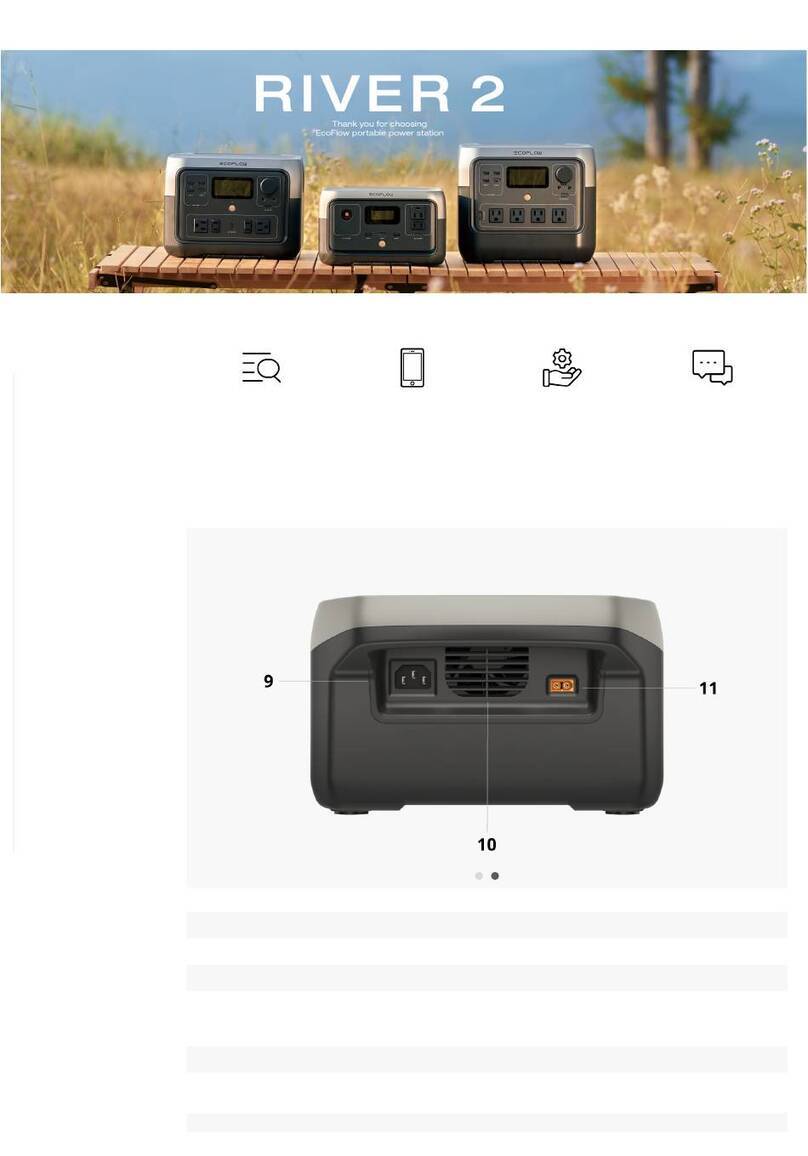
9. X-Stream AC charging input port 10. Fan (do not block)
11. Car/Solar charging input port
❶❷
❹
❺
❻
❽
❸
❼
9
❾10
➓
⓫

6
LCD Screen
Refer to "Troubleshooting" for details.
1. Remaining battery percentage
2. Discharge/Recharge level limitation
3. Remaining charge/discharge time
4. Bluetooth connection
5. Wi-Fi connection
6. AC output
7. Fan
8. High temperature warning
9. Input power
10. Output power
11. Low temperature warning
12. Overload warning
❶
❷
❸
❹
❺
❻
❼
❽
❾
➓
⓫
⓬

7
Power On/Off
Charge Your Devices
Press the main power button once to turn on the product. The LCD screen lights up and
the main power indicator ashes white. Press and hold the main power button (for about 3
seconds) to turn off the product, and the LCD screen.
The USB-A and USB-C output ports are automatically turned on once the product is turned on.
Press the "DC output switch" or "AC output switch" once to turn on their corresponding DC/AC
output sockets; press again to turn them off.
When using the AC output socket, make sure that the sum power of all loaded devices
is less than the rated power.
DC ON/OFF AC ON/OFF
1. After the product is turned on, press the main power button once to turn off the
LCD screen.
2. If the product is not used for 5 minutes, it will enter hibernation and the LCD screen
will turn off.
3. When RIVER 2 is charging, it can't be turned off by pressing and holding the main
power button unless the charging cable is unplugged rst.
Short press the
power switch
Short press the
power switch
Short press for power-on/
Long press for power-off
Other manuals for RIVER 2
4
This manual suits for next models
1
Table of contents
Other EcoFlow Power Supply manuals

EcoFlow
EcoFlow DELTA 2 User manual

EcoFlow
EcoFlow RIVER 2 User manual

EcoFlow
EcoFlow DELTA 2 User manual

EcoFlow
EcoFlow RIVER 2 User manual

EcoFlow
EcoFlow DELTA User manual

EcoFlow
EcoFlow River User manual

EcoFlow
EcoFlow RIVER 600 PRO Extra Battery User manual

EcoFlow
EcoFlow RIVER Plus User manual

EcoFlow
EcoFlow RIVER mini User manual

EcoFlow
EcoFlow DELTA 2 MAX User manual