7
Be sure to place the unused taps side-by-side on the terminals at the back panel as shown. Do not
leave them floating loose inside the unit.
Replace the top cover before proceeding. An interlock switch prevents operating the amplifier with
the top cover removed.
Test the power supply voltage output as follows:
Connect the mains supply cable to {2} on the rear panel and plug the cable into the mains outlet.
Position the rear-panel power switch {3} to On (I).
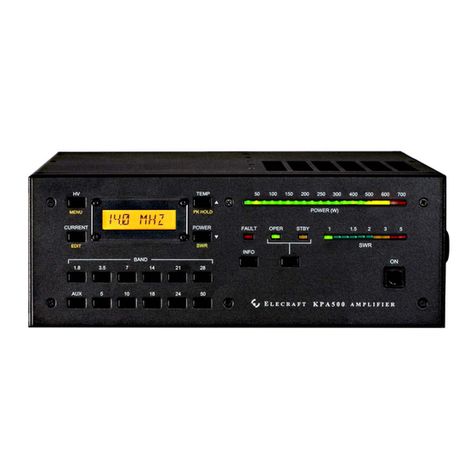
Tap the front panel ON switch ({11} on Figure 2). The LCD should light.
Tap the HV switch ({3} on Figure 2) and note the voltage displayed on the LCD. It must be between
65 and 85 volts. If it is outside of this range, immediately tap the ON switch to turn the KPA500 off,
wait until the fan stops completely, and then position the rear panel power switch to off (O). The fan
runs to discharge the power supply to a safe level. Do not disconnect mains power or position the
rear panel rocker switch to off until the fan stops.
Open the top cover and select a different transformer tap. If the voltage was too low, select a tap
further up the list in the above table. If the voltage was too high, select a tap further down the table.
NOTE: The red FAULT LED ({7} on Figure 2) will light when you tap the ON switch to
protect your KPA500 if the power supply voltage is too far above the upper limit. Use a
power transformer tap lower on the above table and retry the test.
Cabling
See Cabling Diagrams (pg 20) for pictorial views of the interconnection cables.
IMPORTANT: Always turn the amplifier off using the rear panel switch ({3} in Figure 1)
before attaching or removing cables.
1. Connect your station ground to the GND thumbscrew {10}. A good station ground is important for
safety and to minimize local radio frequency interference (RFI).
2. Attach the RF INPUT {11} to the output of your driving transceiver or transmitter using a 50 ohm
coaxial cable with a PL-259 male connector on the KPA500 end. The driving transmitter must supply
up to 40 watts for full output from the KPA500.
3. Attach the RF OUTPUT {1} to a suitable load with an SWR of less than 1.5:1. A dummy load is strongly
recommended for initial testing.
4. Connect the PA KEY {6} to the driving transmitter Key Output. A suitable cable is supplied with your
KPA500. The transmitter must ground this circuit during transmit while sinking up to 1 mA from the
PA KEY line. If the transmitter Key Output is not a contact closure or equivalent, it must be at a level
between +4 and +16 VDC during receive. (Compatible with all known transmitters. No key line buffer
required.)
5. Optional: An auxiliary (AUX) connector is provided that permits more closely integrating the operation
of the KPA500 with many transceivers, including the Elecraft K3. A suitable cable for use with the K3
is available from Elecraft. See AUX Connector Interface on pg 17.
6. Optional: RS232 (PC) {9} connects the KPA500 to your personal computer with a standard 9-pin serial
cable. Required for updating the KPA500 firmware.
7. Optional: RS232 (XVCR){8} connects the KPA500 to a Kenwood transceiver using a standard 9-pin
serial cable.
8. Optional: ALC OUT {7} provides level information to control the driving transmitter RF level. The
output is negative-going from 0 VDC to -12VDC.