manuals.online logo
Brands
  1. Home
  2. •
  3. Brands
  4. •
  5. Elo TouchSystems
  6. •
  7. Monitor
  8. •
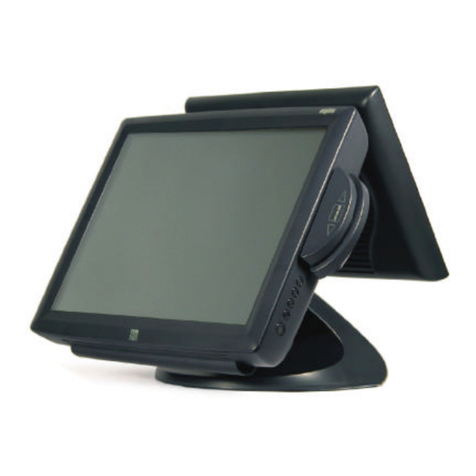
  9. Elo TouchSystems 1528L User manual

Elo TouchSystems 1528L User manual

Other manuals for 1528L

4

This manual suits for next models

1

Other Elo TouchSystems Monitor manuals

Elo TouchSystems ET1587C User manual

Elo TouchSystems

Elo TouchSystems ET1587C User manual

Elo TouchSystems 4200L User manual

Elo TouchSystems

Elo TouchSystems 4200L User manual

Elo TouchSystems 1939L User manual

Elo TouchSystems

Elo TouchSystems 1939L User manual

Elo TouchSystems 1000 Series User manual

Elo TouchSystems

Elo TouchSystems 1000 Series User manual

Elo TouchSystems 2239L User manual

Elo TouchSystems

Elo TouchSystems 2239L User manual

Elo TouchSystems 1229L(WWW) User manual

Elo TouchSystems

Elo TouchSystems 1229L(WWW) User manual

Elo TouchSystems 2740L User manual

Elo TouchSystems

Elo TouchSystems 2740L User manual

Elo TouchSystems Elo 1000 Series 1715L User manual

Elo TouchSystems

Elo TouchSystems Elo 1000 Series 1715L User manual

Elo TouchSystems 1537L Parts list manual

Elo TouchSystems

Elo TouchSystems 1537L Parts list manual

Elo TouchSystems 1545L Parts list manual

Elo TouchSystems

Elo TouchSystems 1545L Parts list manual

Elo TouchSystems D-Series User manual

Elo TouchSystems

Elo TouchSystems D-Series User manual

Elo TouchSystems Entuitive 1725L Series User manual

Elo TouchSystems

Elo TouchSystems Entuitive 1725L Series User manual

Elo TouchSystems 1515L User manual

Elo TouchSystems

Elo TouchSystems 1515L User manual

Elo TouchSystems ET2039L User manual

Elo TouchSystems

Elo TouchSystems ET2039L User manual

Elo TouchSystems 1522L User guide

Elo TouchSystems

Elo TouchSystems 1522L User guide

Elo TouchSystems Entuitive 1229L User manual

Elo TouchSystems

Elo TouchSystems Entuitive 1229L User manual

Elo TouchSystems AMM170TK User manual

Elo TouchSystems

Elo TouchSystems AMM170TK User manual

Elo TouchSystems Elo Entuitive 3000 Series 2240L User manual

Elo TouchSystems

Elo TouchSystems Elo Entuitive 3000 Series 2240L User manual

Elo TouchSystems 1928L User manual

Elo TouchSystems

Elo TouchSystems 1928L User manual

Elo TouchSystems Entuitive 1925L Series Parts list manual

Elo TouchSystems

Elo TouchSystems Entuitive 1925L Series Parts list manual

Elo TouchSystems 1529L Parts list manual

Elo TouchSystems

Elo TouchSystems 1529L Parts list manual

Elo TouchSystems Touch Solutions ET1902L User manual

Elo TouchSystems

Elo TouchSystems Touch Solutions ET1902L User manual

Elo TouchSystems ET1502L User manual

Elo TouchSystems

Elo TouchSystems ET1502L User manual

Elo TouchSystems 1938L User manual

Elo TouchSystems

Elo TouchSystems 1938L User manual

Popular Monitor manuals by other brands

Samsung ME32C user manual

Samsung

Samsung ME32C user manual

ViewSonic VA926-LED user guide

ViewSonic

ViewSonic VA926-LED user guide

Furuno Mu 120c Operator's manual

Furuno

Furuno Mu 120c Operator's manual

Asus VB171D - 17" LCD Monitor Service manual

Asus

Asus VB171D - 17" LCD Monitor Service manual

AOC 9GLR Technical specifications

AOC

AOC 9GLR Technical specifications

DMG RAFFAELLO manual

DMG

DMG RAFFAELLO manual

AOC LM720 - 17" Technical specifications

AOC

AOC LM720 - 17" Technical specifications

Sony Trinitron GDM-F500 Service manual

Sony

Sony Trinitron GDM-F500 Service manual

Memorex MT1701 user guide

Memorex

Memorex MT1701 user guide

ViewSonic VE510s-4 Service manual

ViewSonic

ViewSonic VE510s-4 Service manual

Farenheit T-1503CM instruction manual

Farenheit

Farenheit T-1503CM instruction manual

Ditel DINOS DN129/AT Quick installation guide

Ditel

Ditel DINOS DN129/AT Quick installation guide

Sony SDM-S51 Specifications

Sony

Sony SDM-S51 Specifications

Kenwood DMX1025BT quick start guide

Kenwood

Kenwood DMX1025BT quick start guide

Dell S2409WFP user guide

Dell

Dell S2409WFP user guide

EverFocus EN-7517E instruction manual

EverFocus

EverFocus EN-7517E instruction manual

Dell P3222QE user guide

Dell

Dell P3222QE user guide

Panasonic TH152UX1 - 152" PLASMA TV Service manual

Panasonic

Panasonic TH152UX1 - 152" PLASMA TV Service manual

manuals.online logo
manuals.online logoBrands
  • About & Mission
  • Contact us
  • Privacy Policy
  • Terms and Conditions

Copyright 2025 Manuals.Online. All Rights Reserved.

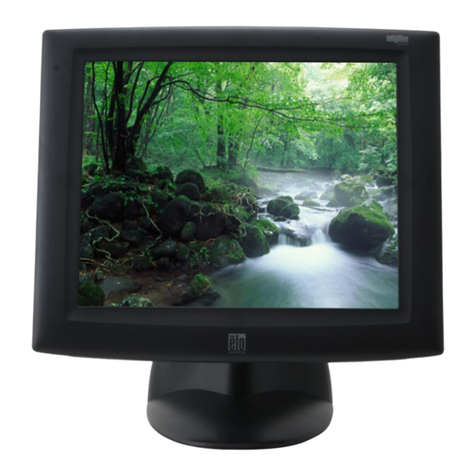
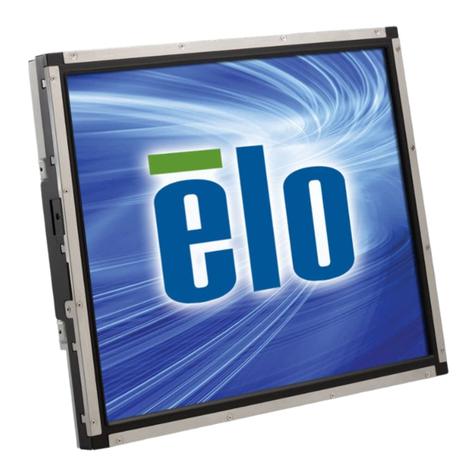
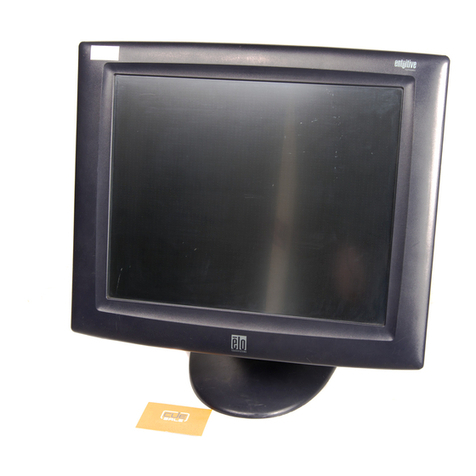
Elo’s 1528L 15” LCD Medical Desktop touchmonitor
delivers cost-effective solutions for critical care and
patient-centric professionals in the medical and healthcare
markets. This compact touch monitor is “designed for
touch” with Elo’s proven expertise and reliability built in
from the start.
The versatile 1528L 15” LCD touchmonitor can be ordered
with a choice of the leading touch technologies in medical
products: IntelliTouch surface acoustic wave and AccuT-
ouch five-wire resistive, along with serial and USB touch
interfaces. The monitor is factory sealed against dust, dirt,
and liquid splashes. The 1528L can be used in a wide
variety of environments because it registers input from a
finger, gloved hand or soft stylus with a fast and accurate
response. Simplified worldwide approvals cover the entire
monitor that is designed, built, serviced, and supported by
Elo, a true single source supplier.
Features
■Stable tilt base; cables hidden from view; controls on
side rather than front; lockout function for public use
■Designed, built, serviced, and supported by Elo
■Space-saving, economical, flexible, and reliable
■Available with AccuTouch five-wire resistive and
IntelliTouch surface wave touch technologies
■Functions as desktop or wall-mountable; VESA
mount option
■Sealed against dust, dirt, and splashes
■Serial and USB connectivity
■Three-year standard warranty.
1528L 15" LCD Medical Desktop Touchmonitor
Cost-effective LCD touchmonitor for healthcare applications
1528L 15" LCD Medical Touchmonitor
North America
Elo TouchSystems
301 Constitution Drive
Menlo Park, CA 94025-1110
Europe
Tel +32 (0)16 35 21 00
Fax +32 (0)16 35 21 01
[email protected]
800-ELO-TOUCH
Tel 1-650-361-4800
Fax 1-650-361-4722
eloinfo@elotouch.com
Asia-Pacific
Tel +81 (45) 478-2161
Fax +81 (45) 478-2180
www.tps.co.jp
Latin America
Tel 786-923-0251
Fax 305-931-0124
www.elotouch.com.ar
To find out more about Elo's extensive range of touch solutions, go to www.elotouch.com, or call the office nearest you.
Tyco Electronics reserves the right to change or update, without notice, any information contained herein; to
change, without notice, the design, construction, materials, processing or specifications of any products;
and to discontinue or limit production or distribution of any products.
AccuTouch, Elo (logo), Elo TouchSystems, IntelliTouch, TE (logo) and Tyco Electronics are trademarks of
the Tyco Electronics group of companies and its licensors.
Copyright 2009 Tyco Electronics Corporation 10/09
Case/Bezel Color Dark gray or beige
Base Tall
Display Size: 15" diagonal
Type: Active matrix TFT LCD
Aspect ratio: 4 x 3
Useful Screen Area Horizontal: 11.98" (304 mm)
Vertical: 8.98" (228 mm)
Monitor Dimensions Width: 13.99" (355 mm)
(max, with tall stand) Height (inc. base): 13.8” (350 mm)
Depth (inc. base): 8” (203 mm)
Optimal (Native) Resolution 1024 x 768
Other Supported Resolutions 1024 x 768 at 60, 65, 70 or 75 Hz
832 x 624 at 75 Hz
800 x 600 at 56, 60, 72 or 75 Hz
720 x 400 at 70 Hz
720 x 350 at 70 Hz
640 x 480 at 60, 66 Hz (Mac), 72 or 75 Hz
Colors 16.2 million colors, 8 bit with dithering
Brightness LCD panel: 350 cd/m2(typical)
with AccuTouch: 287 cd/m2(typical)
with IntelliTouch: 322 cd/m2(typical)
Response Time 8 ms (typical)


Viewing Angle Horizontal (left/right): ±75° or 150° total
(typical, from center) Vertical (up/down): 75°/50° or 125° total
Contrast Ratio 400:1
Input Video Format RGB analog; DVI-D
Input Video Signal Connector Mini D-Sub 15-Pin VGA type; DVI-D connector
Input Frequency Horizontal: 31-60 kHz
Vertical: 56-75 Hz
Power Supply Type: External Power Adapter; DC output (line) voltage: 12.0V ± 0.75V; AC input (line)
voltage to DC adaptor: 100-240 VAC, 50/60 Hz; Power: 48 W max; Hospital grade power
cord for US/CAN; European power cord
Temperature Operating: 0°C to 40°C
Storage: -20°C to 60°C
Humidity Operating: 20-80%
Storage: 5-95% non-condensing
Weight Weight with power adapter: 16.13 lbs (8.3 kg)
(approx., with all options) Weight w/o power adapter: 15.3lbs (6.9 kg)
Shipping Weight: 22.2 lbs ( 10.1 kg)
Warranty Monitor: 3 years
Backlight lamp life: min 40,000 hours to half brightness
MTBF: 50,000 hours minimum demonstrated
Agency Approvals FCC/IC/C-Tick Class B, UL/cUL Medical UL 60601-1(formerly 2601-1)/C22.2 No. 601.1, CE
Includes EMC requirements EN/IEC 60601-1-2.
Speakers Two-watt/channel speakers located in display head
On-screen Display (OSD) OSD lockouts for power and user controls
User's Controls OSD control menu: menu, up, down, select, power
OSD controls: contrast, brightness, V-position, H-position, RGB, volume, Sharpness,
phase, clock, OSD H-position, OSD V-position, OSD time, auto adjust, OSD language
(English, French, German, Spanish, Japanese), input select
OSD disable/enable: power, OSD menu
Mounting Options 75 mm VESA mount
Removable base