manuals.online logo
Brands
  1. Home
  2. •
  3. Brands
  4. •
  5. Elvox
  6. •
  7. Controllers
  8. •
  9. Elvox ZKN1 User manual

Elvox ZKN1 User manual

This manual suits for next models

3

Other Elvox Controllers manuals

Elvox ZI26 User manual

Elvox

Elvox ZI26 User manual

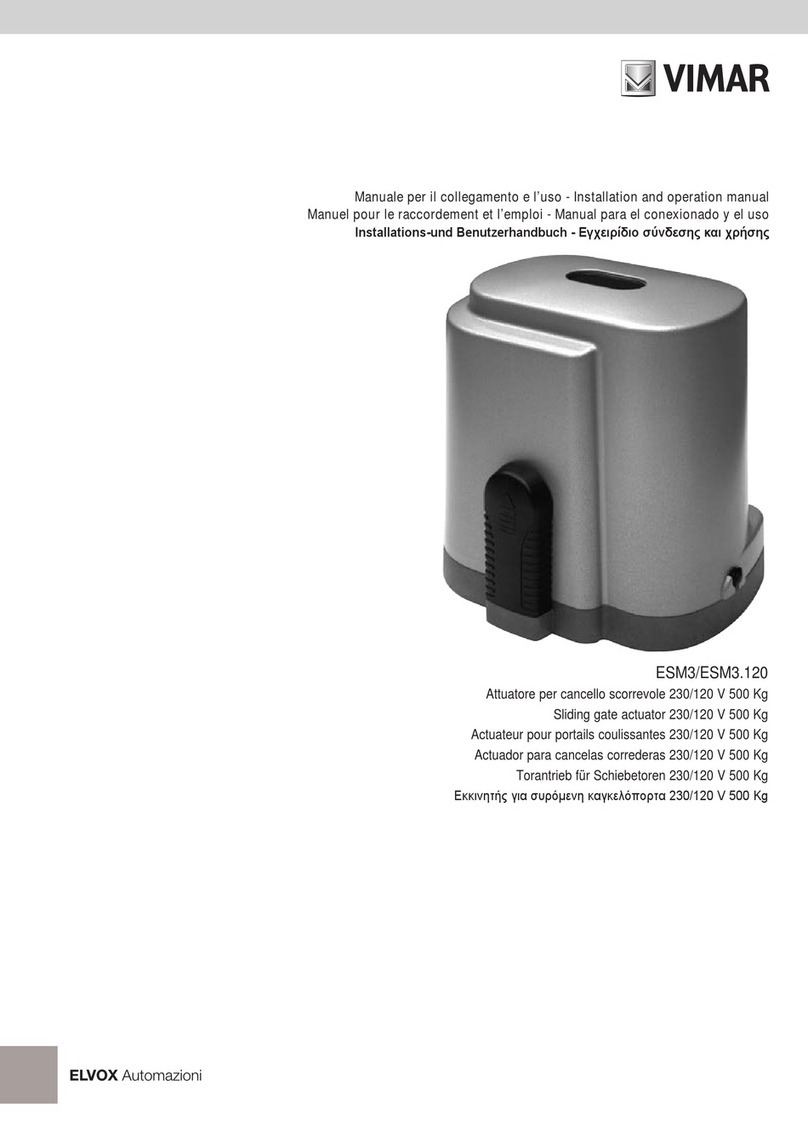
Elvox Vimar ESM3 User manual

Elvox

Elvox Vimar ESM3 User manual

Elvox EI20 User manual

Elvox

Elvox EI20 User manual

Elvox Vimar HIDDY 350D User manual

Elvox

Elvox Vimar HIDDY 350D User manual

Elvox EA20 User manual

Elvox

Elvox EA20 User manual

Popular Controllers manuals by other brands

Sunricher SR-ZV9003T3-RGBW-US Installation

Sunricher

Sunricher SR-ZV9003T3-RGBW-US Installation

Ksenia intro Installation and configuration manual

Ksenia

Ksenia intro Installation and configuration manual

Inovance CAN200 Series manual

Inovance

Inovance CAN200 Series manual

Gauzy LC6 FLEX Controller Installation and operation guide

Gauzy

Gauzy LC6 FLEX Controller Installation and operation guide

Viking SLP-1 Technical practice

Viking

Viking SLP-1 Technical practice

CKD KBX-30E-U Series instruction manual

CKD

CKD KBX-30E-U Series instruction manual

Sharp Energy Sun Flux User manual & installation guide

Sharp Energy

Sharp Energy Sun Flux User manual & installation guide

Yamaha RCX40 user manual

Yamaha

Yamaha RCX40 user manual

AB Quality PowerFlex 400 Frames D-H Service bulletin

AB Quality

AB Quality PowerFlex 400 Frames D-H Service bulletin

Yamaha MJC8 owner's manual

Yamaha

Yamaha MJC8 owner's manual

AL-KO ATC operating instructions

AL-KO

AL-KO ATC operating instructions

Savant SmartControl 2 Deployment guide

Savant

Savant SmartControl 2 Deployment guide

GameSir T3S user manual

GameSir

GameSir T3S user manual

Kostal inveor operating manual

Kostal

Kostal inveor operating manual

Emerson Yarway 20-55 Operating and safety instructions

Emerson

Emerson Yarway 20-55 Operating and safety instructions

CoCo ACM-LV24 Quick installation guide

CoCo

CoCo ACM-LV24 Quick installation guide

Brooks SLA5810/20 Installation and operation manual

Brooks

Brooks SLA5810/20 Installation and operation manual

SIGMA TEK SR 011 Technical manual

SIGMA TEK

SIGMA TEK SR 011 Technical manual

manuals.online logo
manuals.online logoBrands
  • About & Mission
  • Contact us
  • Privacy Policy
  • Terms and Conditions

Copyright 2025 Manuals.Online. All Rights Reserved.

69
The ZN10 operator integrates perfectly with the design of any up and over door with-
out essentially altering its appearance. It also features quiet and linear operation
which renders it safe and agreeable to use, thanks not least to a courtesy light timed
to switch off after 3 minutes.
Total safety
The use of low voltage motors (12 V) eliminates any risk of electrical discharges or
accidental electrification of the structure.
Electronic clutch
if the door is obstructed by an obstacle, an electronic device will immediately stop
the automatic system as soon as the slightest hint of abnormal friction is detected,
and reverse the movement by about 10 cm.
Easy to install
Simpler electrical installation thanks to the separate control unit, optimizing mainte-
nance and assembly (can be connected to the power supply using an existing sock-
et). The control unit lights up automatically (when the motor is activated) and has a
button for opening and closing the door. The absence of any “control head” at the
end of the mechanism, and consequently the reduction in length of 310 mm, is espe-
cially advantageous in situations where space may be limited.
Maintenance-free and reliable
With the new operating principle of a motor travelling along a fixed chain in a track,
the automatic system is quiet and long-lasting, and requires no maintenance.
COMPLETE KIT FOR SECTIONAL DOOR
Type ZKN1
COMPLET KIT FOR SPRING OR COUNTERWEIGHT HORIZONTALLY-PIVOTED DOOR
Type ZKN2
R
R
ZN SERIES ACTUATOR
ZN10 AUTOMATIC SYSTEM FOR SECTION-
AL AND SPRING OR COUNTERBALANCE
HORIZONTALLY PIVOTED DOORS
General description
The ZN10 electromechanical operator is
designed for sectional and spring or counter-
balance up and over doors.
Thanks to its push-pull and closing force,
650N, it will open and close doors up to 10 m2
max without difficulty. This generation of
operators is designed with the accent on ease
of installation but also on the strength of the
materials employed.
OVERALL DIMENSIONS
Mod. ZN10
- Electromechanical operator:
- Control unit
Mod. ZN20
116
270
140
135
80
125
270
2600
1600
75
35
1600
70
30
500
250 250
120
- Jointed C-track
- Overall length: 3230 mm
- Dimensions of pack:
ZN10 motor unit: 160x160x800 mm
Tracks: 160x55x1600 mm
70
ZN SERIES ACTUATOR
PACKAGING CHECK-LIST
The ZN10 operator does not cause particular handling problems during transport.
The standard version must be combined with the 2600 mm guide (working stroke of motor), type ZN20. The two components are
packed in small cardboard boxes. They must be stored in a dry area that is protected from the weather.
Contents of article ZN10 (Fig. A).
- No. 1 control unit with electronic card and 433 MHz receiver
- No. 1 electromechanical operator
- No. 1 longitudinal rod and door corner fitting
- No. 1 front bracket supporting the track
- No. 1 ceiling suspension bracket for the track
- No. 1 instruction manual
- No. 2 remote controls Type ZT03
Contents of article ZN20 (Fig. A).
- No. 2 C-tracks length 1600 mm.
- No. 2 sliding limit switches
- No. 1 chain with chain raceway
- No. 1 snap-on component with cable for connections to the control unit (6900 mm)
- No. 1 connector for the two C-tracks
- No. 1 ceiling suspension bracket
- No. 1 bag containing material required for assembly.
Assembly material in the bag (Fig. B)
- No. 4 wood screws 8x60
- No. 4 plugs S10
- No. 5 washers 8.4
- No. 2 wood screws 4x50
- No. 2 plugs S6
- No. 5 hexagonal head screws
for metal plate, 6.5x19
- No. 1 long bolt 10x35
- No. 1 short bolt 10x35
- No. 2 safety clips
- No. 1 self-locking nut M8
- No. 1 suspension spring
- No. 1 fixing pin M8x110
- No. 1 two-component chain-link
Fig. A/ZN
Fig. B/ZN
In addition to Type ZN10-ZN20, the Kit ZKN2
also contains Type ZN21 (curved arm).
Control unit supply voltage 230 (-10% +6%) V A.C.
Nominal frequency 50-60 Hz
Motor 12V D.C.
Rated current 0.7 A
Motor power 150 W
Max. torque. 650 N
Nominal traction force 195 N
Maximum speed 180 mm/s
Power consumption in stand-by ~2N
Relative noise (only automation)
< 75 DBA
Working temperature: -20°C ÷+55°C
Protection level: IP40
Working cycle: 15%
Max. surface area of door: 10m2max. height of door (standard version) 2600 mm
Radio receiver 433 MHz
Courtesy light YES (24 V, 21 W bulb)
Weight 16 Kg
Working stroke standard version 2600 mm
TECHNICALTECHNICAL SPECIFICATIONS SHOWN ON DATA PLATE ZN10
Doors with a height exceeding 2600 mm require the addition of an extension Type ZN22 of 1600mm (working stroke 4,200 mm.).
71
ZN SERIES ACTUATOR
MECHANICAL INSTALLATION
N.B. Choose the desired mounting variation
In case B modify the chain supply voltage.
Fig. 1) Loosen the limit switch (1) on the first track, "end
track", and move it in the direction shown by the
arrow. Open the chain (2) by 180°
Fig. 2) Unlock the motor (1) by pulling the manual release
(N). Insert the chain (2) in the motor so that it
engages with the pinion (3).
Fig. 3) Insert the motor (1) in the "track" (2).
Fig. 1
Fig. 2
Fig. 3
72
ZN SERIES ACTUATOR
Fig. 4) Insert the connector joining (2) the two tracks (1). Bring the tracks together until they stop
and lock.
Fig. 5/AC-6/AC-7/AC
On the installation - variation A/C, insert the fixing bracket (a) in
the chain and turn it 90° (b). Insert the terminal head (5) in the
guide (c) , and the washer (4) with spring (3) in the draught dowel
(2). Screw the dowel in the fixing bracket (1). Tighten the chain
until the mark (arrow).
Fig. 5A/B-5B/B-6/B-7/B
On the installation - variation B, invert the supply voltage head.
Insert the fixing bracket (a) in the chain and turn it 90° (b).
Insert the terminal head (6) in the guide (c) and the washer (5)
with spring (4) in the draught dowel (3). Screw the dowel in the
fixing bracket (1).
Tighten the chain until the mark (arrow).
Attention! Do not tighten the chain from the power supply side,
because it is already pre-tightened in the lab.
Fig. 4
Fig. 5/AC
Fig. 7/AC
Fig. 6/AC
Fig. 5A/B
Fig. 5B/B
Fig. 6/B Fig. 7/B
73
ZN SERIES ACTUATOR
AB
Fig. 8
Fig. 9 Fig. 10
Fig. 11
Fig. 12
Fig. 8
Fit the bracket for the guide fixing to the ceiling as shown
in the figure.
Fig. 9
Insert the fixing bracket (1) in the guide (2).
Fig. 10
Fix the bracket, guide angle (2) with the screw (1) and
the nut (3) to terminal (4).
Fig. 11
Determine the highest opening point of the door (THP):
the ceiling must be above this point, and at a distance of
at least 35 mm.
The distance between the maximum door opening point
and the lower guide must be included between 5 mm
(min.) and 65 mm. (max), while the thrust arm must have
an angle of 30°.
Fig. 12
The guide can be fixed either on the architrave (A) either
to the ceiling (B).
Fig. 13
Measure the centre of the door (C) and mark the point on
the door, on the lintel and on the ceiling.
C
Fig. 13
74
E
Fig. 15
Fig. 15) Open the door and mark the centre of the door on the ceiling (E).
Fig. 16
Insert the expansion plugs in the architrave (V) and raise the
guide (2). Fix the guide bracket (3) with two screws (4) by
using the washers (5). Lift the automatic system (2).
Fig. 17
Lift the guide (3) and align the bracket for the suspension to
the ceiling. The position must be in zone B, where B is 0 to 600
mm. long. Carry out two holes Ø 10x65 mm. and insert two
expansion plugs S10 (1) and fix tight the two screws 8x60 (2)
by using the two washers (2).
Fig. 16
Fig. 17
D
Fig. 14) Drill two holes (D) Æ 10 in the lintel or in the ceiling, 74 mm to the right and to the left of
the centre of the door (C).
Fig. 14
Fig. 18
Fig. 18
Fix (3) the door corner fitting (1) onto the rod, in a longitudinal
direction with respect to the position of the motor. Unlock the
motor by pulling the manual release (N).
ZN SERIES ACTUATOR
75
Emergency release
1. Lower the red lever on the motor (N) to release it and open the horizontally pivoted door manually (see figure 19/ZN).
2. Install the manual release in the door using the appropriate bracket, which must be fixed in the handle of the door, secure it with
the cable clamp (type ZN24), and insert the cable in place of the red motor release lever.
3. With ELVOX kit type ZN23 it is possible to release the automated closure system from outside the door.
ZN SERIES ACTUATOR
Fig. 19) Regolare il fine corsa (4) spostandolo completamente verso il motore.
Move the motor (1) all the way forwards (3) with the rod. Align the door corner fitting (5)
with the centre of the doorway, drilling four holes ø5mm. Adjust the limit switch (4), mov-
ing it all the way up to the motor.
Fig. 19
max 30°
Fig. 20
Fig. 20) Move the limit switch (1) up to point (2), that is to say all the
way back. Open the door (3) manually from the side. Once
open it is possible to adjust the open limit switch.
N.B. If the sectional door does not close completely use the
adjustable bracket type ZN27.
Emergency release
- Pull the red lever in the motor (N) downwards once; so that the motor unlocks and the door can be opened manually (see figure
19).
- To install the manual release inside the door, fix it by means of the relative bracket inside the door handle, secure by means of a
cable clamp (type.ZN24), and position the cable in place of the red lever (W) of the motor release.
- If the area closed off by the garage door is not accessible from inside and the control needs to be released manually, an external
release device must be installed on the handle using the Elvox kit type ZN23.
Operation of external release device type.ZN23
The garage door can also be opened manually from the outside by means of the
motor release. For this purpose, insert key 1 (A) in cylinder 2 (Fig. a), turn it clockwi-
se and remove with lock cylinder (B). At the same time cable 6 will release the motor.
External release device assembly
According to the type of garage door, choose one of the assembly options shown in
fig. b.
Fig. a
Drill a hole (diam. 20 mm) to insert the cylinder of lock 2 (fig.c) at approx. 60 cm from
the upper edge of the garage door.
If necessary, enlarge the hole from inside for threaded bushing 3 (diam. 23 mm; see
fig.c), and proceed with assembly.
In the case of sheet steel doors, drill four 4 mm holes for the washer (on a circumfe-
rence of 26 mm.), (see fig. b letter F).
Now tie cable 6 (fig.c ) onto ring 7 (fig.c) of the lock cylinder. Tie the other end of the
cable to motor release cable 8 (fig.a.).
Avoid tensioning the cord.
Fig. 21/ZN Fig. 22/ZN
Installing the variable sectional door mounting type ZN27
Loosen the two screws and remove the U shaped section of the door mounting. Fasten to the sectional door mounting as illustrated.
Fig. 21/ZN: Set the sectional door mounting to the right length A, fix in place with 2 metal screws B and fasten to the upper section
of the door (X). Slide the boomerang C into the connecting rod D (U Section) and connect with 2 M10x25 bolts and nuts.
Fig. 22/ZN: If necessary shorten the connecting rod by sawing off accordingly and connect directly to the sectional door mounting.
76
ZN SERIES ACTUATOR
Fig. c
Fig. b
77
ZN SERIES ACTUATOR
INSTRUCTIONS FOR THE CURVED ARM
For counterbalance up and over doors, remove approximately 3-8 Kg, according to the weight of the door. For spring up and over
doors, reduce the tension in the spring by 3-5 cm, according to the weight of the door.
Assembly:
1. Remove the door lock lever (1). Determine the point of maximum aperture of the swing device. Position the track 10-12 mm
above the door.
2. Position the curve (2) vertically and at the centre of the door, and bring it up to the top edge of the swing device (3). On the angle
irons (4) supporting the curve, position the holes so as to allow stable fixing to the door frame (5).
3. Screw the curve to the swing device frame. Install an emergency release (6) and move it so that the end of the curved arm (12)
is located at the hole in the motor block. Always leave a distance of almost 50 mm (see drawing).
If required, after removing the screws (7), modify the length in 25 mm steps (8), after first unlocking the spacer track (9).
Do not connect the curved arm to the motor yet!
4. Move the motor back (end part of the track).
5. Open the up and over device manually. Push the curved arm backwards.
6. Remove the lock nut (10) connecting the track to the ceiling. Move the track by an amount (see arrow) sufficient that the hole in
the motor (11) coincides with the hole in the curved arm. Connect the curved arm to the motor. Adjust the power and movement
as described in the assembly instructions.
78
Fig. 23/ZN Install the box containing the control unit, preferably
close to the garage exit door, so as to use the existing
power socket. This socket must be installed at a mini-
mum height of 1.6 metres above floor level.
The cable connecting the control unit and the C-track
has a maximum length of 6900 mm, and it must not be
extended!
Fig. 24/ZN To connect the cable in the control unit, unfasten screw
(1) and remove the cover over the box courtesy light (2).
The power supply to the control unit must not be turned
on yet.
Fig. 25/ZN Extract the electronic card (1) by pulling it upwards, and
disconnect it from the terminal board (2). Connect the
two wires from the motor power supply cable to the ter-
minal board; the wire with number 3 printed on it must
be connected to terminal 3, and the one with number 4
printed on it must be connected to terminal 4.
Fig. 26/ZN Fix the power supply cable firmly to the rear side of the
box.
Fig. 27/ZN Mark the fixing points horizontal to the wall, at a distan-
ce of 110 mm. Drill two holes (ø6x40 mm depth). Fix
the box to the wall using two screws 4x50 (3) and two
plugs S6 (2).
ELECTRICAL INSTALLATION
ZN SERIES ACTUATOR
Programming the remote controls
Under no circumstances modify the length of the aerial cable!
Remove the elastic from around the red aerial cable, pushing it
upward (7) through the rear wall of the box, extracting it and fixing it
(Fig. 26/ZN).
Radio control code storage
Press and keep pressed the push-button present on the circuit
board for at least 3 seconds until the led turns on.
Now release the push-button and send the code from a radio con-
trol. If the operation was successful, the led turns off.
Cancellation of all codes stored
Press and keep pressed the push-button present on the circuit
board for at least 3 seconds until the led turns on. Release the
push-buttons and press it again. The les starts flashing. Press again
and keep pressed the push-button for at least 3 seconds until the led
flashes with a higher frequency and finally the led turns off.
N.B. The circuit board, with the 433 MHz receiver, can store up to
30 different radio control codes.
Adjusting applied force
The force required to open the door is adjusted automatically by the electronic card while it carries out self-regulation the first two
times the door is opened. During this operation, the courtesy light (2) will flash.
After turning the power supply to the control unit on, press the red button (6) fig. 26/ZN.
Open and close the door twice, during this operation the maximum values for the force to be applied to the door are read automati-
cally by the microprocessor, and at the end of the operation the light (2) will stop flashing. After adjustment, use the remote control
or the red button (6) to operate the automatic door.
Deleting force values
1. Turn the control unit power supply off
2. Remove the screw and take the cover off the courtesy light in the box.
3. Press and hold the function button (3) T1 for three seconds, until the light (2) starts to flash, then release button T1 and the force
values will be deleted automatically.
Storing new force values
1. When the lamp (2) flashes the new force values must be stored. Press the button (6) in the box once, the door will open without
stopping until it reaches the limit switch. Once it has stopped, press the button (6) again and the door will close until it is comple-
tely shut.
2. Press the button (6) again: the door will open until it is completely open.
3. The force values both for opening and closing have now been read, and the light (2) will stop flashing.
4) Once the force has been regulated, fasten down the courtesy light cover in the box.
STARTING UP
Fig. 24/ZN
Fig. 23/ZN
Fig. 25/ZN
Fig. 28/ZN
Fig. 26/ZN
Fig. 27/ZN