manuals.online logo
Brands
  1. Home
  2. •
  3. Brands
  4. •
  5. Epson
  6. •
  7. Projector
  8. •
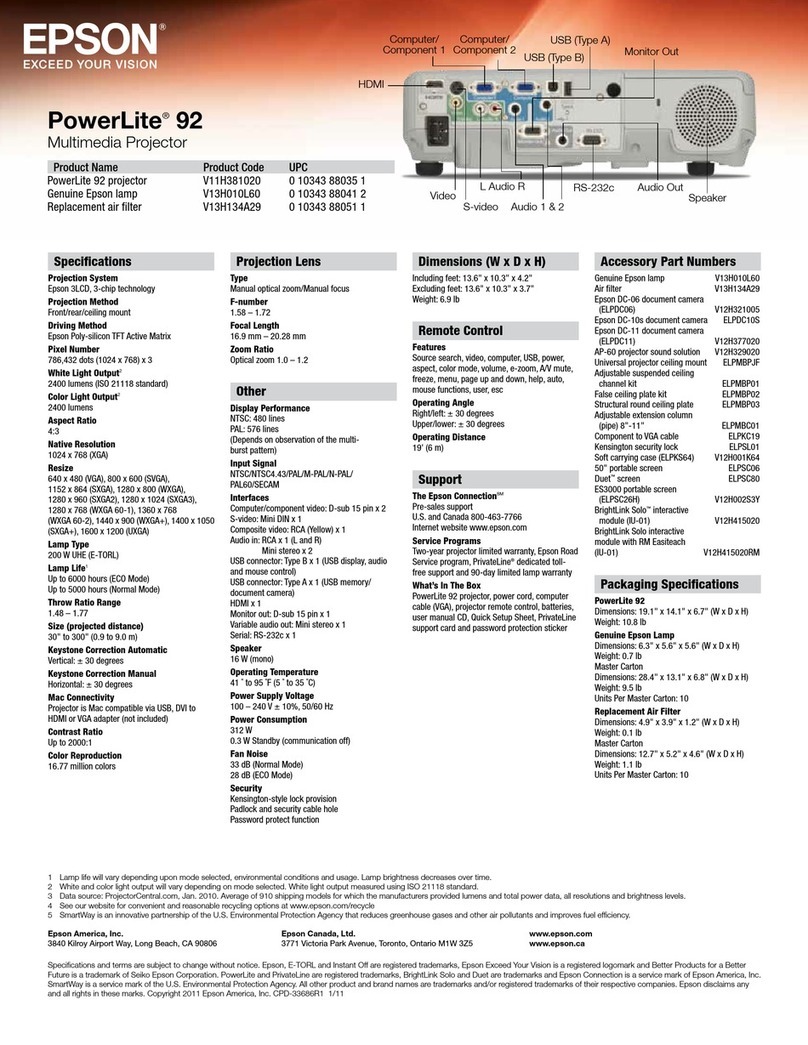
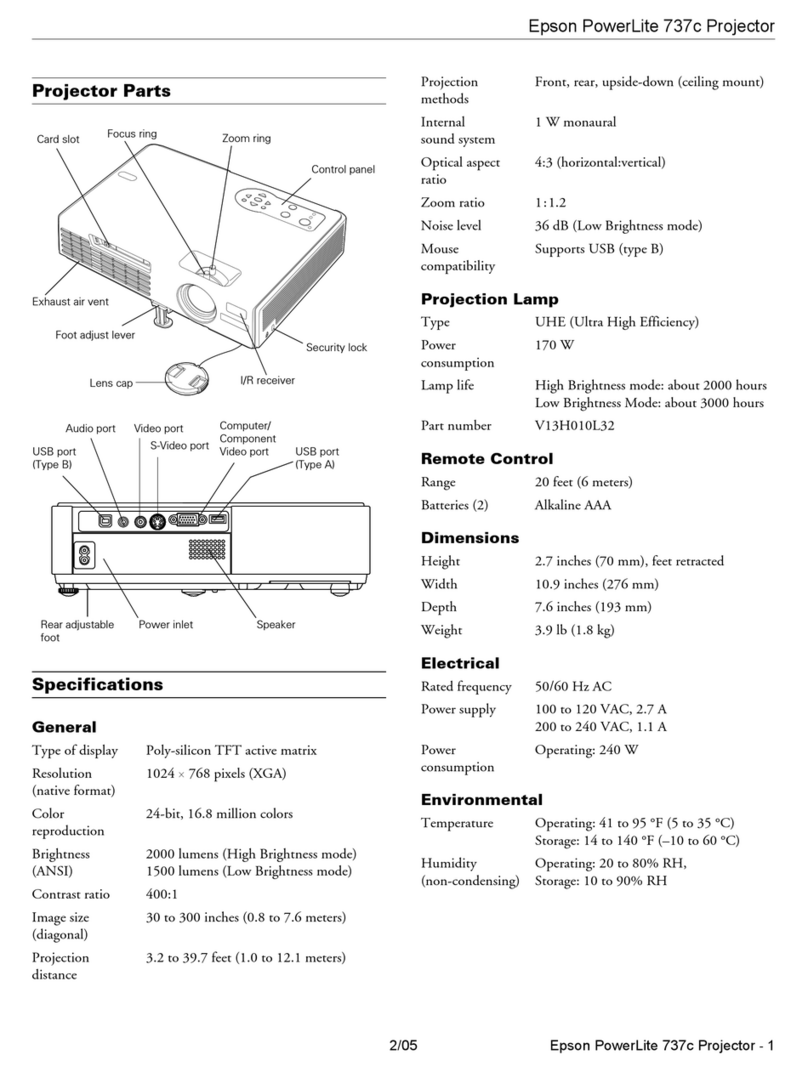
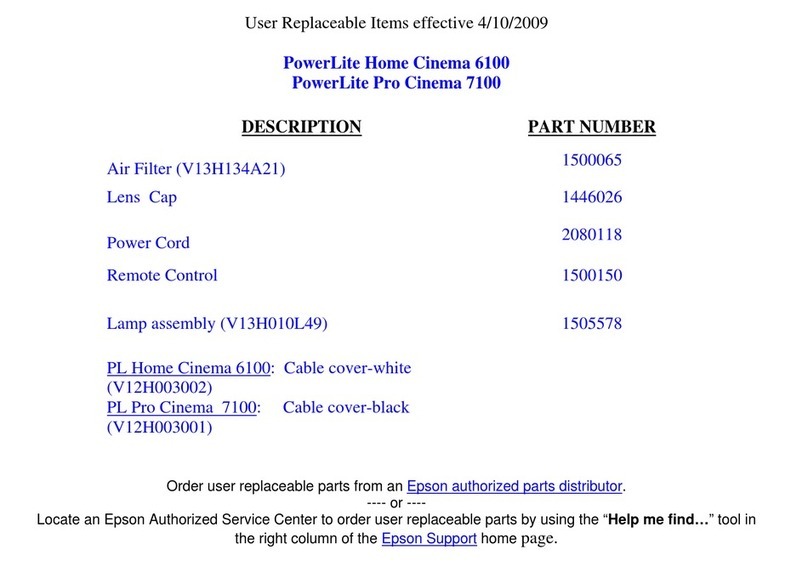
  9. Epson PowerLite Cinema 500 Dimensions

Epson PowerLite Cinema 500 Dimensions

Other manuals for PowerLite Cinema 500

3

This manual suits for next models

41

Other Epson Projector manuals

Epson 1815p - PowerLite XGA LCD Projector Specification sheet

Epson

Epson 1815p - PowerLite XGA LCD Projector Specification sheet

Epson VS400 Reference guide

Epson

Epson VS400 Reference guide

Epson EMP-83 User manual

Epson

Epson EMP-83 User manual

Epson PowerLite 400W Installation instructions

Epson

Epson PowerLite 400W Installation instructions

Epson AP-60 - Projector Sound Solution User manual

Epson

Epson AP-60 - Projector Sound Solution User manual

Epson H654A User manual

Epson

Epson H654A User manual

Epson ESC User manual

Epson

Epson ESC User manual

Epson PowerLite EB-720 Specification sheet

Epson

Epson PowerLite EB-720 Specification sheet

Epson EB-L25000unl User manual

Epson

Epson EB-L25000unl User manual

Epson PowerLite Home Cinema 8350 Parts list manual

Epson

Epson PowerLite Home Cinema 8350 Parts list manual

Epson EB-W16 User manual

Epson

Epson EB-W16 User manual

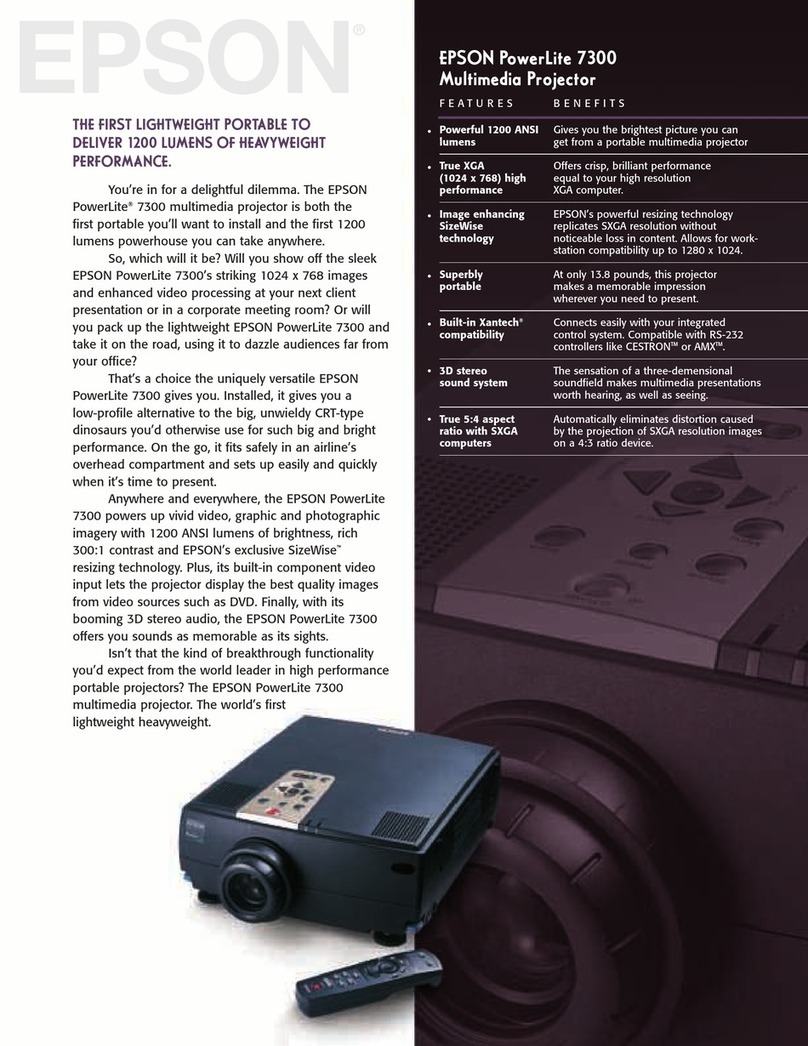
Epson PowerLite 7300 User manual

Epson

Epson PowerLite 7300 User manual

Epson PowerLite S12+ Specification sheet

Epson

Epson PowerLite S12+ Specification sheet

Epson PowerLite 700 User manual

Epson

Epson PowerLite 700 User manual

Epson EB 824 User manual

Epson

Epson EB 824 User manual

Epson PowerLite 1221 User manual

Epson

Epson PowerLite 1221 User manual

Epson PowerLite Home Cinema 8100 User manual

Epson

Epson PowerLite Home Cinema 8100 User manual

Epson EMP-715 - XGA LCD Projector User manual

Epson

Epson EMP-715 - XGA LCD Projector User manual

Epson PowerLite 1222 User manual

Epson

Epson PowerLite 1222 User manual

Epson PowerLite S10+ Specification sheet

Epson

Epson PowerLite S10+ Specification sheet

Epson 1735W - PowerLite WXGA LCD Projector User manual

Epson

Epson 1735W - PowerLite WXGA LCD Projector User manual

Epson Stylus Pro 9900 Installation and maintenance instructions

Epson

Epson Stylus Pro 9900 Installation and maintenance instructions

Epson Pro EX9220 User manual

Epson

Epson Pro EX9220 User manual

Epson EB-W16SK User manual

Epson

Epson EB-W16SK User manual

Popular Projector manuals by other brands

Eiki LC-X985 Specification sheet

Eiki

Eiki LC-X985 Specification sheet

InFocus LitePro 610 quick start

InFocus

InFocus LitePro 610 quick start

FOREVER MLP-100 manual

FOREVER

FOREVER MLP-100 manual

Toshiba TDP-MT8U Specifications

Toshiba

Toshiba TDP-MT8U Specifications

Mitsubishi XD500U specification

Mitsubishi

Mitsubishi XD500U specification

Kodak Ektapro 3020 Illustrated parts list

Kodak

Kodak Ektapro 3020 Illustrated parts list

Toshiba TDP-EW25U Specifications

Toshiba

Toshiba TDP-EW25U Specifications

Barco iQ PRO G500 supplementary guide

Barco

Barco iQ PRO G500 supplementary guide

NEC Showcase Series HT1100 user manual

NEC

NEC Showcase Series HT1100 user manual

Philips LC1341 user guide

Philips

Philips LC1341 user guide

MAGINON DLP 1400S user manual

MAGINON

MAGINON DLP 1400S user manual

Toshiba TLP-380 owner's manual

Toshiba

Toshiba TLP-380 owner's manual

Philips PicoPix PPX2480/EU user manual

Philips

Philips PicoPix PPX2480/EU user manual

Hitachi CP-X605 Series Specifications

Hitachi

Hitachi CP-X605 Series Specifications

Optoma TW1692 user manual

Optoma

Optoma TW1692 user manual

Kodak EKTAPRO instruction manual

Kodak

Kodak EKTAPRO instruction manual

Optoma Optoma PRO150S datasheet

Optoma

Optoma Optoma PRO150S datasheet

Light Sky IP3500BSW user manual

Light Sky

Light Sky IP3500BSW user manual

manuals.online logo
manuals.online logoBrands
  • About & Mission
  • Contact us
  • Privacy Policy
  • Terms and Conditions

Copyright 2025 Manuals.Online. All Rights Reserved.

EPSON PRODUCT SUPPORT BULLETIN
Date: 04/20/2009 Originator: JAM
PSB #: PSB.2009.06.001 Authorization:
Reference: TI 09-05e Rev. A/B Total Pages: 5
Product(s): PowerLite 735c / Cinema 500 / 737c / 745c / 755c / 765c / 830p / 835p /
1705c / 1715c / 6100i / 6110i / 7800p / 7850p / 7900NL / 8300i / 8300i with
EasyMP.net module / 9300NL / 1815p / 1825 / 822p / 83c / 822+ / 83+ /
G5000 / Pro G5150 / Pro G5350 / Pro G5200W / 1725 / 1735W / 400W /
410W / 84 / 85 / 825 / 826W
PowerLite 61p / 81p / 82c / 821p / 1810 / 260d (Latin America) / 280d (Latin
America) with TCP/IP to Serial converter
Subject: Release of EMP Monitor for Windows version 4.30
This bulletin was created to inform you of the release of the new version 4.30 of the Epson
EMP Monitor software utility.
Description of Change:
Improvements have been made to the EMP Monitor software utility.
Note: For the PowerLite 61p / 81p / 82c / 821p / 1810 / 260d (Latin America) / 280d (Latin
America) models, a serial to TCP/IP conversion adapter is necessary. The function of Auto
Update does not work for these models. You need to manually click on refresh to get an
updated status of projectors.
Reason:
The improved points of version 4.30 are as follows:
Application EMP Monitor
Version
upgraded Version 4.22 ÆVersion 4.30
Improved
points (1) Addition of 7 new languages
-Indonesian, Croat, Slovak, Bulgarian, Malay, Vietnamese, and
Hebrew
Existing 27 languages
-Chinese (Traditional), Netherlands, Danish, Polish, Hungarian,
Czech, Romanian, Slovene, Norwegian, Swedish, Finnish, Russian,
Ukrainian, Greek, Turkish, Arabic (Windows NT4 does not support),
English, Japanese, French, German, Italy, Spanish, Portuguese,
Chinese (Simplified), Korean, Catalan, Thai
Page 1 of 4
PSB.2009.06.001
(2) Addition of Input Source (Only PowerLite 84 / 85 / 825 / 826W)
Previous version of EMP Monitor included USB Display, USB and LAN as
one source: EasyMP.
The input source buttons for USB display, USB, and LAN are available as
separate input sources as shown below:
- Old version - EMP Monitor V4.22
EMP Monitor V4.22
- New version - EMP Monitor V4.30
EMP Monitor V4.30
.
(3) New feature for the PowerLite 84 / 85 / 825 / 826W.
Displays projector’s serial number in the Menu settings
-The projector’s serial number is now displayed in the projector’s
menu under “info”,
-EMP Monitor can also display the projector’s serial number as
shown below:
Page 2 of 4
PSB.2009.06.001
Limitations When the PowerLite1725 / 1735W exhibit a Lamp Cover Open error state,
EMP Monitor cannot detect the error. The reason is that when the lamp
cover is opened, the primary power source that reports the error state to
EMP Monitor is turned off immediately. This is different from other models
which make the secondary power source turn off under the same condition.
Note: EMP Monitor Ver. 4.xx is not compatible with EMP Monitor Ver. 3.05 and earlier
versions. EMP Monitor Ver. 4.xx cannot read the setting files of EMP Monitor Ver. 3.05
and earlier versions.
System Requirements:
OS •Windows 98 SE / Me / NT 4.0 (SP6) *Except Arabic and
Hebrew / Windows 2000 Pro / XP Home Edition / XP
Professional (32 bit) / Vista Home Basic / Home Premium /
Ultimate / Business / Enterprise (32 bit) *Except Ukrainian /
Vista SP1 Home Basic / Home Premium / Ultimate /
Business / Enterprise (32 bit)
•Internet Explorer Ver. 5.0 or later must be installed
CPU Minimum: Pentium MMX 166 MHz (Recommended: Pentium II
233 MHz or higher)
Memory At least 64 MB (Recommended: 128 MB or above)
Available hard disk
space At least 50 MB
Display SVGA (800×600) or higher resolution, 32 bit or higher display
color
Obtaining the Update:
Download epson13055.exe from www.epson.com to get the version 4.30 update for EMP
Monitor. The files are extracted and copied to C:\EPSON\epson13055_emp_monitor_430.
This file is a self-extracting archive and will start the installation utility for EMP Monitor. Follow
the on-screen instructions during the installation process.
Page 3 of 4
PSB.2009.06.001
Software Upgrade History:
Version Release date Remarks
3.00 December
25,2002 Supported PowerLite 735c
3.01 February
26,2003 Supported PowerLite 7800p / 8300i
3.02 April
18,2003 Supported PowerLite 7850p / 8300i with EasyMP.net option
module
3.03 November
21,2003 Supported PowerLite Cinema 500
3.04 April
1, 2004 Supported Serial -TCP/IP conversion adapter for PowerLite
61p / 81p
4.01 October
18, 2004 Supported projectors that are configured on a large-scale
network.
4.02 August
29, 2005 Addition of timer function and auto search function by
specifying IP addresses.
Improvement of communication logs size.
4.10 May
8, 2006 Addition of new functions, Improvement of usability, and
Corresponding to PowerLite 6100i.
4.20 May
15, 2007 EMP NS Connection V2.20 supports Windows Vista (Home
Basic / Home Premium / Ultimate / Business / Enterprise).
4.21 September
26, 2007 Supported 25 languages
4.22 March 31, 2008 Supported 27 languages
Addition of new Error Information
Supported Video (BNC)
4.30 April 3, 2009 Supported 34 languages
Additional Input Sources
Displays projector’s serial number in Menu settings
Page 4 of 4
PSB.2009.06.001
Page 1 of 3
PSB.2007.11.005
EPSON PRODUCT SUPPORT BULLETIN
Date: 11/13/2007 Originator: AP
PSB #: PSB.2007.11.005 Authorization:
Reference: TI 07-63e, Rev. A Total Pages: 3
Product(s): Epson EMP Monitor
Subject: EMP Monitor Version 4.21 Release
This bulletin was created to inform you of the release of Epson EMP Monitor version 4.21
utility.
New Functions and Improvements:
New Functions,
Improvements
Supported Models Function / Improvement
Description
Support for 25
languages
All projectors (see Supported
Projectors table)
Language support extended to
include Chinese (traditional),
Dutch, Danish, Polish,
Hungarian, Czech, Romanian,
Slovene, Norwegian, Swedish,
Finnish, Russian, Ukrainian,
Greek, Turkish, Arabic.
Languages supported in prior
version of EMP Monitor: English,
Japanese, French, German,
Italian, Spanish, Portuguese,
Chinese (simplified), Korean
Abnormally low air
flow notification
PowerLite 6100i Indicates an abnormal decrease
in the force of air flow through
the air filter. User should check
for air filter obstructions, clean
and replace air filter as
necessary.
This feature is available only for
the indicated models.
Air flow sensor error PowerLite 6100i (with firmware
version 1.10 or later)
Indicates air flow sensor error.
This feature is available only for
the indicated models
Page 2 of 3
PSB.2007.11.005
Supported Projectors:
This application supports the following Epson projectors:
PowerLite 735c PowerLite 1715c PowerLite 1815p
PowerLite 737c PowerLite 6100i PowerLite 822p
PowerLite 745c PowerLite 7800p PowerLite Cinema 500
PowerLite 755c PowerLite 7850p PowerLite 61p
PowerLite 765c PowerLite 7900NL PowerLite 81p
PowerLite 830p PowerLite 8300i / 8300NL PowerLite 82c
PowerLite 835p PowerLite 8300i with the
EasyMP.net Option Module
installed
PowerLite 821p
PowerLite 1705c PowerLite 9300NL
Supported Operating Environment:
Operating System requirement •Windows 98SE / Me / NT 4.0 SP6 (except
Ukrainian) / 2000 Professional / XP Home Edition
/ XP Professional (32 bit) / Vista Home Basic /
Vista Home Premium / Vista Ultimate (32 bit) /
Vista Business (32 bit) / Vista Enterprise (32 bit)
(except Arabic)
•Internet Explorer 5.0 or later
Minimum CPU requirement Pentium MMX 166 MHz (Recommended: Pentium II 233
MHz or faster)
Minimum RAM requirement At least 64 MB (Recommended: 128 MB or more)
Drive space requirement At least 50 MB free
Display requirements SVGA (800 x 600) or higher resolution, 32 bit color
display or higher
Obtaining the Update:
Download epson12456.exe from www.epson.com to get the version 4.21 update for EMP
Monitor. This file is a self-extracting archive and will start the installation utility for EMP
Monitor.
Page 3 of 3
PSB.2007.11.005
Software History:
Version Release Date Notes
3.00 December 25, 2002 Added support for the PowerLite 735c
3.01 February 26, 2003 Added support for the PowerLite 7800p / 8300i
3.02 April 18, 2003 Added support for the PowerLite 7850p / PowerLite 8300i
with the EasyMP.net option module installed
3.03 November 21, 2003 Added support for the PowerLite Cinema 500
3.04 April 1, 2004 Added support for the Serial ↔TCP/IP conversion
adapter for the PowerLite 61p / 81p
4.01 October 18, 2004 Added support for projectors installed on large scale
networks
4.02 August 29, 2005 Addition of timer function, auto search by specifying IP
address.
Improvement of communication logs sizes
4.10 May 8, 2006 Addition of support for PowerLite 6100i with support for
additional monitoring features unique to the PowerLite
6100i
4.20 May 29, 2007 Added support for Windows Vista (32 bit)
4.21 September 26, 2007 Increased language support to 25 languages
Page 1 of 14
PSB.2004.10.002
EPSON PRODUCT SUPPORT BULLETIN
Date: 10/08/2004 Originator: DS
PSB #: PSB.2004.10.002 Authorization:
Reference: TI 04-46e Rev. A Total Pages: 14
Product(s): EMP NS Connection, EMP Network Manager, EMP Monitor,
EMP Multi Screen Adjustment, Cinema Color Editor, VCOM Driver
Subject: Evaluation results of Epson Projector PC applications tested in Windows XP
with SP2.
The purpose of this bulletin is to provide information on Epson PC projector applications tested
under the Windows XP SP2 (Service Pack2) environment.
Description:
Information is provided about the evaluation results and recommendations for Epson PC
projector applications functionality in Windows XP SP2 Firewall environment.
Reason:
Compatibility testing for functionality of EMP NS Connection, EMP Network Manager, EMP
Monitor, EMP Multi Screen Adjustment, Cinema Color Editor, VCOM Driver in the Windows
XP SP2 environment.
Results of Windows XP SP2 installation:
Installing SP2 on PCs did not disturb the installation of the above software applications.
Also, the application software can be installed on PCs where SP2 or earlier versions are
installed without any issues.
The information contained in the following pages provides details for executing the
applications in Windows XP SP2.
Page 2 of 14
PSB.2004.10.002
Executing the Software:
When executing the software noted below for the first time after SP2 installation completes,
the following security alert messages are displayed:
[EMP NS Connection]
Security alert screen (EMP NS Connection)
[EMP Network Manager]
Security alert screen (EMP Network Manager)
Page 3 of 14
PSB.2004.10.002
[EMP Monitor]
Security alert screen (EMP Monitor)
[EMP Multi Screen Adjustment]
Security alert screen (EMP Multi Screen Adjustment)
The Security Alert screen for EMP Multi Screen Adjustment is shown after clicking the
Auto button of Network or clicking the Add button after entering an IP address in the
IP Address box.