3
Introduction
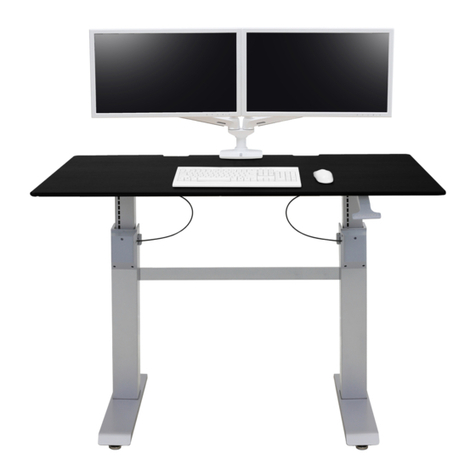
Carl’s Table is designed to provide comfort, privacy, and lighting by making the table very adjustable. Controls located on the
upper corners of the keyboard surface adjust the height (28" to 48") and tilt (0 to 15° ) of the table surfaces, the height and depth
of the monitors, air movement, and lighting. Available adjustments:
Anthro Monitor Control System®– Electronically adjust the height and depth of the monitors using the control pad on the right
side of the work surface. Adjust the tilt of each monitor manually.
Surfaces – Electronically adjust the height and tilt of CT15 to work while standing, sitting or reclining. Position the table
manually, or use the position preset feature and record your preferred height and tilt settings.
Adaptive Lighting System – Adjust the table's ambient light system manually to provide the optimal contrast ratio. Task lights
are also adjusted manually.
Air Circulation System – Two fans, one on the left side and one of the right side of the work surface, keep air moving so you
stay refreshed. Each fan has its own on/o switch; air ow direction is adjusted manually.
Footrest – Put your feet up!
Let’s Start with Your Chair
Choose a chair that reclines back and supports you comfortably when sitting. Scoot all the way in so you can view the monitors
better and your arms are supported by the work surface. We recommend our Verté Chair, Part Number 904BK.
Homing the Table
Homing the table's electric lift system is required each time the table powers up, either after installation or after being shut o.
Leave CT15 powered on except when moving the table.
First, turn the table on and wait one minute.
Using the height adjustment button on the keypad, lower the table to its lowest position until it stops, then hold the button
down for 5 seconds. You will feel the work surface settle gently into place.
Using the tilt adjustment button on the keypad, tilt the table to horizontal until it stops, then hold the button down for 5
seconds. You will feel the work surface settle gently into place.
Home the Anthro Monitor Control System. Using the monitor depth adjustment button, move the monitors all the way back
until they stop, then hold the button down for 5 seconds. No homing is necessary for the height adjustment of the monitors.
Adjusting Your Table Height
It’s vital to vary your position as much as possible throughout the day. So Carl’s Table has a motorized height adjustment from
28" to 48" and you can work sitting or standing with just the touch of a button. The height adjustment button is located on the
keypad on the right side of the work surface.
Changing Your Table Angle
Orthopedic surgeons and other work injury experts say a 90° angle in your elbows and knees is best when working at a desk.
And Carl’s Table lets you electronically tilt the main work surface up to 15° so you can maintain this healthy position even as you
recline.
3
300-5642-00 rev. C
• /