manuals.online logo
Brands
  1. Home
  2. •
  3. Brands
  4. •
  5. ESAB
  6. •
  7. Welding Accessories
  8. •
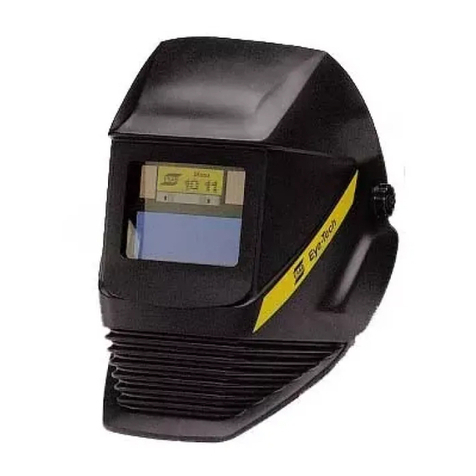
  9. ESAB Eye-Tech 10-12 Select User manual

ESAB Eye-Tech 10-12 Select User manual

Other manuals for Eye-Tech 10-12 Select

1

Other ESAB Welding Accessories manuals

ESAB LHI 825 User manual

ESAB

ESAB LHI 825 User manual

ESAB Versotrac EWT 1000 User manual

ESAB

ESAB Versotrac EWT 1000 User manual

ESAB PSF 315ME User manual

ESAB

ESAB PSF 315ME User manual

ESAB SAVAGE A40 User manual

ESAB

ESAB SAVAGE A40 User manual

ESAB LAF 1601M User manual

ESAB

ESAB LAF 1601M User manual

ESAB SDE-250 User manual

ESAB

ESAB SDE-250 User manual

ESAB EDB-15/30 User manual

ESAB

ESAB EDB-15/30 User manual

ESAB Warrior YardFeed 200 User manual

ESAB

ESAB Warrior YardFeed 200 User manual

ESAB PSF 250 User manual

ESAB

ESAB PSF 250 User manual

ESAB Warrior Feed 304 User manual

ESAB

ESAB Warrior Feed 304 User manual

ESAB Sentinel A60 User manual

ESAB

ESAB Sentinel A60 User manual

ESAB WeldCloud Mobile User manual

ESAB

ESAB WeldCloud Mobile User manual

ESAB Arc Master ICE A6 S User manual

ESAB

ESAB Arc Master ICE A6 S User manual

ESAB PEI User manual

ESAB

ESAB PEI User manual

ESAB PREST-O-LITE 02X93 User manual

ESAB

ESAB PREST-O-LITE 02X93 User manual

ESAB SDF-50 User manual

ESAB

ESAB SDF-50 User manual

ESAB PSE-10 User manual

ESAB

ESAB PSE-10 User manual

ESAB PSF 305 User manual

ESAB

ESAB PSF 305 User manual

ESAB SAVAGE A40 User manual

ESAB

ESAB SAVAGE A40 User manual

ESAB PSF 260C User manual

ESAB

ESAB PSF 260C User manual

ESAB ET 17 User manual

ESAB

ESAB ET 17 User manual

ESAB Aristo MA4 User manual

ESAB

ESAB Aristo MA4 User manual

ESAB Eye-Tech 10-12 Select User manual

ESAB

ESAB Eye-Tech 10-12 Select User manual

ESAB SDF-250 User manual

ESAB

ESAB SDF-250 User manual

Popular Welding Accessories manuals by other brands

Lincoln Electric LT-7 Tractor Technical specifications

Lincoln Electric

Lincoln Electric LT-7 Tractor Technical specifications

Cornwell Tools MMWC1 Operator's manual

Cornwell Tools

Cornwell Tools MMWC1 Operator's manual

Dohle ExOn2A operating instructions

Dohle

Dohle ExOn2A operating instructions

Nederman Fume Eliminator FE 840/2500/P150 user manual

Nederman

Nederman Fume Eliminator FE 840/2500/P150 user manual

3M Speedglas 9100 Series user manual

3M

3M Speedglas 9100 Series user manual

Miller Electric OM-842 owner's manual

Miller Electric

Miller Electric OM-842 owner's manual

Miller A-200 Series owner's manual

Miller

Miller A-200 Series owner's manual

Abicor Binzel ABIMIG WT Series operating instructions

Abicor Binzel

Abicor Binzel ABIMIG WT Series operating instructions

Miller MIGmatic M-25 owner's manual

Miller

Miller MIGmatic M-25 owner's manual

Tregaskiss TOUGH GUN TT3 Reamer owner's manual

Tregaskiss

Tregaskiss TOUGH GUN TT3 Reamer owner's manual

Abicor Binzel xFUME PRO Original operating instructions

Abicor Binzel

Abicor Binzel xFUME PRO Original operating instructions

Sealey SR20.V2 instructions

Sealey

Sealey SR20.V2 instructions

iWeld NORED EYE user manual

iWeld

iWeld NORED EYE user manual

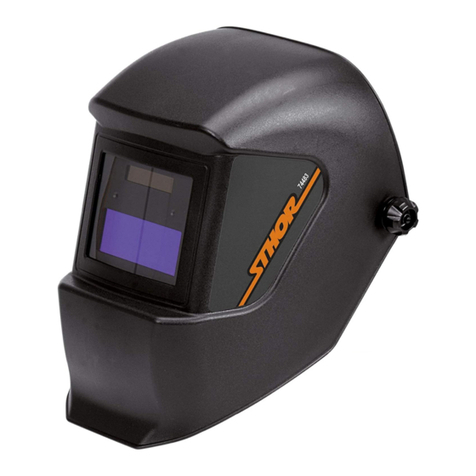
Sthor 74483 manual

Sthor

Sthor 74483 manual

Leister TWINNY T7 Assembly instruction

Leister

Leister TWINNY T7 Assembly instruction

Miller I-22 CE owner's manual

Miller

Miller I-22 CE owner's manual

LAHTI PRO L1540400 instruction manual

LAHTI PRO

LAHTI PRO L1540400 instruction manual

Lincoln Electric K3091-1 Operator's manual

Lincoln Electric

Lincoln Electric K3091-1 Operator's manual

manuals.online logo
manuals.online logoBrands
  • About & Mission
  • Contact us
  • Privacy Policy
  • Terms and Conditions

Copyright 2025 Manuals.Online. All Rights Reserved.

INSTRUCTIONS for
Eye-Tech 10-12 Select
Welding Helmet
P/N 15F20
ARC RAYS can burn eyes and skin. Wear safety
glasses and set proper filter shade. See ANSI/AWS
Z 9.1 for guide. Available from American Welding
Society, Miami, FL 33135.
The Eye-Tech 10-12 Select welding helmet is deliv-
ered fully assembled and ready for use. You only need
to adjust the headband and set the shade level. The
shade cartridge automatically darkens with arc igni-
tion.
Safety Precautions
lPitted or scratched plates reduce vision and protec-
tion. Replace worn or damaged parts immediately.
lAlways keep the external and internal protective plates
in place. Failure to do so will allow welding spatter to
pit the front surface of the shade cartridge. This can
reduce the built-in V and IR protection. (Also, the
weld spatter will void the warranty on the shade car-
tridge.)
lDo not attempt to open the shade cartridge.
lDo not use in cold weather (below 14° F).
lKeep solar cells clean. Clean with a damp not wet,
cloth dipped in soapy water. Dry with a soft, clean
cloth.
lDo not drop, strike, or bend helmet.
lDo not use abrasive cleaning agents.
lFumes and gases can be hazardous to your health.
Keep your head out of the fumes. Ventilate area or
use breathing devices, if necessary.
Keep helmet dry (especially the shade cartridge) and
do not place on hot surfaces.
Operation
lSet the slideswitch until it clicks to the shade level recom-
mended for your arc welding process. If you have doubts,
start with slideswitch in the 11-12 position. If you find that
the arc zone is too dark, then set slideswitch to the 1 -11
position.
lCheck to see if the front cover lens is inserted and front
lens frame is in place.
Troubleshooting
lUneven darkening
- Protective helmet is not on straight, causing the dis-
tance between your eyes and the shade cartridge to
vary. If necessary, decrease distance to shade cartridge.
lThe shade cartridge does not darken or it flickers
- Sensors are dirty; clean
- Front cover lens is dirty or damaged; clean or replace
- Welding current is too low
- Slideswitch not set properly (is in non-active center
position).
lSlow switching times
- Temperature is too low (should not be below 14° F)
- Lighting is insufficient
lPoor visibility
- Shade levels are set incorrectly
- Front or rear cover lens is dirty
- Room lighting is insufficient
lWelding helmet slips
- Headband is not properly adjusted (set too low)
If these faults cannot be corrected, do not use
helmet. Contact your distributor for assistance.
F-15-432
December, 1997
Be sure this information reaches the operator.
You can get extra copies through your supplier.
Specifications
Viewing Area: 3.86 x 1.50 (98 x 38mm)
Light transmittance: Ranges of sha e levels 10-11 & 11-12
Automatic sha e level function with selec-
tion of switch
Ultra-violet protection 15
Infra-re protection 14
Sha e level 4 in non-active state
Switch Time: From light to ark 0.1 millisecon s at room
temperature; from ark to light 0.2-0.3 sec-
on s
Operating Temp.: 14° F to 158° F (-10°C to +70°C)
Power Supply: Solar cells
Helmet Construction: High impact, synthetic material
Weight: 16.6 oz (470 grams)
Technical details are subject to change.

1
2
3
4
98
5
7
6
To replace rear cover
lens, place a small
screwdriver in groove
and pull out lens.
To adjust angle of
helmet, turn
Eccentric knob.
Loosen locking-nuts and
adjust distance from eyes.
Adjust both sides at the same
time. Make sure helmet
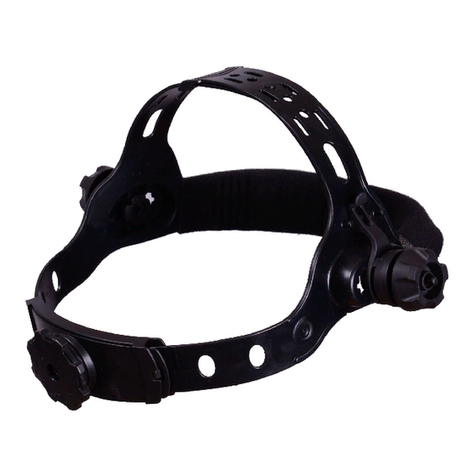
remains straight.
To remove front lens frame
grasp bottom and pull upward; to
replace, reverse process.
F-15-432 12/97 Printed in U.S.A.
Part
Spare Parts List Number
1 - Front Lens Frame ..................................... 15F 5
2 - Front Cover Lens (1 pcs) ........................ 15F 9
3 - Shade Cartridge ....................................... 15F21
4 - Rear Cover Lens (2 pcs) ........................ 15F1
5 - Eccentric Knob ......................................... 15F 8
6 - Head Band ............................................... 15F 3
7 - Sweat Band .............................................. 14F 4
8 - Helmet (without shade cartridge) .............. 15F 1
9 - Helmet Complete...................................... 15F2
ACCESSORIES
Part
Magnifying Lens Number
- Diopter + ........................................................15F11
- Diopter +1.5 .................................................... 15F12
- Diopter +2. .................................................... 15F13
- Diopter +2.5 .................................................... 15F14
After removing frames, insert front
cover lens into frame.
Use only P/N 15F0 front cover
lens. Replace front lens frame.
To replace shade cartridge, push
shade cartridge outwards from
the upper inside rim. To put back,
reverse process.
To adjust headband, set
upper adjusting strap as
low as possible.
The sweatband for the
forehead is removable
and washable.
Push in knob at back of
headband) and turn. It
will then click into
position.
Warranty
A two-year warranty from the date of manufacture is given against
defects arising from faulty workmanship or materials. No war-
ranty is given against defects arising from misuse, unauthorized
interference with parts or use of the appliance which was not
intended by the manufacturer.