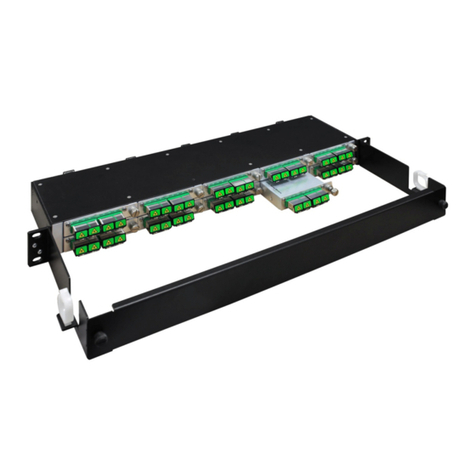
7708SFP
Fiber Optic SFP Card Module
Page - iv Revision 1.0
5.2. REMOTE UPGRADE PROCEDURE USING VISTALINK®................................................ 32
5.2.1. Upgrading the 7708SFP Image using VistaLINK®................................................... 32
5.3. UPGRADING SERIALLY THROUGH THE SERIAL PORT................................................ 33
5.3.1. Setting the 7708SFP to Upgrade Mode...................................................................33
5.3.2. Setting up the Serial Baud Rate..............................................................................33
5.4. UPGRADING IN UPGRADE MODE...................................................................................33
5.5. UPGRADING IN RUN MODE.............................................................................................34
5.5.1. Viewing Upgrade Information..................................................................................35
6. JAR UPGRADE PROCEDURES ................................................................................................37
6.1. VISTALINK PRO JAR FILE UPGRADE............................................................................. 37
Figures
Figure 1-1: 7708SFP Block Diagram ............................................................................................................... 2
Figure 1-2: 7708SFP-2 and 7708SFP-2 DIN Block Diagram .......................................................................... 2
Figure 1-3: 7708SFP-4-DIN-A.......................................................................................................................... 3
Figure 1-4: Complete Block Diagram Overview............................................................................................... 3
Figure 1-5: SFP Options .................................................................................................................................. 6
Figure 2-1: Rear Plate Options ........................................................................................................................ 7
Figure 4-1: Control Conguration Screen........................................................................................................ 12
Figure 4-2: Monitor Screen ............................................................................................................................ 13
Figure 4-3: Trap Enable & Fault Status ......................................................................................................... 14
Figure 4-4: Control Configuration Screen ...................................................................................................... 15
Figure 4-5: Monitor Screen ............................................................................................................................ 16
Figure 4-6: Trap Enable & Fault Status ......................................................................................................... 18
Figure 4-7: Control Configuration Screen ...................................................................................................... 19
Figure 4-8: Monitor Screen ............................................................................................................................ 20
Figure 4-9: Trap Enable & Fault Status ......................................................................................................... 22
Figure 4-10: Control Configuration Screen .................................................................................................... 24
Figure 4-11: Monitor Screen .......................................................................................................................... 26
Figure 4-12: Trap Enable & Fault Status ....................................................................................................... 28
Figure 5-1: Version Information...................................................................................................................... 31
Figure 5-2: Baud Rate Settings on COM port................................................................................................ 33
Figure 6-1: Jar File Version Information......................................................................................................... 37
Figure 6-2: Downloading Jar File from Everts.com........................................................................................ 37
Figure 6-3: VistaLINK®PRO Server............................................................................................................... 38
Figure 6-4: Alarm Server Restart Notification ................................................................................................ 38
Tables
Table 1: Types of 7708SFP Modules............................................................................................................... 2
Table 2: 7708SFP Optical and Electrical Mapppings....................................................................................... 4