manuals.online logo
Brands
  1. Home
  2. •
  3. Brands
  4. •
  5. Fluke
  6. •
  7. Cleaning Equipment
  8. •
  9. Fluke QuickClean-1.25-5P User manual

Fluke QuickClean-1.25-5P User manual

This manual suits for next models

7

Popular Cleaning Equipment manuals by other brands

Skov Farm AirClean Technical user guide

Skov

Skov Farm AirClean Technical user guide

Nilfisk-Advance CA 240 operating instructions

Nilfisk-Advance

Nilfisk-Advance CA 240 operating instructions

ORBOT LiO operating manual

ORBOT

ORBOT LiO operating manual

unGer OmniClean Assembly instructions

unGer

unGer OmniClean Assembly instructions

CENTREGO Toucan Eco Bio Carry user manual

CENTREGO

CENTREGO Toucan Eco Bio Carry user manual

BANDELIN SONOREX TECHNIK RM 110 UH Instructions for use

BANDELIN

BANDELIN SONOREX TECHNIK RM 110 UH Instructions for use

Sealey VMA913 instructions

Sealey

Sealey VMA913 instructions

Aztec 520-00 owner's manual

Aztec

Aztec 520-00 owner's manual

BÖWE P25 installation instructions

BÖWE

BÖWE P25 installation instructions

Tunap MF 929 Service information

Tunap

Tunap MF 929 Service information

RIDGID K-45AF-7 manual

RIDGID

RIDGID K-45AF-7 manual

Aircraft POWERGLIDE manual

Aircraft

Aircraft POWERGLIDE manual

Suevia 130.5011 EASYCLEANER Mounting instructions

Suevia

Suevia 130.5011 EASYCLEANER Mounting instructions

i-MO Öko 2000 user guide

i-MO

i-MO Öko 2000 user guide

unGer Hydro Power Ultra UNP01 operating instructions

unGer

unGer Hydro Power Ultra UNP01 operating instructions

Black & Decker BHPC130 Original instructions

Black & Decker

Black & Decker BHPC130 Original instructions

Uni-ram UG5000E operating manual

Uni-ram

Uni-ram UG5000E operating manual

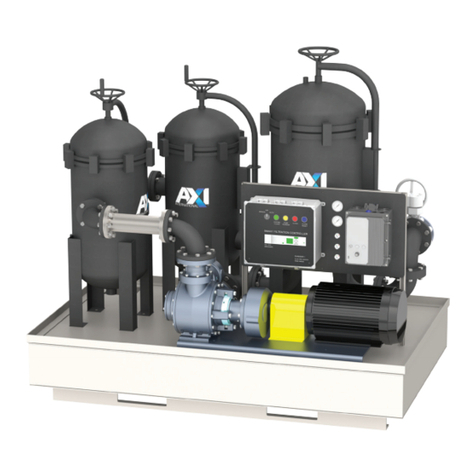
Axi MTC HC-300 Installation, operating and maintenance manual

Axi

Axi MTC HC-300 Installation, operating and maintenance manual

manuals.online logo
manuals.online logoBrands
  • About & Mission
  • Contact us
  • Privacy Policy
  • Terms and Conditions

Copyright 2025 Manuals.Online. All Rights Reserved.

PN 4858825 December 2016, Rev. 1 2/2019
2016, 2019 Fluke Corporation
All product names are trademarks of their respective companies.
*4858825*
Quick Clean™
Fiber Endface Cleaners
Instruction Sheet
The Quick Clean cleaners let you quickly clean the endfaces of these types of fiber optic
connectors:

Quick Clean 1.25 mm: Cleans 1.25 mm LC and MU connectors

Quick Clean 2.5 mm: Cleans 2.5 mm SC, ST, FC, and E200 connectors

Quick Clean MPO 12/24 or 16/32: Cleans 12/24 or 16/32 MPO and MTP®connectors
To See Other Languages
This instruction sheet is available in other languages on the Fluke Networks website.
WSafety Information
WWarning*
To prevent possible damage to your eyes caused by hazardous
radiation:

Do not look directly into optical connectors. Some optical equipment
emits invisible radiation that can cause permanent damage to your
eyes.

Before you clean an endface, turn off any optical sources (laser or
LED) that are connected to the fiber.
WCaution
To prevent damage to the cleaner and to fiber optic connectors:

Use the cleaner to clean only the correct type of connector. If you
use the cleaner on the incorrect type of connector, you can cause
damage to the cleaner and the connector.

Keep the guide cap on the cleaner with the cover closed when you
do not use the cleaner. Keep the guide cap clean.

Do not touch the tip of the cleaner. Do not pull the cloth away from
the tip of the cleaner.

Do not use the cleaner when the spool is empty. See Figure 1.

When you do not use the cleaner for long periods, keep it away
from direct sunlight, high temperatures, and high humidity.
GQZ04.EPS
Figure 1. Window that Shows How Much Cloth is in the Cleaner
How to Use the Cleaner
To clean endfaces in adapters, see Figure 2. To clean endfaces on plugs, see Figure 3.
Note
Do not use too much force when you push the cleaner. If you cannot
easily push the cleaner into the connector, make sure that the cleaner is
not empty and there is no unwanted material in the connector.
GQZ01.EPS
Figure 2. How to Clean Endfaces in Adapters
Quick Clean 2.5 mm
Quick Clean 1.25 mm Quick Clean MPO
Half full
Empty
White cloth
Red spool
No white
cloth
The cleaner will not
operate when it is
empty
White cloth
No white
cloth
A
C
B
Extend the nozzle if
necessary to get to the
connector
CLICK!
Push straight into
the connector
Guide cap
CLICK!
GQZ02.EPS
Figure 3. How to Clean Endfaces on Plugs
Models of Cleaners
To purchase cleaners, contact an authorized Fluke Networks distributor.
Description
Fluke Networks
Model Number
Cleaner for 1.25 mm LC and MU connectors, 5-pack QuickClean-1.25-5P
Cleaner for 1.25 mm LC and MU connectors, single QuickClean-1.25-1P
Cleaner for 2.5 mm SC, ST, FC, E200 connectors, 5-pack QuickClean-2.5-5P
Cleaner for 2.5 mm SC, ST, FC, E200 connectors, single QuickClean-2.5-1P
Cleaner for 12/24 MPO/MTP connectors, 5-pack QC-MPO-12/24-5P
Cleaner for 12/24 MPO/MTP connectors, single QC-MPO-12/24-1P
Cleaner for 16/32 MPO/MTP connectors, 5-pack QC-MPO-16/32-5P
Cleaner for 16/32 MPO/MTP connectors, single QC-MPO-16/32-1P
Cleaner kit: 1 QuickClean-1.25-1P, 1 QuickClean-2.5-1P, 
1 QuickClean-MPO-1P, 1 solvent pen, and 1 fiber optic
cleaning cube
NFC-KIT-CASE-E
A
B
CLICK!
Push straight
into the plug
Guide cap Guide cap
CLICK!
Contact Fluke Networks
Fluke Networks operates in more than 50 countries worldwide. For more contact
information, visit our website.
LIMITED WARRANTY AND LIMITATION OF LIABILITY
Fluke Networks mainframe products will be free from defects in material and
workmanship for one year from the date of purchase, unless stated otherwise herein.
Parts, accessories, product repairs and services are warranted for 90 days, unless
otherwise stated. Ni-Cad, Ni-MH and Li-Ion batteries, cables or other peripherals are
all considered parts or accessories. This warranty does not cover damage from
accident, neglect, misuse, alteration, contamination, or abnormal conditions of
operation or handling. Resellers are not authorized to extend any other warranty on
Fluke Networks’ behalf. To obtain service during the warranty period, contact your
nearest Fluke Networks authorized service center to obtain return authorization
information, then send your defective product to that Service Center with a
description of the problem.
For a list of authorized resellers, visit www.flukenetworks.com/wheretobuy.
THIS WARRANTY IS YOUR ONLY REMEDY. NO OTHER WARRANTIES, SUCH AS FITNESS
FOR A PARTICULAR PURPOSE, ARE EXPRESSED OR IMPLIED. FLUKE NETWORKS IS NOT
LIABLE FOR ANY SPECIAL, INDIRECT, INCIDENTAL OR CONSEQUENTIAL DAMAGES OR
LOSSES, ARISING FROM ANY CAUSE OR THEORY. Since some states or countries do not
allow the exclusion or limitation of an implied warranty or of incidental or
consequential damages, this limitation of liability may not apply to you.
4/15
www.flukenetworks.com/support
[email protected]
1-800-283-5853, +1-425-446-5500
Fluke Networks
6920 Seaway Boulevard, MS 143F
Everett WA 98203 USA
Fluke Networks
PO Box 777 
Everett, WA 98206-0777
USA
