ADJUSTMENT OF THE DESIRED TEMPERATURE (SETPOINT) OF
THE OVEN:
Defines the working temperature of the oven. This parameter can be adjusted between the
values defined in F02 - Minimum value allowed to configure the oven temperature setpoint and
F03 - Maximum value allowed to configure the oven temperature setpoint.
TIMER ADJUSTMENT:
Defines the cooking time. When the time expires, the audible alarm output is switched on
intermittently until any key on the controller’s front panel is pressed. The timer can be adjusted
between 00:01 and 99:59. The time scale is adjusted in parameter F14 - Time base of the
timer.
7.2 Steam activation
The steam operating mode is defined in parameter F18 - Steam Operating Mode. Steam activation depends on
parameters F20 - Time interval between steam activations and F21 - Minimum temperature to activate the
steam, available in the advanced configuration menu. These conditions must be met for the injection of steam in
the oven to occur.
7.2.1 Steam activation times
Press the % key and hold for 4 seconds to adjust. Use the< and >keys to adjust the value of the parameter. To
confirm, perform a quick touch on the % key.
STEAM OUTPUT ON TIME:
This parameter can be adjusted between 1 and 30 seconds, and the factory default is 5
seconds.
STEAM OUTPUT OFF TIME:
This parameter can be adjusted between 1 and 600 minutes, and the factory default is 3
minutes.
Note: This parameter is available for adjustement when the steam control mode selected is
cyclic, [F18]=[CYC,].
8.2 Parameters table
8.1 Changing the controller parameters
MIN
MIN
MAX
MAX
UNIT
UNIT
DEFA
DEFA
DESCRIPTION
DESCRIPTION
FUN
FUN
FUNCTION
FUNCTION
7.3 Functions lock
To enable / disable the function lock, press < and > and hold for the time configured in
parameter F24 - Time for function lock.
When this configuration is active, the parameters cannot be changed, but they can be viewed.
When the lock is active, the parameters available for adjustment are defined in parameter F23
- Functions Lock.
Icon& indicates the status of the lock. Icon lit indicates the functions lock is active.
To enable the Default (standard) operating mode of the oven, the controller must be powered
up with the$and% keys pressed until the message appears on the display. This mode is
available when the type of oven selected is GAS. For more details about this operating mode
check item 6.4 Default Mode (standard).
7.4 Enable Default (standard) operating mode
IN THIS OPERATING MODE THE FLAME SENSOR IS IGNORED AND THE CONTROLLER WILL
NOT DETECT THE PRESENCE / LACK OF FLAME, BEING ESSENTIAL FOR THE OPERATOR TO
PAY SPECIAL ATTENTION TO THE CONTROL OF THE OVEN IN ORDER TO PREVENT GAS
ACCIDENTS.
7.5 STAND-BY Function
When function I08 - Enable standby oven functionality is set to YES, the controller can be put on standby at
any time by the user. This functionality allows for the control to be kept disabled (all outputs off). To put the
controller on stand-by mode, press> for approx. 4 seconds, until the message [OFF] is displayed. While the
controller is on stand-by, the display will flash the >key icon to indicate for the key to be pressed again for 4
seconds to reactivate the oven control.
Use the < or > keys to select the desired function. The value can be edited with a quick touch on the dddd
key. Use the < or > keys to change the value and press the key with a quick touch when ready to save the
configured value and return to the functions menu. To leave the configuration menu and return to the normal
operating mode (temperature and time indication), press (long touch) until[----]is displayed.dddd
Access the advanced configuration menu by pressing the key for 4 seconds until dddd
[FuNc]is displayed. When [CoD] is displayed press the key again (quick touch). Use dddd
the < or > keys to enter the access code 123 and press (quick touch) again when dddd
ready.
SET
SET
8. OPERATIONS - ADVANCED LEVEL
SET
SET
SET
Access Code (123) Required when you want to change the
advanced configuration parameters.
[CoD] 0 9999 -0
Temperature sensor indication
offset:
Allows compensating deviations in the
sensor temperature reading.
[F01] -20
(-4)
20
(36)
°C
(°F)
0
(0)
These parameters serve as the lower and
upper thresholds for the adjustment of
parameter ‘’SP’’- oven temperature
setpo i nt. They are used to block
temperature adjustments and to avoid an
improper configuration for the operation of
the oven
Minimum value allowed to
c o n f i g u r e t h e o v e n
temperature setpoint
Maximum value allowed to
c o n f i g u r e t h e o v e n
temperature setpoint
[F02]
[F03]
-10
(14) F03 °C
(°F)
0
(32)
F02 500
(932)
°C
(°F)
230
(446)
Oven temperature differential
(Hysteresis)
The temperature difference to switch on
the heating output. This function allows
defining a temperature interval within wich
the heating output will remain off.
[F04] 1
(1)
20
(36)
ºC
(ºF)
3
(5)
D e l a y t o s w i t c h o f f t h e
temperature control when the
door of the oven is opened
Defines the delay to switch off the
temperature control when the oven door is
opened to allow furnishing the oven without
switching off the control. To disable this
function, change the adjustment to the
minimum until [no,]is displayed. In this
case, the temperature control is switched
off as soon as the door is opened.
[F05] no(0) 180 sec.
Number of attempts to light the
flame (GAS-FIRED OVEN)
Defines the maximum number of attempts
the controller will try to ignite the flame.
After using up all attempts, the controller
will signal error [ER5]-Out of Gas.
Note: This parameter is used when the
type of oven selected is GAS.
[f06] 15-
Ignition output on time (GAS-
FIRED OVEN)
Defines the time the ignition output will stay
switched on to try to ignite the flame.
Note: This parameter is used when the
type of oven selected is GAS.
[f07] 115 sec.
90
3
3
Delay to activation of the
i g n i t i o n o u t p u t a f t e r
controller start up (GAS-
FIRED OVEN)
Defines the delay to activate the ignition
output after the gas output is activated in
the first attempt to ignite the flame. This
time is used so that the gas from the
cylinder reaches the burner and then the
ignition is activated.
Note: This parameter is used when the
type of oven selected is GAS.
[F09] no
(0) 15 sec. 2
Interval between activations
of the ignition output (GAS-
FIRED OVEN)
Defines the interval between attempts to
activate the flame.
Note: This parameter is used when the
type of oven selected is GAS.
[f08] 115 sec. 5
Delay of the temperature
control after controller start
up (GAS-FIRED OVEN)
When the controller is powered up, the fan
is activated first and then the flame ignition
process commences after the time
adjusted in this parameter has elapsed.
Note: This parameter is used when the
type of oven selected is GAS.
[F10] no
(0) 30 sec. 15
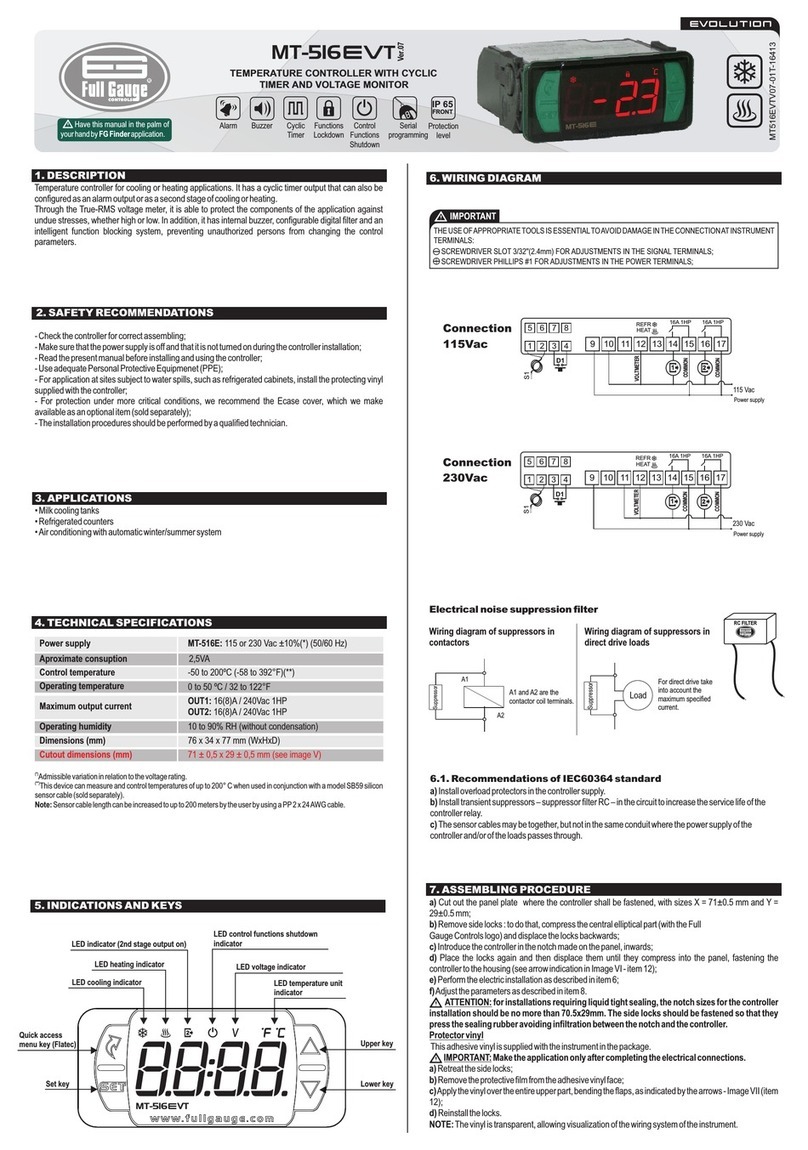
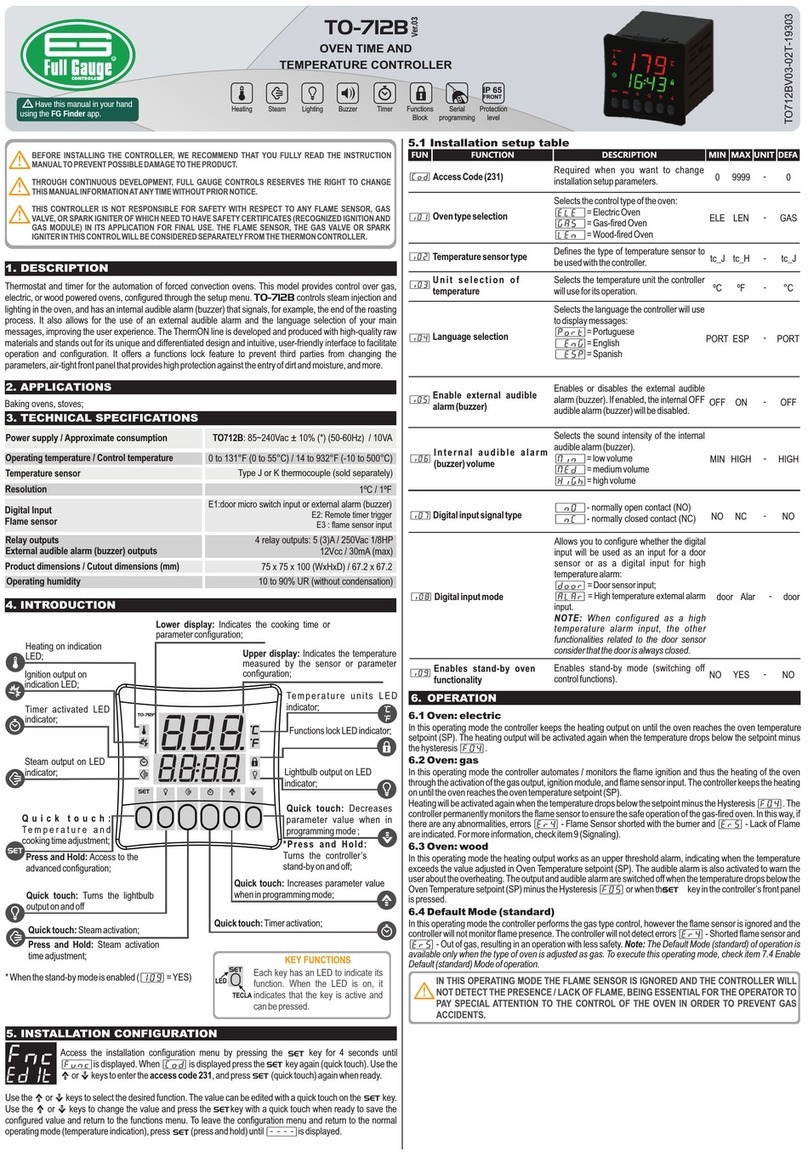
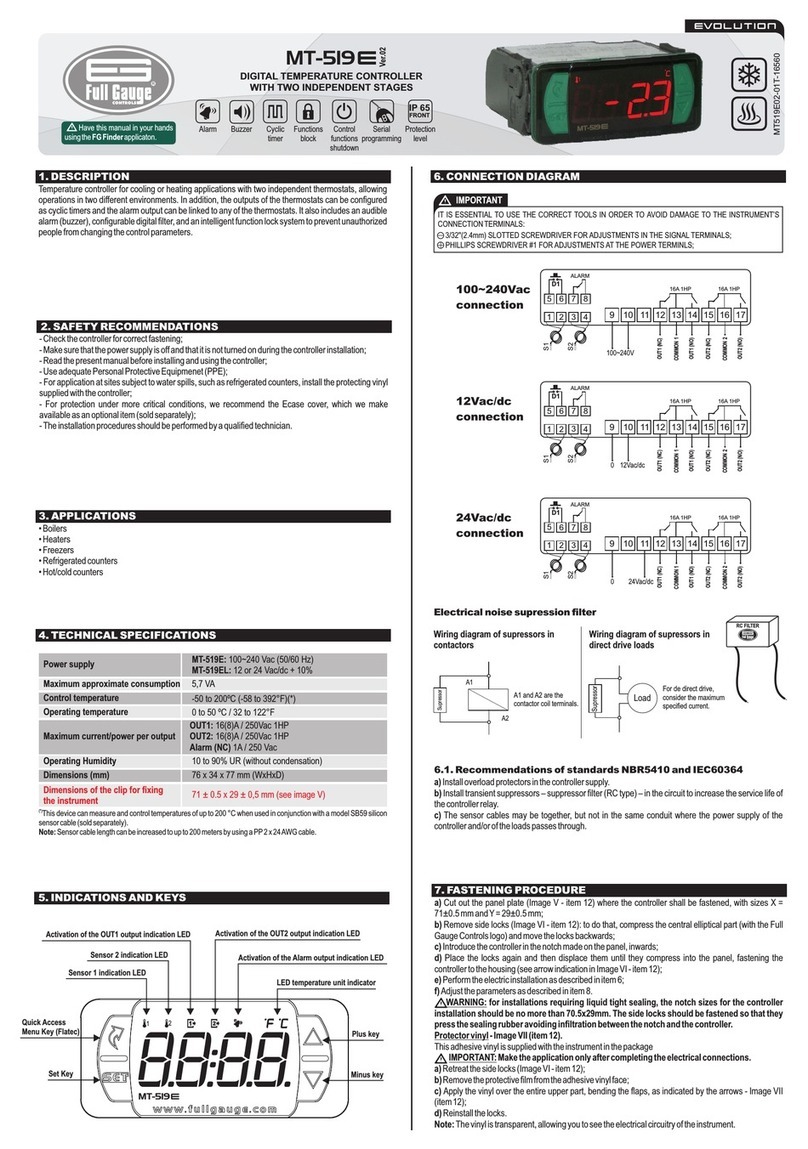
The controller has easy access to resources that are relevant to the user of the oven.
7.1 Adjustment of oven temperature and timer
To adjust oven temperature and timer, perform a quick touch on the SET key. Use the < and > keys to adjust the
value of the parameter. To advance and / or terminate the adjustment, perform another quick touch on the SET
key.
7. OPERATIONS - BASIC LEVEL
Timer trigger mode
Defines the timer triggering mode:
[MAN]= Manual, through the $key.
[INI]= Start up, when the controller is
powered up.
[TMP]=Temperature, when the oven
working temperature is reached.
Note: In modes [INI] and [TMP] the$
key only cancels the timer.
[F12] MAN TMP -MAN
Timer counting direction
Defines the direction the timer counts:
[DEC] = time count down.
[CRE] = time count up;
[F13] DEC CRE -DEC
Delay of the temperature
control (GAS-FIRED OVEN)
When attempting to re-ignite the flame, for
example, the time set in this parameter
must be exceeded before starting the flame
ignition process.
Note: This parameter is used when the type
of oven selected is GAS.
[F11] no
(0) 30 sec. 5
Timer time base
Defines the time base of the timer:
[MM:SS]= minutes, maximum time 99:59
minutes;
[HH:MM] = hours, maximum time 99:59
hours;
[F14]
HH:MM
HH:MM
-
-
MM:SS
MM:SS
MM:SS
MM:SS
Timer reset mode
Defines the timer reset mode, essentially
wheter the audible alarm will be switched
off manually or by time:
[MAN]=Manually through the$key;
[AUT]=Automatically according to the
time defined in parameter F17;
Note: The timer also resets when the door
of the oven is opened, independently of the
mode defined in this parameter.
[F15] MAN AUT -MAN
Timer reset time base
Defines the time base when the timer is
reset:
[MM:SS]= minutes, maximum time 99:59
minutes;
[HH:MM]= hours, maximum time 99:59
hours;
[F16]
Time to reset the timer
(aut mode)
Defines the time to reset the timer if
automatic reset is selected in parameter
F15.
[F17] 0:01 99:59 F16 0:05