Gembird FMP3FMR User manual
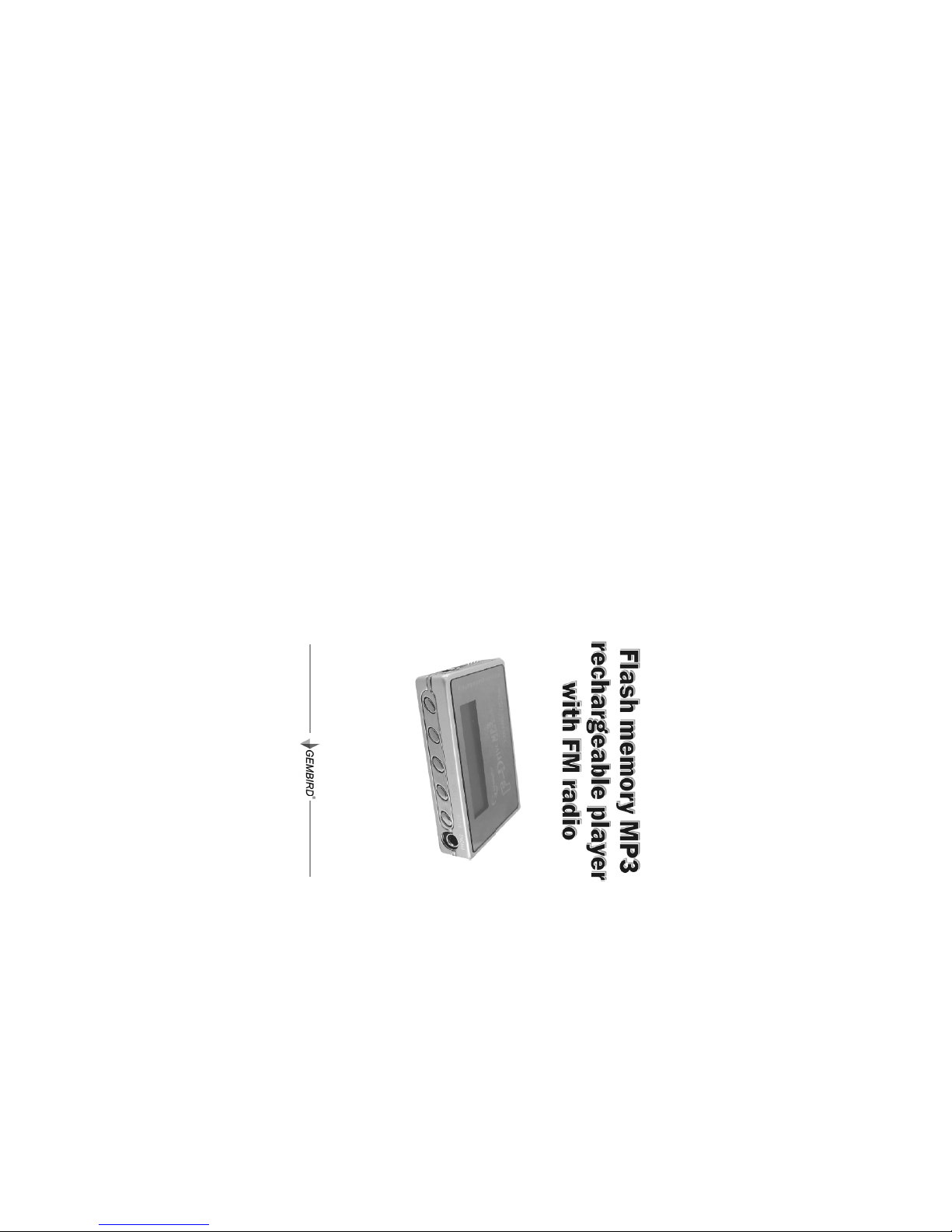
USER MANUAL

2 3Gembird® FMP3FMR user manual Gembird® FMP3FMR user manual
TABLE OF CONTENTS
Introduction ................................................... 4
Exterior view and buttons ................................ 5
LCD Screen ................................................... 6
Turning the Fdrive MP3 ON/OFF .................... 7
Format the Fdrive MP3 .................................. 7
Main Menu .................................................... 7
Playing MP3/WMA music ................................ 9
Using menu in the playback mode ................. 10
Voice recording operation and playback of the
recorded file ................................................ 10
FM Radio mode ............................................ 12
Searching the FM radio channel .................... 12
Delete files ................................................... 13
Playing with EQ (Equalizer) ........................... 14
Repeat play mode
and Previous Mode ....................................... 15
AB Repeat .................................................. 16
To "Follow and Read" & "Compare" ............... 17
Setting the Back light .................................... 18
Viewing internal memory capacity ................. 19
Other Function ............................................. 20
USB port connection .................................... 21
System hardware requirements ..................... 22
Device and software installation
under Windows 98, ME, 2000, XP .................. 23
Software package ........................................ 24
Transferring files between PC
and the Fdrive MP3 ..................................... 25
Battery Recharge ......................................... 25
Technical specifications ................................ 26
4 5Gembird® FMP3FMR user manual Gembird® FMP3FMR user manual
Introduction General usage guidelines
Introduction
Congratulations on your purchase of Gembird
FDrive MP3 FM Rechargeable! Fdrive MP3 is
a universal MP3 solution, portable MP3 player
with large memory capacity, builtin voice record
er and rechargeable battery. It can be used as a
removable USB Flash disk at the same time. Por
table MP3 player will be with you everywhere. With
large drive capacity hours of music could be
stored.
General usage guidelines
•If you don't use the Fdrive MP3 for a long time,
please push the Power Switch to the "OFF" posi
tion.
• The Fdrive MP3 should be kept in the areas
free from extreme temperatures, moisture and dust.
•Set the POWER switch to the "ON" position be
fore operation.
•Do not drop the Fdrive MP3, because it is sus
ceptible to shock and vibration.
•Don't format the MP3 in Windows formatting
system, use the supplied FDrive MP3 Disk Utility
software instead.
•Please, charge the battery if:
a. "Low Battery" indicator appears.
b. Fdrive MP3 shuts down by itself during the
playing.
c. All the buttons do no respond.
NOTICE: See chapter 26 for how to recharge the
battery.
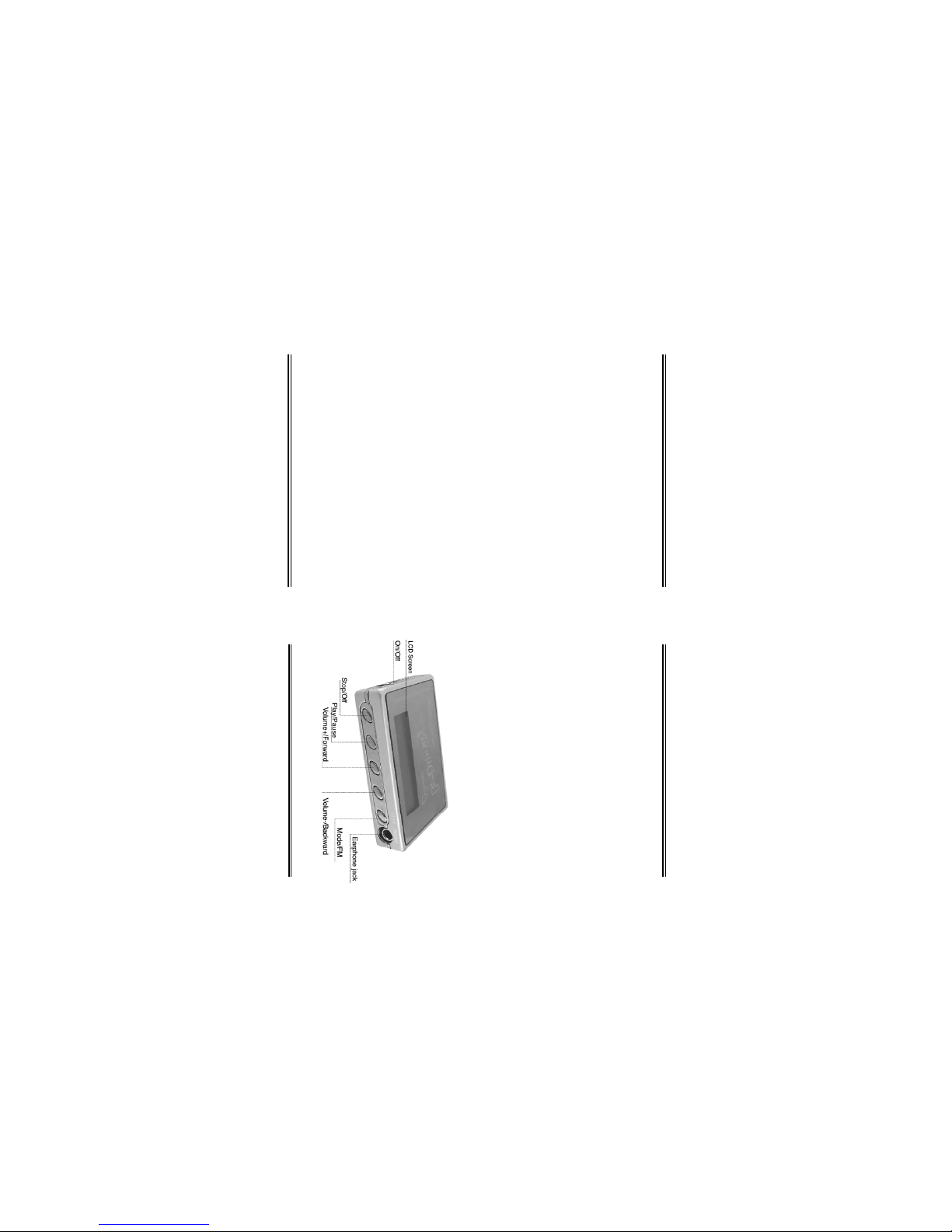
Exterior view and buttons
6 7Gembird® FMP3FMR user manual Gembird® FMP3FMR user manual
LCD Screen Turning the Fdrive MP3 FM ON/OFF
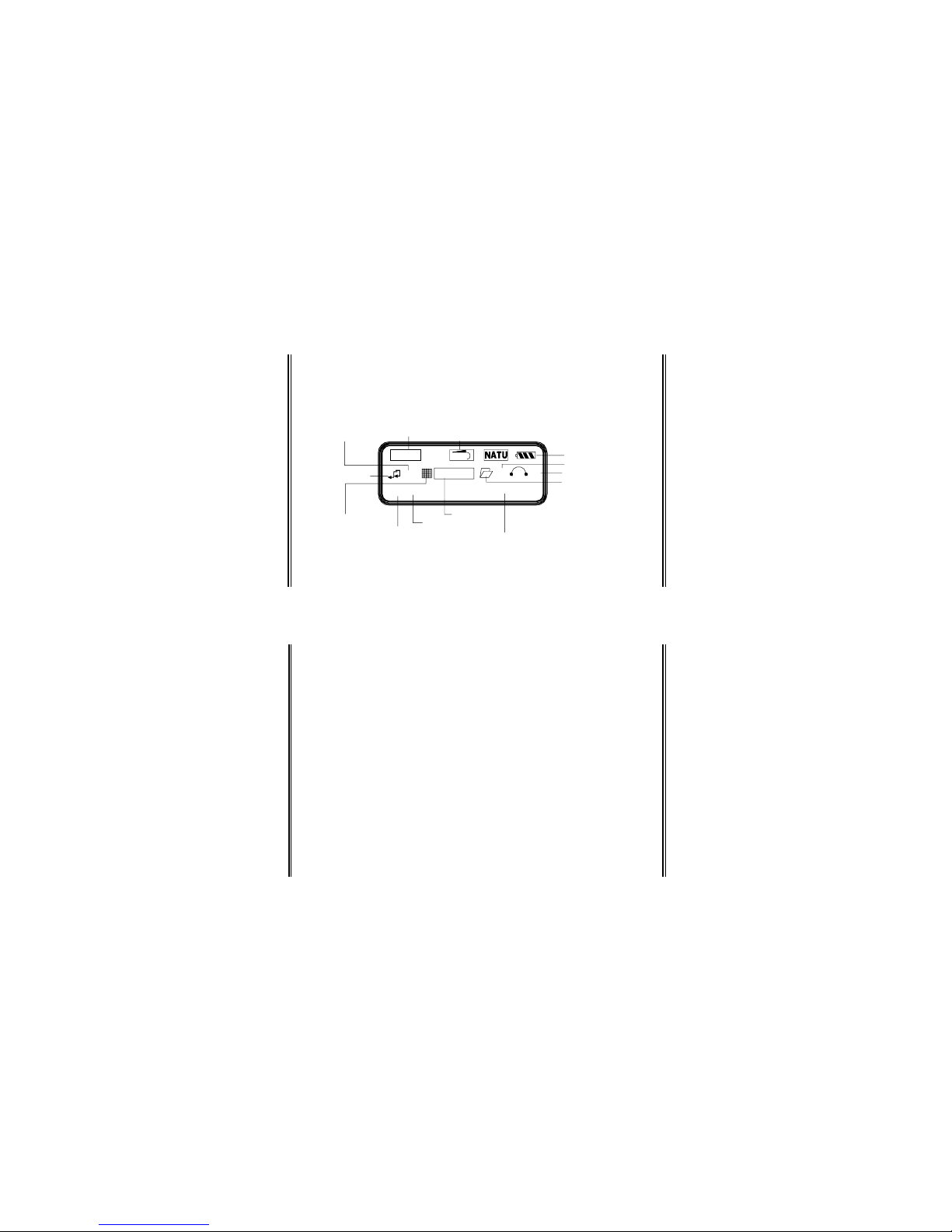
LCD Screen
A----B
MP3 01:06
All
18 11
08/20 I LOVE YOU.MP3
A-B Repeat
Repeat All
Work Mode
Song
Order
Number of Songs
File Folder
Artist/Title/Lyrics
Volume
Play Time
Folder Position
Battery Indicato
r
Playback Mode
Follow Read
Compare/EQ
File Format
Bite Rate
NOTICE: The actual symbols displayed in the
LCD screen may differ slightly from what is shown
in this manual.
Turning the Fdrive MP3 ON/OFF
•Push the Power Switch to the "ON" position.
•Press and hold the "PLAY" key for 2 seconds to
turn the power on, the LCD screen will show a blue
background light.
•While the Fdrive MP3 is on, press and hold
"PLAY" key for 3 seconds to turn the power off.
•When you shut off your Mp3 play, the system
will save your last setting.
Format the Fdrive MP3
•If you want to format the Fdrive MP3, please
use the supplied FDrive MP3 Disk Utility software
only.
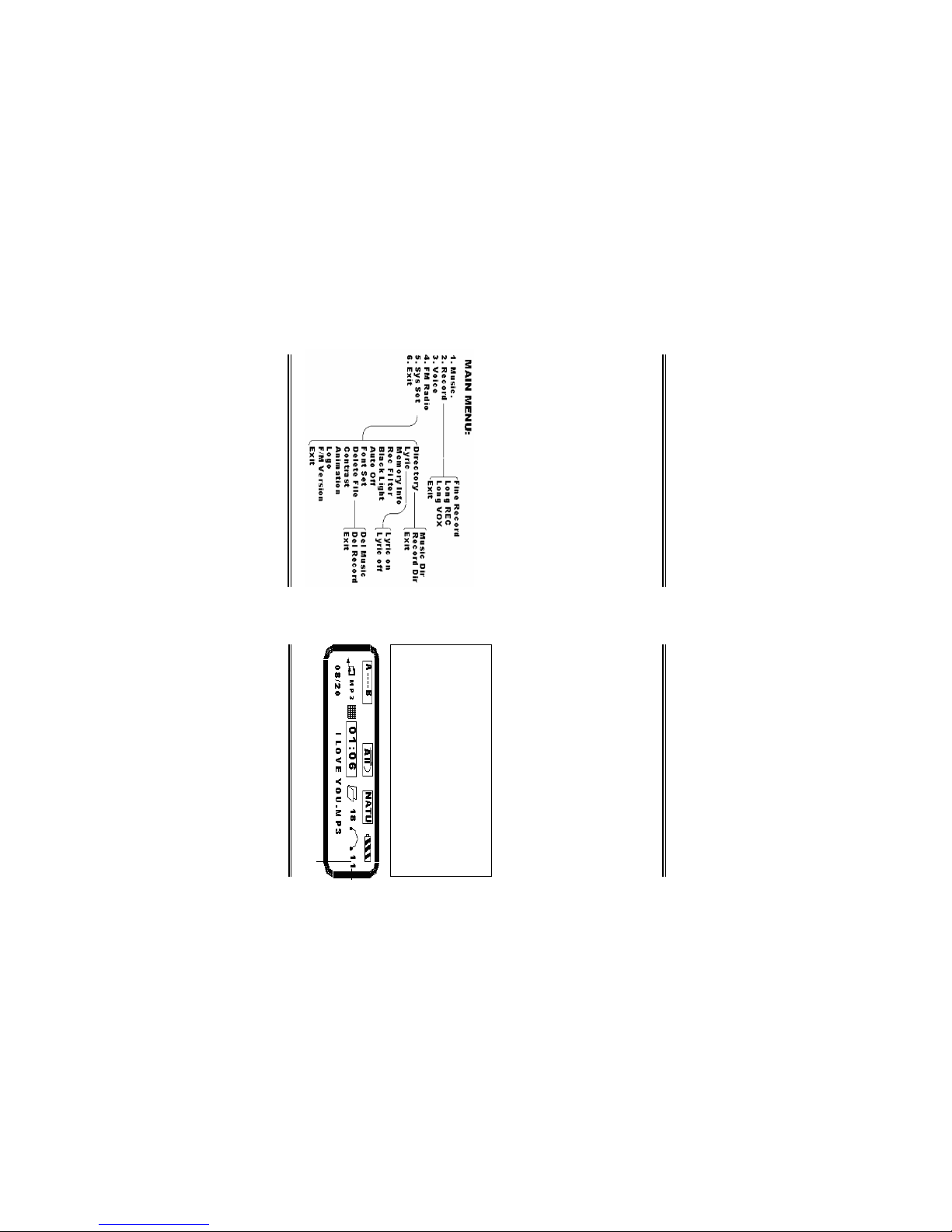
Main Menu
•While the player is on, press "PLAY/PAUSE" and
8 9Gembird® FMP3FMR user manual Gembird® FMP3FMR user manual
Main Menu Playing MP3/WMA music
Playing MP3/WMA music
•While the player is on, press the PLAY key to play
the music. The LCD Screen playback time display will
indicate the total number of songs.
•Press "PRE/NEXT" ("VOL+"/"VOL") buttons
to select the song that you want to play.
•Press and hold the "PRE/NEXT" buttons to
move fast ahead or rewind.
•During the music playback, press PLAY key
again to pause or stop.
•You can increase (+) and decrease () the
volume: press and hold the "MODE" key
about 5 seconds, the volume on the right side
of screen will Flash as"11", then press the
"VOL+" to increase the voice pressing the
"VOL" decrease the voice. The LCD screen
will indicate the volume level from 015.
then "MODE" button once firmly to open Menu. The
function menu will appear on LCD Screen. Press the
"VOL+" and "VOL" button to select the following
functions:
a. "MUSIC" the music submenu
b. "RECORD" the record submenu
c. "VOICE" the voice submenu
d. "FM RADIO" the FN submenu
e. "SYS SET" the Delete audio file(s) submenu
f. "EXIT" Return to the previous menu
•After you had selected, then press "MODE" key
to enter the submenu.
FLASHING
10 11Gembird® FMP3FMR user manual Gembird® FMP3FMR user manual
Using menu in the playback "MODE"
•Turn on the player, press the PLAY/PAUSE key
to start play mp3/wma, then press "MODE" key.
•On the screen will display the following menu,
press "VOL+"/"VOL" to select item, press "MODE" to
confirm or return the previous.
then press the "MODE" button to open the main
menu. Press the "VOL+"/"VOL" button to select
"RECORD" then press the "MODE" button enter the
"RECORD" submenu. Then press the "VOL+"/
"VOL" to select the following:
a. "Fine REC": fine recording
b. "Long REC": long time recording
c. "Long VOX": filter voice recording
d. "EXIT"
•Press the "MODE" key to begin recording.
•When recording finished, press "STOP" button
to store the recorded file.
•Then press the "MODE" button to return to the
previous menu.
•You can stop recording at any time by pressing
the "PLAY/PAUSE" key then you can also press the
"MODE" button to return to the previous submenu.
NOTE: While recording, all buttons except the
PLAY and STOP key do not work.
B. Play the recorded file
•Turn on the player.
Using menu in the playback "MODE"
Voice recording operation and playback of the recorded file
Voice recording operation and playback
of the recorded file
A. Voice recording operation
•Press the PLAY key to turn the Fdrive MP3 on,
12 13Gembird® FMP3FMR user manual Gembird® FMP3FMR user manual
Searching the FM radio channel
•Press the "MODE" key.
•Select the "VOICE" menu by the "VOL+" or
"VOL" key.
•Press the "MODE" key, and select the record
ed file by "VOL+" or "VOL" key.
•Press the "PLAY/PAUSE" to listen to the record
ed file.
•During the operating, press "MODE" key to re
turn to the previous menu.
FM Radio "MODE"
•In the main menu, select FM and press "MODE"
key to enter the "FM submenu". The frequency
range is 87.5MHz108MHz.
Searching the FM radio channel
•Autosearch: Hold the "VOL+" or the "VOL"
buttons about 3 seconds. The FM tuner will search
automatically and stop at the channel which has the
strongest signal.
•The FM channel can be set manually: To do this
use the "VOL+" or "VOL" buttons. The channel fre
quency will be adjusted by 0.1MHz up or down when
the buttons are pressed. Keep adjusting until the
desired FM channel can be clearly heard.
NOTE:
•The "VOL+" button will start to search the FM
channel upward from 87.5MHz to 108MHz.
•The "VOL" will start to search the FM channel
downward from 108MHz to 87.5MHz.
Exit FM MODE
••
••
• Press the "PLAY/PAUSE"to switch off the
radio then press the "MODE" key to exit the
FM "MODE" and return to the main menu
once more.
Delete files
•If you want to delete the file(s) in Fdrive MP3,
you can use the Delete function in the following way:
a. Press "MODE" button to enter into the Main
Menu.
b. Press "VOL+"/"VOL" select the "SYS set" then
press "MODE" key.
Voice recording operation and playback of the recorded file

14 15Gembird® FMP3FMR user manual Gembird® FMP3FMR user manual
c. Select "DELETE FILE" by "VOL+" or "VOL" key.
Then press "MODE" key to enter the "DELETE
FILES" submenu:
1. "MUSIC DIR"
2. "RECORD DIR"
3. "EXIT"
•"Press the "MODE" button to confirm the item
then will be displayed the following menu:
1. "DEL ONE"
2. "DELETE ALL"
3. "EXIT"
•Press "VOL+" or "VOL" key to select, press the
"MODE" button to confirm the selected item, then
press "PLAY/PAUSE" to delete the file(s) or press any
other key to cancel this delete operation and return
to the menu.
Playing with EQ (Equalizer)
•You can enjoy different sound effects by using
EQ "MODE".
•While the player is playing, press "MODE" but
ton to enter the Menu "MODE".
Delete files Playing with EQ (Equalizer)
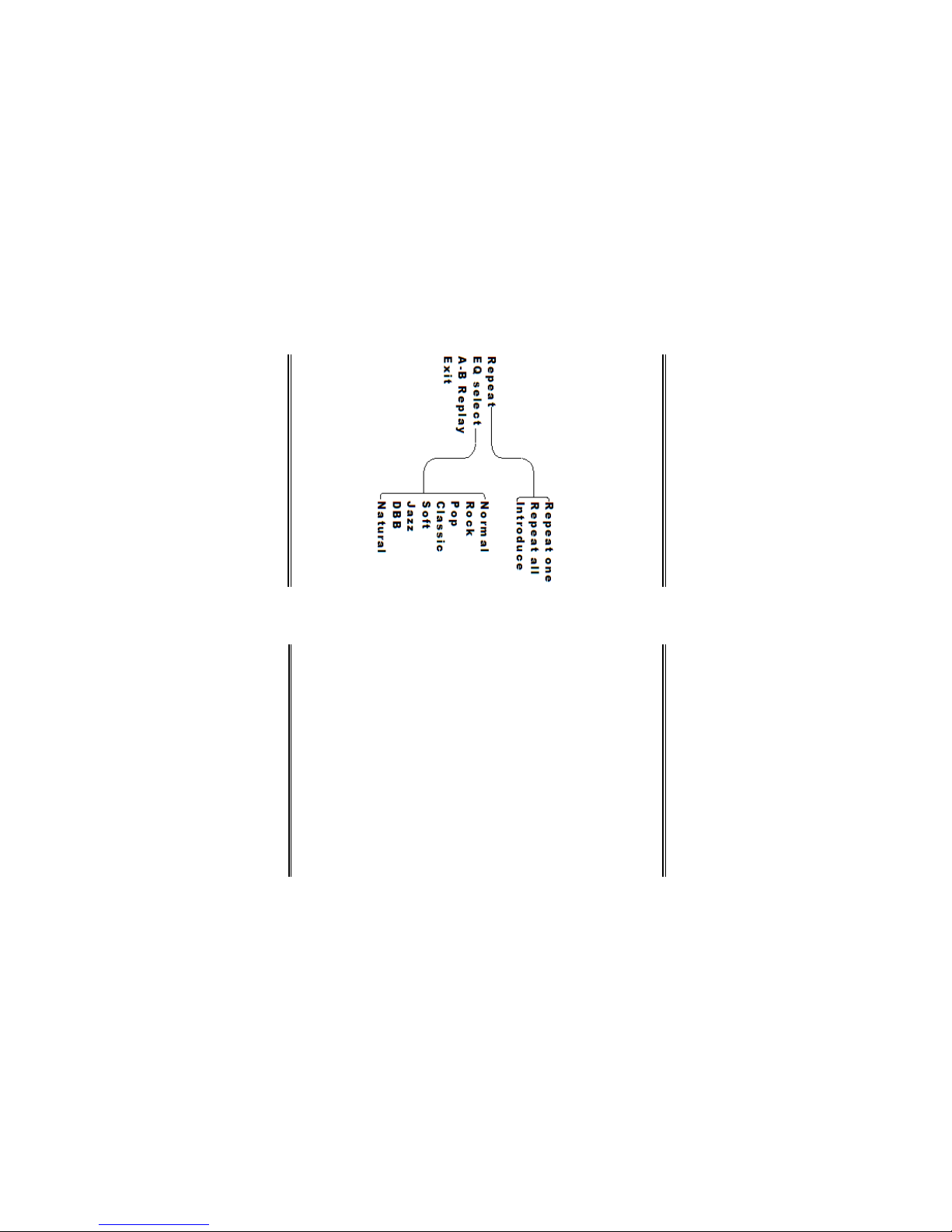
•Select the EQ option in the menu by using the
"VOL+"/"VOL" buttons and press the "MODE" but
ton to enter the "EQ submenu".
•Press the "MODE" button to choose the desired
sound effect.
•There are five sound effects available: "JAZZ",
"CLASSIC", "ROCK", "POP" and "NORMAL".
•If you don't want to change the current set
tings, just choose "RETURN" to exit the sub
menu.
Repeat "MODE" and Preview "MODE"
•You need to set the Repeat "MODE", if you want:
1. Repeatedly listen to the same single song.
2. Play all the songs in the memory in circulation.
3. Preview all the songs by listening to the first
10 seconds of each song.
•Use "MODE" button to enter into the "REPEAT"
submenu (when MP3 is playing).
•Press "VOL+" button to select:
1. "NORMAL": play all the songs stored in the
Fdrive MP3 at random and then stop.

16 17Gembird® FMP3FMR user manual Gembird® FMP3FMR user manual
Repeat "MODE" and Preview "MODE" To "Follow and Read" & "Compare"
2. "REPEAT ALL": play all the songs repeatedly
until any other button is pressed.
3. "REPEAT ONE": play the current song repeat
edly.
4. "INTRODUCE": play the first 10 seconds of
all the songs then stop when the last one has been
played.
AB Repeat
•While the Mp3 player is playing:
a. Press "MODE" button to enter into the menu
"MODE".
b. Select "AB repeat" menu using the "VOL+"/
"VOL" key.
c. Press "MODE" button.
d. The screen will display AB and the "A" will
flash.
e. Press the "VOL+" button; the "A" stops flash
ing, then "B" starts to flash.
f. Press the "VOL+" button; the "B" stops flash
ing.
g. The player repeats the song from the point "A"
to the point "B".
NOTICE: Press the "MODE" button to cancel the
repeat.
To "Follow and Read" & "Compare"
•While the Mp3 player is playing:
a. Press "MODE" buttons to enter into the menu
"MODE".
b. Select "AB repeat" menu using the "VOL+"/
"VOL" key.
c. Press "MODE" button.
d. The screen will display AB and the "A" will
flash.
e. Press the "VOL+" button; the "A" stops flash
ing, then "B" starts to flash.
f. Press the "VOL+" button; the "B" stops flash
ing.
g. The player repeats the song from the point "A"
to the point "B".
h. Press the "VOL+" button.
•You will see the microphone icon indicating re
cording of your voice, the recording time will be the
same as the AB segment.

18 19Gembird® FMP3FMR user manual Gembird® FMP3FMR user manual
To "Follow and Read" & "Compare" Setting the Back light
•Having recorded press the "VOL+" to confirm.
If you don't press the "VOL+" the microphone icon
will be displayed to record your voice again.
•Press PLAY/PAUSE button once to playback the
original song and the second time to listen to the
recording.
•Press the "MODE" button to cancel the re
peat.
Setting the Back light
•You can choose the duration of the back light in
the "BACK LIGHT" submenu.
•While the Mp3 is on:
a. Use "MODE" button to enter into the Main
menu.
b. Select the "SYS SET" by the "VOL+" button
c. Press the "MODE" button.
d. Select the "BACK LIGHT" by the "VOL+" but
ton.
e. Press the "MODE" button.
f. You can choose the desired back light duration:
i. 0 sec Turn the back light off.
ii. 5 sec set the duration of the back light to 5
seconds.
iii. 10 sec set the duration of the back light to
10 seconds.
iv. 15 sec set the duration of the back light to
15 seconds.
v. 30 sec set the duration of the back light to
30 seconds.
Viewing internal memory capacity
•You can examine the utilization of the memory
of Fdrive MP3 by connecting the Fdrive to the PC.
Otherwise it is also possible to view the memory
capacity of the Fdrive MP3 in the following way:
a. Use "MODE" button to enter into the Main
menu.
b. Select the "Sys Set" by the "VOL+" button
c. Press the "MODE" button.
d. Select the 'Memory Info" by the "VOL+" button.
e. Press the "MODE" button.
f. You will see your memory capacity.
g. Press "MODE" button again to return.
Other Gembird MP3 Player manuals