GB-580
Page 2
Table of Content
1. Introduction and Features............................................................................................ 4
1.1 Introduction.......................................................................................................................................4
1.2 Features............................................................................................................................................4
1.3 Heart Rate Sensor Installation Procedure (Only for GB-580P)........................................................4
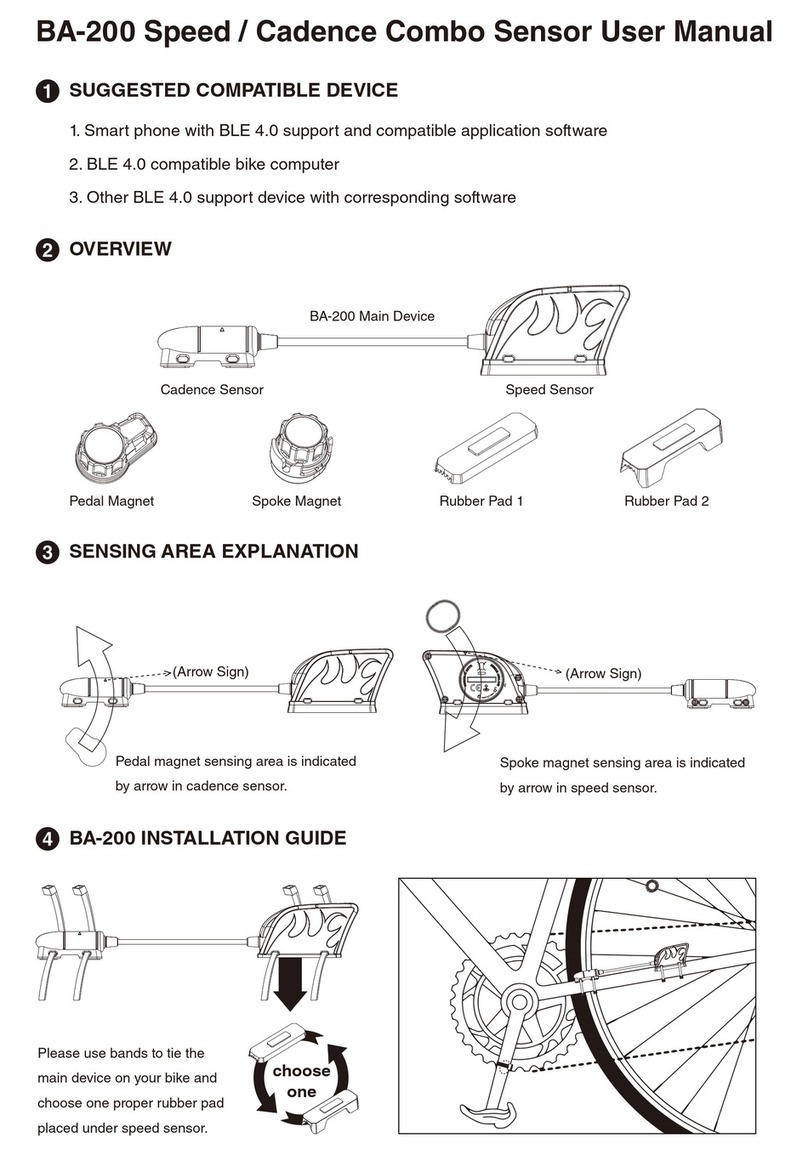
1.4 Speed Sensor Installation Procedure (Only for GB-580P)...............................................................6
1.5 Cadence Sensor Installation Procedure...........................................................................................9
2. Specifications.............................................................................................................. 11
3. Main Menu ................................................................................................................... 14
4. Symbol Explanation.................................................................................................... 16
5. Antenna Introduction.................................................................................................. 17
6. Getting Started............................................................................................................ 17
6.1 Starting Up Your GB-580................................................................................................................17
6.2 Battery Charging Description..........................................................................................................18
7. Change The Page........................................................................................................ 19
7.1 Switch different modes ...................................................................................................................19
7.2 Setting Modes.................................................................................................................................20
8. Activity......................................................................................................................... 20
8.1 Activity Info......................................................................................................................................20
8.2 Setting.............................................................................................................................................21
8.3 Trainer.............................................................................................................................................24
9 Navigation .................................................................................................................... 28
9.1 ADD MAP MODE / REMOVE MAP MODE.....................................................................................28
9.2 Remove Compass ..........................................................................................................................28
9.3 Routes.............................................................................................................................................28
9.4 Save Waypoint................................................................................................................................30
9.5 Find Waypoint.................................................................................................................................30
9.6 Back To Start /Stop GOTO..............................................................................................................31
10.Connect To PC ........................................................................................................... 32
11.Configuration............................................................................................................. 32
11.1 User Profile ...................................................................................................................................32
11.2 Page Setting..................................................................................................................................32
11.3 Set System....................................................................................................................................33
11.4 Accessories...................................................................................................................................35