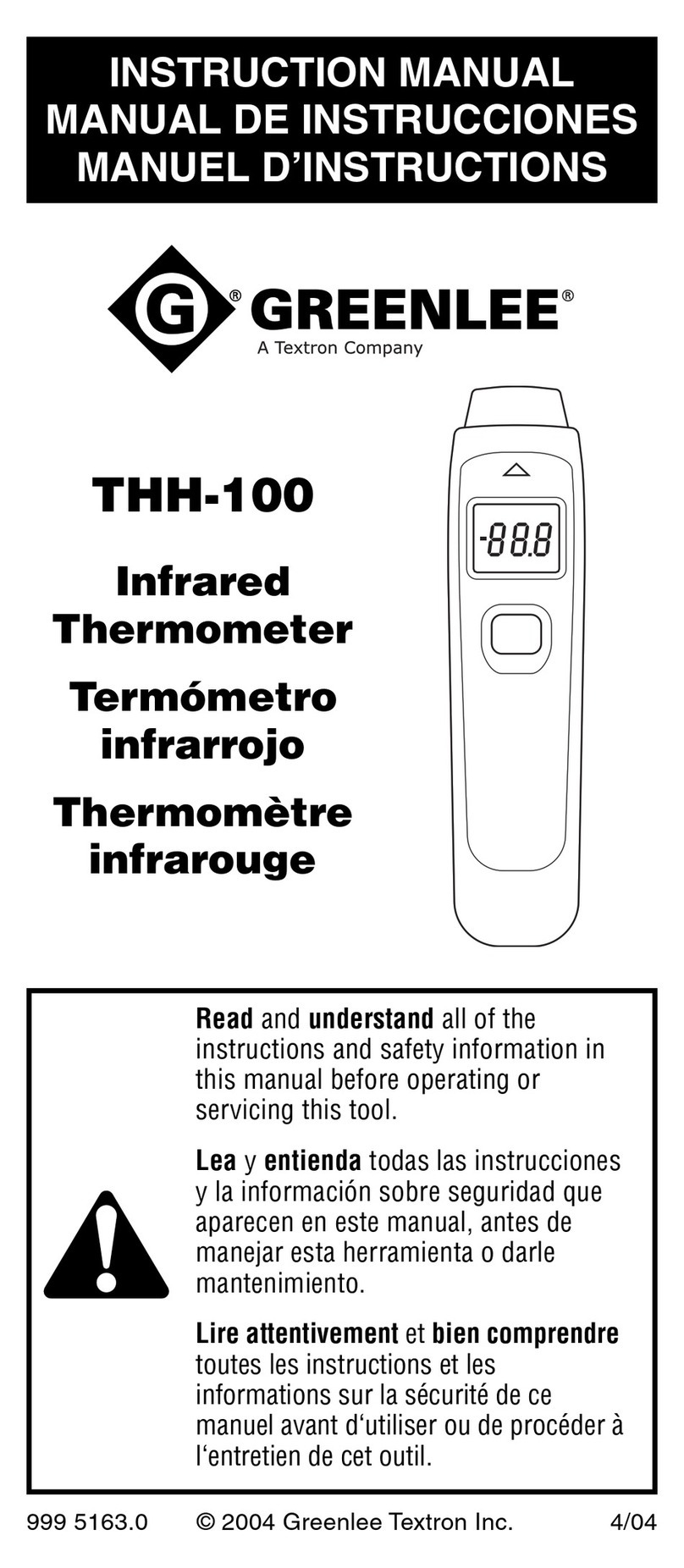
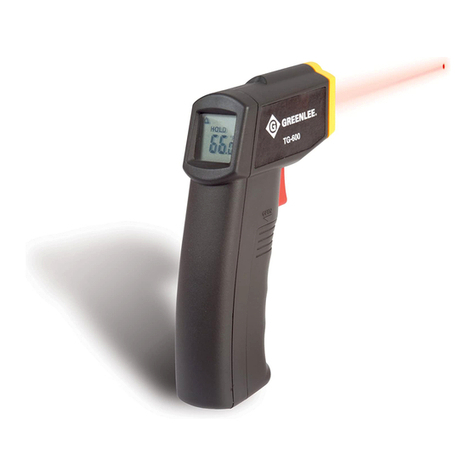
Greenlee TG-150 User manual

999 3668.2 © 2000 Greenlee Textron IM 1460 6/00
TG-150
TG-250 • TG-350
TEMPERATURE GUNS
PISTOLAS DE
TEMPERATURA
PISTOLETS À
TEMPÉRATURE
INSTRUCTION MANUAL
INSTRUCTION MANUAL
MANUAL DE INSTRUCCIONES
MANUEL D’INSTRUCTIONS
Read and understand all of the instructions and safety
information in this manual before operating or servicing this tool.
Lea y entienda todas las instrucciones y la información sobre
seguridad que aparecen en este manual, antes de manejar estas
herramientas o darles mantenimiento.
Lire attentivement et bien comprendre toutes les instructions et
les informations sur la sécurité de ce manuel avant d‘utiliser ou de
procéder à l‘entretien de cet outil.
SET
LOG
MODE

2
Description
Greenlee TG-150, TG-250, and TG-350 temperature guns are hand-held surface temperature
sensing devices. The non-intrusive measuring capability of these units is safer and quicker
than other methods, and is well suited to checking the surface temperature of circuit breakers,
motors, HVAC/R equipment, engines, etc.
These devices measure surface temperature by gathering three forms of infrared energy —
emitted, transmitted, and reflected — from an object and translating that energy into a
temperature.
These temperature instruments include the following features:
• Laser sighting. The laser produces nine separate spots — eight that form a circle to indicate
the target area, and one that indicates the center of the target.
• Probe jack. Allows the temperature gun to record direct temperature measurements with
the use of a temperature probe (purchased separately).
• Trigger lock. For long-term temperature measurement, the trigger can be locked in the ON
position.
• Tripod mount. A threaded hole (1/4–20 UNC) provides a method for tripod mounting for
long-term temperature measurement.
Safety
Safety is essential in the use and maintenance of Greenlee tools and equipment. This
instruction manual and any markings on the tool provide information for avoiding hazards and
unsafe practices related to the use of this tool. Observe all of the safety information provided.
Purpose
This instruction manual is intended to familiarize all personnel with the safe operation and
maintenance procedures for the Greenlee TG-150, TG-250, and TG-350 temperature guns.
Keep this manual available to all personnel.
Replacement manuals are available upon request at no charge.
and are registered trademarks of Greenlee Textron.
KEEP THIS MANUAL

TG-150 •TG-250 •TG-350
3
Important Safety Information
Read and understand this material before operating or servicing
this equipment. Failure to understand how to safely operate this
tool can result in an accident causing serious injury or death.
This symbol is used to call your attention to hazards or unsafe practices which could
result in an injury or property damage. The signal word, defined below, indicates the
severity of the hazard. The message after the signal word provides information for
preventing or avoiding the hazard.
SAFETY ALERT SYMBOL
Immediate hazards which, if not avoided, WILL result in severe injury or death.
Hazards which, if not avoided, COULD result in severe injury or death.
Hazards or unsafe practices which, if not avoided, MAY result in injury or property
damage.

4
Important Safety Information
Electric shock and fire hazard:
• Do not expose this unit to rain or moisture.
• Do not use the unit if it is wet or damaged.
• Use test leads or accessories that are appropriate for the application. See the
category and voltage rating of the test lead or accessory.
• Inspect the accessory before use. It must be clean and dry, and the insulation must
be in good condition.
• Use this unit for the manufacturer’s intended purpose only, as described in this
manual. Any other use can impair the protection provided by the unit.
Failure to observe these warnings can result in severe injury or death.
Electric shock hazard:
• Do not apply more than the rated voltage between any two input terminals, or
between any input terminal and earth ground.
• Do not contact the test lead tips or any uninsulated portion of the accessory.
Failure to observe these warnings can result in severe injury or death.
• Do not open the case, except the battery compartment.
• Before opening the case, release the trigger, remove the test leads (or jaw) from the
circuit, and shut off the unit.
Failure to observe these warnings can result in severe injury or death.
Electric shock hazard:
Contact with live circuits can result in severe injury or death.

TG-150 •TG-250 •TG-350
5
Important Safety Information
< 1 mW/630–670 nm
IEC 825/93
LASER LIGHT
DO NOT STARE INTO BEAM
CLASS 2 LASER
AVOID EXPOSURE –
LASER RADIATION IS
EMITTED FROM THIS
APERTURE. LASER RADIATION – DO
NOT STARE INTO BEAM
OUTPUT < 1 mW
WAVELENGTH 630-670 nm
CLASS II LASER PRODUCT
COMPLIES WITH
FDA 21 CFR
SUBCHAPTER J
CAUTION
This unit is not intended for medical applications.
Failure to observe this warning can result in severe injury or death.
Laser hazard:
• Avoid laser exposure.
• Do not point laser directly at eye or at reflective objects.
Failure to observe these precautions can result in injury.
• Do not attempt to repair this unit. It contains no user-serviceable parts.
• Do not expose the unit to extremes in temperature or high humidity.
See Specifications.
Failure to observe these precautions can result in injury and can damage the unit.

6
CE Certification
This instrument conforms to the following standards:
• EN50081-1:1992, Electromagnetic Emissions
• EN50082-1:1992, Electromagnetic Susceptibility
TG-150: Tests were conducted using a frequency range of 80 MHz to 1000 MHz with the
instrument in three orientations. The average error for the three orientations is ±0.82 °C
(±1.48 °F) at 3 V/m throughout the spectrum. However, between 234 MHz and 684 MHz at
3 V/m, the instrument may not meet its stated accuracy.
TG-250 and TG-350: Tests were conducted using a frequency range of 80 MHz to 1000 MHz
with the instrument in three orientations. The average error for the three orientations is
±1.4 °C (±2.5 °F) at 3 V/m throughout the spectrum. However, between 162 MHz and 792 MHz
at 3 V/m, the instrument may not meet its stated accuracy.
CFR 21 1040.10 and 1040.11
Performance Standards for Light-Emitting Products
Important Safety Information
• Using this unit near equipment that generates electromagnetic interference can
result in unstable or inaccurate readings.
• Protect the unit against static electricity.
• Temperature readings will be inaccurate on highly reflective objects.
• Temperature readings will be inaccurate on objects if emissivity is not adjusted
properly. Follow masking and emissivity adjustment procedures.
• Allow 30 minutes for the unit to adjust to large changes in ambient temperature;
inaccurate readings can result.
• Clean lens periodically; inaccurate readings can result. See the Maintenance section.
Failure to observe these precautions can result in injury and can damage the unit.

TG-150 •TG-250 •TG-350
7
Identification
All Models
1. Battery Compartment Door Release Button
2. Tripod Mount (1/4–20 UNC thread)
3. Display
4. Sighting Groove
5. Laser
6. Temperature Sensor
7. Trigger
8. Celsius/Fahrenheit Selector
9. Laser/Backlight Switch (TG-150)
Lock Switch (TG-250 and TG-350)
10. Battery Compartment
11. Battery Compartment Door
TG-250 and TG-350 Only
12. Probe Jack Cover
13. Probe Jack
14. Laser and Backlight (ON) Button
15. Decrease Button
16. Mode Selector
17. Log Button
18. Increase Button
19. Set Button
SET
LOG
MODE
14
15
16
12 113 18
19
17
3
4
2
5
6
7
8
9
10
11

8
Display Icons
20. Scan or Hold Indicator
21. Emissivity Value
22. Backlight ON Indicator
23. Laser ON Indicator
24. Celsius or Fahrenheit Indicator
25. High/Low Alarm ON Indicator (TG-250 and TG-350 only)
26. Mode Temperature Indicator (also Alarm Set Points on TG-250 and TG-350)
27. Mode Indicator (MAX Indicator on TG-150)
28. Log Indicator (TG-250 and TG-350 only)
29. Temperature Indicator
30. Lock ON Indicator
31. Low Battery Indicator
Symbols on Unit
Laser radiation is emitted from this unit.
20 21 22
2627
23
25
28
29
30
31
24

TG-150 •TG-250 •TG-350
9
Basic Features (TG-150)
•To use the laser and the backlight: Press the battery compartment door release button,
pivot the top of the door down and away from the handle, and set the switch to ON or OFF.
Close the door.
•To change between Celsius and Fahrenheit: Press the battery compartment door release
button, pivot the top of the door down and away from the handle, and set the switch to
C or F. Close the door.
Basic Features (TG-250 and TG-350)
•To use the laser or the backlight: Press the trigger, and then press the Laser and Backlight
(ON) button. The sequence is:
Backlight ON, Backlight and Laser ON, Backlight and Laser
OFF.
•To change between Celsius and Fahrenheit: Press the battery compartment door release
button, pivot the top of the door down and away from the handle, and set the switch to
C or F. Close the door.
•To lock the trigger for continuous measurement: Open the battery compartment door, set
the lock switch to ON, and close the door. After taking the measurement, set the switch to
OFF.
Advanced Features (TG-250 and TG-350)
Press the MODE button to access the advanced features. They appear in this order: Maximum
(MAX), Minimum (MIN), Difference (DIF), Average (AVG), High Alarm Point (HAL), Low Alarm
Point (LAL), Emissivity (EMS), Data Log (LOG). If a probe is connected at the probe jack, PRB
will appear at the end of the sequence.
To take more than one temperature measurement, press and hold (DO NOT RELEASE) the
trigger, and scan the objects to be measured. The unit will record the maximum, minimum,
difference, and average temperatures.
Note: The AVG feature acts as a filter to eliminate fluctuations from the temperature readings.
It is not an arithmetic mean, but rather a rolling weighted average of the readings that smooths
the data and excludes sudden spikes.
Setting Alarm Points
After selecting the HAL or LAL mode, use the ▼or ▲button to set the alarm point. To enable
or disable the alarm, press the SET button while pressing the trigger. When enabled, HI or
LO will appear on the display. A tone will sound, the temperature indicator will flash, and
the alarm indicator will flash if the temperature is higher than or lower than the corresponding
set point.
Using the Features

10
Temperature Probe
To use a temperature probe (purchased separately), connect the probe to the probe jack on the
side of the temperature gun. PRB will automatically appear in the lower left corner of the
display, and the probe temperature will appear in the lower right corner of the display. The
temperature detected by the infrared sensor will continue to appear in the center of the display,
and you may still use the MODE button to access the other advanced features.
Note: The probe will not trip the high alarm and low alarm.
Measurement Review
After the unit shuts off, press MODE to review the measurement:
•MAX —the highest recorded temperature among all of the readings.
•MIN —the lowest recorded temperature among all of the readings.
•DIF —the difference between the maximum and minimum readings.
•AVG —a weighted rolling average of all of the readings.
Note: Values for MAX, MIN, DIF and AVG are reset each time the trigger is pressed.
Data Storage and Review
The temperature gun can store, or log, information in 12 data locations. To use the logging
feature, press the MODE button until LOG appears on the display; then use the ▼or ▲
buttons to select a memory location. After pressing the trigger to take the measurement, press
LOG to store it. Tone indicates that the temperature has been stored, and the stored tempera-
ture will appear in the lower right corner of the display. To store another measurement at
another location, use the ▼or ▲buttons to select another memory location and repeat the
process.
To recall stored data, press MODE until LOG appears on the display. Use the ▼or ▲buttons
to review the data stored in each memory location.
To remove the data from
all of the memory locations,
press MODE until LOG appears on the
display. Then press and hold the trigger while pressing the ▼button until the display shows
memory location 0. Press and hold the LOG button. Three rapid tones indicate that all of the
memory locations have been cleared.
Using the Features (cont’d)
Advanced Features (TG-250 and TG-350) (cont’d)
This manual suits for next models
2
Table of contents
Languages:
Other Greenlee Thermometer manuals