manuals.online logo
Brands
  1. Home
  2. •
  3. Brands
  4. •
  5. Grundfos
  6. •
  7. Water Pump
  8. •
  9. Grundfos CM Smart User manual

Grundfos CM Smart User manual

Other Grundfos Water Pump manuals

Grundfos MP 204 User manual

Grundfos

Grundfos MP 204 User manual

Grundfos UNILIFT AP35B User manual

Grundfos

Grundfos UNILIFT AP35B User manual

Grundfos UNILIFT AP35B User manual

Grundfos

Grundfos UNILIFT AP35B User manual

Grundfos FB Series User manual

Grundfos

Grundfos FB Series User manual

Grundfos SCALA1 Operating manual

Grundfos

Grundfos SCALA1 Operating manual

Grundfos AP80 Vortex Installation instructions

Grundfos

Grundfos AP80 Vortex Installation instructions

Grundfos UP15-42 Series User manual

Grundfos

Grundfos UP15-42 Series User manual

Grundfos DME AR Series User manual

Grundfos

Grundfos DME AR Series User manual

Grundfos Conlift1 LS User manual

Grundfos

Grundfos Conlift1 LS User manual

Grundfos UPMM 15-95 130 User manual

Grundfos

Grundfos UPMM 15-95 130 User manual

Grundfos AP51 Series User manual

Grundfos

Grundfos AP51 Series User manual

Grundfos DDA 7.5-16 User manual

Grundfos

Grundfos DDA 7.5-16 User manual

Grundfos A Series Operating instructions

Grundfos

Grundfos A Series Operating instructions

Grundfos VLSE User manual

Grundfos

Grundfos VLSE User manual

Grundfos Sololift2 C-3 User manual

Grundfos

Grundfos Sololift2 C-3 User manual
Grundfos UP XL User manual

Grundfos

Grundfos UP XL User manual

Grundfos DWK Series User manual

Grundfos

Grundfos DWK Series User manual

Grundfos SR User manual

Grundfos

Grundfos SR User manual

Grundfos Unilift CC 5 M1 Operating instructions

Grundfos

Grundfos Unilift CC 5 M1 Operating instructions

Grundfos 50 F Series User manual

Grundfos

Grundfos 50 F Series User manual

Grundfos SLV.65 User manual

Grundfos

Grundfos SLV.65 User manual

Grundfos UPS User manual

Grundfos

Grundfos UPS User manual

Grundfos alpha2 l User manual

Grundfos

Grundfos alpha2 l User manual

Grundfos 1000 Series User manual

Grundfos

Grundfos 1000 Series User manual

Popular Water Pump manuals by other brands
Watershed Innovations HYDRAPUMP SMART FLEX Instructional manual

Watershed Innovations

Watershed Innovations HYDRAPUMP SMART FLEX Instructional manual

Graco Modu-Flo AL-5M instructions

Graco

Graco Modu-Flo AL-5M instructions

Messner MultiSystem MPF 3000 operating instructions

Messner

Messner MultiSystem MPF 3000 operating instructions

Xylem Bell & Gossett WEHT0311M Installation, operation and maintenance instructions

Xylem

Xylem Bell & Gossett WEHT0311M Installation, operation and maintenance instructions

WilTec 50739 Operation manual

WilTec

WilTec 50739 Operation manual

Franklin Electric Little Giant 555702 HRK-360S instruction sheet

Franklin Electric

Franklin Electric Little Giant 555702 HRK-360S instruction sheet

Ingersoll-Rand PD02P Series Operator's manual

Ingersoll-Rand

Ingersoll-Rand PD02P Series Operator's manual

VS ZJ Series Operating	 instruction

VS

VS ZJ Series Operating instruction

Flotec FPZS50RP owner's manual

Flotec

Flotec FPZS50RP owner's manual

SKF Lincoln FlowMaster II User and maintenance instructions

SKF

SKF Lincoln FlowMaster II User and maintenance instructions

Xylem Lowara LSB Series Installation, operation and maintenance instructions

Xylem

Xylem Lowara LSB Series Installation, operation and maintenance instructions

Water Duro Pumps DCJ500 Operating & installation instructions

Water

Water Duro Pumps DCJ500 Operating & installation instructions

Action P490 Operating instructions & parts manual

Action

Action P490 Operating instructions & parts manual

Flo King Permacore Reusable Carbon Bag Disassembly. & Cleaning Instructions

Flo King

Flo King Permacore Reusable Carbon Bag Disassembly. & Cleaning Instructions

ARO ARO PD15P-X Operator's manual

ARO

ARO ARO PD15P-X Operator's manual

Pumptec 112V Series Operating instructions and parts manual

Pumptec

Pumptec 112V Series Operating instructions and parts manual

Virax 262070 user manual

Virax

Virax 262070 user manual

Neptun NPHW 5500 operating instructions

Neptun

Neptun NPHW 5500 operating instructions

manuals.online logo
manuals.online logoBrands
  • About & Mission
  • Contact us
  • Privacy Policy
  • Terms and Conditions

Copyright 2025 Manuals.Online. All Rights Reserved.

CM SMART
Installation and Operating Instructions
GRUNDFOS INSTRUCTIONS
9 - 13
6 - 8
14 - 15
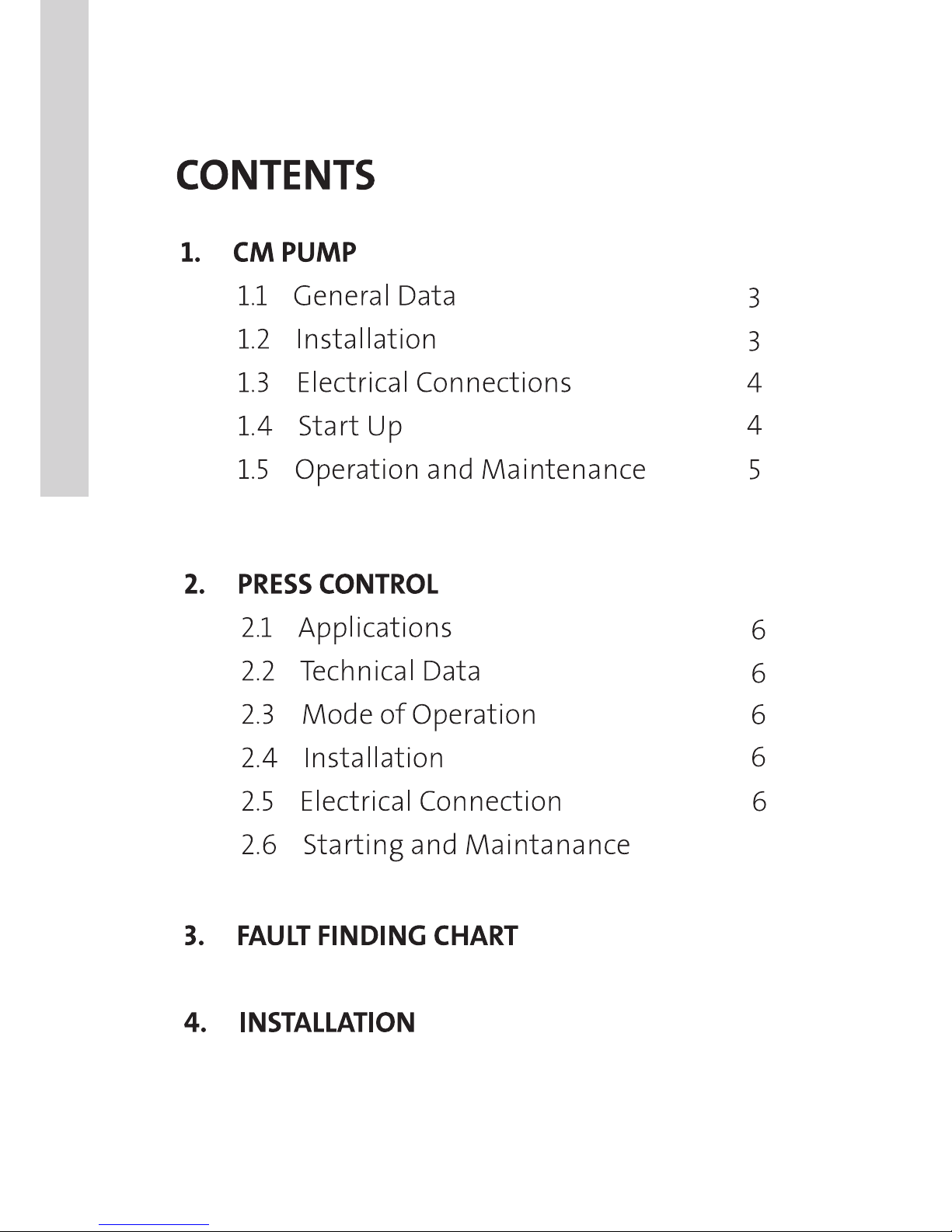
Contents
SMART
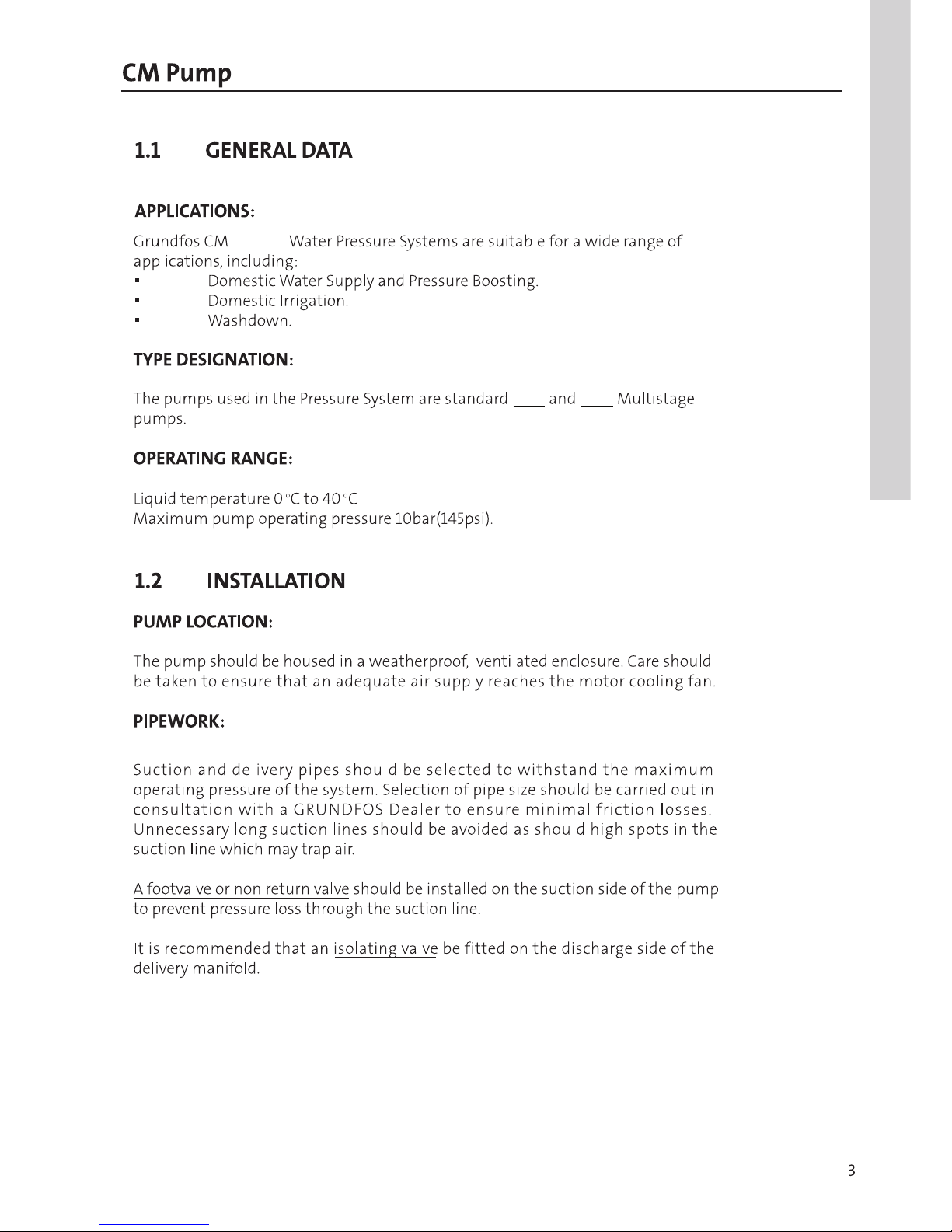
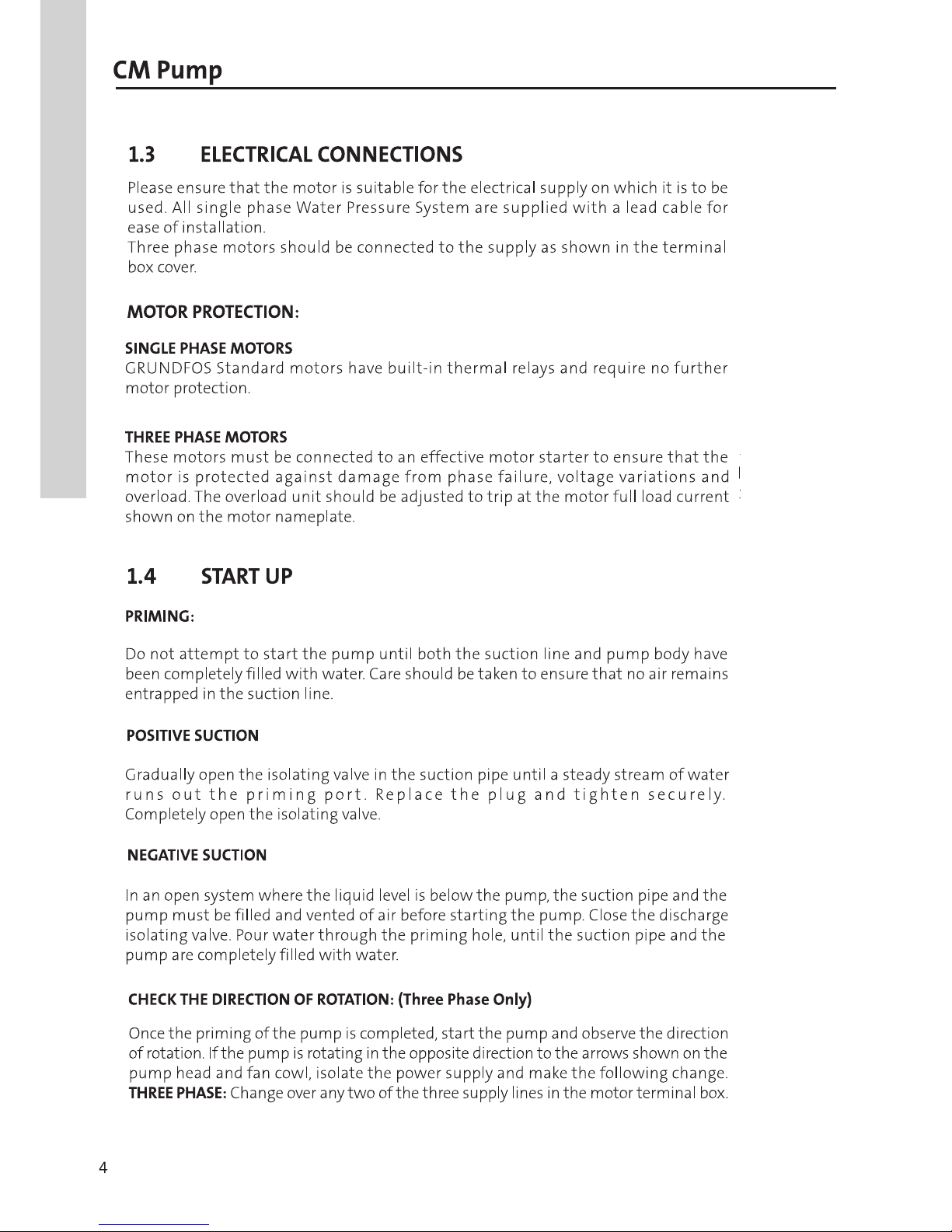
CM Pump
CM3 CM5
CM Pump
CM Pump
PRESSURE TANK PRE-CHARGE:
The Pressure tank pre-charge is pre-set. On site adjustment should be made with
power off and delivery line open so that there is no pressure on the system. The
pressure tank pre-charge should be 10% below cut in pressure.
5
4
4
Control panel
TM03 9361 1508
Pos. Description Function
1"Pressure
scale"
The pressure scale has 13light fields indicating the
pressure from 0 to 6 bar. All light fields illuminate
briefly when the power supply is switched on.
2 "Pump on"
The green indicator light is permanently on when
the pump is running. The indicator light also
illuminates briefly when the power supply is
switched on.
3 "Alarm"
The red indicator light is permanently on or flashes
when the pump has stopped due to an
operating fault. The indicator light also illuminates
briefly when the power supply is switched on.
4 [Reset]
The button is used for
• resetting of fault indications
• checking of DIP switch settings.
14 & 15
Pressure Manager
Pressure Manager
The Pressure Manager must be fitted on the
The Pressure Manager is a pressure regulator with
The Pressure Manager start and stops the pump
switch, the Pressure Manager ensures a steady flow
The Pressure Manager incorporates a pump dry-running
Pressure Manager to the piping system by meas
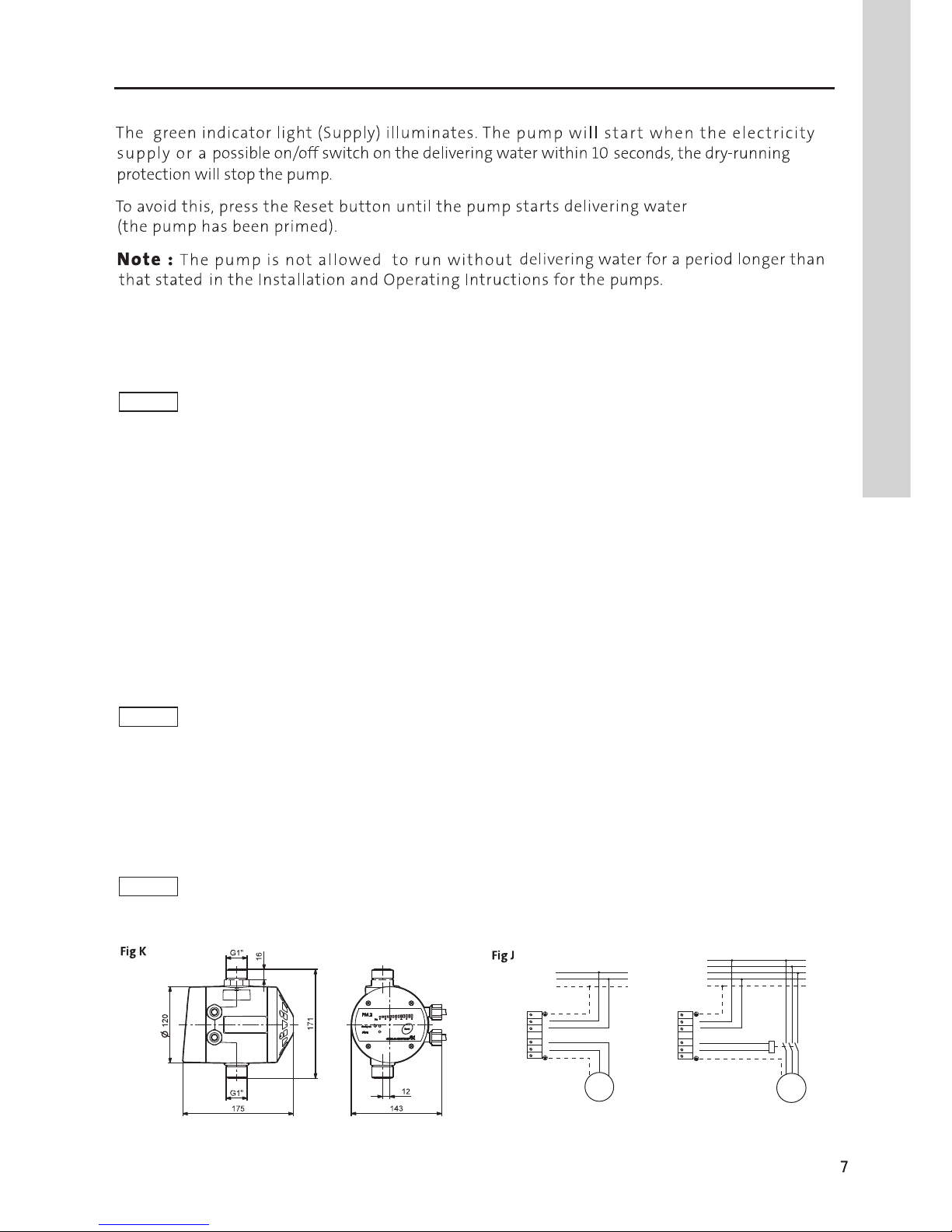
terminal box of the Pressure Manager
shows the control panel on the Pressure Manager
When the Pressure Manager has been installed and the
TM03 9220 3707 - TM04 1953 1508
IN
M
1~
L1
L1
N
PE
N
U
V
1x115/230 V
50/60 Hz, PE
6
OUT
5
4
3
2
1
IN
M
3~
L1
L3
N
L1
L2
PE
N
U
V
1x230 V
50/60 Hz, PE
6
OUT
5
4
3
2
1
TM04 1991 1708
Functions
Auto-reset
When the auto-reset function is enabled, cycling and dry-running alarms will be automatically
reset. To enable the function, set DIP switch 6 to "ON".
Anti-cycling
To avoid inadvertent starts and stops of the pump in case of a failure in the installation,
the anti-cycling function can be enabled. The function will detect cycling if it occurs and stop
the pump with an alarm. When the PM 2 has been set to start/stop according to water
consumption, cycling may occur in the following situations:
•In case of a minor leakage.
•If a tap has not been entirely closed.
When the PM 2 has been set to start/stop with 1 bar differential pressure, cycling may occur
in the following situations:
•If the pressure tank has lost its precharge pressure.
•If the size of the pressure tank is insufficient.
If the cycling alarm has been activated, the pump can be restarted manually by pressing [Reset].
When the auto-reset function is enabled, the pump will be restarted automatically after 12 hours
in alarm condition. To enable the function, set DIP switch 7 to "ON".
Maximum continuous operating time (30minutes)
When this function is enabled, the pump will be stopped when the pump has been running
continuously for 30 minutes.
Restart the pump by pressing [Reset].
The purpose of this function is to avoid unnecessary water and current consumption,
e.g. in case of pipe Tfracture or considerable leakages.
To enable the function, set DIP switch 8 to "ON".
CautionThe auto-reset function should NOT be enabled on pumps which cannot self-
prime when water returns after dry-running.
Note In case of a very small consumption, the anti-cycling function may register
this as a minor leakage and stop the pump inadvertently. If this occurs, the function can be disabled.
Note When the function is enabled, any consumption exceeding 30 minutes will cause an alarm, and the
pump will be stopped. If enabled, the auto-reset function will not restart the pump.
Pressure Manager
Pressure Manager
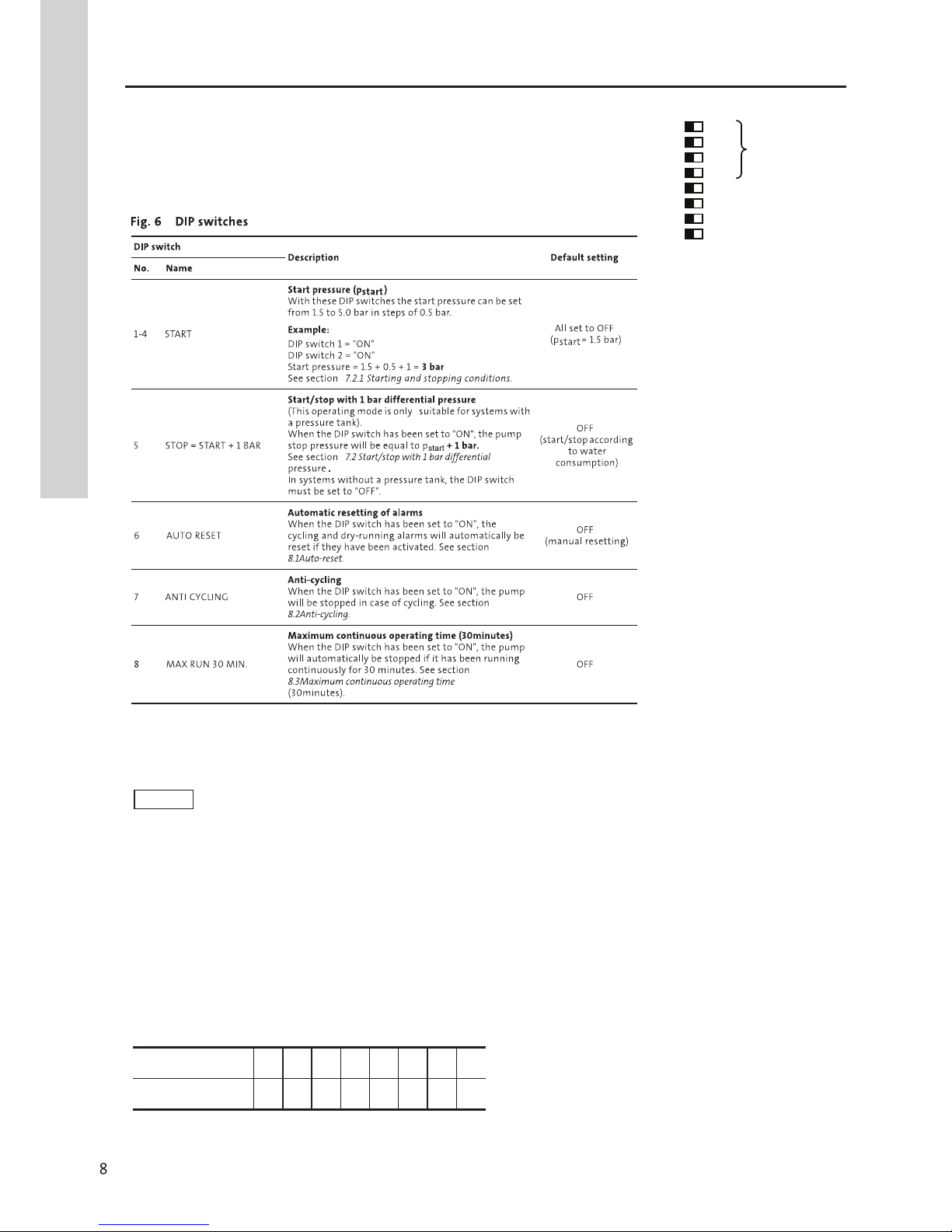
DIP switches
The PM 2 has a number of settings which can be
made with the DIP switche behind the control panel.
See fig. 6.
+1.0
+1.0
4 +1.0
5 STOP = START + 1
6 AUTO RESET
ANTI CYCLING
MAX RUN 30 MIN.
OFF/ON
START
1.5 BAR 1
2
+0.5
3
4 +1.0
5 STOP = START + 1 BAR
6
7
8
Enabling the DIP switch settings
To enable the DIP switch settings, press [Reset] or disconnect and reconnect the
power supply to the unit.
Note When the desired DIP switch settings have been made, they must be enabled,
otherwise the PM 2 cannot detect the settings.
Checking the DIP switch settings
When [Reset] is kept pressed for at least 3 seconds, the light fields for the DIP switches
set to "ON" will illuminate in the pressure scale. The light fields illuminate from right
to left. This means that if the light field to the far right is on, DIP switch 8 has been set
to "ON", etc. See the table below.
Light field [bar] 2.53.0 3.5 4.0 4.5 5.0 5.5 6.0
DIP switch no. 1 2 3 4 5 6 7 8
Pressure Manager
Pressure Manager
Checks (Possible causes)
1. The pump does
not run. Check cables and cable connections for
defects and loose connections.
b) Fuses are blown.
See 2. a), b), c), d), e), f).
d) Control-current circuit
defective.
Repair or replace the control-current
circuit.
2. Motor-protective
circuit breaker has
tripped (trips out
immediately when
supply is switched
on).
a) Fuses are blown
b) Contacts of the motor-
protective circuit breaker
or magnet coil defective.
Replace the contacts of the motor-
protective circuit breaker, the magnet
coil or the entire motor-protective
circuit breaker.
c) Cable connection is loose
or faulty.
Check cables and cable connections
for defects, and replace the fuses.
d) Motor winding is defective.
e) The pump is mechanically
blocked.
Switch off the power supply, an
clean or repair the pump.
f) The setting of the motor-
protective circuit breaker is
too low.
Set the motor-protective circuit
breaker according to the rated
current of the motor (I1/1). See
nameplate.
3. The motor-
protective circuit
breaker trips out
occasionally.
a) The setting of the motor-
protective circuit breaker is
too low.
See 2.f).
b) Periodic supply failure.
c) Periodically low voltage.
Check that the supply cable of the
pump is correctly sized.
a) Supply failure.Switch on the switch.
Check cables and cable connection for
defects, and replace the fuses.
See 1. b).
See 2.c).
Check cables and cable connections
for defects and loose connections.
c) Motor protection tripped.
Warning
Before starting work on the pump, make sure that the power supply to the pump has been
switched off and that it cannot be accidentally switched on.
Fault Remedy
Repair or replace the motor.
Fault Finding Chart
5. The pump runs,
but gives no
water.
a) Pump inlet pressure too low.
b) The suction pipe is partly
clogged by impurities.
See 5. b).
c) The foot or non-return valve
is stuck in its closed position.
Remove and clean, repair or replace
the valve.
d) Leakage in suction pipe.
e) Air in suction pipe or pump.
See 5. a).
See 5. c).
See 5. d).
7. The pump runs
with reduced
performance.
a) Wrong direction of
rotation.
Three-phase pumps only:
Switch off the power supply with the
external circuit breaker, and interchange
two phases in the pump terminal box.
See also section 8.2 Checking the
direction of rotation.
b) See 5. a), b), c), d).
6. The pump runs
backwards when
switched off.
a) Leakage in suction pipe.
b) Foot or non-return valve
defective.
See 6. c).
c) The foot valve is stuck in
completely or partly open
position.
See 6. c).
See 5. c).
4. The pump
performance is
unstable.
a) Pump inlet pressure too
low.
b) Suction pipe is partly
blocked by impurities.
Remove and clean the suction pipe.
c) Leakage in suction pipe.
d) Air in suction pipe or pump.
Check the inlet conditions of the
pump.
Remove and repair the suction pipe.
Vent the suction pipe/pump. Check
the inlet conditions of the pump.
8. The green light
field for "0 bar"
is off even if
the power
supply has
been switched
on.
a) The fuses in the electric
installation have blown.
Replace the fuses. If the new fuses also
blow, check the electric installation.
b) The earth leakage circuit
breaker or the voltage-
operated circuit breaker has
been tripped out.
Cut in the circuit breaker.
c) No power supply.
d) The PM unit is defective.
Contact the power supply authorities.
Repair or replace the PM unit.
10
Checks (Possible causes)
Fault Remedy
Fault Finding Chart