6
•Check whether yourterminaldevice
and the speaker areless than 10
metresapart. If not,move them closer
together.
•Check whether obstacles areimpairing
the range. If so, move thedevices
closer together.
4.5 Audio playback (via
Bluetooth
®
)
Startand control audioplayback on the
connectedterminal device accordingly.
Alternatively, audio playback can also be
controlled on thespeaker(if the connected
device supports this function).
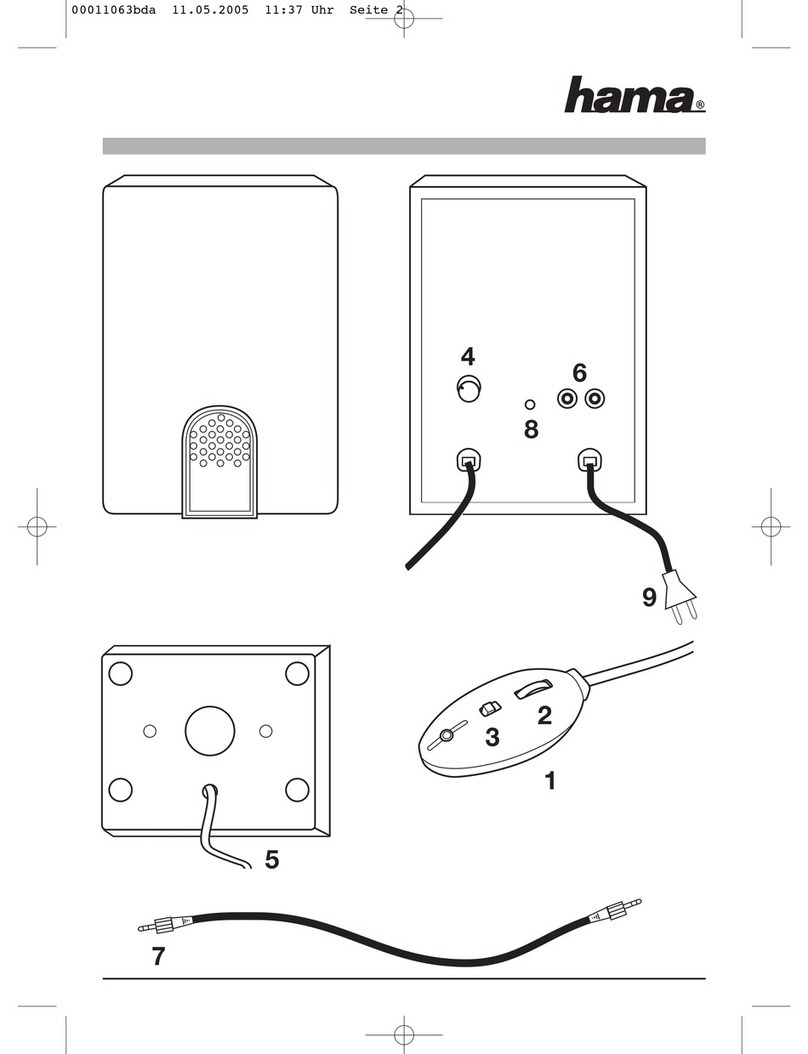
•Press the ►function button(3) to start or
pause audio playback.
•Brieypress the +function button(2) to
increasethe volume.
•Brieypress the-function button (4) to
reduce thevolume.
•Hold downthe +function button (2) to skip
to the next track.
•Hold downthe -function button (4)togo
backtothe previous track.
4.6 Audio playback via the included audio
cable (3.5 mm jack)
•Ensure thatthe speaker is switchedoff.
•Connectyour mobileterminaldevice (MP3
player,smartphone, etc.)and the AUX input
(8) of thespeakerusing theincluded3.5
mm audio cable.
•Set thevolume on yourterminal device
toalowlevel.
•Switch on thespeakersasdescribed in
4.1
Switching the productonand off.
•Start andcontrol audio playbackonthe
connected terminal device accordingly.
•Ifthe devicedoesnot automaticallystart
in AUXmode, pressthe Modebutton (5)
repeatedly until youare able to play audio
from thedesired source.
•Press andholdthe Plus button(2) to
increasethe volume. Press andholdthe
Minus button(4) to reduce the volume.
•Brieypress theFunctionbutton (3)to
pause playback.
Note
Please note that youcannot establish the
Bluetooth
®
connection described under
4.4and 4.5ifanaudio cable is connected.