manuals.online logo
Brands
  1. Home
  2. •
  3. Brands
  4. •
  5. Hatco
  6. •
  7. Kitchen Appliance
  8. •
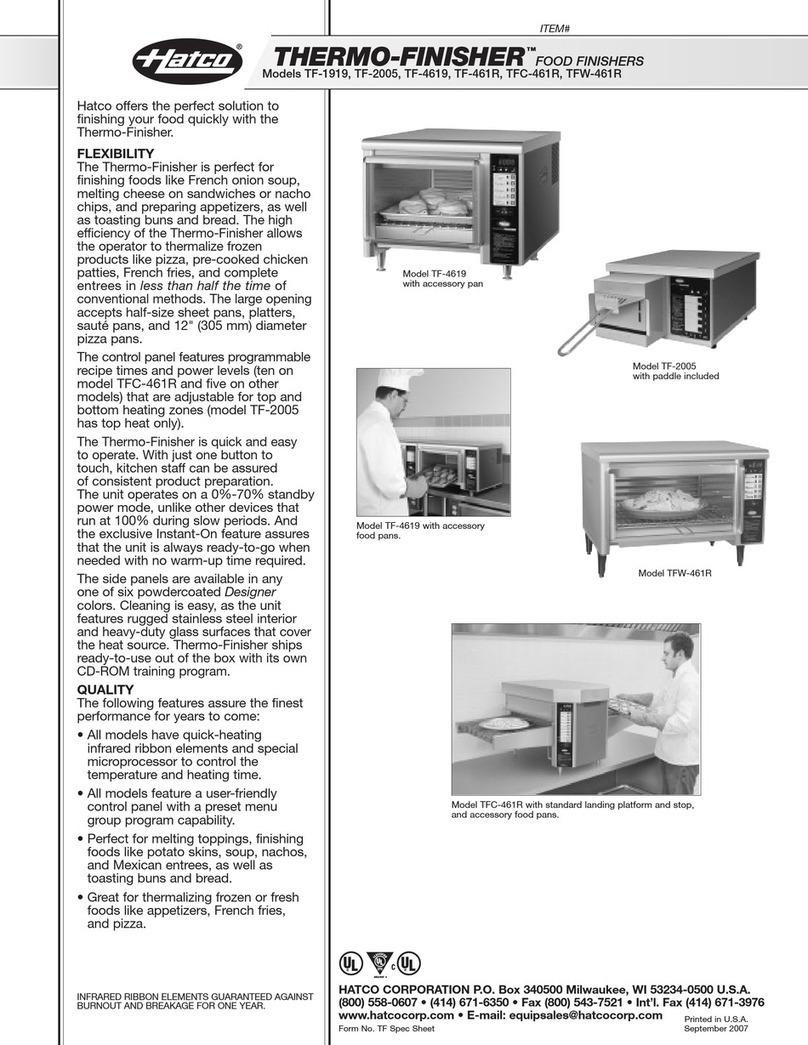
  9. Hatco THERMO-FINISHER TFC-461R User manual

Hatco THERMO-FINISHER TFC-461R User manual

Other manuals for THERMO-FINISHER TFC-461R

1

This manual suits for next models

1

Other Hatco Kitchen Appliance manuals

Hatco THERMO-FINISHER TF-2005 Installation instructions

Hatco

Hatco THERMO-FINISHER TF-2005 Installation instructions

Hatco HQT-1 Application guide

Hatco

Hatco HQT-1 Application guide

Hatco Thermo-Finisher TF-1919 Application guide

Hatco

Hatco Thermo-Finisher TF-1919 Application guide

Hatco HEATMAX RCTHW-6 Series User manual

Hatco

Hatco HEATMAX RCTHW-6 Series User manual

Hatco HQT-1 User manual

Hatco

Hatco HQT-1 User manual

Hatco GR-B Installation instructions

Hatco

Hatco GR-B Installation instructions

Hatco Thermo-Finisher TF-1919 User manual

Hatco

Hatco Thermo-Finisher TF-1919 User manual

Hatco HQT-1 Installation instructions

Hatco

Hatco HQT-1 Installation instructions

Hatco Glo-Ray GRSSR Series User manual

Hatco

Hatco Glo-Ray GRSSR Series User manual

Hatco Thermo-Finisher TF-1919 User manual

Hatco

Hatco Thermo-Finisher TF-1919 User manual

Hatco Krampouz KSW Series User manual

Hatco

Hatco Krampouz KSW Series User manual

Hatco Thermo-Finisher TF-1919 Installation instructions

Hatco

Hatco Thermo-Finisher TF-1919 Installation instructions

Hatco Krampouz KCME-1RND User manual

Hatco

Hatco Krampouz KCME-1RND User manual

Hatco Krampouz KCMG Series User manual

Hatco

Hatco Krampouz KCMG Series User manual

Popular Kitchen Appliance manuals by other brands

Saturn ST-EK8037 manual

Saturn

Saturn ST-EK8037 manual

BOSKA Pro 853560 instruction manual

BOSKA

BOSKA Pro 853560 instruction manual

Enders 7909 instruction manual

Enders

Enders 7909 instruction manual

Kalorik USK PPG 37241 operating instructions

Kalorik

Kalorik USK PPG 37241 operating instructions

Scarlett SC-FD421001 instruction manual

Scarlett

Scarlett SC-FD421001 instruction manual

FoodSaver V4925 owner's manual

FoodSaver

FoodSaver V4925 owner's manual

Course	Housewares B416144 quick start guide

Course Housewares

Course Housewares B416144 quick start guide

AEG SANTO Series operating instructions

AEG

AEG SANTO Series operating instructions

Melissa 643-036 instruction manual

Melissa

Melissa 643-036 instruction manual

cecotec ROCK'NTOAST 3IN1 instruction manual

cecotec

cecotec ROCK'NTOAST 3IN1 instruction manual

Gourmia GMF225 instructions

Gourmia

Gourmia GMF225 instructions

Electrolux EKM7 Series Instruction book

Electrolux

Electrolux EKM7 Series Instruction book

Magio MG-965 instruction manual

Magio

Magio MG-965 instruction manual

Keimling Naturkost Excalibur 56301WH Operation manual

Keimling Naturkost

Keimling Naturkost Excalibur 56301WH Operation manual

Beper 90.071 use instructions

Beper

Beper 90.071 use instructions

Geryon E2900-M user manual

Geryon

Geryon E2900-M user manual

Morphy Richards 46718 owner's manual

Morphy Richards

Morphy Richards 46718 owner's manual

Kenwood A995 manual

Kenwood

Kenwood A995 manual

manuals.online logo
manuals.online logoBrands
  • About & Mission
  • Contact us
  • Privacy Policy
  • Terms and Conditions

Copyright 2025 Manuals.Online. All Rights Reserved.

THERMO-FINISHER™
Conveyor Food Finisher
TFC-461R Series
Installation and
Operating Manual
& W #07.05.149.00
© 2007 Hatco Corporation
Do not operate this equipment unless you
have read and understood the contents of
this manual! Failure to follow the
instructions contained in this manual may
result in serious injury. This manual
contains important safety information
concerning the maintenance, use, and
operation of this product. If you’re unable
to understand the contents of this manual,
please bring it to the attention of your
supervisor. eep this manual in a safe
location for future reference.
No opere este equipo al menos que haya
leído y comprendido el contenido de este
manual! Cualquier falla en el seguimiento
de las instrucciones contenidas en este
manual puede resultar en un serio daño.
Este manual contiene importante
información sobre seguridad
concerniente al mantenimiento, uso y
operación de este producto. Si usted no
puede entender el contenido de este
manual por favor pregunte a su
supervisor. Almacenar este manual en una
localización segura para la referencia
futura.
Form No. TFC461RM-0108 i
INTRODUCTION
The Hatco Thermo-Finisher conveyor food finisher
is designed to rapidly heat or thermalize a wide
range of food products, allowing operators to serve
customers faster, thereby improving customer
satisfaction. The Thermo-Finisher is perfect for
melting toppings or finishing soup and foods like
Mexican entrees, nachos and potato skins. t also
thermalizes frozen foods such as appetizers, french
fries, and pizza. The Thermo-Finisher also can be
used to heat food pans/plates prior to serving.
This manual provides the installation, safety, and
operating instructions for the Hatco Thermo-
Finisher conveyor food finisher. Hatco recommends
all installation, operating, and safety instructions
appearing in this manual be read prior to installation
or operation of the Thermo-Finisher. Safety
instructions that appear in this manual after a safety
alert symbol and the words WARNING or
CAUTION printed in boldface are very important.
WARNING means there is the possibility of serious
injury or death to yourself or others. CAUTION
means there is the possibility of minor or moderate
injury. The word NOTICE signifies the possibility of
equipment or property damage only.
The Hatco Thermo-Finisher conveyor food finisher
is a product of extensive research and field testing.
The materials used were selected for maximum
durability, attractive appearance, and optimum
performance. Every unit is thoroughly inspected and
tested prior to shipment.
CONTENTS
Important Owner Information...............................i
Introduction ...........................................................i
Important Safety Information..............................1
Model Designation ...............................................2
Model Descriptions..............................................3
All Models ........................................................3
TFC-461R Model .............................................3
TFC-461R-L Model ..........................................3
Specifications.......................................................3
Plug Configuration ...........................................3
Electrical Rating Chart.....................................3
Dimensions ......................................................4
Installation ............................................................5
Unpacking........................................................5
Location ...........................................................5
Programming The Unit ........................................6
General............................................................6
Programming Controls.....................................6
All Units ...........................................................7
IMPORTANT OWNER INFORMATION
Keys 1-8 ..........................................................7
Keys 9 and 10 .................................................8
dle Mode.........................................................8
Auto-Off Mode .................................................9
Conveyor Stop Adjustment ..............................9
Cancelling A Program......................................9
Selecting An Additional Program .....................9
Programming Hints..........................................9
Operation ............................................................10
Basic Food Finishing .....................................10
Food Finishing Hints ......................................11
Maintenance .......................................................12
General..........................................................12
Cleaning-Exterior...........................................12
Cleaning- nterior ............................................12
Recommended Food Finishing Guide .............13
Troubleshooting .................................................14
Hatco Limited Warranty.....................................16
Authorized Parts Distributors ...........Back Cover
Record the model number, serial number
(identification decal located on the front of the unit),
voltage and purchase date of your Thermo-
Finisher™conveyor food finisher in the spaces
below. Please have this information available when
calling Hatco for service assistance.
Model No. ________________________________
Serial No. ________________________________
Voltage __________________________________
Date of Purchase __________________________
Business 8:00 a.m. to 5:00 p.m.
Hours: Central Standard Time
(Summer Hours: June to September –
8:00 a.m. to 5:00 p.m. C.S.T.
Monday through Thursday
8:00 a.m. to 2:30 p.m. C.S.T. Friday)
Telephone: (800) 558-0607; (414) 671-6350
Fax: (800) 690-2966 (Parts and Service)
(414) 671-3976 ( nternational)
24 Hour 7 Day Parts and Service
Assistance available in the
United States and Canada
by calling (800) 558-0607.
Additional information can be found by visiting our
web site at www.hatcocorp.com.

IMPORTANT SAFETY INFORMATION
Form No. TFC461RM-0108 1
For safe and proper operation, plug unit
into a properly grounded electrical outlet of
the correct voltage, size, and plug
configuration. If the plug and receptacle do
not match, contact a qualified electrician to
determine and install the proper voltage and
size electrical outlet.
To avoid any injury or damage to the unit,
do not pull unit by power cord.
To prevent any injury, discontinue use if
power cord is frayed or worn.
To reduce the risk of fire, the appliance is to
be installed on a non-combustible surface
only. The appliance is to be installed on
floors or counters of non-combustible
construction with non-combustible flooring
and surface finish and with no combustible
material against the underside, or on non-
combustible slabs or arches having no
combustible material against the underside.
Such construction shall in all cases extend
not less than 12″ (305 mm) beyond the
equipment on all sides.
For safe and proper operation, the unit must
be located a reasonable distance from
combustible walls and materials. If safe
distances are not maintained, discoloration
or combustion could occur. Do not locate
unit under shelving or closer than 12″
(305 mm) from the ceiling.
To ensure proper operation and safety,
allow a minimum of 1″ (25 mm) clearance
along the rear of the unit and 2″ (50 mm)
clearance at the feed and discharge sides.
To avoid any injury, turn the power switch
OFF, unplug the unit from the power source,
and allow to cool before performing any
maintenance.
Unit is not waterproof. DO NOT submerge in
water. Do not operate if it has been
submerged in water. Do not steam clean the
interior or flood with water or liquid
solution.
WARNING
Some exterior surfaces on the unit will get
hot. Use caution when touching these areas
to avoid injury.
To avoid electrical shock or personal injury,
do not steam clean or use excessive water
on the unit.
To avoid any injury or damage, the unit
must be serviced by qualified personnel
only.
To avoid any injury or damage to the unit,
turn the power OFF at the fused disconnect
switch/circuit breaker and allow to cool
before performing any maintenance.
If service is required on this unit, contact an
Authorized Hatco Service Agent or contact
the Hatco Service Department at 800-558-
0607 or 414-671-6350; fax 800-690-2966; or
International fax 414-671-3976.
This product has no “user-serviceable”
parts. To avoid damage to the unit or injury
to personnel, use only Authorized Hatco
Service Agents and Genuine Hatco
Replacement Parts when service is
required.
Genuine Hatco Replacement Parts are
specified to operate safely in the
environments in which they are used. Some
aftermarket or generic replacement parts do
not have the characteristics that will allow
them to operate safely in Hatco equipment.
It is essential to use Genuine Hatco
Replacement Parts when repairing Hatco
equipment. Failure to use Genuine Hatco
Replacement Parts may subject operators
of the equipment to hazardous electrical
voltage, resulting in electrical shock or
burn.
WARNING
IMPORTANT! Read the following important safety information to avoid personal injury or
death, and to avoid damage to the equipment or property.
2Form No. TFC461RM-0108
IMPORTANT SAFETY INFORMATION
MODEL DESIGNATION
IMPORTANT! Read the following important safety information to avoid personal injury or
death, and to avoid damage to the equipment or property.
Unit is not weatherproof. For safe and
proper operation, locate the unit indoors
where the ambient air temperature is a
minimum of 70°F (21°C).
To avoid any injury or damage to the unit,
do not operate appliance without installing
supplied legs.
DO not use “Pyrex” glass plates or serving
pieces in the food finisher. “Pyrex” glass
may break causing personal injury and/or
food contamination.
DO NOT use paper or plastic serving pieces
in the food finisher. These materials may
melt or burn causing a fire hazard and/or
food contamination and may damage the
unit.
Plate/tray will be very hot upon removal —
use oven mitt, protective clothing, or pan
gripper to remove.
CAUTION
Do not remove the glass from the unit for
cleaning purposes. Doing so may cause
injury or damage to the unit.
To avoid any injury or damage, locate the
unit at the proper counter height in an area
that is convenient for use. The location
should be level to prevent the unit or its
contents from falling accidentally and
strong enough to support the weight of the
unit.
Do not place anything on top of the unit;
doing so could damage the unit or subject
personnel to possible injury.
Use non-abrasive cleaners only. Abrasive
cleaners could scratch the finish of your
Thermo-Finisher, marring its appearance and
making it susceptible to dirt accumulation.
CAUTION
NOTICE
Figure 1. Model Designation
TFC-461R-L
Thermo
Conveyor
Finisher
Quantity of Top Heating Elements
Size (in inches) of Top Heating Elements
Quantity of Bottom Heating Elements
Shape of Bottom Heating Elements
R = Rectangular
Left-Hand Drive
MODEL DESCRIPTIONS
Form No. TFC461RM-0108 3
Figure 2. TFC-461R Model shown with
Optional Backstop Tray/Landing Platform
SPECIFICATIONS
Model Voltage Watts Amps Phase Plug Configuration Shipping Weight
TFC-461R 208 7524 36.2 1 NEMA 6-50P 135 lbs. (61 kg)
240 8445 35.2 1 NEMA 6-50P 135 lbs. (61 kg)
208 7524 21.4 3 NEMA L15-30P 135 lbs. (61 kg)
240 8445 22.3 3 NEMA L15-30P 135 lbs. (61 kg)
TFC-461R-L 208 7524 36.2 1 NEMA 6-50P 135 lbs. (61 kg)
240 8445 35.2 1 NEMA 6-50P 135 lbs. (61 kg)
208 7524 21.4 3 NEMA L15-30P 135 lbs. (61 kg)
240 8445 22.3 3 NEMA L15-30P 135 lbs. (61 kg)
PLUG CONFIGURATION
Units are supplied from the factory with an electrical
cord and plug (see Figure 3.).
For safe and proper operation, plug unit into a
properly grounded electrical outlet of
the correct voltage, size, and plug
configuration. If the plug and receptacle do not
match, contact a qualified electrician to
determine and install the proper voltage and
size electrical outlet.
WARNING
NEMA L15-30P NEMA 6-50P
Figure 3. Plug Configurations
ELECTRICAL RATING CHART
ALL MODELS
Thermo-Finisher conveyor food finisher models
have an easy-to-clean interior constructed of
stainless steel and heavy duty glass. The units
feature quick-heating infrared ribbon elements with
a microprocessor to control the temperature and
heating time. All models come with a user-friendly
control panel that accepts up to ten pre-
programmed recipe times. All models feature a fast,
reliable conveyor that accommodates a half-size
sheet pan or pan/plate. All units are equipped with
an attached power cord and plug set.
TFC-461R MODEL
The TFC-461R features four upper circular
elements and one lower rectangular element for
even heat distribution from corner to corner. The
conveyor is loaded on the left and moves from left to
right, when viewing from the control side of the unit.
TFC-461R-L MODEL
The TFC-461R-L is identical to the TFC-461R
except that it features a right-to-left moving
conveyor. The conveyor is loaded on the right and
moves from right to left, when viewing from the
control side of the unit.
NOTE: Receptacle not supplied by Hatco.
SPECIFICATIONS
4Form No. TFC461RM-0108
Width Depth Height
Model (A) (B) (C)
TFC-461R 63-7/8″ 29-3/8″ 22″
(1622 mm) (746 mm) (559 mm)
TFC-461R-L 63-7/8″ 29-3/8″ 22″
(1622 mm) (746 mm) (559 mm)
DIMENSIONS
EXTERIOR DIMENSIONS EFFECTIVE FINISHING AREA
Figure 4. Dimensions
TFC-461R-L
DD
BB
F
F
TFC-461R
A
E
C
A
E
C
TFC-461R
TFC-461R-L
Width Depth Height
Model (D) (E) (F)
TFC-461R 18″ 13″ 3-3/8″
(457 mm) (330 mm) (86 mm)
TFC-461R-L 18″ 13″ 3-3/8″
(457 mm) (330 mm) (86 mm)
INSTALLATION
Form No. TFC461RM-0108 5
UNPAC ING
1. Remove unit from box.
2. Remove information packet.
NOTE: To prevent delay in obtaining warranty
coverage, fill out and mail warranty card to
Hatco.
3. Remove tape and protective packaging from all
surfaces of unit.
LOCATION
For safe and proper operation, the unit must be
located a reasonable distance from combustible
walls and materials. If safe distances are not
maintained, discoloration or combustion could
occur. Do not locate unit under shelving or
closer than 12″ (305 mm) from the ceiling.
To ensure proper operation and safety, allow a
minimum of 1″ (25 mm) clearance along the rear
of the unit and 2″ (50 mm) clearance at the feed
and discharge sides.
To avoid any injury or damage to the unit, do not
pull unit by power cord.
To prevent any injury, discontinue use if power
cord is frayed or worn.
WARNING
WARNING
WARNING
WARNING
To reduce the risk of fire, the appliance is to be
installed on a non-combustible surface only. The
appliance is to be installed on floors or counters
of non-combustible construction with non-
combustible flooring and surface finish and with
no combustible material against the underside,
or on non-combustible slabs or arches having
no combustible material against the underside.
Such construction shall in all cases extend not
less than 12″ (305 mm) beyond the equipment
on all sides.
To avoid any injury or damage, locate the unit at
the proper counter height in an area that is
convenient for use. The location should be level
to prevent the unit or its contents from falling
accidentally and strong enough to support the
weight of the unit.
Do not place anything on top of the unit; doing
so could damage the unit or subject personnel
to possible injury.
Unit is not weatherproof. For safe and proper
operation, locate the unit indoors where the
ambient air temperature is a minimum of 70°F
(21°C).
CAUTION
CAUTION
CAUTION
WARNING
2″
(50 mm)
2″
(50 mm)
1″ (25 mm)
Control Side
Figure 5. Location
PROGRAMMING THE UNIT
6Form No. TFC461RM-0108
GENERAL
Thermo-Finisher conveyor units have both an
upper and lower heating zone. The upper
elements heat the product on the pan/plate and
the lower elements heat the bottom of the
pan/plate.
There are 10 programmable selection keys
allowing the operator to fine-tune the radiant heat
input and heating time for a variety of menu items.
eys 1–8: When pressed, the unit will cycle once,
conveying the product into the heating area,
pausing to heat the food at a preset
time/temperature, and then conveying the product
out the opposite side of the unit and stopping.
PROGRAMMING CONTROLS
The following terms are used when programming
the unit:
UP = UPPER POWER VALUE: Power setting
for the upper heating elements.
UT = UPPER T ME VALUE: Time setting
for the upper heating elements.
LP = LOWER POWER VALUE: Power setting
for the lower heating elements.
LT = LOWER T ME VALUE: Time setting
for the lower heating elements.
When the display shows a Power Value (UP for
upper, LP for lower), the number is shown as a
percentage. Example: P20 = 20%. These values
are adjustable from 5-100%, in 5% increments
every time an arrow key is pressed.
When the display shows a Time Value (UT for
upper, LT for lower) the number shows the time
the heating element will be on. Example: T35 = 35
seconds. These values are adjustable from zero
minutes to 9 minutes 59 seconds. Values change
by 1 second every time an arrow key is pressed.
Holding down an arrow key will cause the
numbers to change rapidly.
NOTE: All settings are retained in memory, even
when the unit is turned off or unplugged
from power source.
eys 9 and 10: When pressed, the unit will cycle
continuously. The conveyor will advance in 1/2
second increments, pausing to heat the food at a
preset time/temperature, then convey the product
out the opposite side of the unit. The product is
then removed but the conveyor continues to
operate.
Thermo-Finisher conveyors also feature a
programmable DLE mode and AUTO-OFF mode
for additional cooking flexibility. See programming
for these modes for additional information.
NOTE: After reading and understanding how to
program the unit, see PROGRAMMING
HINTS and RECOMMENDED FOOD
FINISHING GUIDE in this manual for
further helpful information.
Digital
Display
Down
Arrow
Key Enter
Key
Program
Selection
Keys
(1–10)
POWER
ON/OFF
Switch
Upper
Heat
Indicator
Lower
Heat
Indicator
Up
Arrow
Key
Program
Indicator
Lamps
Figure 6. Control Panel
NOTE: If no settings are made within 15 seconds,
the unit will revert to READ mode
without accepting any setting changes.
Also, if any other numbered program
selection key is pressed before step 12,
unit will revert to READ mode without
saving any of the setting changes.
PROGRAMMING THE UNIT
Form No. TFC461RM-0108 7
10.The display shows (Lower Time Value). Repeatedly
press Up or Down arrow key to scroll to desired
setting. Values change by 1 second every time an arrow
key is pressed. Holding down an arrow key will cause the
numbers to change rapidly.
Time can be adjusted from zero to 9 minutes 59 seconds.
11. Press the Enter key to proceed to the next step.
12.Press the program selection key selected in Step 1 to save
all the settings into memory. The display will show .
13.Repeat steps 1–12 to program the remaining program
selection keys 1–8.
1. With display showing , simultaneously press/hold
the desired program selection key (1–8) and
Enter key for five seconds.
2. After 3 seconds, the upper heat indicator glows and the unit
displays (Upper Power Value).
3. Repeatedly press the Up or Down arrow key to scroll
to desired setting.
4. Press the Enter key to proceed to the next step.
5. The display shows (Upper Time Value).
Repeatedly press Up or Down arrow key to scroll to
desired setting. Holding down an arrow key will cause the
numbers to change rapidly.
Time can be adjusted from zero to 9 minutes 59 seconds.
6. Press the Enter key to proceed to the next step.
7. The lower heat indicator glows and the display reads
(Lower Power Value).
8. Repeatedly press Up or Down arrow key to scroll to
desired setting.
9. Press the Enter key to proceed to the next step.
EYS 1 – 8 (CYCLE ONCE WHEN PRESSED)
1. Plug unit into an electrical outlet of the correct voltage,
size and plug configuration (see SPEC F CAT ONS for
details).
2. Move POWER switch to ON position. The unit will make
an audible beep, automatically go into preheat, and the
display will indicate ..
3. After one minute and ten seconds, the preheat cycle is
complete, the display reads and is ready to be
programmed.
4. Proceed to keys 1–8 or keys 9 and 10.
ALL UNITS
PROGRAMMING CONTROLLER
8Form No. TFC461RM-0108
8. Both upper and lower heat indicators glow. The display
shows (the time value for how long conveyor
remains stopped). Repeatedly press Up or Down
arrow key to scroll to desired setting. Holding down an
arrow key will cause the numbers to change rapidly. Time
can be adjusted from zero to 9 minutes 59 seconds.
9. Press the Enter key to proceed to the next step.
10.Press the program selection key selected in Step 1 to save
all the settings into memory. The display will show .
NOTE: In the Continuous Run mode, the conveyor advances
in 1/2 second increments.
When the unit reaches mode, the upper heating elements automatically go
into a programmed idle power setting. (The display will still show during idle
mode.) The unit remains in DLE mode until one of the ten program selection keys
are pressed or the unit goes into AUTO-OFF Mode.
NOTE: Begin with an IDLE mode setting of 30% and adjust the program accordingly
to achieve optimum performance.
1. Simultaneously press/hold the Up arrow key and the Enter key for three
seconds. The display will show the current programmed power value.
2. Repeatedly press Up or Down arrow key to
scroll to desired setting. Setting will change by
10% every time a key is pressed.
3. Press the Enter key to save setting.
5. The lower heat indicator glows and the display reads
(Lower Power Value).
6. Repeatedly press Up or Down arrow key to scroll to
desired setting.
7. Press the Enter key to proceed to the next step.
1. With display showing , simultaneously press/hold
program selection key (9 or 10) and Enter key for five
seconds.
2. After 3 seconds, the upper heat indicator glows and the unit
displays (Upper Power Value).
3. Repeatedly press Up or Down arrow key to scroll to
desired setting.
4. Press the Enter key to proceed to the next step.
EYS 9 AND 10 (CYCLES CONTINUOUSLY WHEN PRESSED)
IDLE MODE