manuals.online logo
Brands
  1. Home
  2. •
  3. Brands
  4. •
  5. Honeywell
  6. •
  7. Engine
  8. •
  9. Honeywell 46190153-501 User manual

Honeywell 46190153-501 User manual

Other Honeywell Engine manuals

Honeywell ScanQuest IS4100 Series User manual

Honeywell

Honeywell ScanQuest IS4100 Series User manual

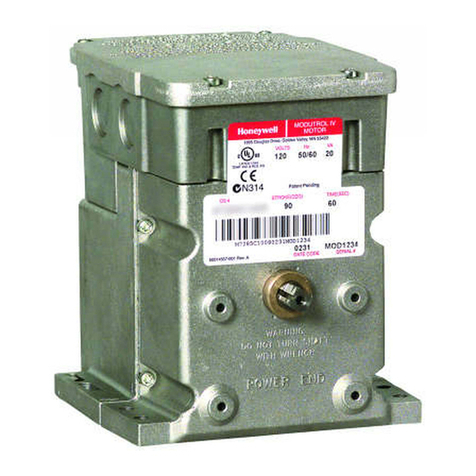
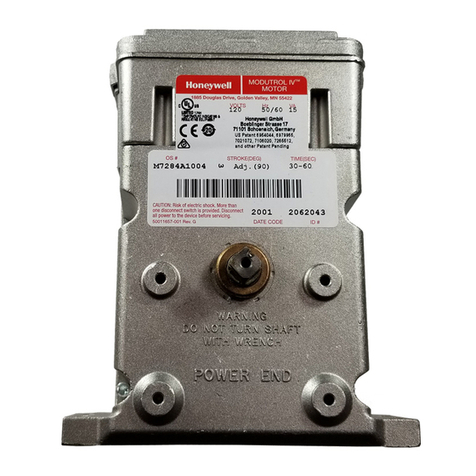
Honeywell Modutrol IV M7284 Operation manual

Honeywell

Honeywell Modutrol IV M7284 Operation manual

Honeywell Modutrol IV Motors 41 Operation manual

Honeywell

Honeywell Modutrol IV Motors 41 Operation manual

Honeywell Modutrol IV M934D Operation manual

Honeywell

Honeywell Modutrol IV M934D Operation manual

Honeywell M9161V series Operation manual

Honeywell

Honeywell M9161V series Operation manual

Honeywell TFE731-5 User manual

Honeywell

Honeywell TFE731-5 User manual

Honeywell Modutrol IV 71 Series Operation manual

Honeywell

Honeywell Modutrol IV 71 Series Operation manual

Honeywell IS4910 Quick setup guide

Honeywell

Honeywell IS4910 Quick setup guide
Honeywell Modutrol IV Series 61 User manual

Honeywell

Honeywell Modutrol IV Series 61 User manual

Honeywell Modutrol IV M72 Series User manual

Honeywell

Honeywell Modutrol IV M72 Series User manual

Honeywell N4680 User manual

Honeywell

Honeywell N4680 User manual

Honeywell N86 Series User manual

Honeywell

Honeywell N86 Series User manual

Honeywell IS220 User manual

Honeywell

Honeywell IS220 User manual

Honeywell Modutrol IV Series 90 User manual

Honeywell

Honeywell Modutrol IV Series 90 User manual

Honeywell M7164 User manual

Honeywell

Honeywell M7164 User manual

Honeywell M7215 Operation manual

Honeywell

Honeywell M7215 Operation manual

Honeywell Modutrol IV Series 61 User manual

Honeywell

Honeywell Modutrol IV Series 61 User manual

Honeywell Modutrol IV M9175D 1014 User manual

Honeywell

Honeywell Modutrol IV M9175D 1014 User manual

Honeywell Modutrol IV M6284A1089-S Operation manual

Honeywell

Honeywell Modutrol IV M6284A1089-S Operation manual

Honeywell M9484 User manual

Honeywell

Honeywell M9484 User manual
Honeywell Modutrol IV 72 Series Operation manual

Honeywell

Honeywell Modutrol IV 72 Series Operation manual

Honeywell Modutrol IV Motors Series 90 Operation manual

Honeywell

Honeywell Modutrol IV Motors Series 90 Operation manual

Honeywell BCS 7700 Series User manual
Honeywell

Honeywell BCS 7700 Series User manual

Popular Engine manuals by other brands

Nakanishi EM-3030T Operation manual

Nakanishi

Nakanishi EM-3030T Operation manual

Siemens COMBIMASTER CM12 operating instructions

Siemens

Siemens COMBIMASTER CM12 operating instructions

Bosch Rexroth Hagglunds CA Series Installation and maintenance manual

Bosch

Bosch Rexroth Hagglunds CA Series Installation and maintenance manual

Hyundai H170VC manual

Hyundai

Hyundai H170VC manual

Graco 273199 repair parts

Graco

Graco 273199 repair parts

MOTO GUZZI BREVA V1100 Workshop manual

MOTO GUZZI

MOTO GUZZI BREVA V1100 Workshop manual

Dualsky Track & Field Z5 instruction manual

Dualsky

Dualsky Track & Field Z5 instruction manual

Rotax 125 senior MAX evo installation manual

Rotax

Rotax 125 senior MAX evo installation manual

Kohler K361 Service manual

Kohler

Kohler K361 Service manual

MTD OHV Series user guide

MTD

MTD OHV Series user guide

Mercury D4.2L D-Tronic manual

Mercury

Mercury D4.2L D-Tronic manual

Perkins 1206E-E66TA Operation and maintenance manual

Perkins

Perkins 1206E-E66TA Operation and maintenance manual

Skov DA 174 Technical user guide

Skov

Skov DA 174 Technical user guide

Rotax 915 i A SERIES Maintenance manual

Rotax

Rotax 915 i A SERIES Maintenance manual

AL-KO PRO 350 Instructions for use

AL-KO

AL-KO PRO 350 Instructions for use

MTU 12 V 4000 Lx4 operating instructions

MTU

MTU 12 V 4000 Lx4 operating instructions

Nanni N3.30 Workshop manual

Nanni

Nanni N3.30 Workshop manual

Nanni N5.160 CR2 Operator's manual

Nanni

Nanni N5.160 CR2 Operator's manual

manuals.online logo
manuals.online logoBrands
  • About & Mission
  • Contact us
  • Privacy Policy
  • Terms and Conditions

Copyright 2025 Manuals.Online. All Rights Reserved.

CARRIAGE MOTOR KIT
46190153-501
DPR180
Issue : 1 (10/96) EN CK 196
1. Please use an antistatic ground strap to avoid possible electrostatic damage to the printed circuit boards.
2. Isolate the recorder from the mains supply.
3. Open the recorder door and remove the chart cassette from the chassis.
4. Turn OFF the switch (See fig. 1).
Recorder mains powerswitch - Located behind the chart cassette
Figure 1
5. Remove the cover from the power supply terminal block (See ref. E, fig. 11).
6. Disconnect the mains supply from the power supply terminal block.
If your recorder is equipped with a communication board, go to 6 otherwise go to 8.
7. Unscrew the 3 fixing screws from the rear cover (See ref. A, fig. 2).
8. Remove the rear cover (See ref. C, fig. 2).
Recorder without communication board.
9. Loosen the 3 fixing screws from the rear cover (See ref. A, fig. 2).
10. Slide the rear cover to the left hand side and release the clips (See ref. B, fig. 2).
11. Remove the rear cover (See ref. C, fig. 2).
1
A
B
C
Figure 2
2
12. Remove all the terminal blocks (See fig. 3).
D
ii
ii
ii
ii
(1) Press down on the terminal block clips.
(2) Pull to release the terminal block.
Figure 3
13. Remove all the grommets (See ref. A, fig. 4).
14. Unscrew the 4 fixing screws (M4) from the chassis with the Torx key T20 (See ref. B, fig. 4).
15. Slide the recorder chassis out of the case (See fig. 6).
16. Remove all the input/output boards.
WARNING: Make a note of the input/output board locations prior to removal.
Figure 4
3
17. Disconnect the carriage drive motor (See fig. 5).
WARNING: Make a note of correct polarity of the connector prior to removal.
View from the rear of the recorder.
Figure 5
18. Pass the carriage motor connector cable through the hole located at bottom of the printer chassis.
Figure 6
19. Turn the recorder upside down (See fig. 7).
20. To remove the carriage motor and drive belt (Remove the 3 carriage motor fixing screws using a Torx key
T10, see fig. 7).
4
Figure 7
21. Fit the new carriage motor but do not tighten the fixing screws.
22. Pass the motor cable through the hole at the bottom of the printer chassis (Reconnect the motor connector to
the backplane board).
Ensure correct polarity of the plug.
23. Return the recorder to its normal position.
24. Fit the drive belt around the 2 pulleys (See ref. A, fig. 8).
Figure 8 Top view
5
25. Move the printer carriage fully to the left hand side (See fig. 9).
Figure 9
26. Measure the drive belt tension with a dynamometer and adjust the belt tension by moving the carriage motor
(See ref. A, fig. 10).
27. Adjust the drive belt tension to the specified value, 5 N for 10 mm defection measured at the center of the belt
(See ref. B, fig. 10).
iii
iii
iii
iii
iii
iii
Figure 10
28. Tighten the 3 carriage motor fixing screws.
6
29. Slide the recorder chassis back into the outer case.
30. Refit the 4 fixing screws (M4) with the Torx key T20 (See ref. B, fig. 4).
31. Refit all the input/output boards.
32. Refit all the terminal blocks in the correct locations and then refit alll the grommets (See fig. 11).
33. Refit the rear cover.
34. Reconnect the mains supply to the power terminal block.
35. Refit the power supply terminal cover (See ref. E, fig. 11).
36. Turn ON the switch (See fig. 1).
37. Refit the chart cassette.
38. Switch ON the mains supply.
7
Positions
AI =
AO =
DI =
DO =
Analog input
Auxiliary output
Digital input
Digital output (relay)
From Ato F
From Nto P
From Jto P
From Jto P
(Lower rack)
(Upper rack)
(Upper rack)
(Upper rack)
Figure 11
8