manuals.online logo
Brands
  1. Home
  2. •
  3. Brands
  4. •
  5. HP
  6. •
  7. Projector
  8. •
  9. HP AX325AA User manual

HP AX325AA User manual

Other HP Projector manuals

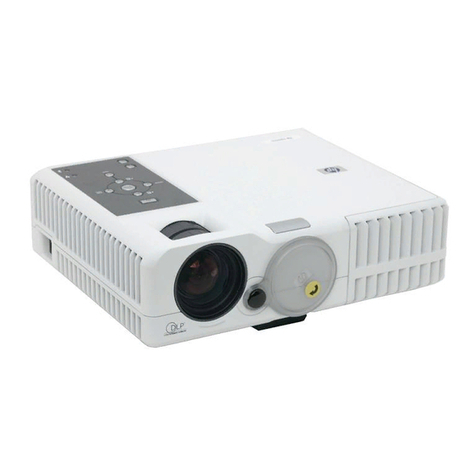
HP mp3135 - Digital Projector User manual

HP

HP mp3135 - Digital Projector User manual

HP mp3220 Series User manual

HP

HP mp3220 Series User manual

HP Ep7110 - Home Cinema Digital Projector SVGA... User manual

HP

HP Ep7110 - Home Cinema Digital Projector SVGA... User manual

HP xp7010/xp7030 User manual

HP

HP xp7010/xp7030 User manual

HP xp8010 series User manual

HP

HP xp8010 series User manual

HP Vp6110 - Digital Projector SVGA DLP Manual

HP

HP Vp6110 - Digital Projector SVGA DLP Manual

HP mp3320 Series User manual

HP

HP mp3320 Series User manual

HP mp3130 User manual

HP

HP mp3130 User manual

HP AX325AA User instructions

HP

HP AX325AA User instructions

HP mp3130 User manual

HP

HP mp3130 User manual

HP mp2220 Series User manual

HP

HP mp2220 Series User manual

HP mp2210 User manual

HP

HP mp2210 User manual

HP ep9010 User manual

HP

HP ep9010 User manual

HP xb31 User manual

HP

HP xb31 User manual

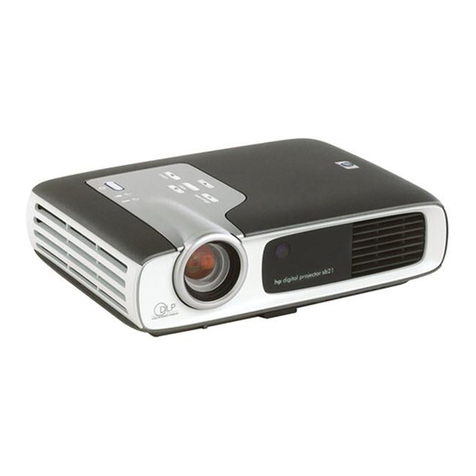
HP sb21 User manual

HP

HP sb21 User manual

HP xp7010 - Digital Projector User manual

HP

HP xp7010 - Digital Projector User manual

HP L1548A–ABA User manual

HP

HP L1548A–ABA User manual

HP CC200 User manual

HP

HP CC200 User manual

HP VP6120 User manual

HP

HP VP6120 User manual

HP MP100 User manual

HP

HP MP100 User manual

HP vp6200 - Digital Projector User manual

HP

HP vp6200 - Digital Projector User manual

HP WT431AA#ABA User manual

HP

HP WT431AA#ABA User manual

HP vp6100 series User manual

HP

HP vp6100 series User manual

HP vp6300 Series User manual

HP

HP vp6300 Series User manual

Popular Projector manuals by other brands

Eiki LC-X985 Specification sheet

Eiki

Eiki LC-X985 Specification sheet

InFocus LitePro 610 quick start

InFocus

InFocus LitePro 610 quick start

Epson EH-TW5900 datasheet

Epson

Epson EH-TW5900 datasheet

FOREVER MLP-100 manual

FOREVER

FOREVER MLP-100 manual

Toshiba TDP-MT8U Specifications

Toshiba

Toshiba TDP-MT8U Specifications

Mitsubishi XD500U specification

Mitsubishi

Mitsubishi XD500U specification

Kodak Ektapro 3020 Illustrated parts list

Kodak

Kodak Ektapro 3020 Illustrated parts list

Toshiba TDP-EW25U Specifications

Toshiba

Toshiba TDP-EW25U Specifications

Barco iQ PRO G500 supplementary guide

Barco

Barco iQ PRO G500 supplementary guide

NEC Showcase Series HT1100 user manual

NEC

NEC Showcase Series HT1100 user manual

Philips LC1341 user guide

Philips

Philips LC1341 user guide

Epson PowerLite 1266 user guide

Epson

Epson PowerLite 1266 user guide

MAGINON DLP 1400S user manual

MAGINON

MAGINON DLP 1400S user manual

Toshiba TLP-380 owner's manual

Toshiba

Toshiba TLP-380 owner's manual

Philips PicoPix PPX2480/EU user manual

Philips

Philips PicoPix PPX2480/EU user manual

Hitachi CP-X605 Series Specifications

Hitachi

Hitachi CP-X605 Series Specifications

Optoma TW1692 user manual

Optoma

Optoma TW1692 user manual

Kodak EKTAPRO instruction manual

Kodak

Kodak EKTAPRO instruction manual

manuals.online logo
manuals.online logoBrands
  • About & Mission
  • Contact us
  • Privacy Policy
  • Terms and Conditions

Copyright 2025 Manuals.Online. All Rights Reserved.

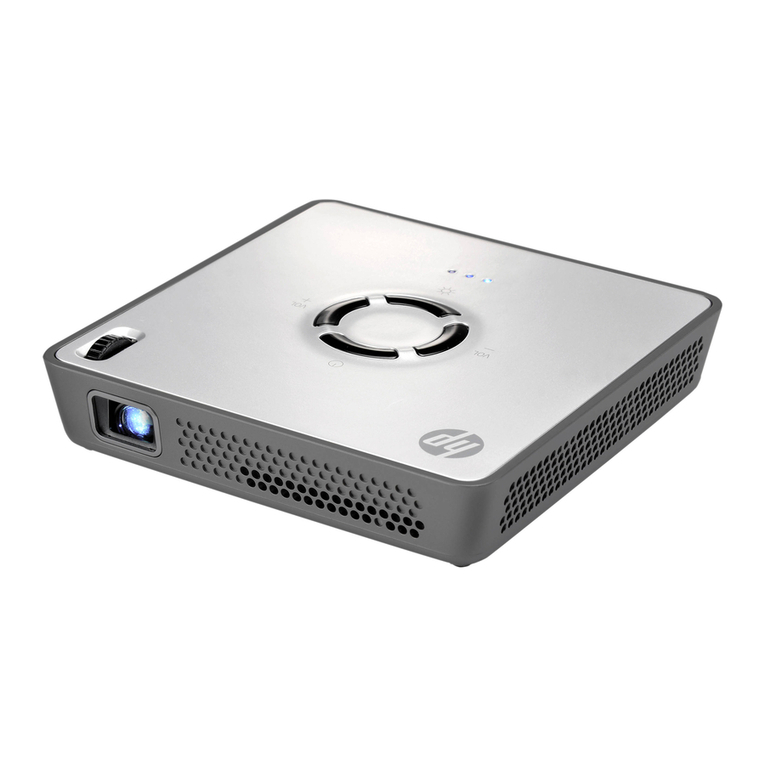
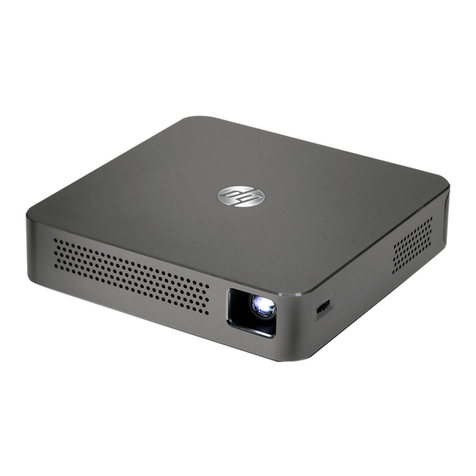
When you need to present—to a client, colleague or potential
customer—you want quick, easy, and impressive. HP has a
projector for that. Designed for anybody who needs to project
on the fly—sales professionals, managers, trainers, and
educational personnel—the HP Notebook Projection
Companion is compatible with HP Notebook PCs and all
notebooks with a VGA connection. This ultra-portable
accessory is powerful and durable enough to be your primary
go-to projector whenever and wherever—in the office or on
the road—you need to project a better image.
Small enough to carry with your notebook
Measuring just 3.6 x 1.6 x 4.4 inches (9.3 x 4.0 x 11.1 cm)
and weighing less than a pound, this projector was designed
to pack and go. It includes an expandable tripod and a
handy carrying pouch that’s so compact you can slide it
seamlessly into your notebook case—with your notebook. The
projector uses the same 65-Watt Smart AC adapter used by
most HP notebooks, so you can share a single adapter.
Minimum size, maximum performance
The projector has innovative DLP technology and an impressive
100-lumen brightness and 800:1 contrast ratio. DLP
technology uses light more accurately and efficiently to deliver
ultra-precise details, vibrant saturated colors, and
extraordinarily true-to-life images—at a distance up to 8.5 feet
(2.6 meters) away.
Smart TCO
In addition to its convenient size and superb image quality, the
HP Notebook Projection Companion offers a low total cost of
ownership (TCO), keeping money in your pocket and waste
out of the environment. The LED light source can provide up to
10,000 hours of usage (up to five years of typical use). This
means you rarely have to buy or replace bulbs, so the initial
purchase price of the projector is practically your only cost.
This is an advantage over bulb-based projection solutions,
which can require bulb replacements every year.
The projector is backed by HP’s world-class service support
and a one-year limited warranty. For more information, visit
www.hp.com/notebook/accessories.
HP Notebook Projection Companion
The power of rich, convenient, and compact
projection in the palm of your hand.

Part number
A
X325AA Projection distance
8.5 ft (2.6 m)
Display technolo
g
y 0.45-in DLP Power consumption
58
W
Bri
g
htness 100 lumens (maximum) Power supply
HP 65W Smart AC Adapte
r
Contrast ratio 800:1 Noise
32dB
Li
g
ht source Red/
g
reen/blue LED module Wei
g
ht
0.9 lb (0.42 k
g
)
Resolution SVGA (858 x 600) Dimensions
1.6 x 3.6 x 4.4 in (4.0 x 9.3 x 11.1 cm)
Zoom/focus Fixed zoom/manual focus I/O connectors
30-pin video cable in, VGA out
Projection screen
size
15-60 in (38-152 cm) Box contents
HP 65W Smart AC Adapter, 30-pin video
cable, carrying case, expandable tripod,
quick start guide, documentation CD
HP Notebook Projection Companion
Power, enter, and menu buttons
4-way input key toggles menu
Zoom ring
adjusts focus
Metal grill front and back supports improved airflow
© 2011 Hewlett-Packard Development Company, L.P. The information contained herein is subject to change without notice. The only

warranties for HP products and services are set forth in the express warranty statements accompanying such products and services.
Nothing herein should be construed as constituting an additional warranty. HP shall not be liable for technical or editorial errors or
omissions contained herein. To learn more, visit http://www.hp.com. April 2011