manuals.online logo
Brands
  1. Home
  2. •
  3. Brands
  4. •
  5. Human Touch
  6. •
  7. Remote Control
  8. •
  9. Human Touch WholeBody ROVE User manual

Human Touch WholeBody ROVE User manual

Other Human Touch Remote Control manuals

Human Touch Novo XT User manual

Human Touch

Human Touch Novo XT User manual

Human Touch ThermoStretch HT-7120 User manual

Human Touch

Human Touch ThermoStretch HT-7120 User manual

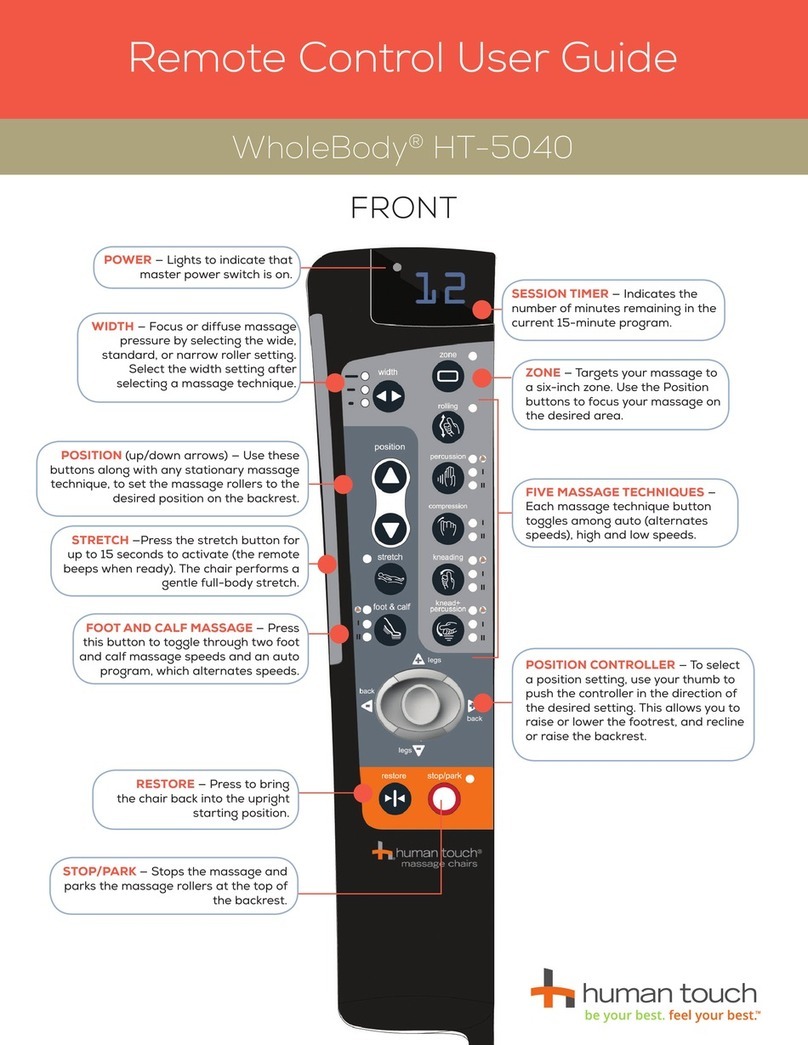
Human Touch WholeBody HT-5040 User manual

Human Touch

Human Touch WholeBody HT-5040 User manual

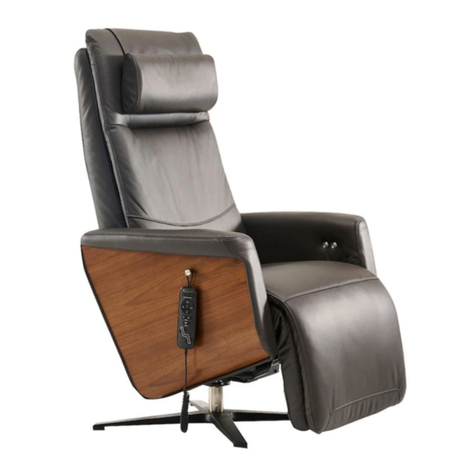
Human Touch Circa ZG Chair User manual

Human Touch

Human Touch Circa ZG Chair User manual

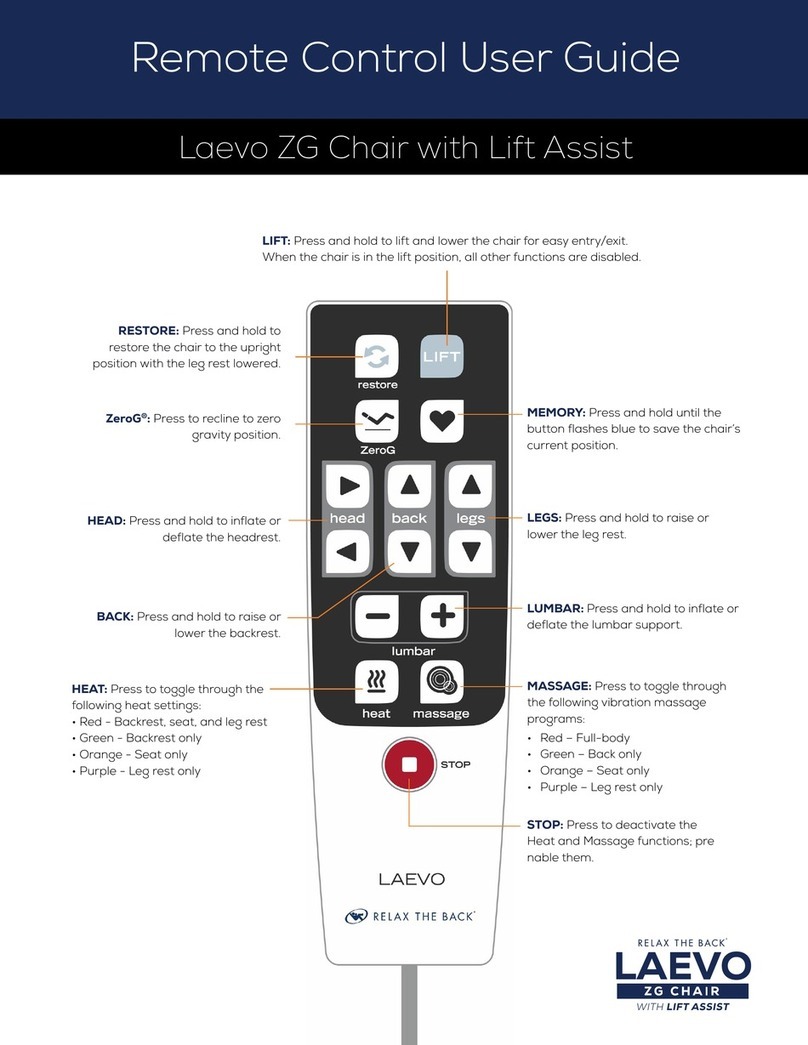
Human Touch Laevo ZG User manual

Human Touch

Human Touch Laevo ZG User manual

Human Touch NOVO User manual

Human Touch

Human Touch NOVO User manual

Human Touch WholeBody HT-275 User manual

Human Touch

Human Touch WholeBody HT-275 User manual

Popular Remote Control manuals by other brands

Bircher Reglomat RC Duo 2 user guide

Bircher Reglomat

Bircher Reglomat RC Duo 2 user guide

Emerson RCBT100 owner's manual

Emerson

Emerson RCBT100 owner's manual

BILDA Element-6 user manual

BILDA

BILDA Element-6 user manual

Absima CR7P manual

Absima

Absima CR7P manual

Mitsubishi Electric PAR-32MAAG Instruction book

Mitsubishi Electric

Mitsubishi Electric PAR-32MAAG Instruction book

RCA RCRTBL08BE1 quick start guide

RCA

RCA RCRTBL08BE1 quick start guide

US Electronics NOVARI user guide

US Electronics

US Electronics NOVARI user guide

Panasonic EUR7622KB0 Operation guide

Panasonic

Panasonic EUR7622KB0 Operation guide

Bang & Olufsen Beo4 user manual

Bang & Olufsen

Bang & Olufsen Beo4 user manual

Marantz RC101 user guide

Marantz

Marantz RC101 user guide

FUTABA 9ZAP - PART2 manual

FUTABA

FUTABA 9ZAP - PART2 manual

HR Matic HR MULTI 3 quick start guide

HR Matic

HR Matic HR MULTI 3 quick start guide

Anritsu MP1777A Operation manual

Anritsu

Anritsu MP1777A Operation manual

Niles WVC100 Installation & operating guide

Niles

Niles WVC100 Installation & operating guide

Bang & Olufsen BEO6 Getting started

Bang & Olufsen

Bang & Olufsen BEO6 Getting started

GE 94901 instruction manual

GE

GE 94901 instruction manual

FUTABA R7108SB Full manual

FUTABA

FUTABA R7108SB Full manual

Invacare G91S user manual

Invacare

Invacare G91S user manual

manuals.online logo
manuals.online logoBrands
  • About & Mission
  • Contact us
  • Privacy Policy
  • Terms and Conditions

Copyright 2025 Manuals.Online. All Rights Reserved.

WholeBody®ROVE
Remote Control User Guide
POWER / RESTORE — Press to activate the
tablet remote. Press again to stop all function
and restore the chair to the upright position.
PAUSE — Press to pause all functions
immediately. Press again to resume.
See page 2 to learn more about
the on-screen indicators
ZEROG®— Tap to recline the chair to the zero
gravity position for maximum spinal relief.
POSITION — Press and hold to adjust the
backrest and foot and calf massager positions
to exactly where you need it.
AUTO — Tap repeatedly to toggle through
the massage programs.
MANUAL HEIGHT ADJUST — After the
AcuPoint® Detection has completed its
scan, should you wish to adjust the vertical
massage range differently, press and hold the
arrows to do so.
DEMO — Tap to start the Demo program.
CLOUD TOUCH ACCUPRESSURE — In manual
mode, tap repeatedly to toggle through three
Cloud Touch zones (Full, Upper, or Lower).
MANUAL — Tap repeatedly to toggle through
five massage techniques.
SPEED — In manual mode, tap repeatedly to adjust the
massage Speed (except in Rolling mode).
WIDTH — In manual mode, tap repeatedly to adjust the
massage roller Width (except in Kneading modes).
SPOT — When using Spot manual mode, press
and hold to adjust the vertical massage roller
position.
RANGE — In manual mode, tap repeatedly
to toggle between a Full, Zone, or Spot
massage Range.
HEAT — Tap to turn Heat On/Off.
ROLLERS — Tap to turn Foot Rollers On/Off.
CLOUD TOUCH INTENSITY — Tap repeatedly
to adjust the Cloud Touch intensity.
DURATION — Tap repeatedly to toggle through
massage timer settings (default is 20 minutes).

Indicates the current program in use.
Reads 00 when in manual mode.
Lights when raising or lowering the foot
and calf massager.
Indicates massage Speed.
Indicates massage roller Width.
Indicates time
remaining in program.
Lights when in ZG position.
Indicates current massage focus area.
Lights when Pause button is
pressed and all function has
stopped. Screen will also flash.
Lights when inclining or reclining
the chair.
Lights when using an auto
massage program.
Flashes to indicate the massage
technique(s) currently in use.
Lights when manually adjusting
the shoulder height.
Indicates manual massage Range.
Lights when Heat is turned On.
Indicates Cloud Touch intensity.
Lights when Foot Rollers are turned On.
For more detailed operation instructions, please see the
Use and Care Manual.