manuals.online logo
Brands
  1. Home
  2. •
  3. Brands
  4. •
  5. Hunter
  6. •
  7. Fan
  8. •
  9. Hunter SIMPLEconnect User manual

Hunter SIMPLEconnect User manual

Other Hunter Fan manuals

Hunter 20717 Manual

Hunter

Hunter 20717 Manual

Hunter 52429 User manual

Hunter

Hunter 52429 User manual

Hunter 20808 User manual

Hunter

Hunter 20808 User manual

Hunter Savoy Instruction manual

Hunter

Hunter Savoy Instruction manual

Hunter M3572-01 User manual

Hunter

Hunter M3572-01 User manual

Hunter Captiva 21318 Manual

Hunter

Hunter Captiva 21318 Manual

Hunter Type C User manual

Hunter

Hunter Type C User manual

Hunter 21705 Manual

Hunter

Hunter 21705 Manual

Hunter Type 5 Models Instruction manual

Hunter

Hunter Type 5 Models Instruction manual

Hunter 25658 Manual

Hunter

Hunter 25658 Manual

Hunter 42845-01 Instruction manual

Hunter

Hunter 42845-01 Instruction manual

Hunter M0035-01 User manual

Hunter

Hunter M0035-01 User manual

Hunter Exteriors 90155 User manual

Hunter

Hunter Exteriors 90155 User manual

Hunter 21313 Instruction Manual

Hunter

Hunter 21313 Instruction Manual

Hunter Dante User manual

Hunter

Hunter Dante User manual

Hunter 41953-01 User manual

Hunter

Hunter 41953-01 User manual

Hunter Dante MB531 User manual

Hunter

Hunter Dante MB531 User manual

Hunter 28420 User manual

Hunter

Hunter 28420 User manual

Hunter Mt. Vista User manual

Hunter

Hunter Mt. Vista User manual

Hunter 23262 User manual

Hunter

Hunter 23262 User manual

Hunter Grand Cayman Instruction manual

Hunter

Hunter Grand Cayman Instruction manual

Hunter 21732 Service manual

Hunter

Hunter 21732 Service manual

Hunter 21617 Manual

Hunter

Hunter 21617 Manual

Hunter 20510 Manual

Hunter

Hunter 20510 Manual

Popular Fan manuals by other brands

ELTA FANS H03VV-F installation guide

ELTA FANS

ELTA FANS H03VV-F installation guide

Emerson CARRERA VERANDA CF542ORB00 owner's manual

Emerson

Emerson CARRERA VERANDA CF542ORB00 owner's manual

Panasonic FV-15NLFS1 Service manual

Panasonic

Panasonic FV-15NLFS1 Service manual

Kompernass KH 1150 operating instructions

Kompernass

Kompernass KH 1150 operating instructions

VES FALA100/12V/TR Original instructions

VES

VES FALA100/12V/TR Original instructions

Vertiv Liebert DCD user manual

Vertiv

Vertiv Liebert DCD user manual

Westinghouse GFP Series owner's manual

Westinghouse

Westinghouse GFP Series owner's manual

Venmar KUBIX HRV PLUS Series user guide

Venmar

Venmar KUBIX HRV PLUS Series user guide

Maico ECR 31 installation instructions

Maico

Maico ECR 31 installation instructions

Sonnenkonig Dinky instruction manual

Sonnenkonig

Sonnenkonig Dinky instruction manual

S&P ECOWATT HXBR manual

S&P

S&P ECOWATT HXBR manual

Wider IMP03369BH instruction manual

Wider

Wider IMP03369BH instruction manual

Panasonic F-60DHN Operating and installation instructions

Panasonic

Panasonic F-60DHN Operating and installation instructions

Broan 766BN installation guide

Broan

Broan 766BN installation guide

Premium PFS16022 Use manual

Premium

Premium PFS16022 Use manual

Litex Industries E-CGL52CB5C1 installation guide

Litex Industries

Litex Industries E-CGL52CB5C1 installation guide

Lindab LTDF installation instructions

Lindab

Lindab LTDF installation instructions

Clarke CDF20HV-P Operating & maintenance instructions

Clarke

Clarke CDF20HV-P Operating & maintenance instructions

manuals.online logo
manuals.online logoBrands
  • About & Mission
  • Contact us
  • Privacy Policy
  • Terms and Conditions

Copyright 2025 Manuals.Online. All Rights Reserved.

www.HunterFan.com 1.888.830.1326
PAGE
5
30 inches
7 feet
PAGE
2
What to Expect with
Your Installation Ceiling Bracket
Ladder
PAGE
3
Tools Needed
Maintenance
& Cleaning Troubleshooting
Table of Contents
PAGE
6
PAGE
9
Wiring CanopyDownrod
PAGE
11
Blades
PAGE
12
PAGE
4
Mounting Options
Light Kit
PAGE
13
PAGE
18
?
?
?
PAGE
20
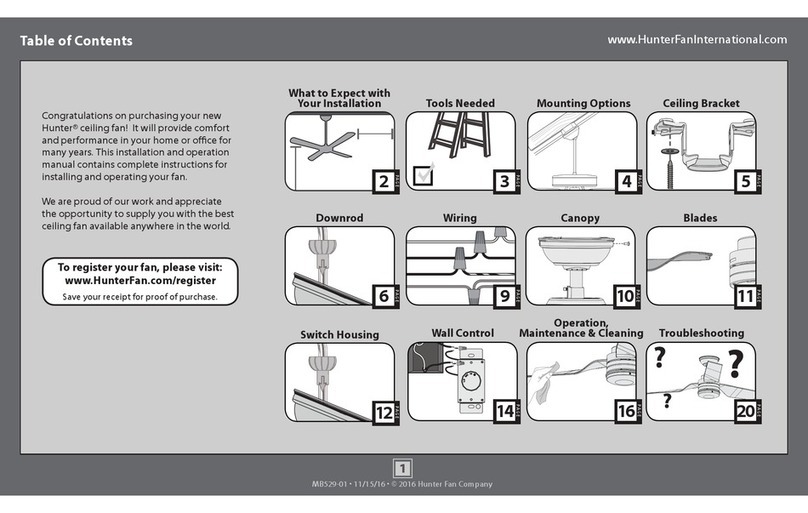
Congratulations on purchasing your new Hunter®
ceiling fan! It will provide comfort and performance
in your home or ofce for many years. This installation
and operation manual contains complete instructions
for installing and operating your fan.
We are proud of our work and appreciate the
opportunity to supply you with the best ceiling fan
available anywhere in the world.
To register your fan, please visit:
www.HunterFan.com/register
Save your receipt for proof of purchase.
Remote Control
PAGE
15
PAGE
17
1
M3644-01 • 02/01/17 • © 2017 Hunter Fan Company
www.HunterFan.com 1.888.830.1326
2
M3644-01 • 02/01/17 • © 2017 Hunter Fan Company
What to Expect with Your Installation
Know your wiring
If you are unfamiliar
with wiring, use a
qualied electrician.
You may need a
friend to help you.
Check box to see
fan weight
Assess location
30 inches
from blade tip
to nearest wall
or obstruction 7 feet
from bottom
edge of blade
to the oor
Select a downrod length
Assess ceiling angle
Must be able to
secure the fan to
building structure or
fan-rated outlet box
1
2
3
Standard Downrod
for ceilings 8-10 feet high
Shorter Downrod
for fans installed close to ceiling
Longer Downrod
for ceilings 10 feet or higher
Ceiling angles greater
than 34° will require an
Angled Mounting Kit.
See page 4 for details.
w.1 - To reduce the risk of re, electrical shock, or personal injury,
mount fan directly from building structure and/or an outlet box marked
acceptable for fan support of 70 lbs (31.8 kg) and use the mounting
screws provided with the outlet box.
w.2 - To avoid possible electrical shock, before installing or servicing your
fan, disconnect the power by turning off the circuit breakers to the outlet
box and associated wall switch location. If you cannot lock the circuit
breakers in the off position, securely fasten a prominent warning device,
such as a tag, to the service panel.
w.3 - To reduce the risk of re, electrical shock, or motor damage, use only
Hunter Solid State Speed Controls.
w.4 - To reduce the risk of personal injury, do not bend the blade brackets when
installing the blade brackets, balancing the blades, or cleaning the fan. Do not
insert foreign objects in between rotating fan blades.
c.1 - All wiring must be in accordance with national and local electrical codes
ANSI/NFPA 70. If you are unfamiliar with wiring, use a qualied electrician.
c.2 - Use only Hunter replacement parts.
This equipment has been tested and found to comply with the limits for a
Class B digital device, pursuant to part 15 of the FCC Rules. These limits are
designed to provide reasonable protection against harmful interference in
a residential installation. This equipment generates, uses and can radiate
radio frequency energy and if not installed and used in accordance with the
instructions may cause harmful interference to radio communications.
However, there is no guarantee that interference will not occur in a particular
installation. If this equipment does cause harmful interference to radio or
television reception, which can be determined by turning the equipment off
and on, the user is encouraged to try to correct the interference by one or
more of the following measures:
• Reorient or relocate the receiving antenna.
• Increase the separation between the equipment and receiver.
• Connect the equipment into an outlet on a circuit different from that to
which the receiver is connected.
• Consult the dealer or an experienced radio/TV technician for help.
Caution: modications not approved by the party responsible for compliance
could void user’s authority to operate the equipment.
This device complies with Part 15 of the FCC Rules. Operation is subject to the
following two conditions: (1) This device may not cause harmful interference,
and (2) this device must accept any interference received, including
interference that may cause undesired operation.
Read and Save These Instructions
This product conforms to UL Standard 507.
WARNINGS
CAUTIONS

www.HunterFan.com 1.888.830.1326
Tools Needed
Ladder
Power Drill
(optional)
9/64” Drill Bit
(optional)
Screwdrivers
Pliers Wire Strippers
If mounting to a support structure, you will also need these tools.
Do not discard the hardware bags or mix
parts from different bags. Make note of
the symbol printed on each hardware
bag. The symbols can be used to identify
the appropriate hardware for each step.
3
M3644-01 • 02/01/17 • © 2017 Hunter Fan Company
www.HunterFan.com 1.888.830.1326
4
M3644-01 • 02/01/17 • © 2017 Hunter Fan Company
If you have an angled ceiling:
1. You will need a longer downrod (sold separately).
2. If your ceiling angle is greater than 34°, you will
also need an Angled Mounting Kit (sold separately).
Guide Touches
BOTH Ceiling & Wall
S
I
T
U
A
T
I
O
N
1
Guide Touches Wall
but
NOT Ceiling
S
I
T
U
A
T
I
O
N
2
You need BOTH
a Longer
Downrod &
an Angled
Mounting Kit
You need ONLY
a Longer
Downrod
*most common
If you have a at ceiling:
Hang your fan by a standard downrod (included).
Mounting Options
Use Standard Mounting
or Low-Prole Mounting
to hang the fan from a at ceiling.
Use Angled Mounting
to hang the fan from a
vaulted or angled ceiling.
34OCEILING
WALL
OPTION
1
Standard
Mounting
OPTION 2
Angled
Mounting
2 3
SLIDE
toward ceiling
PLACE
against wall
1
FOLD
on dotted line
34°
Use the three steps below to determine if your ceiling angle is greater than 34°
Support
Structure
Ceiling
Outlet Box
(required)
Angled
Mounting
Style
Standard
Mounting
Style
Support
Structure
Ceiling
Outlet Box
(required)
www.HunterFan.com 1.888.830.1326
Ceiling Bracket
OFF
For angled ceilings, point
opening toward peak.
Refer to warning w.1 on pg. 2
If you are unable to do this,
call Technical Support at
1-888-830-1326.
Use wood screws
(included) when securing
to support structure with
approved electrical outlet
box. Drill 9/64” pilot holes
in support structure to aid
in securing ceiling bracket
with hardware found in
the hardware bag.
Use machine screws
(provided with outlet
box) when securing to
existing ceiling fan-rated
outlet box. Make sure
it is securely installed
and is acceptable for fan
support of 31.8 kg (70 lbs)
or less.
Turn Power
Make sure all four bumpers
are still attached.
To avoid possible electrical shock, before installing your fan,
disconnect the power by turning off the circuit breakers to
the outlet box associated with the wall switch location.
5
M3644-01 • 02/01/17 • © 2017 Hunter Fan Company
www.HunterFan.com 1.888.830.1326
Downrod
Slide
Slide
1 2 3 4 5
678910
Sold Separately
Included
Longer
Downrod
for angled
ceilings or
ceilings 10’ or
higher
Shorter
Downrod
for fans installed
close to ceiling
Standard
Downrod
for ceilings 8-10’ high
Option 1Option 2
Option 3
skip to next page
If you need a different downrod length follow these steps:
Steps 1-5 to remove standard downrod pipe
Steps 6-10 to reassemble with new pipe
Included
(pre-assembled)
6
M3644-01 • 02/01/17 • © 2017 Hunter Fan Company
www.HunterFan.com 1.888.830.1326
KEEP!
8”
3/8”
C
U
T
&
S
T
R
I
P
(not to scale)
Remove the pre-installed
setscrew so that the downrod
can be inserted.
Hand tighten the downrod (at
least 4-5 full turns) until it stops.
The wires can be cut, but
leave at least 8” extending
from the top of the downrod.
Downrod (continued)
8” 3/8”
Tighten the setscrew
with pliers. DO NOT
HAND TIGHTEN.
If the setscrew is not tightened
securely, the fan may fall.
K
E
E
P
!
7
M3644-01 • 02/01/17 • © 2017 Hunter Fan Company
www.HunterFan.com 1.888.830.1326
Note: Fan style may vary.
Downrod (continued)
DO NOT PICK THE FAN UP BY THE
CANOPY OR WIRES. Place the downrod
ball into the slot in the ceiling bracket.
Put the wires and downrod through the
canopy. Let the canopy sit loosely on
top of the fan.
8
M3644-01 • 02/01/17 • © 2017 Hunter Fan Company
www.HunterFan.com 1.888.830.1326
Wiring
Turn the splices upward and push them carefully back through the hanger bracket
into the outlet box. Spread the wires apart, with the grounded wires on one side of
the outlet box and the ungrounded wires on the other side of the outlet box.
Refer to CAUTION c.1 on pg. 2
F
R
O
M
C
E
I
L
I
N
G
F
R
O
M
C
E
I
L
I
N
G
B
R
A
C
K
E
T
green/yellow
stripe (grounding)
green/yellow
stripe
green/yellow stripe
Note: To connect the wires, hold
the bare metal leads together and
place a wire connector over them,
then twist clockwise until tight.
Using an orange wire connector
from the hardware bag:
Connect the 3 grounding wires
(green, green/yellow stripe, or bare
copper) coming from the ceiling,
downrod, and ceiling bracket.
F
R
O
M
F
A
N
Receiver
Place the receiver on top of the downrod
assembly as shown.
Tip: If you have difculty tting the receiver
into place, make sure you have cut the excess
wires from the fan. See the Downrod section
for more details.
9
M3644-01 • 02/01/17 • © 2017 Hunter Fan Company
www.HunterFan.com 1.888.830.1326
Wiring (continued)
Turn the splices upward and push them carefully back through the hanger bracket
into the outlet box. Spread the wires apart, with the grounded wires on one side of
the outlet box and the ungrounded wires on the other side of the outlet box.
Refer to CAUTION c.1 on pg. 2
Note: If you have a dual switch,
please cap the secondary power
wire from the ceiling. This will
result in one unused switch.
Using the orange wire connectors
from the hardware bag:
• Connect the black (ungrounded)
wire from the ceiling to the black
wire from the receiver.
• Connect the white (grounded)
wire from the ceiling to both the
white wire from the receiver and
the white wire from the fan.
F
R
O
M
R
E
C
E
I
V
E
R
black
blue
yellow
blue
Using the orange wire connectors
from the remote control hardware bag:
• Connect the yellow wire from
the receiver to the black wire
from the fan.
• Connect the blue wire from the
receiver to the blue wire (or
possibly black with white stripe
wire) from the fan.
F
R
O
M
F
A
N
F
R
O
M
R
E
C
E
I
V
E
R
F
R
O
M
C
E
I
L
I
N
G
black
(ungrounded)
white (grounded)
black
white
F
R
O
M
F
A
N
white
10
M3644-01 • 02/01/17 • © 2017 Hunter Fan Company