manuals.online logo
Brands
  1. Home
  2. •
  3. Brands
  4. •
  5. IBM
  6. •
  7. Laptop
  8. •
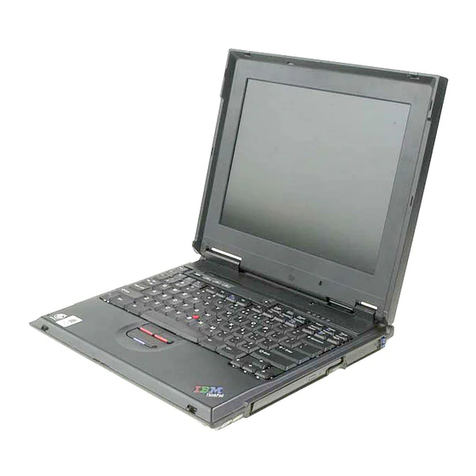
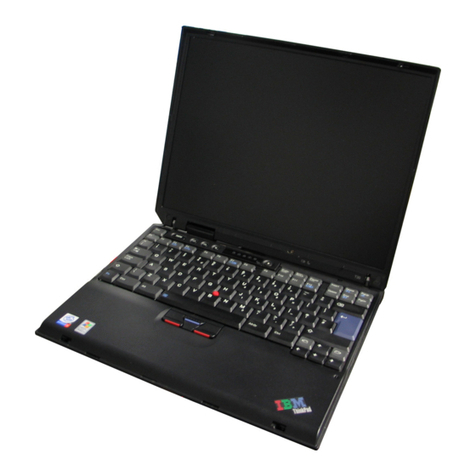
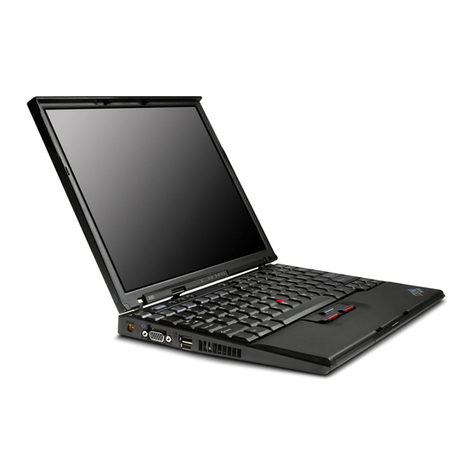
  9. IBM ThinkPad T20 Owner's manual

IBM ThinkPad T20 Owner's manual

Other manuals for ThinkPad T20

3

Other IBM Laptop manuals

IBM THINKPAD A30 User manual

IBM

IBM THINKPAD A30 User manual

IBM CL57 User manual

IBM

IBM CL57 User manual

IBM ThinkPad A22e Owner's manual

IBM

IBM ThinkPad A22e Owner's manual

IBM THINKVANTAGE T60 Owner's manual

IBM

IBM THINKVANTAGE T60 Owner's manual

IBM ThinkPad TransNote User manual

IBM

IBM ThinkPad TransNote User manual

IBM ThinkPad T30 Series User manual

IBM

IBM ThinkPad T30 Series User manual

IBM ThinkPad X20 User manual

IBM

IBM ThinkPad X20 User manual

IBM THINKVANTAGE T60 How to use

IBM

IBM THINKVANTAGE T60 How to use

IBM ThinkPad 560Z Manual

IBM

IBM ThinkPad 560Z Manual

IBM ThinkPad T20 2647 User manual

IBM

IBM ThinkPad T20 2647 User manual

IBM 5100 User manual

IBM

IBM 5100 User manual

IBM ThinkPad 240 User manual

IBM

IBM ThinkPad 240 User manual

IBM ThinkPad T500 - LENOVO - Genuine Windows 7 Home Premium... User manual

IBM

IBM ThinkPad T500 - LENOVO - Genuine Windows 7 Home Premium... User manual

IBM THINKPAD Z61E User manual

IBM

IBM THINKPAD Z61E User manual

IBM ThinkPad A22e Manual

IBM

IBM ThinkPad A22e Manual

IBM THINKVANTAGE T60 User manual

IBM

IBM THINKVANTAGE T60 User manual

IBM ThinkPad 770X User manual

IBM

IBM ThinkPad 770X User manual

IBM THINKPAD 92P1956

IBM

IBM THINKPAD 92P1956

IBM ThinkPad C79EGMST Service manual

IBM

IBM ThinkPad C79EGMST Service manual

IBM ThinkPad T40 Owner's manual

IBM

IBM ThinkPad T40 Owner's manual

IBM THINKPAD S05L-1270-01 User manual

IBM

IBM THINKPAD S05L-1270-01 User manual

IBM ThinkPad 760CD User manual

IBM

IBM ThinkPad 760CD User manual

IBM ThinkPad 560Z User manual

IBM

IBM ThinkPad 560Z User manual

IBM ThinkPad 240 User manual

IBM

IBM ThinkPad 240 User manual

Popular Laptop manuals by other brands

EUROCOM ARMADILLO 2 W840AU Service manual

EUROCOM

EUROCOM ARMADILLO 2 W840AU Service manual

HP EliteBook 8570p Maintenance and service guide

HP

HP EliteBook 8570p Maintenance and service guide

Toshiba L300-EZ1522 Specifications

Toshiba

Toshiba L300-EZ1522 Specifications

HP Compaq 6520s Maintenance and service guide

HP

HP Compaq 6520s Maintenance and service guide

Lenovo ThinkPad T530 null

Lenovo

Lenovo ThinkPad T530 null

Lenovo ThinkPad X1 Carbon user guide

Lenovo

Lenovo ThinkPad X1 Carbon user guide

Lenovo ThinkPad T400s Ghid de service şi depanare

Lenovo

Lenovo ThinkPad T400s Ghid de service şi depanare

Toshiba TE2000 user manual

Toshiba

Toshiba TE2000 user manual

Acer SP514-51N user manual

Acer

Acer SP514-51N user manual

Fujitsu P1620 - LifeBook - Core 2 Duo 1.2 GHz Getting started

Fujitsu

Fujitsu P1620 - LifeBook - Core 2 Duo 1.2 GHz Getting started

Dell G3 15 Setup and specifications

Dell

Dell G3 15 Setup and specifications

Clevo D400P Service manual

Clevo

Clevo D400P Service manual

HP EliteBook 840r G4 Maintenance and service guide

HP

HP EliteBook 840r G4 Maintenance and service guide

Clevo NL51CU Service manual

Clevo

Clevo NL51CU Service manual

Dell Inspiron 3700 Get started

Dell

Dell Inspiron 3700 Get started

Toshiba R700-S1320 Specifications

Toshiba

Toshiba R700-S1320 Specifications

Lenovo ThinkPad 310D reference guide

Lenovo

Lenovo ThinkPad 310D reference guide

Sony PCG-F801A user guide

Sony

Sony PCG-F801A user guide

manuals.online logo
manuals.online logoBrands
  • About & Mission
  • Contact us
  • Privacy Policy
  • Terms and Conditions

Copyright 2025 Manuals.Online. All Rights Reserved.

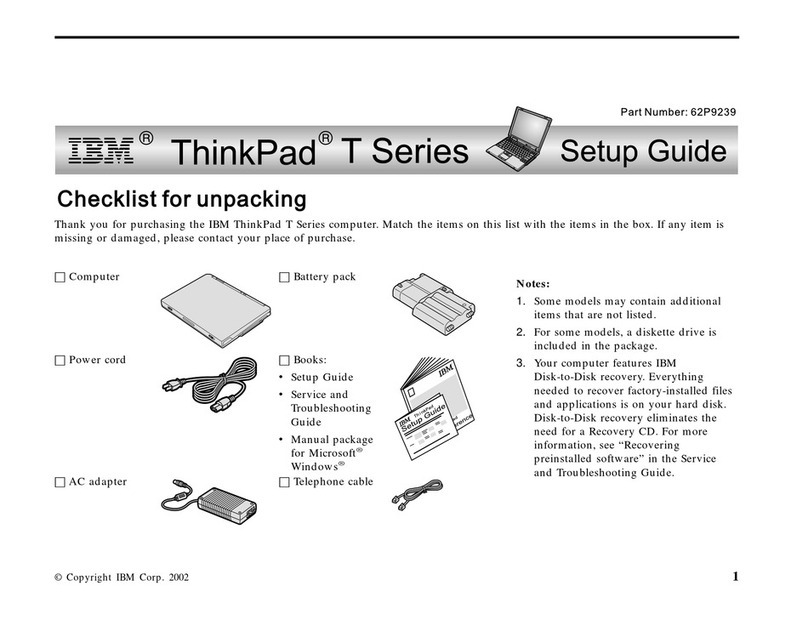
S19K-2331-00
IBM Mobile Systems
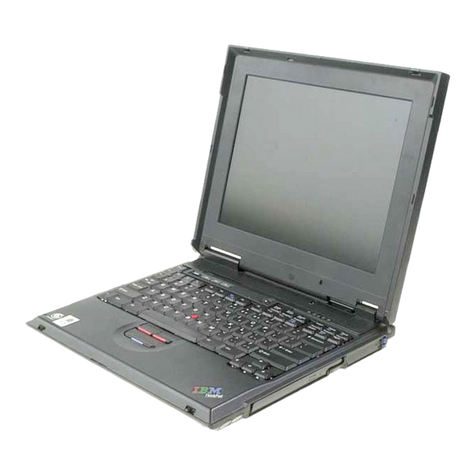
ThinkPad T20 (2647, 2648)
Hardware Maintenance
Manual
March 2000
Note
Before using this information and the product it
supports, be sure to read the general information
under “Notices” on page 103.
First Edition (March 2000)
The following paragraph does not apply to the United
Kingdom or any country where such provisions are
inconsistent with local law:
INTERNATIONAL BUSINESS MACHINES
CORPORATION PROVIDES THIS PUBLICATION “AS IS”
WITHOUT ANY WARRANTY OF ANY KIND, EITHER
EXPRESS OR IMPLIED, INCLUDING, BUT NOT LIMITED
TO, THE LIMITED WARRANTIES OF
MERCHANTABILITY OR FITNESS FOR A PARTICULAR
PURPOSE. Some states do not allow disclaimer or
express or implied warranties in certain transactions;
therefore, this statement may not apply to you.
This publication could include technical inaccuracies or
typographical errors. Changes are periodically made to
the information herein; these changes will be incorporated
in new editions of the publication. IBM may make
improvements or changes to the products or the programs
described in this publication at any time.
It is possible that this publication may contain references
to, or information about, IBM products (machines and
programs), programming, or services that are not
announced in your country. Such references or
information must not be construed to mean that IBM
intends to announce such IBM products, programming, or
services in your country.
Requests for technical information about IBM products
should be made to your IBM authorized dealer or your IBM
marketing representative.
 Copyright International Business Machines
Corporation 2000. All rights reserved. Note to U.S.
Government Users – Documentation related to restricted
rights – Use, duplication, or disclosure is subject to
restrictions set forth in GSA ADP Schedule Contract with
IBM Corp.
Contents
Introduction . . . . . . . . . . . . . . . . . . . 1
Important service information ........... 1
How to use error messages .......... 2
Diskette compatibility matrix ............ 2
Safety notices: multilingual translations ....... 3
Safety information . . . . . . . . . . . . . . . . . 10
General safety . . . . . . . . . . . . . . . . . 10
Electrical safety . . . . . . . . . . . . . . . . 11
Safety inspection guide ............ 13
Handling electrostatic discharge-sensitive devices 14
Grounding requirements . . . . . . . . . . . . 14
Laser compliance statement ............ 15
General descriptions . . . . . . . . . . . . . . . 17
Read this first ................... 17
Related service information ............ 19
Service Web site ............... 19
Passwords . . . . . . . . . . . . . . . . . . 19
Power management . . . . . . . . . . . . . . 21
Checkout guide . . . . . . . . . . . . . . . . . . 24
Testing the computer ............. 24
Detecting system information with PC-Doctor . . 26
Power system checkout ............ 26
ThinkPad T20 . . . . . . . . . . . . . . . . . . 31
Product overview . . . . . . . . . . . . . . . . . 32
Specifications . . . . . . . . . . . . . . . . . 32
Status indicators . . . . . . . . . . . . . . . . 34
Fn key combinations .............. 38
Symptom-to-FRU index . . . . . . . . . . . . . . 39
Numeric error codes .............. 39
Error messages . . . . . . . . . . . . . . . . 41
Beep symptoms . . . . . . . . . . . . . . . . 42
LCD-related symptoms . . . . . . . . . . . . . 44
Intermittent problems . . . . . . . . . . . . . . 44
Undetermined problems . . . . . . . . . . . . 45
FRU replacement notices ............. 46
Screw notices . . . . . . . . . . . . . . . . . 46
Retaining serial numbers ............ 47
Removing and replacing a FRU .......... 49
1010 Battery pack . . . . . . . . . . . . . . . 50
1020 Backup battery . . . . . . . . . . . . . 51
1030 Hard-disk drive . . . . . . . . . . . . . 53
1040 DIMM . . . . . . . . . . . . . . . . . . 55
1050 Mini PCI adapter ............ 56
1060 Ultrabay 2000 device .......... 58
1070 Keyboard . . . . . . . . . . . . . . . . 59
1080 Keyboard CRU insulator ......... 62
1090 Fan assembly . . . . . . . . . . . . . . 63
1100 PC Card slot assembly .......... 64
 Copyright IBM Corp. 2000 iii
1110 Hinge cover . . . . . . . . . . . . . . . 66
1120 Keyboard bezel . . . . . . . . . . . . . 68
1130 Speaker . . . . . . . . . . . . . . . . . 70
1140 Hard-disk bay and RF ID adapter ..... 71
1150 Ultrabay 2000 slot ............ 72
1160 System board . . . . . . . . . . . . . . 74
1170 Microphone cable . . . . . . . . . . . . 75
2010 LCD assembly . . . . . . . . . . . . . . 76
2020 Front bezel . . . . . . . . . . . . . . . 78
2030 Inverter card . . . . . . . . . . . . . . 79
2040 LCD panel . . . . . . . . . . . . . . . 80
2050 Sub card . . . . . . . . . . . . . . . . 83
3010 ThinkPad Dock PCI cover ........ 84
3010 ThinkPad Dock top cover ........ 85
Locations . . . . . . . . . . . . . . . . . . . . . 89
Front view . . . . . . . . . . . . . . . . . . . 89
Rear view . . . . . . . . . . . . . . . . . . . 90
Bottom view . . . . . . . . . . . . . . . . . . 91
Parts list . . . . . . . . . . . . . . . . . . . . . 92
Miscellaneous parts . . . . . . . . . . . . . . 95
LCDFRU . . . . . . . . . . . . . . . . . . . 97
Keyboard . . . . . . . . . . . . . . . . . . . 99
Optional FRUs . . . . . . . . . . . . . . . . 100
Common parts . . . . . . . . . . . . . . . . 101
Notices . . . . . . . . . . . . . . . . . . . . . 103
Trademarks . . . . . . . . . . . . . . . . . 103
iv ThinkPad T20 HMM

Introduction
Important service information
Important
Diskette fixes are customer-installable. The diskette
fixes are posted on the IBM support site
(http://www.pc.ibm.com/support/).
Advise customers to contact the PC Company
HelpCenter at 800-772-2227 if they need assistance in
obtaining or installing any diskette fixes.
Customers in Canada should call IBM HelpPC at
800-565-3344 for assistance or download information.
The Canadian BBS phone numbers are:
Montreal 514-938-3022
Toronto 905-316-4255
Vancouver 604-664-6464
Winnipeg 204-934-2735
FRU replacement strategy
Before replacing parts
Ensure that all diskette fixes are installed before
replacing any FRUs listed in this manual.
Use the following strategy to prevent unnecessary FRU
replacement and service expense:
If you are instructed to replace a FRU but the
replacement does not correct the problem,
reinstall the original FRU before you continue.
Some computers have both a processor board and a
system board. If you are instructed to replace either
the processor board or the system board, and
replacing one of them does not correct the problem,
reinstall that board, and then replace the other one.
If an adapter or device consists of more than one
FRU, any of the FRUs may be the cause of the error.
Before replacing the adapter or device, remove the
FRUs, one by one, to see if the symptoms change.
Replace only the FRU that changed the symptoms.
Attention
The setup configuration on the computer you are
servicing may have been customized. Running
Automatic Configuration may alter the settings. Note
the current configuration settings (using the View
Configuration option); then, when service has been
completed, verify that those settings are in place.
 Copyright IBM Corp. 2000 1
Hard-disk drive replacement strategy:
Always try to run a low-level format before replacing a
hard-disk drive.
Attention
The drive startup sequence in the computer you are
servicing may have been changed. Be extremely
careful during write operations such as copying,
saving, or formatting. If you select an incorrect drive,
data or programs can be overwritten.
How to use error messages
Use the error codes displayed on the screen to diagnose
failures. If more than one error code is displayed, begin
the diagnosis with the first error code. Whatever causes
the first error code may also cause false error codes. If no
error code is displayed, see if the error symptom is listed
in the Symptom-to-FRU Index for the computer you are
servicing.
Diskette compatibility matrix
The compatibility of each of the drives with the diskettes
for it is as follows:
Diskette
drive Diskette
capacity Compatibility
3.5-inch 1.0MB Read and write
2.0MB Read and write
4.0MB Not compatible
2ThinkPad T20 HMM
Safety notices: multilingual translations
In this manual, safety notices appear in English with a
page number reference to the appropriate translation in
this section.
The safety notices are provided in English, French,
German, Italian, and Spanish, as follows:
Safety notice 1
Before the computer is powered-on after FRU
replacement, make sure all screws, springs, and other
small parts are in place and are not left loose inside
the computer. Verify this by shaking the computer
and listening for rattling sounds. Metallic parts or
metal flakes can cause electrical shorts.
Avant de remettre l'ordinateur sous tension après
remplacement d'une unité en clientèle, vérifiez que
tous les ressorts, vis et autres pièces sont bien en
place et bien fixées. Pour ce faire, secouez l'unité et
assurez-vous qu'aucun bruit suspect ne se produit.
Des pièces métalliques ou des copeaux de métal
pourraient causer un court-circuit.
Bevor nach einem FRU-Austausch der Computer
wieder angeschlossen wird, muß sichergestellt
werden, daß keine Schrauben, Federn oder andere
Kleinteile fehlen oder im Gehäuse vergessen wurden.
Der Computer muß geschüttelt und auf
Klappergeräusche geprüft werden. Metallteile
oder-splitter können Kurzschlüsse erzeugen.
Prima di accendere l'elaboratore dopo che é stata
effettuata la sostituzione di una FRU, accertarsi che
tutte le viti, le molle e tutte le altri parti di piccole
dimensioni siano nella corretta posizione e non siano
sparse all'interno dell'elaboratore. Verificare
ciÎÎscuotendo l'elaboratore e prestando attenzione ad
eventuali rumori; eventuali parti o pezzetti metallici
possono provocare cortocircuiti pericolosi.
Antes de encender el sistema despues de sustituir
una FRU, compruebe que todos los tornillos, muelles
y demás piezas pequeñas se encuentran en su sitio y
no se encuentran sueltas dentro del sistema.
Compruébelo agitando el sistema y escuchando los
posibles ruidos que provocarían. Las piezas metálicas
pueden causar cortocircuitos eléctricos.
Introduction 3
Safety notice 2
DANGER:
Some standby batteries contain a small amount of nickel and
cadmium. Do not disassemble a standby battery, recharge it,
throw it into fire or water, or short-circuit it. Dispose of the
battery as required by local ordinances or regulations. Use
only the battery in the appropriate parts listing. Use of an
incorrect battery can result in ignition or explosion of the
battery.
Certaines batteries de secours contiennent du nickel et du
cadmium. Ne les démontez pas, ne les rechargez pas, ne les
exposez ni au feu ni à l'eau. Ne les mettez pas en court-
circuit. Pour les mettre au rebut, conformez-vous à la
réglementation en vigueur. Lorsque vous remplacez la pile de
sauvegarde ou celle de l'horloge temps réel, veillez à n'utiliser
que les modèles cités dans la liste de pièces détachées
adéquate. Une batterie ou une pile inappropriée risque de
prendre feu ou d'exploser.
Die Bereitschaftsbatterie, die sich unter dem Diskettenlaufwerk
befindet, kann geringe Mengen Nickel und Cadmium
enthalten. Sie darf nur durch die Verkaufsstelle oder den IBM
Kundendienst ausgetauscht werden. Sie darf nicht zerlegt,
wiederaufgeladen, kurzgeschlossen, oder Feuer oder Wasser
ausgesetzt werden. Die Batterie kann schwere
Verbrennungen oder Verätzungen verursachen. Bei der
Entsorgung die örtlichen Bestimmungen für Sondermüll
beachten. Beim Ersetzen der Bereitschafts-oder
Systembatterie nur Batterien des Typs verwenden, der in der
Ersatzteilliste aufgeführt ist. Der Einsatz falscher Batterien
kann zu Entzündung oder Explosion führen.
Alcune batterie di riserva contengono una piccola quantità di
nichel e cadmio. Non smontarle, ricaricarle, gettarle nel fuoco
o nell'acqua né cortocircuitarle. Smaltirle secondo la
normativa in vigore (DPR 915/82, successive disposizioni e
disposizioni locali). Quando si sostituisce la batteria dell'RTC
(real time clock) o la batteria di supporto, utilizzare soltanto i
tipi inseriti nell'appropriato Catalogo parti. L'impiego di una
batteria non adatta potrebbe determinare l'incendio o
l'esplosione della batteria stessa.
Algunas baterías de reserva contienen una pequeña cantidad
de níquel y cadmio. No las desmonte, ni recargue, ni las
eche al fuego o al agua ni las cortocircuite. Deséchelas tal
como dispone la normativa local. Utilice sólo baterías que se
encuentren en la lista de piezas. La utilización de una batería
no apropiada puede provocar la ignición o explosión de la
misma.
4ThinkPad T20 HMM

Safety notice 3
DANGER:
The battery pack contains small amounts of nickel.
Do not disassemble it, throw it into fire or water, or
short-circuit it. Dispose of the battery pack as
required by local ordinances or regulations. Use only
the battery in the appropriate parts listing when
replacing the battery pack. Use of an incorrect battery
can result in ignition or explosion of the battery.
La batterie contient du nickel. Ne la démontez pas,
ne l'exposez ni au feu ni à l'eau. Ne la mettez pas en
court- circuit. Pour la mettre au rebut, conformez-vous
à la réglementation en vigueur. Lorsque vous
remplacez la batterie, veillez à n'utiliser que les
modèles cités dans la liste de pièces détachées
adéquate. En effet, une batterie inappropriée risque
de prendre feu ou d'exploser.
Akkus enthalten geringe Mengen von Nickel. Sie
dürfen nicht zerlegt, wiederaufgeladen,
kurzgeschlossen, oder Feuer oder Wasser ausgesetzt
werden. Bei der Entsorgung die örtlichen
Bestimmungen für Sondermüll beachten. Beim
Ersetzen der Batterie nur Batterien des Typs
verwenden, der in der Ersatzteilliste aufgeführt ist. Der
Einsatz falscher Batterien kann zu Entzündung oder
Explosion führen.
La batteria contiene piccole quantità di nichel. Non
smontarla, gettarla nel fuoco o nell'acqua né
cortocircuitarla. Smaltirla secondo la normativa in
vigore (DPR 915/82, successive disposizioni e
disposizioni locali). Quando si sostituisce la batteria,
utilizzare soltanto i tipi inseriti nell'appropriato
Catalogo parti. L'impiego di una batteria non adatta
potrebbe determinare l'incendio o l'esplosione della
batteria stessa.
Las baterías contienen pequeñas cantidades de
níquel. No las desmonte, ni recargue, ni las eche al
fuego o al agua ni las cortocircuite. Deséchelas tal
como dispone la normativa local. Utilice sólo baterías
que se encuentren en la lista de piezas al sustituir la
batería. La utilización de una batería no apropiada
puede provocar la ignición o explosión de la misma.
Introduction 5
Safety notice 4
DANGER:
The lithium battery can cause a fire, an explosion, or a
severe burn. Do not recharge it, remove its polarized
connector, disassemble it, heat it above 100°C
(212°F), incinerate it, or expose its cell contents to
water. Dispose of the battery as required by local
ordinances or regulations. Use only the battery in the
appropriate parts listing. Use of an incorrect battery
can result in ignition or explosion of the battery.
La pile de sauvegarde contient du lithium. Elle
présente des risques d'incendie, d'explosion ou de
brûlures graves. Ne la rechargez pas, ne retirez pas
son connecteur polarisé et ne la démontez pas. Ne
l'exposez pas à une temperature supérieure à 100°C,
ne la faites pas brûler et n'en exposez pas le contenu
à l'eau. Mettez la pile au rebut conformément à la
réglementation en vigueur. Une pile inappropriée
risque de prendre feu ou d'exploser.
Die Systembatterie ist eine Lithiumbatterie. Sie kann
sich entzünden, explodieren oder schwere
Verbrennungen hervorrufen. Batterien dieses Typs
dürfen nicht aufgeladen, zerlegt, über 100 C erhitzt
oder verbrannt werden. Auch darf ihr Inhalt nicht mit
Wasser in Verbindung gebracht oder der zur richtigen
Polung angebrachte Verbindungsstecker entfernt
werden. Bei der Entsorgung die örtlichen
Bestimmungen für Sondermüll beachten. Beim
Ersetzen der Batterie nur Batterien des Typs
verwenden, der in der Ersatzteilliste aufgeführt ist.
Der Einsatz falscher Batterien kann zu Entzündung
oder Explosion führen.
La batteria di supporto e una batteria al litio e puo
incendiarsi, esplodere o procurare gravi ustioni.
Evitare di ricaricarla, smontarne il connettore
polarizzato, smontarla, riscaldarla ad una temperatura
superiore ai 100 gradi centigradi, incendiarla o gettarla
in acqua. Smaltirla secondo la normativa in vigore
(DPR 915/82, successive disposizioni e disposizioni
locali). L'impiego di una batteria non adatta potrebbe
determinare l'incendio o l'esplosione della batteria
stessa.
La batería de repuesto es una batería de litio y puede
provocar incendios, explosiones o quemaduras
graves. No la recargue, ni quite el conector
polarizado, ni la desmonte, ni caliente por encima de
los 100°C (212°F), ni la incinere ni exponga el
contenido de sus celdas al agua. Deséchela tal como
dispone la normativa local.
6ThinkPad T20 HMM