EnglishDeutsch
 logo
Brands
  1. Home
  2. •
  3. Brands
  4. •
  5. iHome
  6. •
  7. Speakers System
  8. •
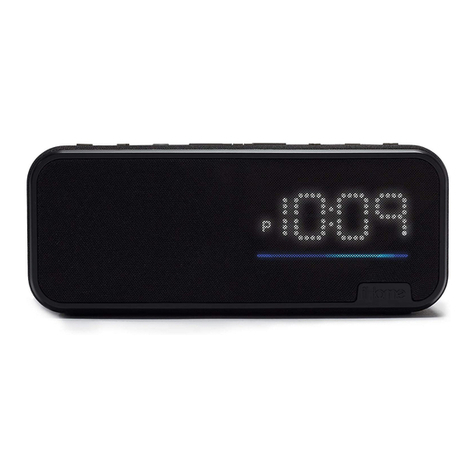
  9. iHome iAV2 User manual

iHome iAV2 User manual

Other iHome Speakers System manuals

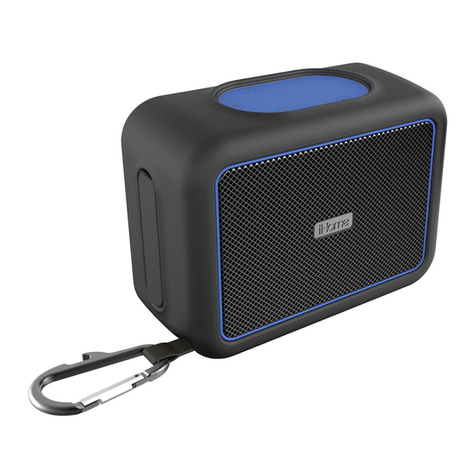
iHome iBT297 User manual

iHome

iHome iBT297 User manual

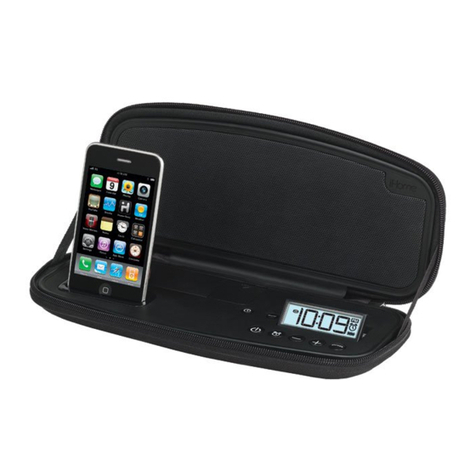
iHome IP48 User manual

iHome

iHome IP48 User manual

iHome iAV14 User manual

iHome

iHome iAV14 User manual

iHome ibt35 User manual

iHome

iHome ibt35 User manual

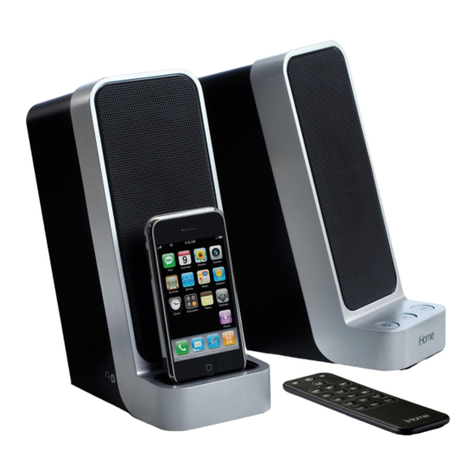
iHome iP71 User manual

iHome

iHome iP71 User manual

iHome iAVS1 Operating and maintenance instructions

iHome

iHome iAVS1 Operating and maintenance instructions

iHome iHome iBT30 User manual

iHome

iHome iHome iBT30 User manual

iHome iW2 air series User manual

iHome

iHome iW2 air series User manual

iHome iBTW281 User manual

iHome

iHome iBTW281 User manual

iHome iBTW39 User manual

iHome

iHome iBTW39 User manual

iHome IBTW39v2 User manual

iHome

iHome IBTW39v2 User manual

iHome iAV2v2 User manual

iHome

iHome iAV2v2 User manual

iHome iH10 User manual

iHome

iHome iH10 User manual

iHome DF-M9 User manual

iHome

iHome DF-M9 User manual

iHome iBN48 User manual

iHome

iHome iBN48 User manual

iHome iP76 User manual

iHome

iHome iP76 User manual

iHome IP56 User manual

iHome

iHome IP56 User manual

iHome iBN6 User manual

iHome

iHome iBN6 User manual

iHome Kineta iKN150 User manual

iHome

iHome Kineta iKN150 User manual

iHome iD48 User manual

iHome

iHome iD48 User manual

iHome iW2 Guide

iHome

iHome iW2 Guide

iHome IHM18 User manual

iHome

iHome IHM18 User manual

iHome SMARTDESIGN series iC3 User manual

iHome

iHome SMARTDESIGN series iC3 User manual

iHome iW3 air series User manual

iHome

iHome iW3 air series User manual

Popular Speakers System manuals by other brands

JVC MX-KA3 - Mini Shelf System null

JVC

JVC MX-KA3 - Mini Shelf System null

JVC CA-MXK5R instructions

JVC

JVC CA-MXK5R instructions

LG NB4532B owner's manual

LG

LG NB4532B owner's manual

JVC CA-FSH100 instructions

JVC

JVC CA-FSH100 instructions

5Core Pro Series Operation manual

5Core

5Core Pro Series Operation manual

EAW MQV1394e Specifications

EAW

EAW MQV1394e Specifications

Lynx GXR-LA10A user manual

Lynx

Lynx GXR-LA10A user manual

iLive ITB066B user guide

iLive

iLive ITB066B user guide

RDX QuickStation 4 product manual

RDX

RDX QuickStation 4 product manual

Electro-Voice S-122 Specifications

Electro-Voice

Electro-Voice S-122 Specifications

Sven SPS-619 GOLD Operation manual

Sven

Sven SPS-619 GOLD Operation manual

Pioneer CS-7070 instruction manual

Pioneer

Pioneer CS-7070 instruction manual

EAW UB82e Technical specifications

EAW

EAW UB82e Technical specifications

Sondpex Active Speaker System and Digital Music... User manual and installation instructions

Sondpex

Sondpex Active Speaker System and Digital Music... User manual and installation instructions

JVC NX-PN7 instructions

JVC

JVC NX-PN7 instructions

Yamaha NX-A01 - Speaker Sys Product bulletin

Yamaha

Yamaha NX-A01 - Speaker Sys Product bulletin

SE Audiotechnik I-LINE manual

SE Audiotechnik

SE Audiotechnik I-LINE manual

Gemini WRX-843 Series user manual

Gemini

Gemini WRX-843 Series user manual

https://manuals.online logo
https://manuals.online logoBrands
  • About & Mission
  • Contact us
  • Privacy Policy
  • Terms and Conditions

Copyright 2026 Manuals.Online. All Rights Reserved.

DC 12V,1.5A
DC 12V,1.5A
DC 12V,1.5A
DC 12V,1.5A
FRONT
INTERIOR
CONNECTING TO YOUR AMAZON ECHO DOT
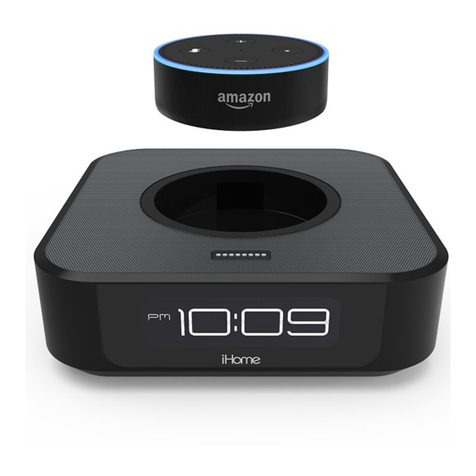
Docking Your Amazon Echo Dot
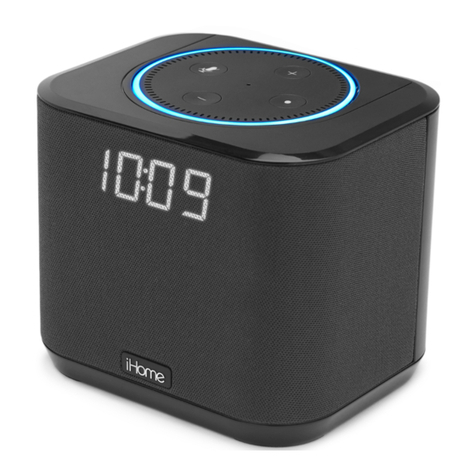
Bedside Speaker System
Model: iAV2
for Amazon Echo Dot
QUICK START GUIDE
»iAV2 » USB cable » Universal voltage adapter
7
6
9
10
10
» Connect the included USB cable to the Dot USB Charge Port , then connect the
other end of the cable to the Echo Dot USB port.
» Connect the AC power adapter to the DC jack .
» Align the rear of the Echo Dot (the side with the USB port and Aux Jack) with the
opening in the iAV2 dock well and place with the ports facing the back.
» Connect the built-in Aux-in cable on the back of the iAV2 to the Aux jack of your
Echo Dot.
» You can now “Ask Alexa” to access all the functions of Echo Dot and hear the audio
through the iAV2.
BACK
BACK
“Alexa, stop”
“Alexa, mute” or “Alexa, unmute”
Low Battery
Indicator
When lit, backup
battery needs
replacing
PM
Indicator
When lit,
time is PM
“Alexa, set volume to 5”
“Alexa, turn up/down the volume”
Contact Us: 1 •800•288•2792
For full warranty and full instructions
visit: www.ihome.com/support
VOLUME CONTROL
THE DISPLAY
» Use the volume control on the Amazon Echo Dot to adjust the volume to your desired
level.
» TIP: You can use Alexa voice commands to change volume or stop/pause playback.
» TIP: Press the + and – Buttons on iAV2 together during clock setting to switch
display from standard 12 hour to 24 hour display.
1 Clock Setting Button
Press and hold for 2 seconds
until clock starts flashing to
start clock setting. Adjust with
+/– Buttons. Press again to
complete clock setting.
NOTE: Alexa cannot set clock
2/3 +/– Setting Buttons
Press and release to adjust
clock during setting (hold for
rapid adjust)
4 Dimmer Button
Press and release to adjust
display brightness from high
5 Backup Battery Compart-
ment
Unscrew door with Phillips
screwdriver. Insert 1 CR2450
battery as shown to maintain
clock setting during power
interruption.
6/7 AC adapter/DC Jack
Connect the included AC
adapter to the DC jack located
on the back of the unit and
connect the other end to a
working wall outlet.
8 USB Charge Device Port
Connect a standard USB cable
(not included) to charge
mobile devices.
9 Dot USB Charge Port
10 Hardwired Aux cable
Powering Amazon Echo Dot
Amazon, Alexa, Echo Dot and all
related logos are trademarks of
iAV2-A-A
Service Number:
DC 3V,CR2450 x 1
Clock Backup:
DC 7.5V,2A
AC Adaptor:
Designedand Engineered in the USA
Made fortheAmazon Dot (2nd Gen)
Manufactured & Serviced by SDI TechnologiesInc.
www.ihome.com TollFree: 1-800-288-2792
Made in China Patents: www.ihome.com/patents
iAV2
MODEL
BOTTOM
5
2
13
BACK
4
TOP
Amazon Echo Dot Dock
RESET
RESET
TEST
TEST
89
710
6
NOTE: Remove Battery
pulltab before use
Playing Amazon Echo Dot Audio
DC 12V,1.5A
» NOTE: Backup battery only maintains clock settings
during a power interruption. Unit does NOT operate on battery.

DC 12V,1.5A
DC 12V,1.5A
DC 12V,1.5A
DC 12V,1.5A
FCC Information
This device complies with Part 15 of the FCC Rules, operation is subject to the following two conditions: (1) This
device may not cause harmful interference, and (2) this device must accept any interference received, including
interference that may cause undesired operation.
FCC Radiation Exposure Statement
The device has been evaluated to meet general RF exposure requirement.
The device can be used in portable exposure condition without restriction.
• Warning: Changes or modifications to this unit not expressly approved by the party responsible for compliance could void
the user’s authority to operate the equipment.
• NOTE: This equipment has been tested and found to comply with the limits for a Class B digital device, pursuant to Part 15
of the FCC Rules.
These limits are designed to provide reasonable protection against harmful interference in a residential installation. This
equipment generates, uses and can radiate radio frequency energy and, if not installed and used in accordance with the
instructions, may cause harmful interference to radio communications.
However, there is no guarantee that interference will not occur in a particular installation. If this equipment does cause harmful
encouraged to try to correct the interference by one or more of the following measures:
• Reorient or relocate the receiving antenna.
• Increase the separation between the equipment and receiver.
• Consult the dealer or an experienced radio/TV technician for help.
CAN ICES-3 (B)/NMB-3(B)
Canada Statement
This device complies with Industry Canada’s licence-exempt RSSs. Operation is subject to the following two conditions:
(1) This device may not cause interference; and
(2) This device must accept any interference, including interference that may cause undesired operation of the device.
Le présent appareil est conforme aux CNR d’Industrie Canada applicables aux appareils radio exempts de licence. L’exploitation
est autorisée aux deux conditions suivantes :
(1) l’appareil ne doit pas produire de brouillage;
(2) l’utilisateur de l’appareil doit accepter tout brouillage radioélectrique subi, même si le brouillage est susceptible d’en
compromettre le fonctionnement.
The device has been evaluated to meet general RF exposure requirement.
The device can be used in portable exposure condition without restriction.
le dispositif a été évalué à satisfaire l'exigence générale de l'exposition aux rf.
l'appareil peut être utilisé dans des conditions d'exposition portatif sans restriction.
WARNING/DISPOSAL OF UNIT
To dispose of the unit, follow the instructions below:
• Never dispose of used batteries/electronics with ordinary solid wastes, since they contain toxic substances.
• Always dispose of used batteries/electronics in accordance with the prevailing community regulations.
• Many electronics retailers now recycle batteries and other electronic components at no charge.
GENERAL BATTERY PRECAUTIONS
• Never use or charge a battery if it appears to be leaking, discolored, deformed, or in any way abnormal.
• Never disassemble the unit or attempt to remove battery as that could cause leakage of alkaline solution or other
electrolytic substances.
• Never expose a battery to any liquid.
• Never expose a battery to excessive heat such as direct sunlight or fire. Never use a battery pack in an unventilated vehicle
where excessive internal temperatures may be encountered.
• Always keep batteries out of the reach of infants and small children.
Printed in ChinaiAV2-180226-B
Model: iAV2
FRONT
BACK
INTERIOR
CONNECTING TO YOUR AMAZON ECHO DOT
Docking Your Amazon Echo Dot
Bedside Speaker System
Model: iAV2
for Amazon Echo Dot
» Universal voltage adapter
7
6
9
10
10
» Connect the included USB cable to the Dot USB Charge Port , then connect the
other end of the cable to the Echo Dot USB port.
» Connect the AC power adapter to the DC jack .
» Align the rear of the Echo Dot (the side with the USB port and Aux Jack) with the
opening in the iAV2 dock well and place with the ports facing the back.
» Connect the built-in Aux-in cable on the back of the iAV2 to the Aux jack of your
Echo Dot.
» You can now “Ask Alexa” to access all the functions of Echo Dot and hear the audio
through the iAV2.
iAV2 QSG (English)
Size: 280 x 160 mm (folded: 140 x 160 mm)
Color: print Black and
Material: 260gsm Art Card, 4C + 4C
Feb 26, 2018
BACK
BACK
“Alexa, stop”
“Alexa, mute” or “Alexa, unmute”
Low Battery
Indicator
When lit, backup
battery needs
replacing
PM
Indicator
When lit,
time is PM
“Alexa, set volume to 5”
“Alexa, turn up/down the volume”
Contact Us: 1 •800•288•2792
For full warranty and full instructions
visit: www.ihome.com/support
VOLUME CONTROL
THE DISPLAY
» Use the volume control on the Amazon Echo Dot to adjust the volume to your desired
level.
» TIP: You can use Alexa voice commands to change volume or stop/pause playback.
9 Dot USB Charge Port
10 Hardwired Aux cable
Powering Amazon Echo Dot
Amazon, Alexa, Echo Dot and all
related logos are trademarks of
iAV2-A-A
Service Number:
DC 3V,CR2450 x 1
Clock Backup:
DC 7.5V,2A
AC Adaptor:
Designedand Engineered in the USA
Made fortheAmazon Dot (2nd Gen)
Manufactured & Serviced by SDI TechnologiesInc.
www.ihome.com TollFree: 1-800-288-2792
Made in China Patents: www.ihome.com/patents
iAV2
MODEL
BOTTOM
5
2
13
BACK
4
TOP
Amazon Echo Dot Dock
RESET
RESET
TEST
TEST
89
710
6
NOTE: Remove Battery
pulltab before use
Playing Amazon Echo Dot Audio
DC 12V,1.5A
» NOTE: Backup battery only maintains clock settings
during a power interruption. Unit does NOT operate on battery.
DC 12V,1.5A
DC 12V,1.5A
DC 12V,1.5A
DC 12V,1.5A
FCC Information
This device complies with Part 15 of the FCC Rules, operation is subject to the following two conditions: (1) This
device may not cause harmful interference, and (2) this device must accept any interference received, including
interference that may cause undesired operation.
FCC Radiation Exposure Statement
The device has been evaluated to meet general RF exposure requirement.
The device can be used in portable exposure condition without restriction.
• Warning: Changes or modifications to this unit not expressly approved by the party responsible for compliance could void
the user’s authority to operate the equipment.
• NOTE: This equipment has been tested and found to comply with the limits for a Class B digital device, pursuant to Part 15
of the FCC Rules.
These limits are designed to provide reasonable protection against harmful interference in a residential installation. This
equipment generates, uses and can radiate radio frequency energy and, if not installed and used in accordance with the
instructions, may cause harmful interference to radio communications.
However, there is no guarantee that interference will not occur in a particular installation. If this equipment does cause harmful
encouraged to try to correct the interference by one or more of the following measures:
• Reorient or relocate the receiving antenna.
• Increase the separation between the equipment and receiver.
• Consult the dealer or an experienced radio/TV technician for help.
CAN ICES-3 (B)/NMB-3(B)
Canada Statement
This device complies with Industry Canada’s licence-exempt RSSs. Operation is subject to the following two conditions:
(1) This device may not cause interference; and
(2) This device must accept any interference, including interference that may cause undesired operation of the device.
Le présent appareil est conforme aux CNR d’IndustrieCanadaapplicables aux appareils radio exempts de licence. L’exploitation
est autorisée aux deux conditions suivantes :
(1) l’appareil ne doit pas produire de brouillage;
(2) l’utilisateur de l’appareil doit accepter tout brouillage radioélectrique subi, même si le brouillage est susceptible d’en
compromettre le fonctionnement.
The device has been evaluated to meet general RF exposure requirement.
The device can be used in portable exposure condition without restriction.
le dispositif a été évalué à satisfaire l'exigence générale de l'exposition aux rf.
l'appareil peut être utilisé dans des conditions d'exposition portatif sans restriction.
WARNING/DISPOSAL OF UNIT
To dispose of the unit, follow the instructions below:
• Never dispose of used batteries/electronics with ordinary solid wastes, since they contain toxic substances.
• Always dispose of used batteries/electronics in accordance with the prevailing community regulations.
• Many electronics retailers now recycle batteries and other electronic components at no charge.
GENERAL BATTERY PRECAUTIONS
• Never use or charge a battery if it appears to be leaking, discolored, deformed, or in any way abnormal.
• Never disassemble the unit or attempt to remove battery as that could cause leakage of alkaline solution or other
electrolytic substances.
• Never expose a battery to any liquid.
• Never expose a battery to excessive heat such as direct sunlight or fire. Never use a battery pack in an unventilated vehicle
where excessive internal temperatures may be encountered.
• Always keep batteries out of the reach of infants and small children.
Printed in ChinaiAV2-180226-B
Model: iAV2
FRONT
BACK
INTERIOR
CONNECTING TO YOUR AMAZON ECHO DOT
Docking Your Amazon Echo Dot
Bedside Speaker System
Model: iAV2
for Amazon Echo Dot
QUICK START GUIDE
»iAV2 » USB cable » Universal voltage adapter
7
6
9
10
10
»Connect the included USB cable to the Dot USB Charge Port , then connect the
other end of the cable to the Echo Dot USB port.
»Connect the AC power adapter to the DC jack .
»Align the rear of the Echo Dot (the side with the USB port and Aux Jack) with the
opening in the iAV2 dock well and place with the ports facing the back.
»Connect the built-in Aux-in cable on the back of the iAV2 to the Aux jack of your
Echo Dot.
»You can now “Ask Alexa” to access all the functions of Echo Dot and hear the audio
through the iAV2.
iAV2 QSG (English)
Size: 280 x 160 mm (folded: 140 x 160 mm)
Color: print Black and
Material: 260gsm Art Card, 4C + 4C
Feb 26, 2018
BACK
BACK
» TIP: Press the + and – Buttons on iAV2 together during clock setting to switch
display from standard 12 hour to 24 hour display.

1 Clock Setting Button
Press and hold for 2 seconds
until clock starts flashing to
start clock setting. Adjust with

+/– Buttons. Press again to
complete clock setting.
NOTE: Alexa cannot set clock
2/3 +/– Setting Buttons
Press and release to adjust
clock during setting (hold for
rapid adjust)
4 Dimmer Button
Press and release to adjust
display brightness from high
5 Backup Battery Compart-
ment
Unscrew door with Phillips
screwdriver. Insert 1 CR2450
battery as shown to maintain
clock setting during power
interruption.
6/7 AC adapter/DC Jack
Connect the included AC
adapter to the DC jack located
on the back of the unit and
connect the other end to a
working wall outlet.
8 USB Charge Device Port
Connect a standard USB cable
(not included) to charge
mobile devices.
9 Dot USB Charge Port
10 Hardwired Aux cable
Powering Amazon Echo Dot
iAV2-A-A
Service Number:
DC 3V,CR2450 x 1
Clock Backup:
DC 7.5V,2A
AC Adaptor:
Designedand Engineered in the USA
Made fortheAmazon Dot (2nd Gen)
Manufactured & Serviced by SDI TechnologiesInc.
www.ihome.com TollFree: 1-800-288-2792
Made in China Patents: www.ihome.com/patents
iAV2
MODEL
BOTTOM
5
2
13
BACK
4
TOP
Amazon Echo Dot Dock
RESET
RESET
TEST
TEST
89
710
6
NOTE: Remove Battery
pulltab before use
Playing Amazon Echo Dot Audio
DC 12V,1.5A
FCC Information
This device complies with Part 15 of the FCC Rules, operation is subject to the following two conditions: (1) This
device may not cause harmful interference, and (2) this device must accept any interference received, including
interference that may cause undesired operation.
FCC Radiation Exposure Statement
The device has been evaluated to meet general RF exposure requirement.
The device can be used in portable exposure condition without restriction.
• Warning: Changes or modifications to this unit not expressly approved by the party responsible for compliance could void
the user’s authority to operate the equipment.
• NOTE: This equipment has been tested and found to comply with the limits for a Class B digital device, pursuant to Part 15
of the FCC Rules.
These limits are designed to provide reasonable protection against harmful interference in a residential installation. This
equipment generates, uses and can radiate radio frequency energy and, if not installed and used in accordance with the
instructions, may cause harmful interference to radio communications.
However, there is no guarantee that interference will not occur in a particular installation. If this equipment does cause harmful
encouraged to try to correct the interference by one or more of the following measures:
• Reorient or relocate the receiving antenna.
• Increase the separation between the equipment and receiver.
• Consult the dealer or an experienced radio/TV technician for help.
CAN ICES-3 (B)/NMB-3(B)
Canada Statement
This device complies with Industry Canada’s licence-exempt RSSs. Operation is subject to the following two conditions:
(1) This device may not cause interference; and
(2) This device must accept any interference, including interference that may cause undesired operation of the device.
Le présent appareil est conforme aux CNR d’IndustrieCanadaapplicables aux appareils radio exempts de licence. L’exploitation
est autorisée aux deux conditions suivantes :
(1) l’appareil ne doit pas produire de brouillage;
(2) l’utilisateur de l’appareil doit accepter tout brouillage radioélectrique subi, même si le brouillage est susceptible d’en
compromettre le fonctionnement.
The device has been evaluated to meet general RF exposure requirement.
The device can be used in portable exposure condition without restriction.
le dispositif a été évalué à satisfaire l'exigence générale de l'exposition aux rf.
l'appareil peut être utilisé dans des conditions d'exposition portatif sans restriction.
WARNING/DISPOSAL OF UNIT
To dispose of the unit, follow the instructions below:
• Never dispose of used batteries/electronics with ordinary solid wastes, since they contain toxic substances.
• Always dispose of used batteries/electronics in accordance with the prevailing community regulations.
• Many electronics retailers now recycle batteries and other electronic components at no charge.
GENERAL BATTERY PRECAUTIONS
• Never use or charge a battery if it appears to be leaking, discolored, deformed, or in any way abnormal.
• Never disassemble the unit or attempt to remove battery as that could cause leakage of alkaline solution or other
electrolytic substances.
• Never expose a battery to any liquid.
• Never expose a battery to excessive heat such as direct sunlight or fire. Never use a battery pack in an unventilated vehicle
where excessive internal temperatures may be encountered.
• Always keep batteries out of the reach of infants and small children.
Printed in ChinaiAV2-180226-B
Model: iAV2
FRONT
BACK
INTERIOR
Bedside Speaker System
Model: iAV2
for Amazon Echo Dot
QUICK START GUIDE
»iAV2 » USB cable » Universal voltage adapter
iAV2 QSG (English)
Size: 280 x 160 mm (folded: 140 x 160 mm)
Color: print Black and
Material: 260gsm Art Card, 4C + 4C
Feb 26, 2018
“Alexa, stop”
“Alexa, mute” or “Alexa, unmute”
Low Battery
Indicator
When lit, backup
battery needs
replacing
PM
Indicator
When lit,
time is PM
“Alexa, set volume to 5”
“Alexa, turn up/down the volume”
Contact Us: 1 •800•288•2792
For full warranty and full instructions
visit: www.ihome.com/support
VOLUME CONTROL
THE DISPLAY
»Use the volume control on the Amazon Echo Dot to adjust the volume to your desired
level.
»TIP: You can use Alexa voice commands to change volume or stop/pause playback.
» TIP: Press the + and – Buttons on iAV2 together during clock setting to switch
display from standard 12 hour to 24 hour display.
1 Clock Setting Button
Press and hold for 2 seconds
until clock starts flashing to
start clock setting. Adjust with
+/– Buttons. Press again to
complete clock setting.
NOTE: Alexa cannot set clock
2/3 +/– Setting Buttons
Press and release to adjust
clock during setting (hold for
rapid adjust)
4 Dimmer Button
Press and release to adjust
display brightness from high
5 Backup Battery Compart-
ment
Unscrew door with Phillips
screwdriver. Insert 1 CR2450
battery as shown to maintain
clock setting during power
interruption.
6/7 AC adapter/DC Jack
Connect the included AC
adapter to the DC jack located
on the back of the unit and
connect the other end to a
working wall outlet.
8 USB Charge Device Port
Connect a standard USB cable
(not included) to charge
mobile devices.
9 Dot USB Charge Port
10 Hardwired Aux cable
Amazon, Alexa, Echo Dot and all
related logos are trademarks of
iAV2-A-A
Service Number:
DC 3V,CR2450 x 1
Clock Backup:
DC 7.5V,2A
AC Adaptor:
Designedand Engineered in the USA
Made fortheAmazon Dot (2nd Gen)
Manufactured & Serviced by SDI TechnologiesInc.
www.ihome.com TollFree: 1-800-288-2792
Made in China Patents: www.ihome.com/patents
iAV2
MODEL
BOTTOM
5
2
13
BACK
4
TOP
Amazon Echo Dot Dock
RESET
RESET
TEST
TEST
89
710
6
NOTE: Remove Battery
pulltab before use
DC 12V,1.5A
»NOTE: Backup battery only maintains clock settings
during a power interruption. Unit does NOT operate on battery.