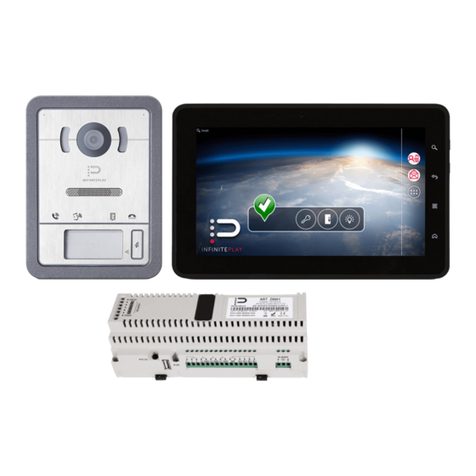
Infinite Play Pleats User guide

Z4010
Installer manual

2
EN
Pleats
CONTENTS
PLEATS VIDEO DOOR ENTRY SYSTEM ITEM Z4010 ....................................................................................................................................................................... 3
1-General information ................................................................................................................................................................................................................... 3
1.1-Product description .......................................................................................................................................................................................................... 3
1.2-Front view ......................................................................................................................................................................................................................... 4
1.3-Rear view .......................................................................................................................................................................................................................... 4
1.4- ide and bottom view ....................................................................................................................................................................................................... 4
1.5-Description of buttons ...................................................................................................................................................................................................... 5
2-Installation of video door entry system ...................................................................................................................................................................................... 7
2.1-Types of installation .......................................................................................................................................................................................................... 8
2.2-How to install the video door entry system ...................................................................................................................................................................... 8
3-Terminals and connectors of the video door entry system ........................................................................................................................................................ 9
4-Maintenance ............................................................................................................................................................................................................................ 10
4.1-How to wire an Ethernet cable ....................................................................................................................................................................................... 11
5- pecifications for wiring ........................................................................................................................................................................................................... 10
SETTINGS ..................................................................................................................................................................................................................................... 11
1-Info ........................................................................................................................................................................................................................................... 12
2-Friendly Name .......................................................................................................................................................................................................................... 12
3-Language .................................................................................................................................................................................................................................. 12
4- Time zone ................................................................................................................................................................................................................................ 12
5- ounds etting .......................................................................................................................................................................................................................... 12
5.1- Ringtones ....................................................................................................................................................................................................................... 12
5.2-Volume ........................................................................................................................................................................................................................... 12
5.3-Buttons sound ................................................................................................................................................................................................................ 12
6-Themes ..................................................................................................................................................................................................................................... 12
7-Call log ...................................................................................................................................................................................................................................... 12
8-Automatic answer .................................................................................................................................................................................................................... 12
9-Do not disturb .......................................................................................................................................................................................................................... 12
10-Doctor mode .......................................................................................................................................................................................................................... 12
11-End Call Lock Button ............................................................................................................................................................................................................... 13
12-Factory data reset ................................................................................................................................................................................................................... 13
13-Advanced ettings .................................................................................................................................................................................................................. 13
13.1-Device ........................................................................................................................................................................................................................... 13
13.1.1-Visibility .............................................................................................................................................................................................................. 13
13.1.1.1-Functions .................................................................................................................................................................................................. 13
13.1.1.2-Entrance panels ........................................................................................................................................................................................ 13
13.1.1.3-Video door entry systems ......................................................................................................................................................................... 13
13.1.1.4- witchboards ............................................................................................................................................................................................ 13
13.1.2-Buttons mapping ....................................................................................................................................................................................................... 13
13.1.3- O ............................................................................................................................................................................................................................ 13
13.1.4-Doctor mode .............................................................................................................................................................................................................. 13
13.1.5-Intercom Groups ........................................................................................................................................................................................................ 13
13.1.6- ave configuration ..................................................................................................................................................................................................... 14
13.2- ystem ................................................................................................................................................................................................................................. 14
13.2.1- ystem language ........................................................................................................................................................................................................ 14
13.2.2-Date and Time ........................................................................................................................................................................................................... 14
13.2.3-Password ................................................................................................................................................................................................................... 14
13.2.4-Master mode ............................................................................................................................................................................................................. 14
13.2.5-Power supplies .......................................................................................................................................................................................................... 14
13.2.6-Entrance panels mapping .......................................................................................................................................................................................... 14
CONNECTION DIAGRAMS ........................................................................................................................................................................................................... 14
1- ingle-family video door entry system ..................................................................................................................................................................................... 14
2-Two-family video door entry system ........................................................................................................................................................................................ 15
3-Two-family video door entry system with firewall ................................................................................................................................................................... 16
4-Multi-family video door entry system ...................................................................................................................................................................................... 17
5-Building complex ...................................................................................................................................................................................................................... 18
6-Additional ringtone and optional buttons connection diagram ................................................................................................................................................ 19
7- taircase lighting control connection diagram.......................................................................................................................................................................... 20
8-Door opening command connection diagram .......................................................................................................................................................................... 21

3
EN
Pleats
PLEATS VIDEO DOOR ENTRY SYSTEM ITEM Z4010
1-General infor ation
1.1-Product description
The product PLEAT item Z4010, is a hands-free IP video door entry system with POE power supply. It is
provided with a 4.3” LCD display.
The video door entry system is equipped with a proximity sensor that turns the device on when the user
gets near to it.
Through the backlit soft-touch buttons it is possible to interface with the video door entry system.
Backlit buttons and proximity sensor are not available in the low-cost version Z4000.L
PLEAT Z4010 allows to make and receive intercom and IP calls, it allows to receive calls from external
entrance panels and to self-start them.
It is possible to exploit the video door entry functions of the Z6001 and Z60DV products (Example:
opening the gate electric lock, switching on staircase lights, etc.).

4
EN
Pleats
1.2-Front view
1.3-Rear view
Proximity
sensor
Colour LCD
display
Microphones
Programmable
touch buttons
peaker
Ethernet
connector
Auxiliary
Connectors

5
EN
Pleats
1.4-Side and botto view
Volume buttons
Mini U B
connector
Reset button

6
EN
Pleats
1.5-Description of buttons
2
3
4
5
6
7
8
9
10
1

7
EN
Pleats
BUTTON PRIMARY FUNCTION SYMBOL
1 Programmable button 1
(In the menus it is used as BACK button)
2 Programmable button 2
3 Programmable button 3
(In the menus it is used as ELECT button)
4 Programmable button 4
(It is used as O button if set by the operator)
5 Programmable button 5
(Generally used for video door entry system function "gate electric lock opening")
6 Programmable button 6
(Generally used to perform an entrance panel self-start)
7 Programmable button 7
(Generally used for the light on video door entry system function)
8 Call button
(Used to answer, silence, close a call)
9 Volume + button
(In the menus it is used for scrolling; While typing to display additional characters)
+
10 Volume - button
(In the menus it is used for scrolling; While typing to display additional characters)
-
Button co binations:
Button and button : Activate/Deactivate the do not disturb mode.
Button and button : Activate/Deactivate the doctor mode.
Button and button : Opens the message list.
Button and button : Opens the call history.
Button and button : Opens the list of settings.
Button and button
+
: Increases the brightness of the display.
Button and button
-
: Decreases the brightness of the display.

8
EN
Pleats
2-Installation of video door entry syste
2.1-Types of installation
The PLEAT video door entry system can be installed in the following configurations:
1-Unified rectangular wall-mounted box with 3 modules in horizontal configuration, mounting plate and two M3 screws.
2-Unified rectangular wall-mounted box with 3 modules in vertical configuration, mounting plate, one M3 screw, two self-tapping screws
and two wall plugs.
3-Round wall-mounted box with 60mm diameter, mounting plate and two M3 screws.
4-Corrugated pipe (without wall-mounted box), two self-tapping screws and two wall plugs.
Screws, dowels and mountin plate are supplied as standard.
Types of installation
1
2
4
3

9
EN
Pleats
2.2-How to install the video door entry syste
1-The mounting plate must be positioned at a height of 145-150cm from the floor.
2-Fix the mounting plate to the wall-mounted box, taking care to pass the cables through the cable hole.
3-Insert the video door entry system on the hooks of the mounting plate.
4- lide the video door entry system down to lock it on the mounting plate.
To remove the video door entry system it is necessary to slide it upwards and then remove it from the support.
For the connection diagrams, refer to the CONNECTION DIAGRAM section located in the contents.
CAUTION: The video door entry syste ust be located away fro light and heat sources.
Installation
Height from the ground
145-150cm
Cable hole
Hooks for PLEAT
installation
Mounting plate
1
2
3
4

10
EN
Pleats
3-Ter inals and connectors of the video door entry syste
The following terminals and connectors are located on the back of the PLEAT video door entry system.
-8-pole cla p:
Used for additional 24V power supply (in case the POE power supply is not available).
24VDC+: Positive 24V.
24VDC-: Negative 24V.
M: Common mass.
CH: 12-24V AC-DC relay contact (The two terminals marked CH are a normally open contact).
FP: Landing call.
AL: Generic alarm.
P: Panic button.
- Ethernet connector:
Connector used for data traffic and POE power supply.
4-Maintenance
Clean the product using a soft cloth, do not pour water on the device and do not use any type of chemical product.
Figure 2
Ethernet connector
8-pole cla p
This manual suits for next models
1
Table of contents
Other Infinite Play Intercom System manuals
Infinite Play
Infinite Play PLEATS User manual
Infinite Play
Infinite Play Next Z7000 User manual

Infinite Play
Infinite Play PLEATS Z4000 User guide
Infinite Play
Infinite Play Small User manual
Infinite Play
Infinite Play ZK271 User manual
Infinite Play
Infinite Play Flat Z1001 User manual
Infinite Play
Infinite Play ZK171 User manual
Infinite Play
Infinite Play Z6001 User manual
Infinite Play
Infinite Play ZK217 User manual
Infinite Play
Infinite Play ZK117 User manual