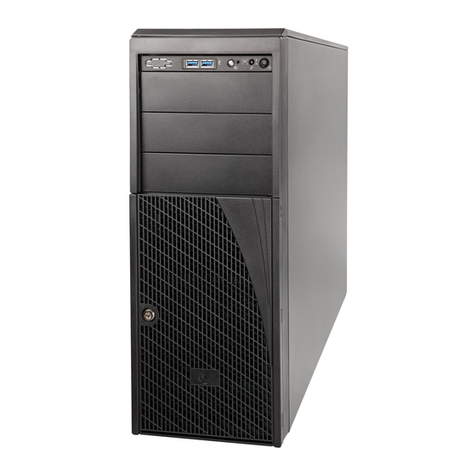
xIntel® Server System S7000FC4UR Product Guide
Shutting Down the Server .............................................................................37
Chapter 3: Intel®Server Deployment Toolkit .................................... 39
Chapter 4: Server Utilities .................................................................. 41
Using the BIOS Setup Utility .........................................................................41
Navigating the BIOS Setup Utility .........................................................41
System Configuration Reset .........................................................................43
Rolling BIOS ..................................................................................................45
Booting from Backup Image .................................................................45
Console Redirection ......................................................................................46
Serial Configuration Settings ................................................................46
Keystroke Mappings .............................................................................47
Limitations .............................................................................................48
Interface to Server Management ..........................................................48
Platform Confidence Test ..............................................................................49
Running the Platform Confidence Test .................................................50
Intel® Deployment Assistant .........................................................................51
System Setup and Configuration Utilities ......................................................51
Save and Restore System Configuration (SYSCFG) ...........................52
FWPIAUPD Firmware Load Utility ........................................................52
One-boot Flash Update Utility (OFU) ....................................................53
IFLASH32 BIOS Load Utility .................................................................53
FRUSDR Load Utility ............................................................................53
Extensible Firmware Interface (EFI) Shell .....................................................54
Chapter 5: User-Serviceable Components ....................................... 57
Before You Begin ..........................................................................................57
Tools and Supplies Needed ..................................................................57
System References ..............................................................................57
Removing and Installing the Chassis Cover .................................................57
Removing the Top Cover ......................................................................58
Installing the Top Cover ........................................................................59
Hot-swapping a Front System Fan ................................................................59
Hot-swapping a Rear System Fan ................................................................60
Hot-swapping a Hard Drive ...........................................................................62
Removing a Hard Drive Carrier ............................................................63
Mounting a Hard Drive in a Carrier .......................................................63
Installing a Hard Drive Carrier ..............................................................65
Hot-swapping a Power Supply ......................................................................66
Installing and Removing PCI Express* Add-in Cards ...................................68
Removing a Hot-swap PCI Card, Operating System Interface .............69
Removing a Hot-swap PCI Card, Hardware Interface ..........................71
Installing a Hot-swap PCI Card .............................................................72
Removing a Non-hot-swap PCI Card ...................................................74