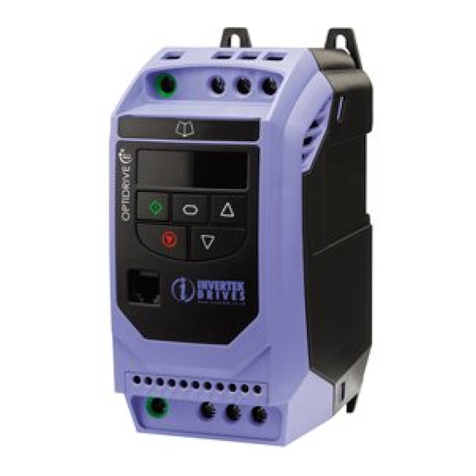
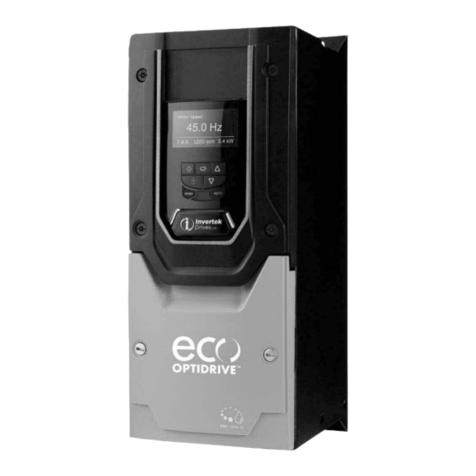
Optidrive E2 Single Phase Output User Guide V3.10
1. Introduction....................................................................................................................................................................... 6
1.1. Important Safety Information 6
2. General Information and Ratings ....................................................................................................................................... 7
2.1. Identifying the Drive by Model Number 7
2.2. Drive Model Numbers 7
3. Mechanical Installation...................................................................................................................................................... 8
3.1. General 8
3.2. Before Installation 8
3.3. UL Compliant Installation 8
3.4. Mechanical Dimensions and Mounting –IP20 Open Units 8
3.5. Guidelines for Enclosure Mounting –IP20 Units 8
3.6. Mechanical Dimensions –IP66 (Nema 4X) Enclosed Units 9
3.7. Guidelines for mounting (IP66 Units) 9
3.8. Gland Plate and Lock Off 10
3.9. Removing the Terminal Cover 10
3.10. Routine Maintenance 10
3.11. IP66 (Nema 4X) Enclosure Layout 11
4. Power Wiring ................................................................................................................................................................... 12
4.1. Grounding the Drive 12
4.2. Wiring Precautions 12
4.3. Incoming Power Connection 13
4.4. Drive and Motor Connection 13
4.5. Motor Thermal overload Protection. 13
4.6. Control Terminal Wiring 13
4.7. Connection Diagram –IP20 Open & IP66 (Nema 4X) Non Switched Units 14
4.8. Connection Diagram –IP66 (Nema 4X) Switched Units 14
4.9. Using the REV/0/FWD Selector Switch (Switched Version Only) 15
4.10. Control Terminal Connections 15
5. Operation......................................................................................................................................................................... 16
5.1. Managing the Keypad 16
5.2. Terminal Control 16
5.3. Keypad Control 16
5.4. Single Phase Motor - Boost Starting cycle 17
6. Parameters ...................................................................................................................................................................... 18
6.1. Standard Parameters 18
6.2. Extended Parameters 19
6.3. Adjusting the Voltage / Frequency (V/f) characteristics 21
6.4. P-00 Read Only Status Parameters 22
7. Analog and Digital Input Configurations........................................................................................................................... 23
7.1. Terminal Mode (P-12 = 0) 23
7.2. Keypad Mode (P-12 = 1 or 2) 24
7.3. Modbus Control Mode (P-12 = 3 or 4) 24
7.4. User PI Control Mode 25
7.5. Motor Thermistor Connection 25
8. Modbus RTU Communications ......................................................................................................................................... 26
8.1. Introduction 26
8.2. Modbus RTU Specification 26
8.3. RJ45 Connector Configuration 26
8.4. Modbus Telegram Structure 26
8.5. Modbus Register Map 26
9. Technical Data.................................................................................................................................................................. 27
9.1. Environmental 27
9.2. Rating Tables 27
9.3. Additional Information for UL Compliance 27
10. Trouble Shooting ......................................................................................................................................................... 28
10.1. Fault Code Messages 28