Product Description of BRT-408 Page 4of 5
Shenzhen Asia Bright Industry co., Ltd., Building 10, Asia Industrial Park, Gangtou, Bantian, Shenzhen, China.
© 2015 All rights reserved. Subject to change without notices.
There are three easy steps:
Step one: Use a screwdriver to pry off the front plate in position A;
Step two: Wiring according to the diagram and the labelled ports of the switch; and
Step three: Install screws and front plate.
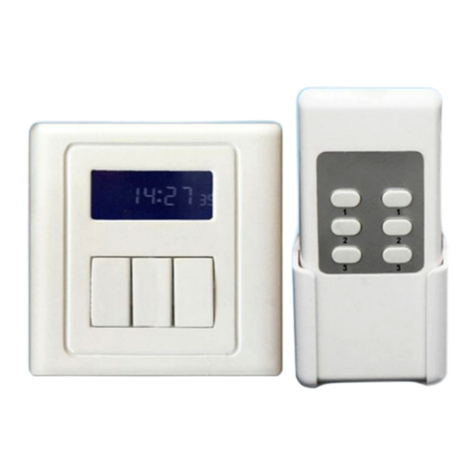
BRT-408 Timer Switch Setup:
1. Power the switch with 220 voltages: following the wiring diagram and Installation Guide.
2. Set up Clock Time: Press and hold the SET button until the displayed hours flash. Press –
or +to adjust the hours. Press the SET button again, the displayed minutes will flash, and
then press – or +to adjust the minutes. Press the SET button again, the displayed day of the
week will flash, and then press – or + to adjust the day. Finally, press and hold the SET button
to save the settings.
3-1. Set up the “On” time: Press and hold the II button until the display shows “ON” and
“01” and the displayed hours flash. Press " ◁" or " ▷" to adjust the required “on” hours.
Press II button again, the displayed minutes flash, and use "◁" or "▷" to adjust the required
“on” minutes. Press II button again, the displayed seconds flash, and use " ◁" or " ▷" to
adjust the required “on” seconds; and
3-2. Set up the length of timing period: Right after setting up the “on” time, press II button
again, the displayed minutes flash. Press "◁" or "▷" to adjust the required minutes of timing
period. Press II button again, the displayed seconds flash, and use "◁" or "▷" to adjust the
required seconds of timing period.
At this point, both the “on” time and the length of timing period have been set up for timing
period #1. Finally, press and hold the II button to save the settings or the settings will be
saved automatically if there is no keypad operation for 15 seconds.
During setup step 3-1 and 3-2, hold the "◁" or "▷" will adjust the digits quickly.
3-3. After setting up the first timing period, press buttons Ior III to enter the previous or
next timing period. Following step 3-1 and 3-2 to set up the timing period. Up to 20 timing
periods can be set up. The longest timing period that can be set is 90 minutes. For a timing
period longer than 90 minutes, please use overlapping timing period.