2 User Guide: Sweep Management Software Upgrade for MicroPulse TLT, PN 88199-EN Rev B
2.
Overview of Procedure-Specific Screens
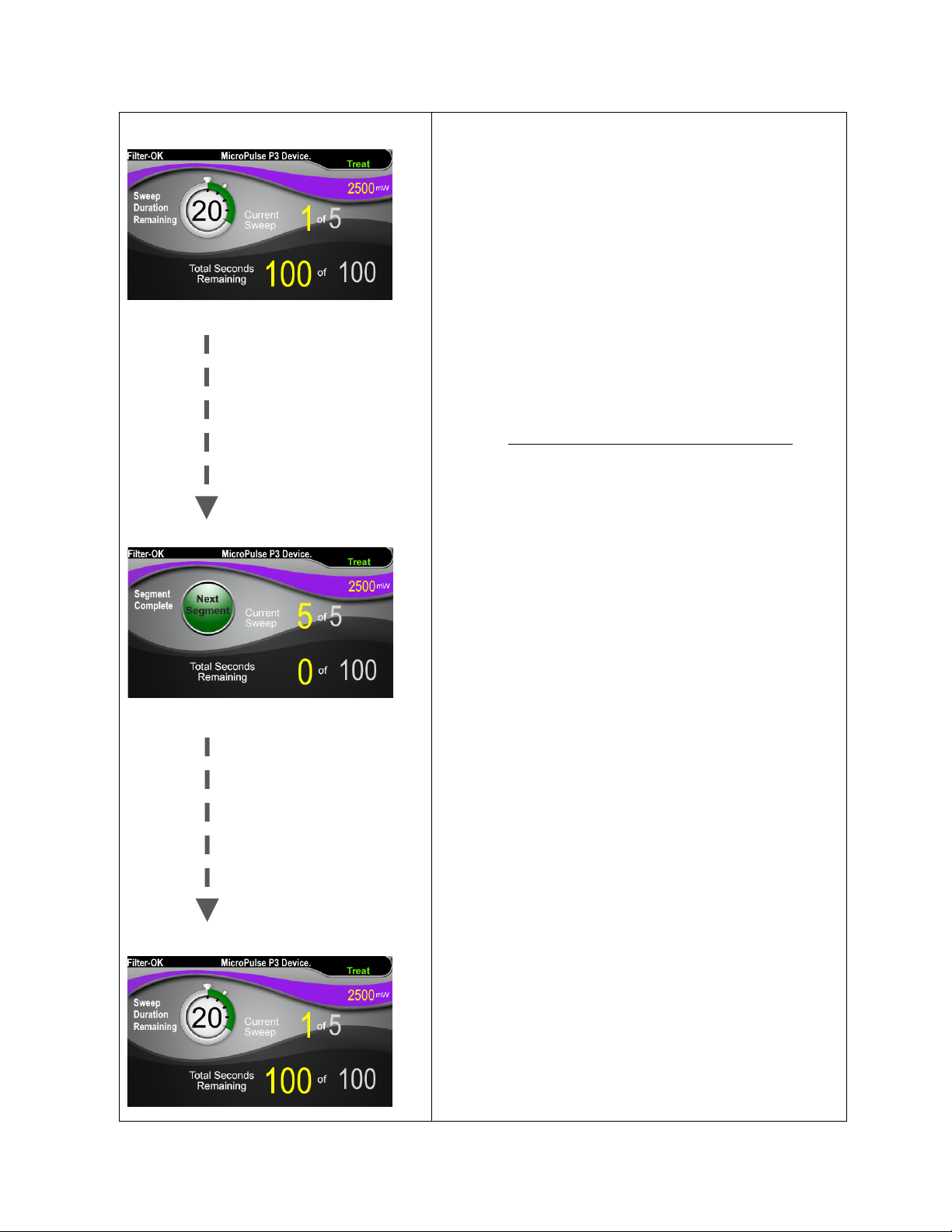
The Cyclo G6 Sweep Management Software upgrade for MicroPulse TLT differs from the standard
software provided with the Cyclo G6 laser system, in that the upgrade provides procedure-specific
Set-Up Screens, a Treatment Screen, and a Post-Treatment Screen, in addition to audible tones.
The following sections only describe screens and fields specific to the software upgrade. This user
guide does not describe screens or fields that are common to both the software upgrade and the
standard software. Please refer to the Cyclo G6 Laser System Operator Manual and the MicroPulse
P3 Delivery Device IFU for information on the general operation and maintenance of the Cyclo G6
laser console and MicroPulse P3 Probe, including a description of the screens that are common to
both the software upgrade and the standard software.
2.1
Set-up Screens
2.1.1
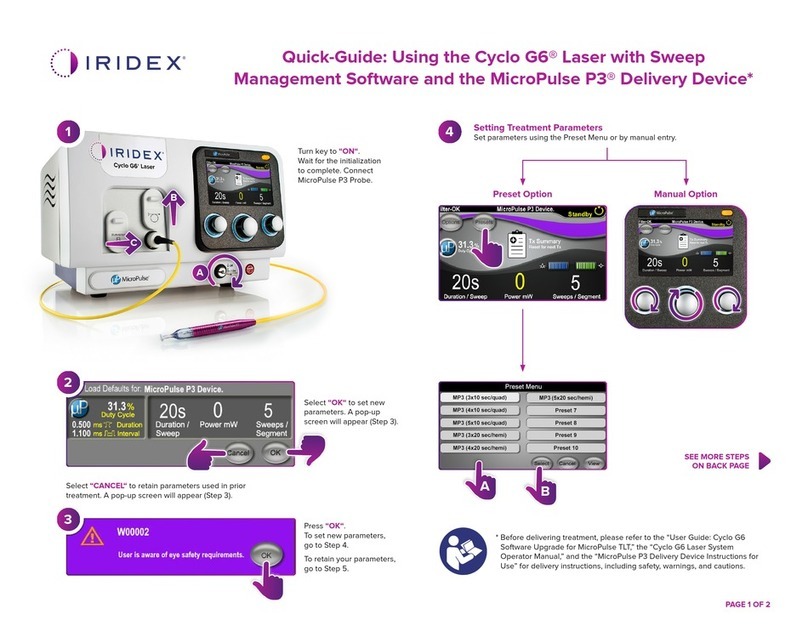
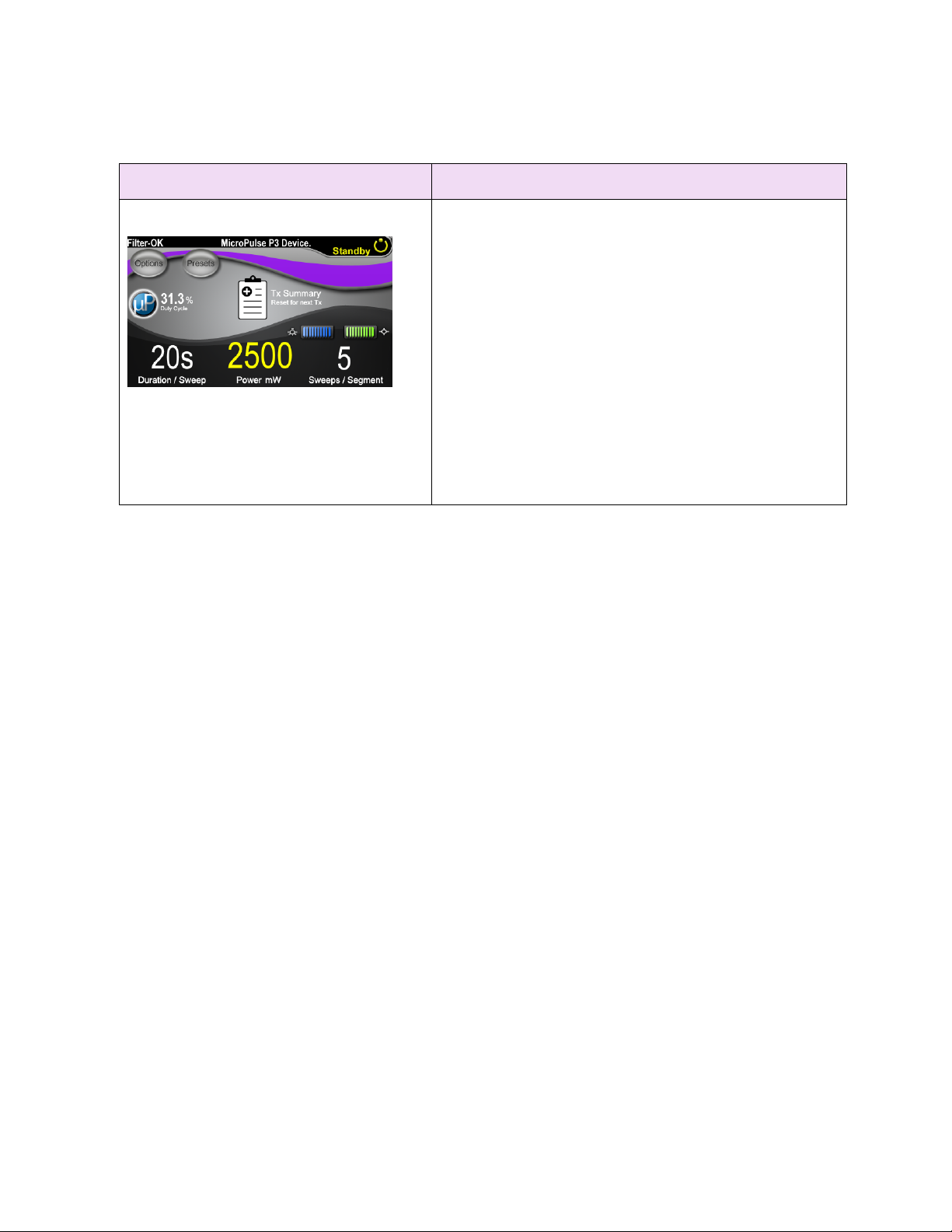
Standby Screen & Treatment Parameter Fields
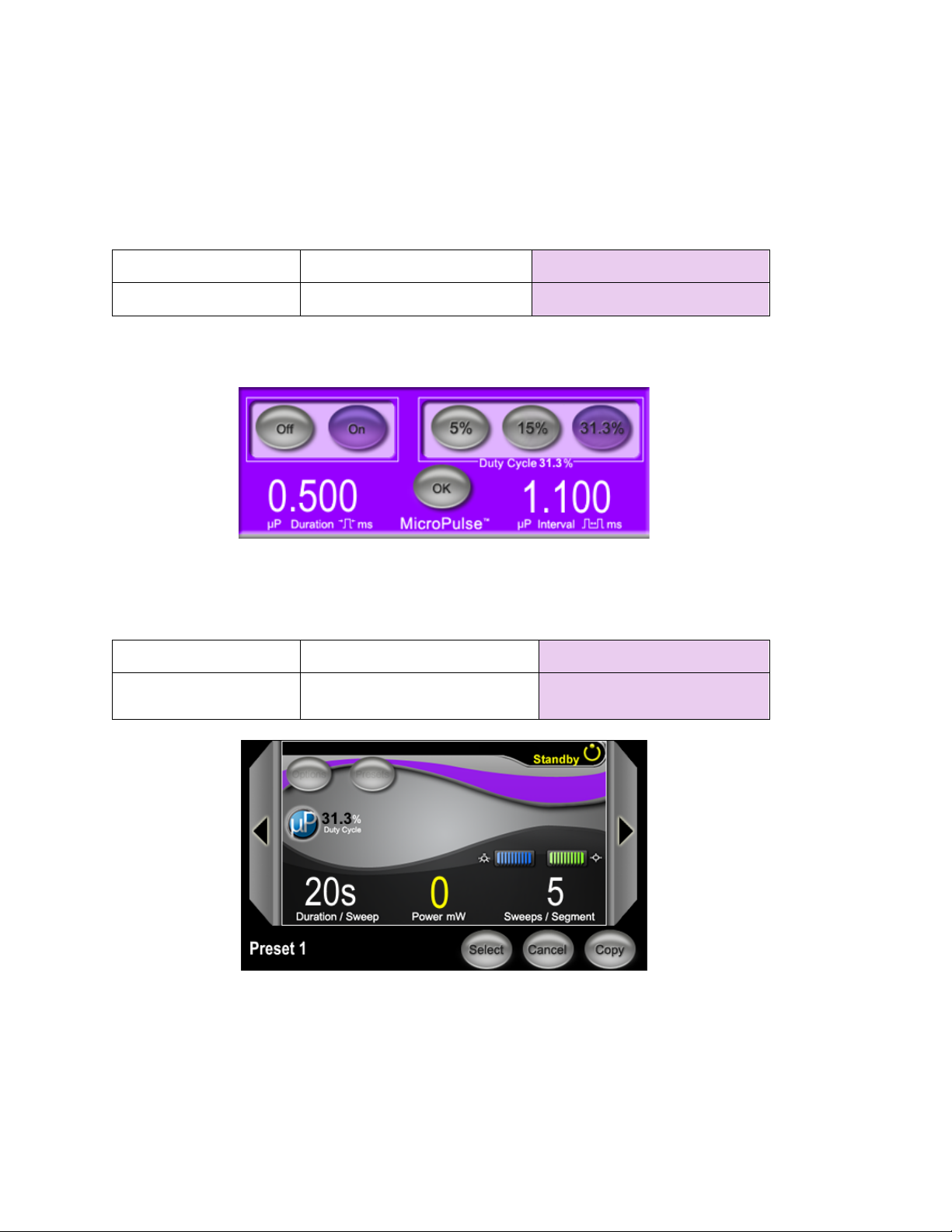
The Standby Screen is used to enter the treatment parameters for MicroPulse TLT.
The screen includes two user programmable fields: "Duration/Sweep" (i.e., sweep velocity) and
"Sweep/Segment" (i.e., number of sweeps per segment), and a treatment summary (“Tx Summary”)
icon that are not included in the standard software.
The two user programmable fields are "Duration/Sweep" (i.e., sweep velocity) and
"Sweep/Segment" (i.e., number of sweeps per segment). These are two MicroPulse TLT treatment
variables that have been underreported in the literature. Documenting these treatment variables
will help users analyze their MicroPulse TLT treatment outcomes, and adjust parameters as needed
to achieve the desired clinical outcome for each patient.
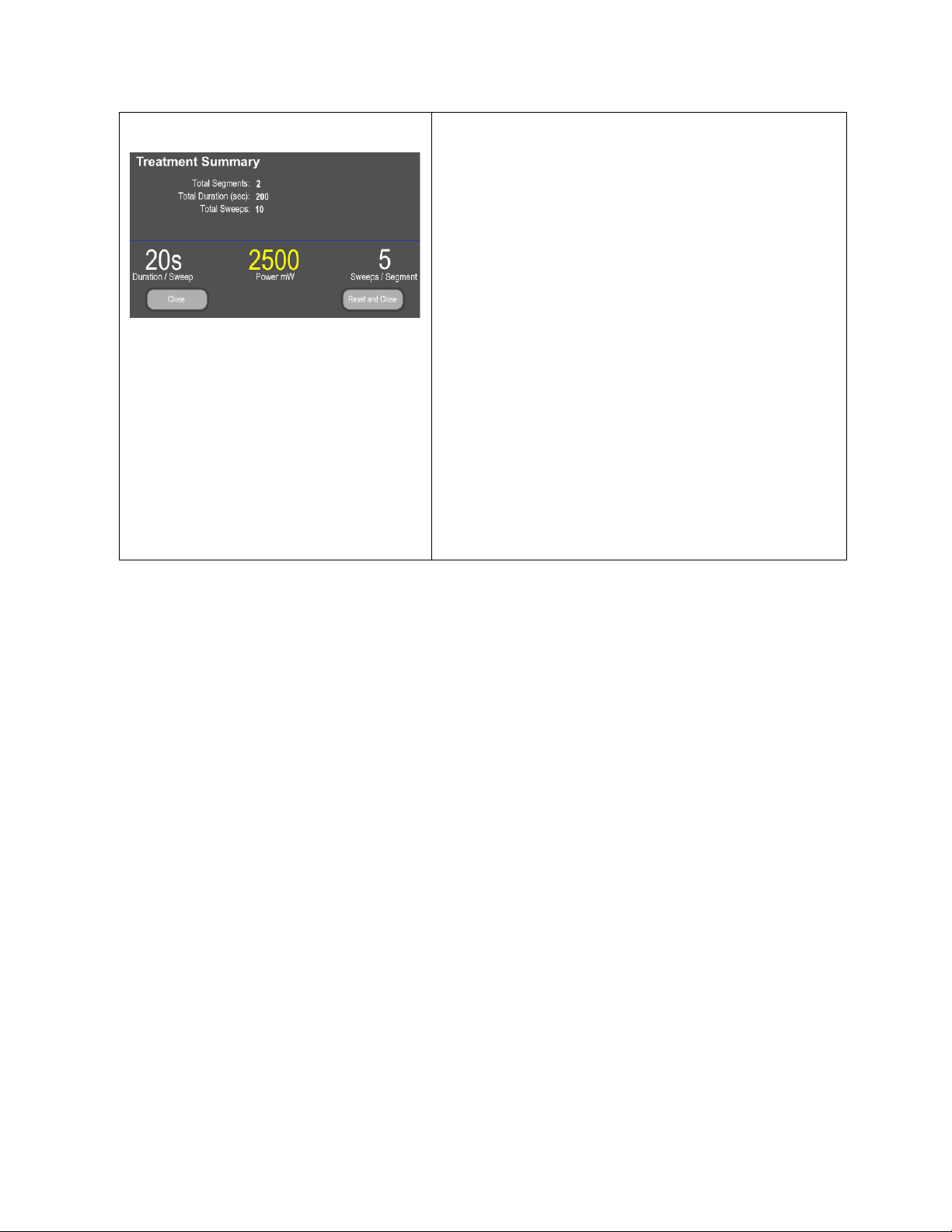
When the Tx Summary icon is pressed, the Treatment Summary Screen will appear. The Treatment
Summary Screen offers the user the opportunity to document treatment information in the
patient’s record. No personal or identifying patient information is saved to the software.
See Table 1: Overview of Sweep Management Software Upgrade Screens