manuals.online logo
Brands
  1. Home
  2. •
  3. Brands
  4. •
  5. JETWAY
  6. •
  7. Motherboard
  8. •
  9. JETWAY JNP891P Series User manual

JETWAY JNP891P Series User manual

This manual suits for next models

2

Other JETWAY Motherboard manuals

JETWAY 845DDA3A User manual

JETWAY

JETWAY 845DDA3A User manual

JETWAY 630DFR1A User manual

JETWAY

JETWAY 630DFR1A User manual

JETWAY NF3AE Series User manual

JETWAY

JETWAY NF3AE Series User manual
JETWAY 845CAR1A User manual

JETWAY

JETWAY 845CAR1A User manual
JETWAY MBD-J-JNF9KC-1047 User manual

JETWAY

JETWAY MBD-J-JNF9KC-1047 User manual
JETWAY V6DP User manual

JETWAY

JETWAY V6DP User manual
JETWAY 920BFR3A User manual

JETWAY

JETWAY 920BFR3A User manual

JETWAY NU792V User manual

JETWAY

JETWAY NU792V User manual
JETWAY NF9T Series User manual

JETWAY

JETWAY NF9T Series User manual
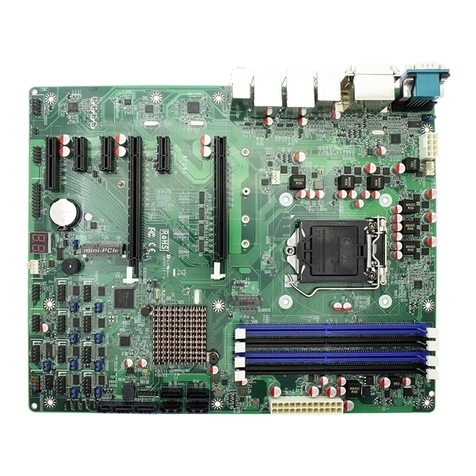
JETWAY NAF591 Series User manual

JETWAY

JETWAY NAF591 Series User manual
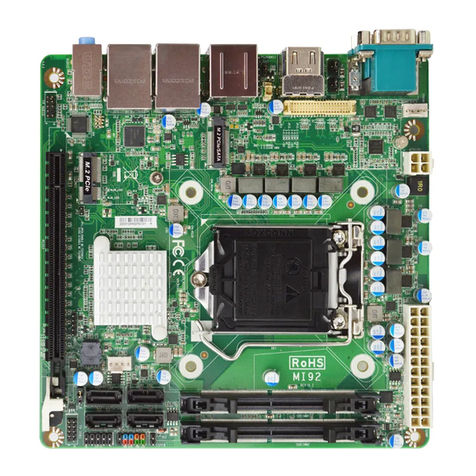
JETWAY MI92 User manual

JETWAY

JETWAY MI92 User manual
JETWAY 615DFR1A User manual

JETWAY

JETWAY 615DFR1A User manual
JETWAY 866ASUR2A User manual

JETWAY

JETWAY 866ASUR2A User manual

JETWAY NF9U User manual

JETWAY

JETWAY NF9U User manual

JETWAY MF20 Series User manual

JETWAY

JETWAY MF20 Series User manual
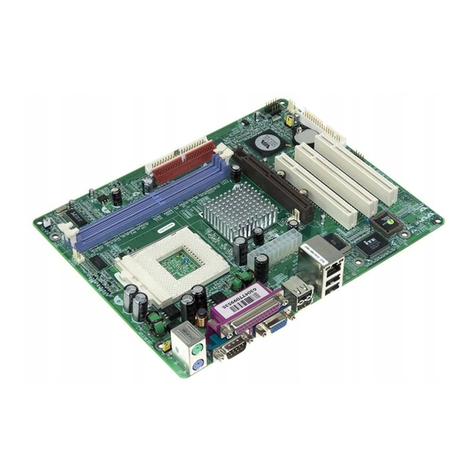
JETWAY V2DP - REV 1.0 User manual

JETWAY

JETWAY V2DP - REV 1.0 User manual

JETWAY 866ASR2C Manual

JETWAY

JETWAY 866ASR2C Manual

JETWAY 939TURBOR208 User manual

JETWAY

JETWAY 939TURBOR208 User manual
JETWAY 994ANR4A User manual

JETWAY

JETWAY 994ANR4A User manual
JETWAY J7F4-F User manual

JETWAY

JETWAY J7F4-F User manual
JETWAY PT88AS - REV 1.0 User manual

JETWAY

JETWAY PT88AS - REV 1.0 User manual

JETWAY 845GEA1A User manual

JETWAY

JETWAY 845GEA1A User manual

JETWAY 626EMP Series User manual

JETWAY

JETWAY 626EMP Series User manual

JETWAY PM2M User manual

JETWAY

JETWAY PM2M User manual

Popular Motherboard manuals by other brands

Gigabyte MNJ190I-FH user manual

Gigabyte

Gigabyte MNJ190I-FH user manual

Biostar HI-FI-Z87X-3D Setup manual

Biostar

Biostar HI-FI-Z87X-3D Setup manual

Atmel SAM9753PIA-DK user guide

Atmel

Atmel SAM9753PIA-DK user guide

Coapt GEN2 Handbook

Coapt

Coapt GEN2 Handbook

Supero SUPER P4DL6 user manual

Supero

Supero SUPER P4DL6 user manual

Cypress CY3210-PSoCEVAL1 quick start guide

Cypress

Cypress CY3210-PSoCEVAL1 quick start guide

ASROCK B660M-HDV manual

ASROCK

ASROCK B660M-HDV manual

Fujitsu D2831 Short description

Fujitsu

Fujitsu D2831 Short description

Industrial Computers ADE-6050 user manual

Industrial Computers

Industrial Computers ADE-6050 user manual

Asus TUF Z270 MARK 2 manual

Asus

Asus TUF Z270 MARK 2 manual

DFI NB71-BC user manual

DFI

DFI NB71-BC user manual

ASROCK H61 Pro BTC user manual

ASROCK

ASROCK H61 Pro BTC user manual

Norco POS-7893 user manual

Norco

Norco POS-7893 user manual

Intel DG965MS specification

Intel

Intel DG965MS specification

Asus B85M-VIEW PAKER user manual

Asus

Asus B85M-VIEW PAKER user manual

Asus P5G41T-M LX V2 user manual

Asus

Asus P5G41T-M LX V2 user manual

Gigabyte GA-K8VT800-RH user manual

Gigabyte

Gigabyte GA-K8VT800-RH user manual

Gigabyte Z790M AORUS ELITE user manual

Gigabyte

Gigabyte Z790M AORUS ELITE user manual

manuals.online logo
manuals.online logoBrands
  • About & Mission
  • Contact us
  • Privacy Policy
  • Terms and Conditions

Copyright 2025 Manuals.Online. All Rights Reserved.

JNP891P Series
PICO-ITX size Embedded Motherboard with Intel® Gemini Lake-R Processor, DDR4 up to 8GB, support triple
display
1. Intel® Gemini Lake-R SoC Processor
2. 1* DDR4 2400MHz SO-DIMM up to 8GB
3. Support 2* HDMI, 1* eDP
4. 1* COM, 2* USB3.0, 2* USB2.0
5. 1* Mini-PCIe, 1* M.2 (M-key, 2242)
6. Support 1* SATA III (6Gb/s), onboard 32GB eMMC
(JNP891G32-4125)
7. 12V DC-in
Overview
The JETWAY JNP891P Series adopts the Intel® Gemini Lake-R SoC processor. JNP891P Series equipped with DDR4 SO-DIMM
slot and M.2 (M-key, 2242) which is suitable for most of the Digital Signage and KIOSK applications.
In addition, it offers flexible expansion with Mini-PCIe slot which can connect other add-on modules. JNP891P Series also
has two USB 3.0, two USB 2.0, one RS232 port. Customers can connect different peripherals to meet their needs. JNP891P
Series also support two HDMI and eDP triple display which can be used for Digital Signage and KIOSK needs. All of the
JNP891P Series designs provide rich features with small dimension.
Application
Digital Signage / KIOSK / Intelligent Home / IOT Solution
I/O Diagram
Mechanical Drawings (Unit = mm)
PICO SBC
Specifications
Model
Form Factor
JNP891P-4125
JNP891P32-4125 (W/32GB eMMC)
2.5” (100 * 72mm)
Processor System
Expansion Slot
Intel® Gemini Lake-R J4125 SoC Processor
AMI Flash ROM BIOS
1* Mini PCIe (full size)
Memory
Graphics
1* SO-DIMM DDR4 2400MHz SDRAM up to 8GB
Intel® HD Graphics, shared memory
1* eDP (Max Resolution: 4096x2304@60Hz)
2* HDMI 2.0 (Max Resolution: 4096x2160@60Hz)
Support Triple Displays
Ethernet
Audio
1* Realtek RTL8111H GbE
HD audio: Realtek ALC888S
Storage
Rear I/O
1* SATAIII (6 Gb/s)
1* M.2 M-key (2242 W/ SATA interface)
32GB eMMC on board (JNP891P32-4125)
2* USB3.0
2* HDMI
1* RJ45
12V DC-in
Internal I/O
Watchdog Timer
2* USB2.0
1* eDP
1* COM (RS232)
1* SATAIII
1* Mini-PCIe (full size)
1* SIM card slot
1 * 32GB eMMC (JNP891P32-4125)
(If use Win 10 OS, we recommend the eMMC is use for OS boot up purpose.)
1* GPIO (8 bit)
1* Chassis intrusion
1* Audio Header
1* SMBUS
1* AT mode
Power
From Super I/O to drag RESETCON#
256 segments (10sec ~ 255min)
Compliance
12V DC-in
- AT: Directly PWR on as Power input ready
- ATX: Press Button to PWR on after Power input ready
Temperature
CE, FCC, LVD, RoHS, REACH
Warranty
Operating: 0°C ~ 60°C
Storage: -20°C ~ 85°C
2 Years Limited Warranty
* Specifications subject to change without notice, not responsible for typographical errors. Does not include HDD or OS.
Accessories
Parts Number
Description
Parts Number
Description
---------------------
JNP891P Series M/B
Tel: +886-2-89132711 E-mail: [email protected] Web: www.jetwayipc.com
Support: [email protected] or [email protected]