3
ENGLISH
How to reset your unit
• Your preset adjustments will also be erased (except the
registered Bluetooth devices, 32)
For safety...
• Do not raise the volume level too much, as this will
make driving dangerous by blocking outside sounds,
and may cause hearing loss.
• Stop the car before performing any complicated
operations.
Temperature inside the car...
If you have parked the car for a long time in hot or cold
weather, wait until the temperature in the car becomes
normal before operating the unit.
How to read this manual:
• < > indicates the variable screens/menus/
operations/settings that appear on the touch
panel.
• [ ] indicates the buttons on the touch panel.
• ( page number) indicates the reference
page number of the related topics/operations/
settings.
• Operation index: To locate easily the desired
operations/functions. ( 73)
•Indication language: English indications are
used for the purpose of explanation. You can
select the indication language in <Language>.
( 15)
To forcibly eject a disc, 34.
CONTENTS
How to read this manual............................... 3
How to reset your unit .................................. 3
INTRODUCTIONS
Playable disc type ......................................... 4
Basic operations............................................ 5
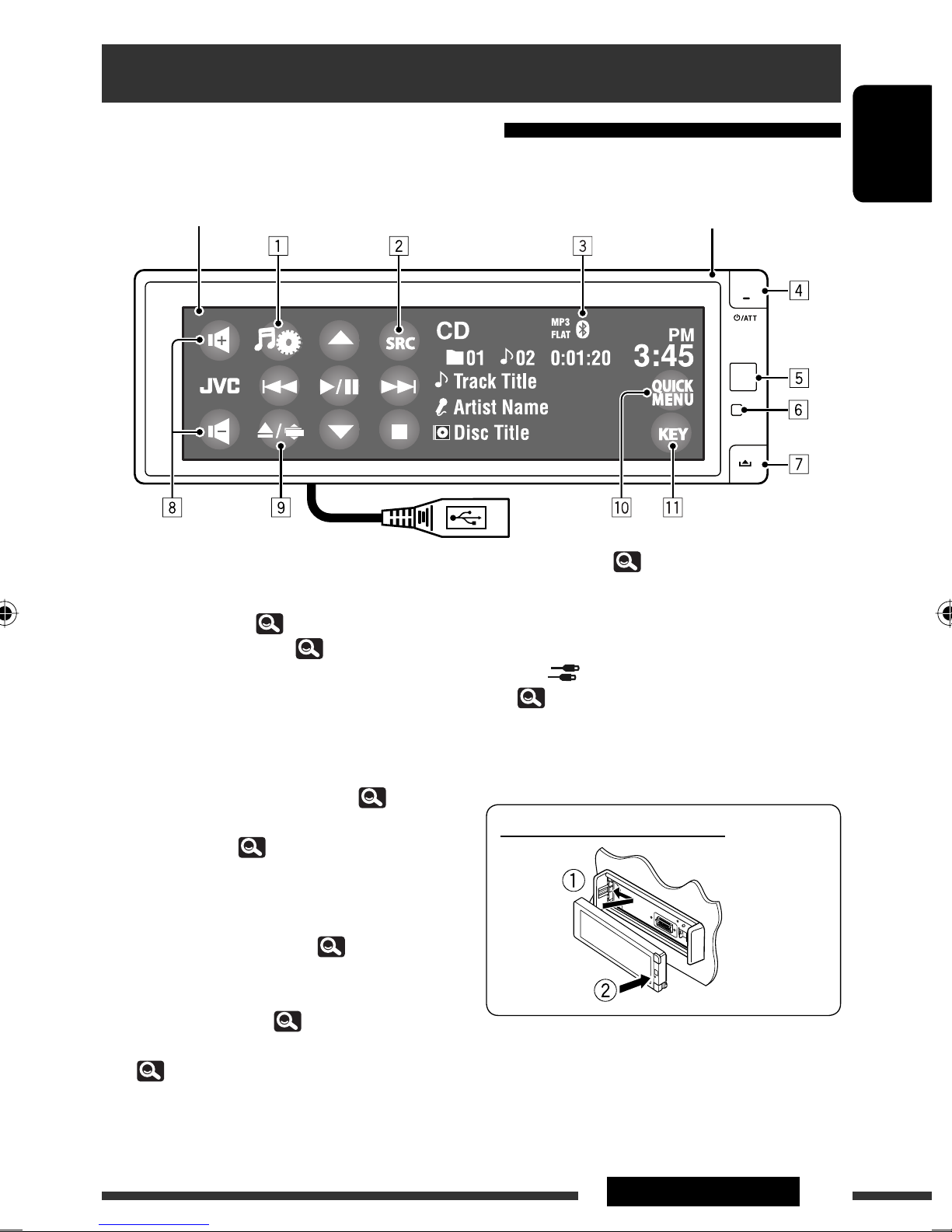
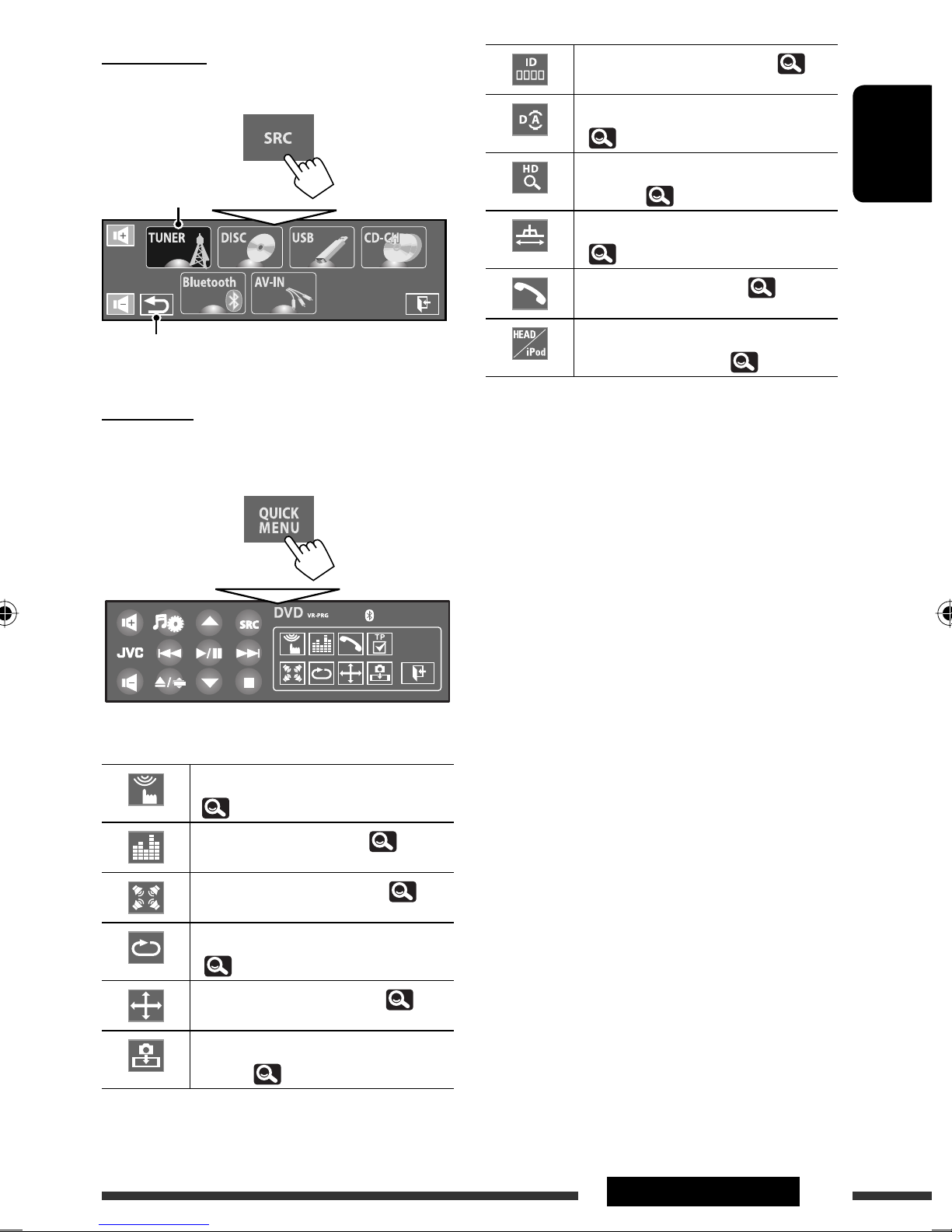
• Using the monitor panel/touch panel........... 5
• Using the remote controller (RM-RK252)...... 8
Preparation................................................... 11
AV MENU
AV Menu understanding ............................... 12
OPERATIONS
Listening to the radio.................................... 33
Disc operations.............................................. 34
• Operation buttons and information on the
touch panel................................................... 35
• Operations using the remote controller
(RM-RK252).................................................. 37
• Using divided screens—Dual Display........... 41
Dual Zone operations.................................... 41
USB operations ............................................. 45
EXTERNAL DEVICES
Using the Bluetooth® devices........................ 46
• Connecting a new Bluetooth device ............. 46
• Using the Bluetooth cellular phone .............. 47
• Using the Bluetooth audio player ................. 48
Listening to the iPod/iPhone devices............ 49
• When connected with the USB cable ............ 49
• When connected with the interface adapter..... 50
Listening to the CD changer .......................... 51
Listening to the satellite radio ...................... 52
• Tuning in to a channel you want...................... 53
Listening to the HD RadioTM Broadcast .......... 54
Using other external components................. 55
• AV-INPUT...................................................... 55
• EXT-INPUT .................................................... 56
REFERENCES
Maintenance................................................. 57
More about this unit ..................................... 58
Troubleshooting............................................ 65
Specifications................................................ 71
Operation index ............................................ 73
[European Union only]
EN_KDAVX7755[J]f.indb 3EN_KDAVX7755[J]f.indb 3 09.3.19 1:45:51 PM09.3.19 1:45:51 PM