manuals.online logo
Brands
  1. Home
  2. •
  3. Brands
  4. •
  5. KoamTac
  6. •
  7. Barcode Reader
  8. •
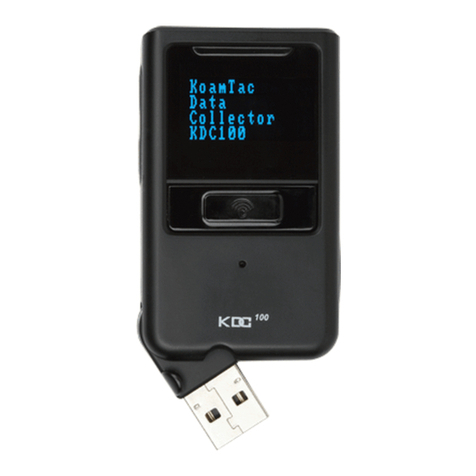
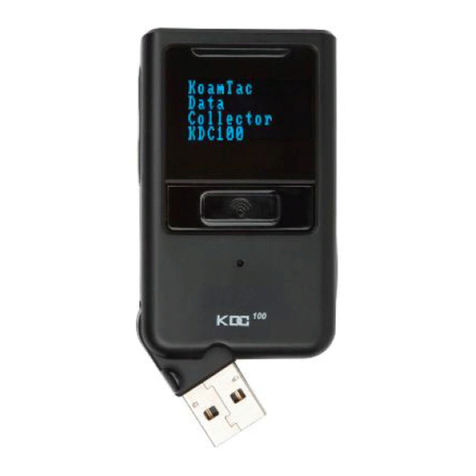
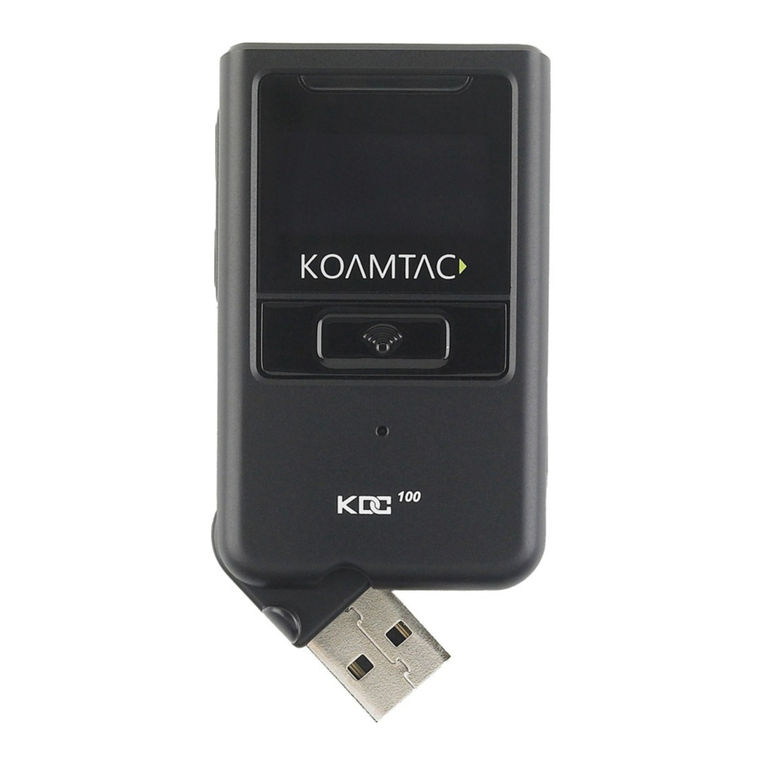
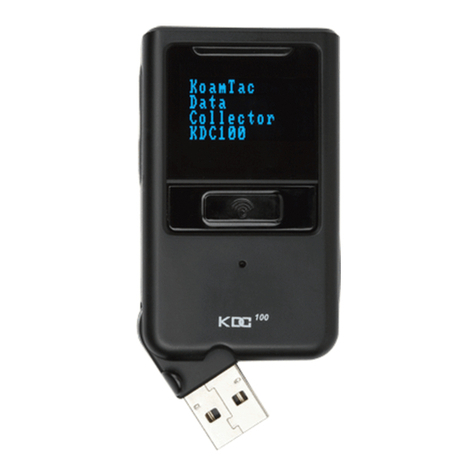
  9. KoamTac KDC100 User manual

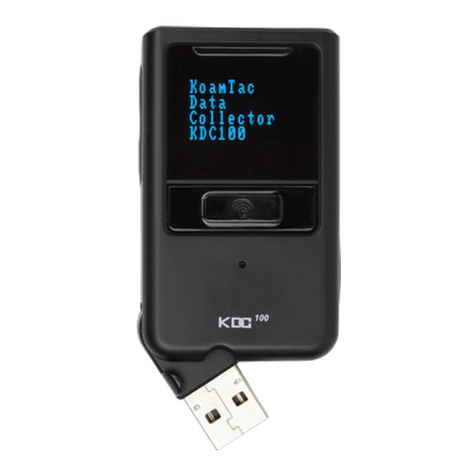
KoamTac KDC100 User manual

Other manuals for KDC100

14

Other KoamTac Barcode Reader manuals

KoamTac KDC100 User manual

KoamTac

KoamTac KDC100 User manual

KoamTac SKXPro User manual

KoamTac

KoamTac SKXPro User manual

KoamTac KDC180 User manual

KoamTac

KoamTac KDC180 User manual

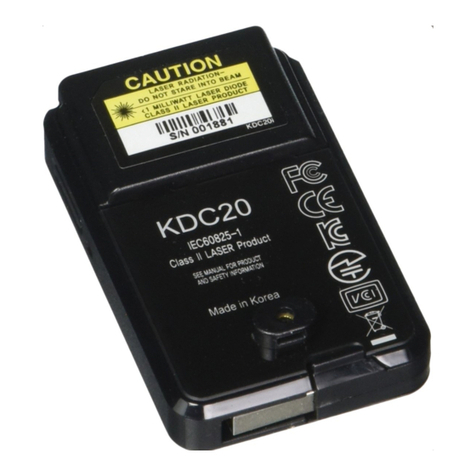
KoamTac KDC20 User manual

KoamTac

KoamTac KDC20 User manual

KoamTac KDC270 User manual

KoamTac

KoamTac KDC270 User manual

KoamTac KDC80 User manual

KoamTac

KoamTac KDC80 User manual

KoamTac KDC480 Series User manual

KoamTac

KoamTac KDC480 Series User manual

KoamTac KDC270 User manual

KoamTac

KoamTac KDC270 User manual

KoamTac KDC250 User manual

KoamTac

KoamTac KDC250 User manual

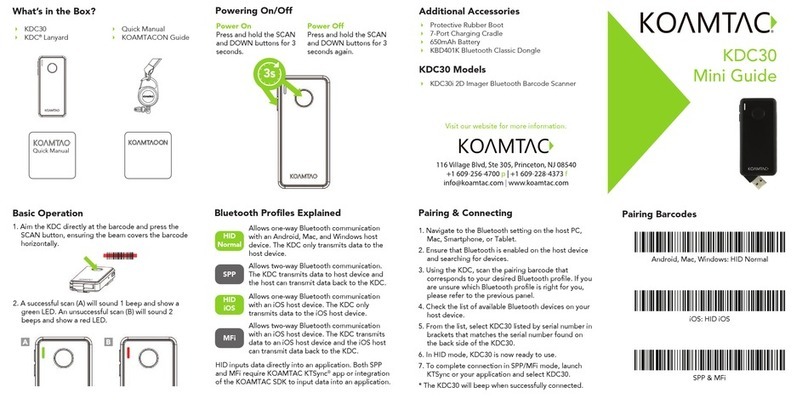
KoamTac KDC30 User manual

KoamTac

KoamTac KDC30 User manual

KoamTac KDC20 User manual

KoamTac

KoamTac KDC20 User manual

KoamTac KDC100 User manual

KoamTac

KoamTac KDC100 User manual

KoamTac KDC20 User manual

KoamTac

KoamTac KDC20 User manual

KoamTac KDC20 User manual

KoamTac

KoamTac KDC20 User manual

KoamTac KDC380 QG User manual

KoamTac

KoamTac KDC380 QG User manual

KoamTac KDC200 KDC250 User manual

KoamTac

KoamTac KDC200 KDC250 User manual

KoamTac KDC480 QG User manual

KoamTac

KoamTac KDC480 QG User manual

KoamTac KDC100 User manual

KoamTac

KoamTac KDC100 User manual

KoamTac KDC280 User guide

KoamTac

KoamTac KDC280 User guide

KoamTac SLED-mPOS User manual

KoamTac

KoamTac SLED-mPOS User manual

KoamTac KDC350 Wi-Fi Operating instructions

KoamTac

KoamTac KDC350 Wi-Fi Operating instructions

KoamTac KDC 470 User manual

KoamTac

KoamTac KDC 470 User manual

KoamTac KDC485ER User manual

KoamTac

KoamTac KDC485ER User manual

KoamTac KDC20 User manual

KoamTac

KoamTac KDC20 User manual

Popular Barcode Reader manuals by other brands

Microscan HS-2D user manual

Microscan

Microscan HS-2D user manual

SICK CLV62x Online help

SICK

SICK CLV62x Online help

Datalogic Gryphon GBT4200 Quick reference guide

Datalogic

Datalogic Gryphon GBT4200 Quick reference guide

WaveMark SmartWand SW1500 manual

WaveMark

WaveMark SmartWand SW1500 manual

Zebex Z-3191BT Quick connection guide

Zebex

Zebex Z-3191BT Quick connection guide

RTscan RT211 Integration guide

RTscan

RTscan RT211 Integration guide

Motorola SYMBOL DS6707 Product reference guide

Motorola

Motorola SYMBOL DS6707 Product reference guide

Godex BP300 user manual

Godex

Godex BP300 user manual

Godex RT800i Series user manual

Godex

Godex RT800i Series user manual

Generalscan X Series quick start guide

Generalscan

Generalscan X Series quick start guide

POSMicro Datalogic PowerScan D7100 manual

POSMicro

POSMicro Datalogic PowerScan D7100 manual

NCR RealPOS user guide

NCR

NCR RealPOS user guide

Motorola SE3300 Integration guide

Motorola

Motorola SE3300 Integration guide

Nordson CBC 5100 manual

Nordson

Nordson CBC 5100 manual

Motorola Symbol LS3008 Product reference guide

Motorola

Motorola Symbol LS3008 Product reference guide

Meec tools OBD-II / VAG operating instructions

Meec tools

Meec tools OBD-II / VAG operating instructions

SICK CLP 100 operating instructions

SICK

SICK CLP 100 operating instructions

Royal Tag SA I-Read user manual

Royal Tag SA

Royal Tag SA I-Read user manual

manuals.online logo
manuals.online logoBrands
  • About & Mission
  • Contact us
  • Privacy Policy
  • Terms and Conditions

Copyright 2025 Manuals.Online. All Rights Reserved.

KDC100 User Manual
(Rev. 2.85.Q1/2.86.Q1/3.041)
October, 2012
KDC100 User Manual
2
TABLE OF CONTENTS
1.1 KDC Package .........................................................................................................12
1.2 KDC Characteristics ..............................................................................................13
2.1 KoamTac Installation Wizard.................................................................................15
Windows XP..............................................................................................................15
Vista and Windows 7 ................................................................................................20
2.2 Manual Installation ................................................................................................23
Windows XP, Vista, and 7.........................................................................................23
3.1 Getting Started ......................................................................................................24
Attach Neck Strap to KDC........................................................................................24
Charge KDC Battery .................................................................................................24
Configure KDC ..........................................................................................................25
3.2 Basics.....................................................................................................................26
Reading Barcodes ....................................................................................................26
Synchronizing Barcode Data to PC ..........................................................................26
3.3 KDC Menus ...........................................................................................................27
KDC Mode Menu .......................................................................................................33
View Data Menu........................................................................................................33
Set Barcodes Menu ..................................................................................................33
Code Options Menu ..................................................................................................33
Scan Options Menu...................................................................................................34
Data Process Menu...................................................................................................34
BT Config Menu - KDC200/250/300/400....................................................................38
BT Service - KDC200/250/300/400............................................................................38
GPS Config - KDC250................................................................................................39
System Menu ............................................................................................................39
3.4 LED Status .............................................................................................................41
KDC100/200/250/300.................................................................................................41
KDC400.....................................................................................................................41
3.5 Empty Battery ........................................................................................................41
3.6 Buffer Full...............................................................................................................42
3.7 Reset Feature.........................................................................................................42
LISTING OF FIGURES...............................................................................................................6
LISTING OF TABLES ................................................................................................................7
1. INTRODUCTION.......................................................................................................11
2. INSTALLATION........................................................................................................15
3. OPERATING THE KDC..............................................................................................24
KDC100 User Manual
3
3.8 Replace Battery .....................................................................................................43
4.1 KTSync Menu .........................................................................................................44
4.2 File Menu................................................................................................................47
Connect to KDC ........................................................................................................47
Synchronize ..............................................................................................................47
Bluetooth ..................................................................................................................48
4.3 Synchronization Settings.......................................................................................49
Destination of Data...................................................................................................49
Synchronization Methods .........................................................................................50
Current KDC Wedge Method.....................................................................................51
Synchronization Options ..........................................................................................52
Application Options..................................................................................................52
4.4 Barcode & KDC Settings........................................................................................53
Select Symbologies and Symbology Options...........................................................54
Data Editing Option ..................................................................................................54
4.5 Others Settings......................................................................................................55
5.1 Application Generation..........................................................................................57
Generate Application ...............................................................................................57
Data Filter Settings ..................................................................................................58
Application Download and Execution ......................................................................60
5.2 Predefined Applications.........................................................................................61
Master/Slave.............................................................................................................61
Pick/Bin.....................................................................................................................63
DB Lookup Application.............................................................................................65
Inventory Application ...............................................................................................67
A.1 Symbologies ..........................................................................................................71
Bookland EAN vs. EAN-13 ........................................................................................71
A.2 Code Options .........................................................................................................73
Transmission of Start and Stop Characters.............................................................73
Reverse Direction.....................................................................................................73
Symbology Conversion .............................................................................................73
Verification of Optional “Check Digit” .....................................................................74
Transmission of “Check Digit” .................................................................................74
4. SYNCHRONIZATION.................................................................................................44
5. APPLICATION GENERATION....................................................................................56
6. TROUBLESHOOTING................................................................................................68
7. WARRANTY ..............................................................................................................69
8. CONTACT INFORMATION ........................................................................................70
APPENDIX A - BARCODE & SCAN OPTIONS................................................................71
KDC100 User Manual
4
Resolution of Inconsistencies..................................................................................75
A.3 Miscellaneous Barcode Information .....................................................................76
Height of a Linear Barcode ......................................................................................76
Check Characters.....................................................................................................76
Prevent Interleave 2 of 5 Partial Reading................................................................76
Equation to Determining Potential Number of Stored Barcodes.............................77
Data Buffer Full.........................................................................................................77
B.1 Symbology .............................................................................................................78
B.2 Host Interface........................................................................................................79
B.3 Battery ...................................................................................................................79
B.4 Memory ..................................................................................................................79
B.5 Programming..........................................................................................................80
C.1 Set Symbologies (KDC100/200/250) ......................................................................81
C.2 Barcode Options (KDC100/200/250) ......................................................................84
C.3 Delete Last Scanned Barcode (KDC100/200/250).................................................87
C.4 Scan Options (KDC100/200/250)............................................................................88
C.5 Scan Timeout (KDC100/200/250)...........................................................................89
C.6 Minimum Barcode Length (KDC100/200/250)........................................................90
C.7 Security Level (KDC100/200/250)..........................................................................92
C.8 Data Process - Wedge/Store (KDC100/200/250) ....................................................93
C.9 Data Process – Data Edit (KDC100/200/250) .........................................................94
C.10 Data Process - Data Format – Handshake (KDC100/200/250).............................95
C.11 Data Process - Termination Character & Duplicate Check (KDC100/200/250) ..96
C.12 Bluetooth (KDC200/250) ......................................................................................97
C.13 Bluetooth Auto Power On Time (KDC200/250)..................................................100
C.14 Bluetooth PWR Off Time (KDC200/250).............................................................102
C.15 Auto lock Time (KDC200/250) ...........................................................................105
C.16 HID Keyboard layout (KDC100/200/250)............................................................106
C.17 HID Initial Delay (KDC200/250)..........................................................................107
C.18 HID Character Delay (KDC200/250)...................................................................108
C.19 HID Control Character (KDC200/250)................................................................109
C.20 System (KDC100/200/250) .................................................................................110
C.21 Sleep Timeout (KDC100/200/250)......................................................................114
C.22 ETC (KDC100/200/250).......................................................................................116
C.23 Function (KDC100/200/250)...............................................................................117
C.24 Number (KDC100/200/250).................................................................................118
C.25 Lower Case Alphabet (KDC100/200/250)...........................................................119
C.26 Upper Case Alphabet (KDC100/200/250)...........................................................122

APPENDIX B – FAQ.......................................................................................................78
APPENDIX C - SPECIAL BARCODES.............................................................................81
KDC100 User Manual
5
C.27 Control Character (KDC100/200/250) ................................................................125
C.28 Symbol Character (KDC100/200/250) ................................................................126
C.29 GPS (KDC250)....................................................................................................130
C.30 Auto Power Off Timeout (KDC250)....................................................................131
INDEX.........................................................................................................................132
KDC100 User Manual
6
LISTING OF FIGURES
Figure 1 – KDC Package____________________________________________________________12
Figure 2 - Characteristics of KDC100 _______________________________________________13
Figure 3 - Characteristics of KDC200 / KDC250 / KDC300 ____________________________14
Figure 4 - Location of Scroll Buttons________________________________________________25
Figure 5 - KDC Display _____________________________________________________________26
Figure 6 - KTSync®Synchronizer Menu______________________________________________44
Figure 7 – File Menu________________________________________________________________45
Figure 8 – Setting Menu ____________________________________________________________45
Figure 9 – Application Menu ________________________________________________________46
Figure 10 – About Menu ____________________________________________________________46
Figure 11 - COM Port Selection for KDC _____________________________________________47
Figure 12 - KTSync®Synchronization Settings_______________________________________49
Figure 13 - Barcode & KDC Settings, Symbologies, Data Editing and Scan Options ___53
Figure 14 - KTSync®Confirmation Settings__________________________________________55
Figure 15 – Application Menu _______________________________________________________56
Figure 16 – Application Warning Window ____________________________________________56
Figure 17 – Application Generation Menu ___________________________________________57
Figure 18 – Data Filter Settings_____________________________________________________58
Figure 19 – Master/Slave Application Settings_______________________________________61
Figure 20 – Master/Slave Application Flow Chart ____________________________________62
Figure 21 – Pick/BIN Application Menu _____________________________________________63
Figure 22 – Pick/BIN Application Flow Chart________________________________________64
Figure 23 – DB Lookup Application Menu____________________________________________66
Figure 24 – Inventory Application Menu _____________________________________________67
KDC100 User Manual
7
LISTING OF TABLES
Table 1 - Features of KDC __________________________________________________________11
Table 2 – Approximate Time to Charge KDC Battery_________________________________24

Table 3 - KDC Menu Options________________________________________________________32
Table 4 - Explanation of LEDs ______________________________________________________41
Table 5 - Troubleshooting Techniques ______________________________________________68
Table 6 - Symbologies Supported by KDC ___________________________________________71
Table 7 - Add-on for EAN-13 Symbology _____________________________________________72
Table 8 - Add-on for EAN-8 Symbology ______________________________________________72
Table 9 - Symbology Conversion ____________________________________________________73
Table 10 - Verification of Optional "Check Digit" ____________________________________74
Table 11 - Transmission of "Check Digit" ___________________________________________74
Table 12 - Resolution of Inconsistencies____________________________________________75
Table 13 - Symbologies Supported by KDC __________________________________________78
KDC100 User Manual
8
COPYRIGHT, LICENSE, and WARNING PAGE
Copyright2012 by KoamTac, Inc. All rights reserved.
No part of this publication may be reproduced or used in any form, or by any electrical or mechanical
means, without permission in writing from KoamTac, Inc. The material in this manual is subject to change
without notices. KoamTac reserves the right to make changes to any product to improve reliability,
function, or design. KoamTac doesn’t assume any product liability arising out of, or in connection with,
the application or use of any product, circuit, or application described herein. Follow all warnings and
instructions marked on manual and units. Use only the power source specified in this manual or marked
on the units.
May be covered under one or more pending and/or US Patents, US Pat. Nos. 7,769,917; 7,954,710;
8,126,399; UK Pending Patent App. No. 1203882.4.
KDC®is a registered trademark and property of KoamTac, Inc.
KoamTac®is a registered trademark and property of KoamTac, Inc.
KTSync®is a registered trademark and property of KoamTac, Inc.
TO PREVENT FIRE OR SHOCK HAZARD, DO NOT EXPOSE THIS UNIT TO ANY TYPE OF MOISTURE. DO
NOT LOOK DIRECTLY INTO LASER OR POINT THE LASER INTO ANOTHER PERSON’S EYES. EXPOSURE
TO THE BEAM MAY CAUSE EYE DAMAGE.
CAUTION:
Changes or modifications not expressly approved by the manufacturer responsible for compliance could
void the user’s authority to operate the equipment.
KDC100 User Manual
9
Regulatory Compliance
This equipment has been tested and found to comply with the limit of a Class B digital device, pursuant
to Part 15 of the FCC Rules. These limits are designed to provide reasonable protection against harmful
interference in a residential installation. This equipment generates uses and can radiate radio frequency
energy and, if not installed and used in accordance with the instructions, may cause harmful interference
to radio communications. However, there is no guarantee that interference will not occur in a particular
installation; if this equipment does cause harmful interference to radio or television reception, which can
be determined by turning the equipment off and on, the user, is encouraged to try to correct the
interference by one or more of the following measures:
1. Reorient / Relocate the receiving antenna.
2. Increase the separation between the equipment and receiver.
3. Connect the equipment into an outlet on a circuit difference from
that to which the receiver is connected.
4. Consult the dealer or an experienced radio/TV technician for help.
WARNING:
This device complies with part 15 of the FCC Rules. Operation is subject to the following two conditions:
(1) This device may not cause harmful interference, and (2) this device must accept any interference
received, including interference that may cause undesired operation.
Products intended for sale within the European Union are marked with a CE Mark which indicates
compliance to applicable Directives and European Normes (EN), as follows. Amendments to these
Directives or ENs are included: Normes (EN), as follows:
Applicable Directives:
• Radio and Telecommunications Terminal Equipment Directive 1999/5/EC
KDC100 User Manual
10
Article 2-1-19, 2.4GHz Wide Band low power data communication system
LARN8-IO2A2402/2480TR0.003F1DG1D79
Laser Compliance.
Complies with US 21 CFR 1040.10 and 1040.11 except for deviations pursuant to laser notice no.
50,dated June 24, 2007 and IEC 60825-1 (Ed. 2.0)
Complies with IEC60825-1:1993 + A1:1997 + A2:2001
Battery Warning:
- Your device contains a rechargeable NiMH battery. Never throw the battery into a
fire, as that could cause the battery to explode.
- Never short-circuit the battery by bringing the terminals in contact with another
metal object. This could cause personal injury or a fire, and could also damage the
battery.
- Never dispose of used battery with other ordinary solid wastes. Batteries contain
toxic substances.
- Dispose of used battery in accordance with the prevailing community regulations
that apply to the disposal of batteries. Cover the metal terminals with insulating
tape. (This is to prevent accidental short-circuiting).
- Never expose the battery to any liquid.
- Always keep the battery out of reach of infants or small children.
- Never shock the battery by dropping it or throwing it.
- Dispose of a spent or damaged battery promptly.
WARNING: RISK OF EXPLOSION IF BATTERY IS REPLACED BY AN INCORRECT TYPE. DISPOSE
USED BATTERIES ACCORDING TO THE INSTRUCTIONS.
Product Disposal
Your device should not be placed in municipal waste. Please check local regulations
for disposal of electronic products.
Bluetooth
Core Specification: 2.1+EDR
Apple
Made for iPhone, Made for iPod, Made for iPad
Samsung
Compatible with Galaxy Series