manuals.online logo
Brands
  1. Home
  2. •
  3. Brands
  4. •
  5. KP Electronic Systems
  6. •
  7. Transmitter
  8. •
  9. KP Electronic Systems ATS100 Operating instructions

KP Electronic Systems ATS100 Operating instructions

Other KP Electronic Systems Transmitter manuals

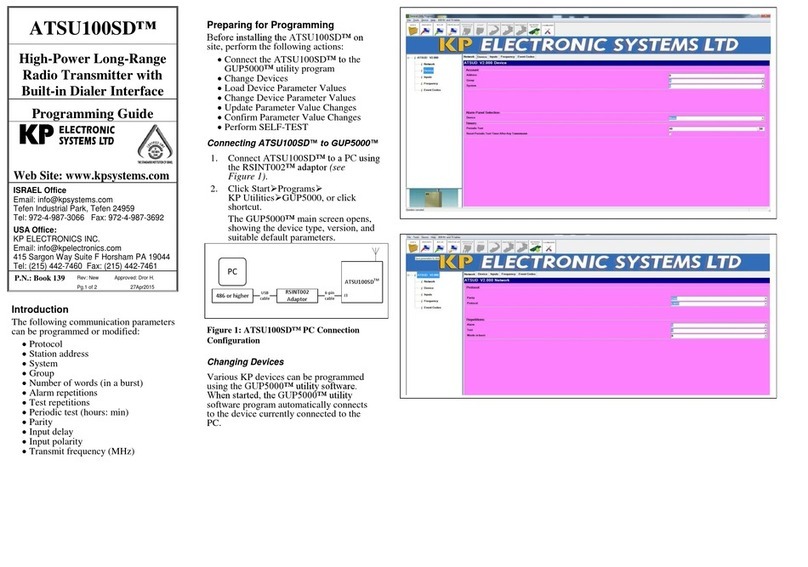
KP Electronic Systems ATSU100SD Operating instructions

KP Electronic Systems

KP Electronic Systems ATSU100SD Operating instructions

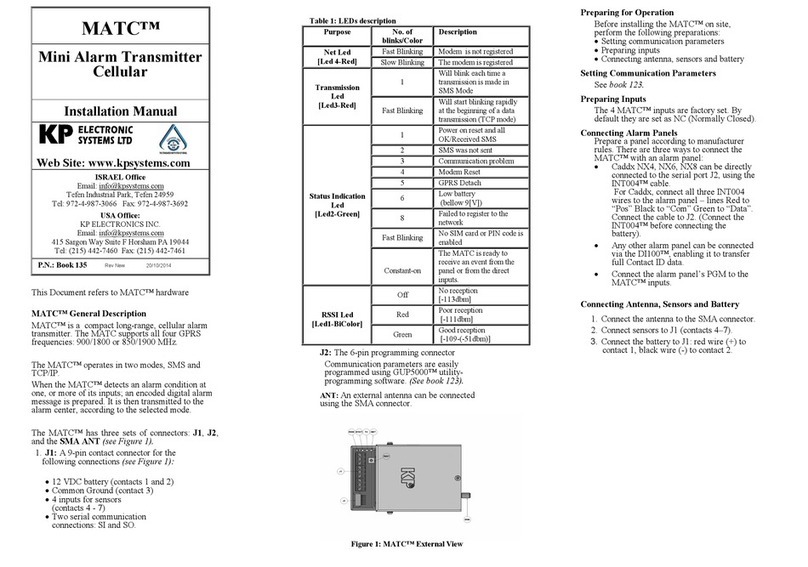
KP Electronic Systems SIM900 User manual

KP Electronic Systems

KP Electronic Systems SIM900 User manual

Popular Transmitter manuals by other brands

Seneca K120RTD installation manual

Seneca

Seneca K120RTD installation manual

Nautel GV40 installation manual

Nautel

Nautel GV40 installation manual

HumanTechnik cm-light operating instructions

HumanTechnik

HumanTechnik cm-light operating instructions

INOR APAQ C130 TC User instructions

INOR

INOR APAQ C130 TC User instructions

Linear DXS-64 operating instructions

Linear

Linear DXS-64 operating instructions

FeinTech ABT00102 instruction manual

FeinTech

FeinTech ABT00102 instruction manual

Geo Web Pack quick start guide

Geo

Geo Web Pack quick start guide

Inovonics EchoStream EN1210W installation instructions

Inovonics

Inovonics EchoStream EN1210W installation instructions

IKONNIK KA-6 quick start guide

IKONNIK

IKONNIK KA-6 quick start guide

Rohde & Schwarz SR8000 Series System manual

Rohde & Schwarz

Rohde & Schwarz SR8000 Series System manual

Audio Technica UniPak ATW-T93 Installation and operation

Audio Technica

Audio Technica UniPak ATW-T93 Installation and operation

NIVELCO EasyTREK SCA-300 Series Programming manual

NIVELCO

NIVELCO EasyTREK SCA-300 Series Programming manual

Honeywell 5816WMBR installation instructions

Honeywell

Honeywell 5816WMBR installation instructions

Kamstrup READy MTU Installation and operation guide

Kamstrup

Kamstrup READy MTU Installation and operation guide

Omega ZW Series user guide

Omega

Omega ZW Series user guide

ABB Field 264H Instructions for installation

ABB

ABB Field 264H Instructions for installation

Dejero EnGo 3x manual

Dejero

Dejero EnGo 3x manual

Rosemount 4600 Reference manual

Rosemount

Rosemount 4600 Reference manual

manuals.online logo
manuals.online logoBrands
  • About & Mission
  • Contact us
  • Privacy Policy
  • Terms and Conditions

Copyright 2025 Manuals.Online. All Rights Reserved.

ATS100™
Long-Range
Synthesized Radio
Alarm Transmitter
Programming Guide
Web Site: www.kpsystems.com
ISRAEL Office
Email: info@kpsystems.com
Tefen Industrial Park, Tefen 24959
Tel: 972-4-987-3066 Fax: 972-4-987-3692
USA Office:
KP ELECTRONICS INC.
Email: [email protected]
109 Tudor Drive, North Wales, PA 19454
Tel: (215) 542-7460 Fax: (215) 542-7461
P.N.: Book 039 Rev: 09 Pg.2 of 2 Approved: Amir S.
03/10/06
ATS100™ Programming Guide
Connect ATS100™ to a PC using an
RSINT001™ adaptor (see Figure 1).
The following communication parameters
can be programmed or modified:
•Protocol
•Station address
•System
•Group
•Number of words (in a burst)
•Alarm repetitions
•Test repetitions
•Periodic test (hours:min)
•Parity
•Input delay
•Input polarity
•Transmit frequency (MHz)
Figure 1: ATS100™
PC Connection Configuration
Operating Instructions
•Connecting ATS100™ to
GUP5000™ utility program
•Changing Devices
•Loading Device Parameter Values
•Changing Device Parameter Values
•Updating Parameter Value Changes
•Confirming Parameter Value Changes
•Activating SELF TEST
Connecting ATS100™ to GUP5000™
1. Connect ATS100™ to a PC using
the RSINT001™ adaptor (see
Figure 1).
2. Click StartPrograms
KP UtilitiesGUP5000, or click
shortcut.
.
Changing Devices
Various KP devices can be programmed
using GUP5000™ utility software. When
started, the GUP5000™ utility software
program automatically connects to the
device currently connected to the PC.
Loading Device Parameter Values
Device parameter values must be loaded for each device connected to GUP5000™ utility
software. When devices are changed, ensure parameter values for the current device are
loaded.
To Load Device Parameter Values
1. From the GUP5000™ main screen, click Prompt ? (Ctrl P).
2. Click Read (Ctrl R).
•
• The name of the device type, version, and suitable parameters are displayed.
•
The transmitter being programmed sends the following AB code to the central
receiver: “Warning, device parameters.”
Ensure the correct name and version of the device are displayed. If not, ensure the device is
properly connected to the PC.
If the Communication Error screen continuously appears on the screen, consult
KP technical support.
Changing Device Parameter Values
Type the new parameter value in the designated parameter text box.
Updating Parameter Value Changes
To Update Parameter Value Changes
Click Program (Ctrl S).
Confirming Parameter Changes
Ensure that any parameter changes made are updated.
To Confirm Parameter Changes
•From the GUP5000™ main screen, click Read (Ctrl R).
The GUP5000 main screen displays the updated device type, version, and suitable
parameters.
Performing SELF TEST
After KP device parameter values have been loaded, perform SELF TEST to ensure the
device is working properly.
To Perform SELF TEST
1. Disconnect the device from the PC.
2. Press the SELF-TEST button.
3. Observe the SELF-TEST LED.
(Refer to Table 2 of Installation Manual for SELF-TEST results-See ATS Installation
Manual)
On-Line HELP
To view a brief explanation of any ATS100™ parameter, click the required parameter text
box. The cursor will appear in the designated text box. The valid parameter range displays
at the bottom of the screen together with a brief explanation.
The operator can select the suitable parameter from the on-line HELP line.