manuals.online logo
Brands
  1. Home
  2. •
  3. Brands
  4. •
  5. KYORITSU
  6. •
  7. Measuring Instrument
  8. •
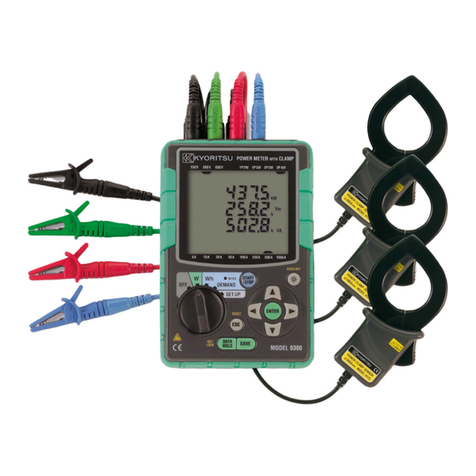
  9. KYORITSU 6300 Installation guide

KYORITSU 6300 Installation guide

Other manuals for 6300

2

Other KYORITSU Measuring Instrument manuals
KYORITSU KEW6205 User manual

KYORITSU

KYORITSU KEW6205 User manual

KYORITSU KEW 2510 User manual

KYORITSU

KYORITSU KEW 2510 User manual

KYORITSU KEW 6305 User manual

KYORITSU

KYORITSU KEW 6305 User manual
KYORITSU KEW2200R User manual

KYORITSU

KYORITSU KEW2200R User manual
KYORITSU KEW 2003A User manual

KYORITSU

KYORITSU KEW 2003A User manual

KYORITSU KEW Smart User manual

KYORITSU

KYORITSU KEW Smart User manual

KYORITSU KEW 6305 User manual

KYORITSU

KYORITSU KEW 6305 User manual

KYORITSU 6300 Installation guide

KYORITSU

KYORITSU 6300 Installation guide

KYORITSU 3131A User manual

KYORITSU

KYORITSU 3131A User manual

KYORITSU KEW 6305 User manual

KYORITSU

KYORITSU KEW 6305 User manual

KYORITSU 2062 User manual

KYORITSU

KYORITSU 2062 User manual

KYORITSU KEW SNAP Series User manual

KYORITSU

KYORITSU KEW SNAP Series User manual

KYORITSU KEW3121B User manual

KYORITSU

KYORITSU KEW3121B User manual

KYORITSU KEW 2200R User manual

KYORITSU

KYORITSU KEW 2200R User manual
KYORITSU KEW SNAP 2002PA User manual

KYORITSU

KYORITSU KEW SNAP 2002PA User manual

KYORITSU KEW 2413R User manual

KYORITSU

KYORITSU KEW 2413R User manual
KYORITSU 8115 User manual

KYORITSU

KYORITSU 8115 User manual

KYORITSU KEW2040 User manual

KYORITSU

KYORITSU KEW2040 User manual

KYORITSU KEW3551 User manual

KYORITSU

KYORITSU KEW3551 User manual

KYORITSU 6300 User manual

KYORITSU

KYORITSU 6300 User manual

KYORITSU KEW 6305 Installation guide

KYORITSU

KYORITSU KEW 6305 Installation guide
KYORITSU 3005A User manual

KYORITSU

KYORITSU 3005A User manual
KYORITSU K4105A User manual

KYORITSU

KYORITSU K4105A User manual

KYORITSU KEW 2060BT User manual

KYORITSU

KYORITSU KEW 2060BT User manual

Popular Measuring Instrument manuals by other brands

Powerfix Profi 278296 Operation and safety notes

Powerfix Profi

Powerfix Profi 278296 Operation and safety notes

Test Equipment Depot GVT-427B user manual

Test Equipment Depot

Test Equipment Depot GVT-427B user manual

Fieldpiece ACH Operator's manual

Fieldpiece

Fieldpiece ACH Operator's manual

FLYSURFER VIRON3 user manual

FLYSURFER

FLYSURFER VIRON3 user manual

GMW TG uni 1 operating manual

GMW

GMW TG uni 1 operating manual

Downeaster Wind & Weather Medallion Series instruction manual

Downeaster

Downeaster Wind & Weather Medallion Series instruction manual

Hanna Instruments HI96725C instruction manual

Hanna Instruments

Hanna Instruments HI96725C instruction manual

Nokeval KMR260 quick guide

Nokeval

Nokeval KMR260 quick guide

HOKUYO AUTOMATIC UBG-05LN instruction manual

HOKUYO AUTOMATIC

HOKUYO AUTOMATIC UBG-05LN instruction manual

Fluke 96000 Series Operator's manual

Fluke

Fluke 96000 Series Operator's manual

Test Products International SP565 user manual

Test Products International

Test Products International SP565 user manual

General Sleep Zmachine Insight+ DT-200 Service manual

General Sleep

General Sleep Zmachine Insight+ DT-200 Service manual

Sensa Core Lacto Spark user manual

Sensa Core

Sensa Core Lacto Spark user manual

VOLTCRAFT UTS-1980 operating instructions

VOLTCRAFT

VOLTCRAFT UTS-1980 operating instructions

EBCHQ 94915 Operation manual

EBCHQ

EBCHQ 94915 Operation manual

Balluff BIP LD2-T017-01-EP-S4 Series user guide

Balluff

Balluff BIP LD2-T017-01-EP-S4 Series user guide

Pulsar IMP Lite Series instruction manual

Pulsar

Pulsar IMP Lite Series instruction manual

ETCR 6800 user manual

ETCR

ETCR 6800 user manual

manuals.online logo
manuals.online logoBrands
  • About & Mission
  • Contact us
  • Privacy Policy
  • Terms and Conditions

Copyright 2025 Manuals.Online. All Rights Reserved.

MODEL6300
DIGITALPOWERMETER
Quickmanual
KYORITSUELECTRICALINSTRUMENTS
WORKS,LTD.
−1−
.......................................................... 2
..............................................................3
.................................................5
............................................................................8
....................9
.....................13
...............16
........................................................19
Saving data
● Saving method
Manual saving
● Saving point
key
● Saving item
Instantaneous
value
● File name
*CF card
1F I LE000.CSV
*Internal memory
1DATA000.CSV
W
range
Wh
range
DEMAND
range
SET UP
range
1. Functional overview
(Section 1)
Measurement start/stop
* manual operation
* specifying date & time
(Section 6)
Instantaneous value
measurement
OFF
Saving data
● Saving method
Automatic saving
● Saving point
Integration interval
● Saving item
*Instantaneous value (*)
*Integration value
● File name
*CF card
2F I LE000.CSV
*Internal memory
2DATA000.CSV
Saving data
● Saving method
Automatic saving
● Saving point
Demand interval
● Saving item
*Instantaneous value (*)
*Integration value
*Demand value
● File name
*CF card
3F I LE000.CSV
*Internal memory
3DATA000.CSV
ON: (Section 3)
* AC power supply
* Battery
W
range
Instantaneous value
(Custom display)
Wh
range
Integration value
DEMAND
range
Demand value
Data download
(USB communication)
(Section 10) Communication
function
Saved file
External settings
(USB communication)
(Section 10) Communication
function
PC
Indication
(*) including max & average values at each interval
key
A
dditional functions
(Section 11)
Other functions
(Section 7)
Integration value
measurement
(Section 8)
Demand value
measurement
(Section 4)
Setting
* Basic setting
* Setting for integration
measurement
* Setting for demand
measurement
* Other settings
Measurement screen
Setting screen
−2−
USB connecto
r
CF card
Connector
Eject button
LED status indicator
*Lights up: During integration/ demand
measurement
*Flashes : During integration/ demand
stand-by mode
2. Instrument layout
(Section 2)
● Display & keys (2-1)
Keys Details Keys Details
Starts/ Stops integration
and demand measurement.


* Cancels a setting
* Clears integration/ demand value


Switches on/off the
backlight of the LCD.

Measurement screen:
Switches the display contents.
Setting screen:
Changes selection, number, or
moves digits.

* Data hold
* Key lock
Pressing this key for at least 2 sec
locks keys.
Pressing again this key for at least
2 sec releases key lock.

Confirms entry such as a
change to a setting.


Saves the instantaneous
measurement data.

● Connector (2-2) ● CF card/ USB part (2-3)
Current input terminal
(A1, A2, A3
)
V
oltage input terminal
(VN, V1, V2, V3)
Power su
pp
l
y
connecto
r
Function switch
* Turns the instrument on when it is in
any position other than OFF.
(Section 3)
1. AC power supply, or
2. Battery
LCD
−3−
● Marks displayed on the LCD (2-1)
< All marks to be displayed on the LCD>
< Marks indicate the measurement status or functions >
Mark Measurement status or function
Displayed when the keys are locked.
Displayed when voltage exceeds a certain value.
Displayed when current exceeds a certain value.
Displayed when instrument is operating with AC power supply.
Displayed when instrument if operating with batteries.
Displayed when data hold function is activated.
Displayed during integration, Flashes during stand-by mode.
Displayed during demand, Flashes during stand-by mode.
Displayed when the capacity of CF card or internal memory is full.
Displayed while saving data in CF card.
Displayed when opening/ closing a file at measurement.
Displayed when saving data.
Displayed when a file exists in the internal memory.
Displayed when VT ratio is set to at a value other than 1.
Displayed when CT ratio is set to at a value other than 1.
Unit
Phase
number
Voltage range Wiring
Current range
−4−
3. Setting: SET UP range
(Section 4)
3.1 List of setting items
(4-1)
Each Setting Item No./ Setting item Mark Setting
01
Wiring
-
1P2W(1ch)/ 1P2W(2ch)/
1P2W(3ch)/ 1P3W/ 3P3W /3P4W
02
Voltage range
-
150/ 300/ 600V
03
Current range
-
Range (
04
Clamp sensor)
5/ 10/ 20/ 50A : (50A)
10/ 20/ 50/ 100A : (100A)
20/ 50/ 100/ 200A : (200A)
50/ 100/ 200/ 500A : (500A)
100/ 200/ 500/ 1000A : (1000A)
1000/ 3000A : (3000A)
04
Clamp sensor 50/ 100/ 200/ 500/ 1000/ 3000A
05
VT ratio 1 ~ 10000
Basic
setting
06
CT ratio 1.00 ~ 10000.0
07
Time (*1) Year : Month : Day,
Hour : Minute : Second
Other
settings
08
Buzzer on (sound)
oFF (not sound)
09
Integration interval
1/ 2/ 5/ 10/ 15/ 20/ 30 sec.
1/ 2/ 5/ 10/ 15/ 20/ 30 min., 1 hour
10
Integration start
time & date
Year : Month : Day,
Hour : Minute : Second
11
Integration stop
time & date
Year : Month : Day,
Hour : Minute : Second
Settings
only for
integration
measurement
12
Reset of
integration value
on (reset)
oFF (not reset)
13
Demand Interval
1/ 2/ 5/ 10/ 15/ 20/ 30 sec.
1/ 2/ 5/ 10/ 15/ 20/ 30 min., 1 hour
14
Demand start
time & date
Year : Month : Day,
Hour : Minute : Second
15
Demand stop
time & date
Year : Month : Day,
Hour : Minute : Second
16
Demand target
value
0.1W ~ 999.9GW
17
Demand inspection
cycle
Can select a time from any three
of preceding time as demand
interval.
<e.g.>
Interval =30min. →10/ 15/ 20 min.
Settings
only for
demand
measurement

18
Reset of
demand value
on (reset)
oFF (not reset)

−5−
Each Setting Item No./ Setting item Mark Setting
19 Use of CF card (*2)
on (use)
oFF (not use,
use internal memory)
20 Formatting of
CF card (*3)
on (formatting)
oFF (not formatting)
Setting for
CF card
21 Deleting the data in
CF card
dEL (delete)
not.dEL (not delete)
22 Deleting the data in
internal memory
dEL (delete)
not.dEL (not delete)
23 System reset on (reset)
oFF (not reset)
24 Loading settings Save number 01 ~ 20
Other
settings
25 Saving settings
Save number 01 ~ 20
(*1) Time has been adjusted to Japanese local time at the shipment.
(*2) A message “on” is displayed on the LCD when powering on the instrument
while the formatted CF card has been inserted.
(*3) Format a CF Card before use.
−6−
Setting ends:
Proceed to
STEP2
to do other settings.
3-2 Setting procedure
(4-3)
STEP 1
Set the Function switch to
SET UP
range. (setting screen)
STEP 2
Switch the setting items (Item number 01 ~ 25) with keys.
STEP 3
Press the key on the selected item.
(Then settings blink and the instrument gets setting change mode.)
STEP 4
Change the settings with keys.
< Example>
Item number
[01]
, Setting item
[Wiring]
Setting
[1P2W(1ch)/ 1P2W(2ch)/ 1P2W(3ch)/ 1P3W/ 3P3W/ 3P4W]
STEP 5
Enter the settings.
STEP 5
Cancel the settings.
(Press the key.) (Press the key.)
‣‧•⁈ ‥••⁈ ••⁈ ‣⁂․⁉ ‣⁂‥⁉ ‥⁂‥⁉ ‥⁂…⁉
‧″ ‣•″ ․•″ ‧•″ ‣••″ ․••″ ‧••″ ‣•••″
Item number
Setting screen
‣‧•⁈ ‥••⁈ ••⁈ ‣⁂․⁉ ‣⁂‥⁉ ‥⁂‥⁉ ‥⁂…⁉
‧″ ‣•″ ․•″ ‧•″ ‣••″ ․••″ ‧••″ ‣•••″
‣‧•⁈ ‥••⁈ ••⁈ ‣⁂․⁉ ‣⁂‥⁉ ‥⁂‥⁉ ‥⁂…⁉
‧″ ‣•″ ․•″ ‧•″ ‣••″ ․••″ ‧••″ ‣•••″
‣‧•⁈ ‥••⁈ ••⁈ ‣⁂․⁉ ‣⁂‥⁉ ‥⁂‥⁉ ‥⁂…⁉
‧″ ‣•″ ․•″ ‧•″ ‣••″ ․••″ ‧••″ ‣•••″
‣‧•⁈ ‥••⁈ ••⁈ ‣⁂․⁉ ‣⁂‥⁉ ‥⁂‥⁉ ‥⁂…⁉
‧″ ‣•″ ․•″ ‧•″ ‣••″ ․••″ ‧••″ ‣•••″
‣‧•⁈ ‥••⁈ ••⁈ ‣⁂․⁉ ‣⁂‥⁉ ‥⁂‥⁉ ‥⁂…⁉
‧″ ‣•″ ․•″ ‧•″ ‣••″ ․••″ ‧••″ ‣•••″
‣‧•⁈ ‥••⁈ ••⁈ ‣⁂․⁉ ‣⁂‥⁉ ‥⁂‥⁉ ‥⁂…⁉
‧″ ‣•″ ․•″ ‧•″ ‣••″ ․••″ ‧••″ ‣•••″
or
or
3P3W 3P4W
1P2W(1ch)
1P3W 1P2W(3ch)
1P2W(2ch)
−7−
4. Wiring (Section 5) VN V1 V2 V3
● Single-phase 2-wire (1ch) ”1P2W (1ch)”
A1 A2 A3
● Single-phase 2-wire (2ch) “1P2W (2ch)”
● Single-phase 2-wire (3ch) “1P2W (3ch)”
● Single-phase 3-wire “1P3W”
● Three-phase 3-wire “3P3W”
● Three-phase 4-wire “3P4W”
LOAD
SOURCE
LOAD1SOURCE
L
N
V
N
V
1
A
1
L
LOAD1
N
V
N
V
1
A
2
A
1
SOURCE
LOAD2
L
V
N
V
1
A
3
A
2
A
1
SOURCE NLOAD1
LOAD2
LOAD3
LOAD
SOURCE N
L1
L2
V
N
V
1
V
2
A
2
A
1
LOAD
SOURCE L2
L3
L1
V
N
V
1
V
2
A
2
A
1
LOAD
SOURCE
N
L2
L3
L1
V
N
V
1
V
2
V
3
A
3
A
2
A
1
−8−
W
range
Safety first!
Turning on the instrument
Basic setting
Wiring
Instantaneous value
measurement
5. Instantaneous value measurement: W range
(Section 6)
● Measurement flow chart
● Displayed items on
W
range
Displayed parameters Unit
Voltage (RMS) V : Average voltage of Vi Vi : Voltage per phase
V
Current (RMS) A : Average current of Vi Ai : Current per phase
A
Active power P : Total active power Pi : Active power per phase
Polarity: + (no mark) consumption,
- (minus) regenerating
W
Reactive power Q : Total reactive power Qi : Reactive power per phase
Polarity: + (no mark) phase lag,
- (minus) phase lead
Var
Apparent power S : Total apparent power Si : Apparent power per phase
VA
Power factor PF : Total power factor Pfi : Power factor per phase
Polarity: + (no mark) phase lag,
- (minus) phase lead
PF
Frequency f : Frequency at V1
Hz
Neutral current In
**
: Current on a neutral line (only at three-phase 4-wire)
An
* i = 1, 2, 3

** :
The recorded/displayed In(neutral current) value will not be a true value in situations where
there is an earth leakage or leakage current flowing through the live conductors of the three
phase system that is being monitored using the Power Meter Model 6300.
SET UP range
“ Setting 01” Wiring
“ Setting 02” Voltage range
“ Setting 03” Current range
“ Setting 04” Clamp sensor
“ Setting 05” VT ratio (if necessary)
“ Setting 06” CT ratio (if necessary)
−9−