Owner’s Manual 9
ENGLISH
Operation Tips
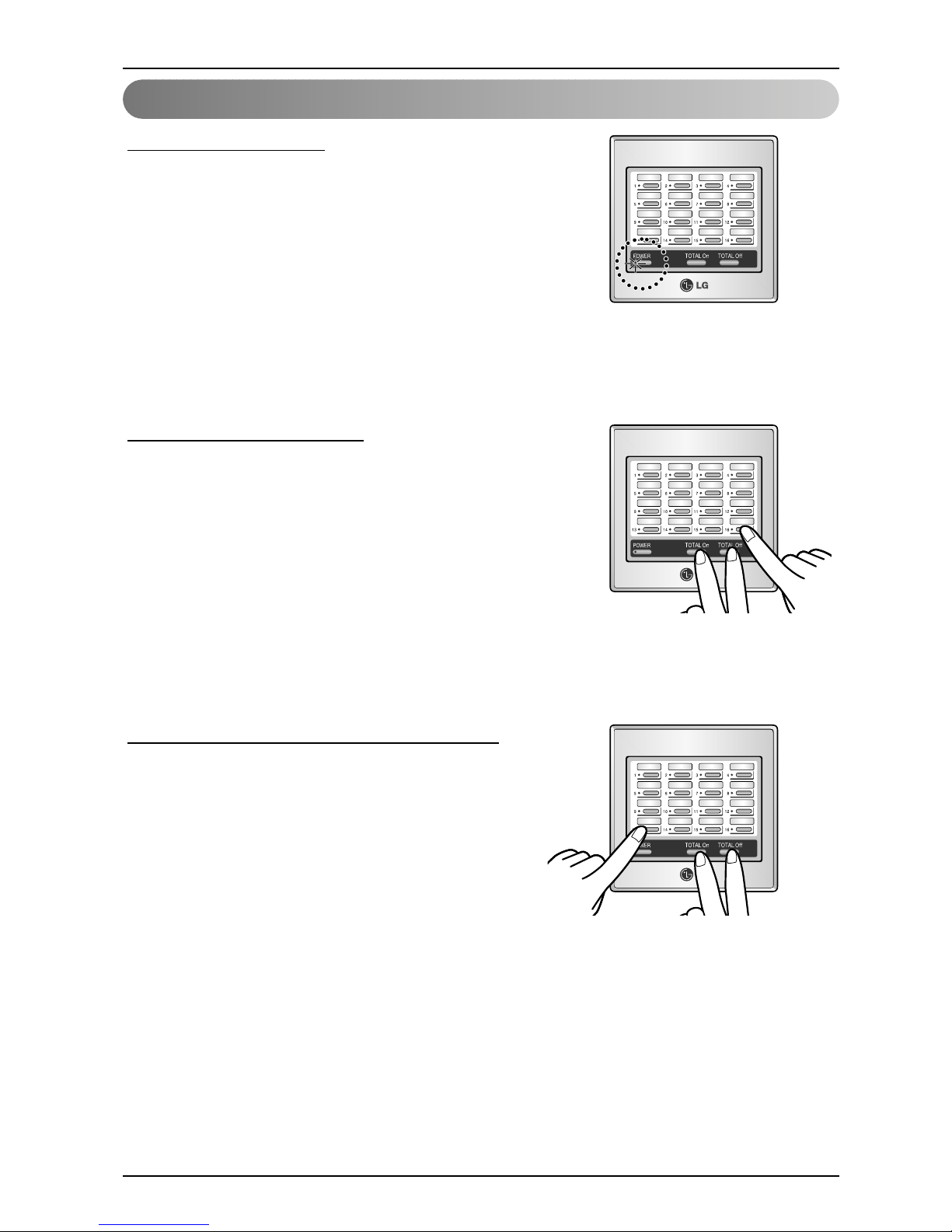
Setting Individual Lock
•Control is available only by central controller & control by individual remote controller is impossible
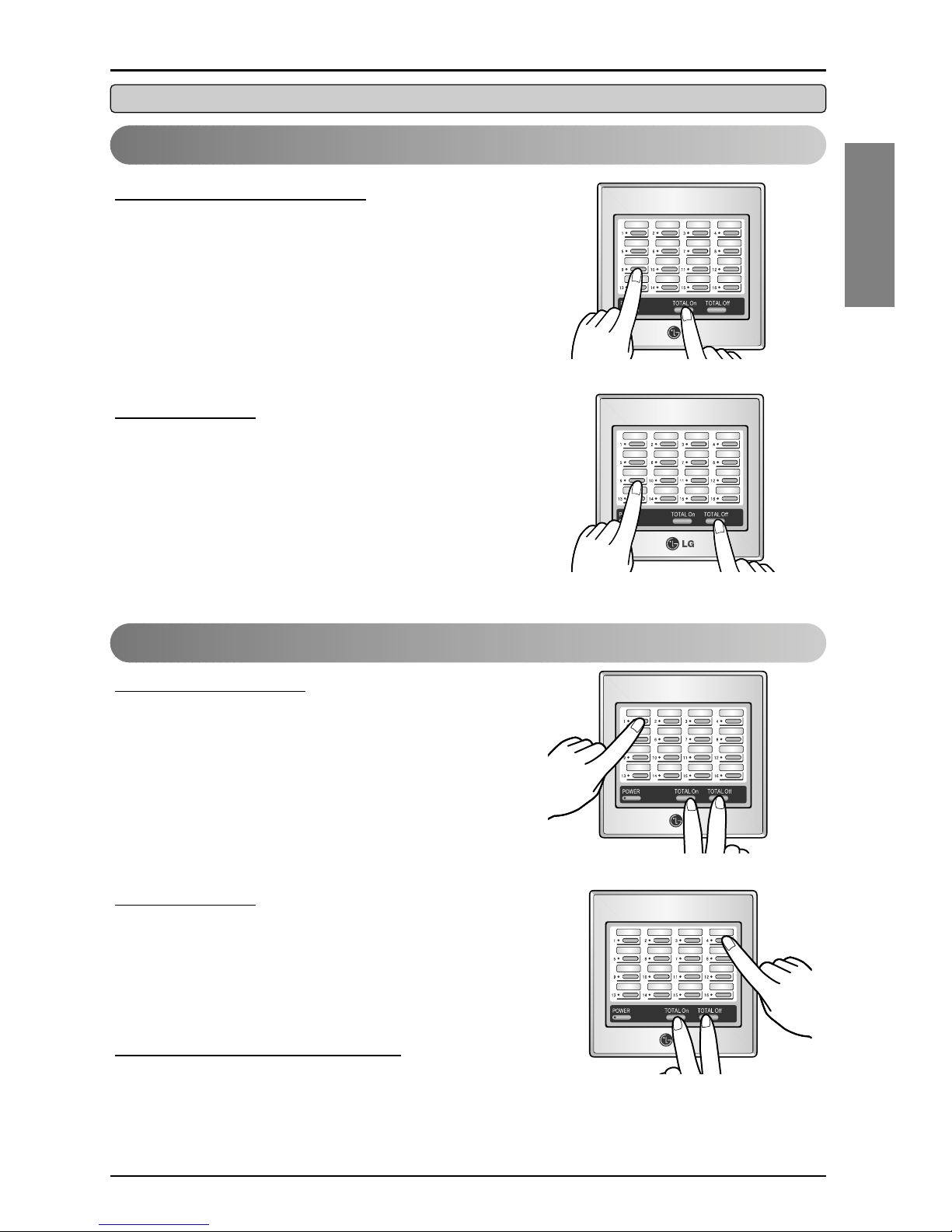
Setting individual lock
Press Total On and individual On/Off button at the same time.
•In this case, equivalent unit is controlled only by Central
controller.
After lock function is set, the equivalent LED of locked unit
blinks for 5 sec.
Cancellation
Press, Total Off and individual On/Off button at the same time
to cancel the lock function.
After lock function is canceled, the equivalent LED of unlocked
unit blinks for 5 sec.
Setting Total Lock for Each Group
Setting total lock
Press Total On, Total Off and no. 1 button at the same time.
•All linked units are now controlled only by central controller,
control of main body is impossible. After lock function is set,
LEDs of all locked units blink for 5 sec.
Cancellation
Press Total On, Total Off and no. 4 button at the same time.
•Lock of all units is cancelled and the LEDs of all unlocked
units blink for 5 sec.
Check of the locked units
Press Total On and Total Off
•LED of locked units blinks for 5 sec.