manuals.online logo
Brands
  1. Home
  2. •
  3. Brands
  4. •
  5. LG
  6. •
  7. Projector
  8. •
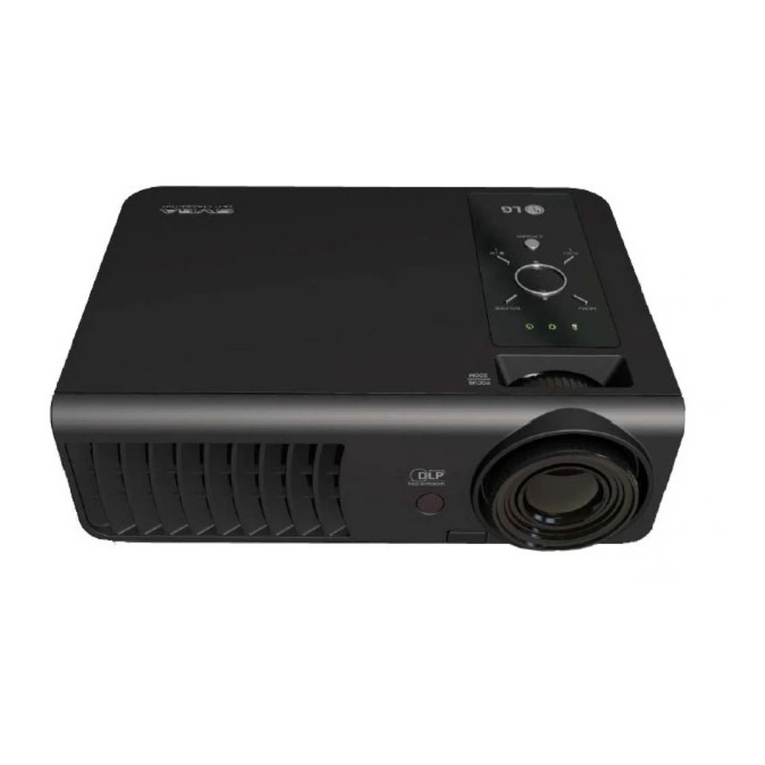
  9. LG CineBeam PH150GX User manual

LG CineBeam PH150GX User manual

This manual suits for next models

1

Other LG Projector manuals

LG CF3D User manual

LG

LG CF3D User manual

LG BX327 User manual

LG

LG BX327 User manual

LG CineBeam HF60LA User manual

LG

LG CineBeam HF60LA User manual

LG BX327 User manual

LG

LG BX327 User manual

LG CineBeam Laser 4K User manual

LG

LG CineBeam Laser 4K User manual

LG BA850 User manual

LG

LG BA850 User manual

LG ProBeam BU53RG User manual

LG

LG ProBeam BU53RG User manual

LG HF80JG Instruction manual

LG

LG HF80JG Instruction manual

LG CineBeam Laser 4K HU85LA User manual

LG

LG CineBeam Laser 4K HU85LA User manual

LG CF3D Instruction Manual

LG

LG CF3D Instruction Manual

LG HF80LA User manual

LG

LG HF80LA User manual

LG DX125 User manual

LG

LG DX125 User manual

LG CineBeam Laser User manual

LG

LG CineBeam Laser User manual

LG PB62G.AEU User manual

LG

LG PB62G.AEU User manual

LG RL-JA10 User manual

LG

LG RL-JA10 User manual

LG BS275 User manual

LG

LG BS275 User manual

LG PB63G User manual

LG

LG PB63G User manual

LG Minibeam Pro PF1500 User manual

LG

LG Minibeam Pro PF1500 User manual

LG BS254 User manual

LG

LG BS254 User manual

LG HX300G User manual

LG

LG HX300G User manual

LG ProBeam BF50NST User manual

LG

LG ProBeam BF50NST User manual

LG Minibeam PH550 User manual

LG

LG Minibeam PH550 User manual

LG PH150G User manual

LG

LG PH150G User manual

LG LED 500 User manual

LG

LG LED 500 User manual

Popular Projector manuals by other brands

Eiki LC-X985 Specification sheet

Eiki

Eiki LC-X985 Specification sheet

InFocus LitePro 610 quick start

InFocus

InFocus LitePro 610 quick start

Epson EH-TW5900 datasheet

Epson

Epson EH-TW5900 datasheet

FOREVER MLP-100 manual

FOREVER

FOREVER MLP-100 manual

Toshiba TDP-MT8U Specifications

Toshiba

Toshiba TDP-MT8U Specifications

Mitsubishi XD500U specification

Mitsubishi

Mitsubishi XD500U specification

Kodak Ektapro 3020 Illustrated parts list

Kodak

Kodak Ektapro 3020 Illustrated parts list

Toshiba TDP-EW25U Specifications

Toshiba

Toshiba TDP-EW25U Specifications

Barco iQ PRO G500 supplementary guide

Barco

Barco iQ PRO G500 supplementary guide

NEC Showcase Series HT1100 user manual

NEC

NEC Showcase Series HT1100 user manual

Philips LC1341 user guide

Philips

Philips LC1341 user guide

Epson PowerLite 1266 user guide

Epson

Epson PowerLite 1266 user guide

MAGINON DLP 1400S user manual

MAGINON

MAGINON DLP 1400S user manual

Toshiba TLP-380 owner's manual

Toshiba

Toshiba TLP-380 owner's manual

Philips PicoPix PPX2480/EU user manual

Philips

Philips PicoPix PPX2480/EU user manual

Hitachi CP-X605 Series Specifications

Hitachi

Hitachi CP-X605 Series Specifications

Optoma TW1692 user manual

Optoma

Optoma TW1692 user manual

Kodak EKTAPRO instruction manual

Kodak

Kodak EKTAPRO instruction manual

manuals.online logo
manuals.online logoBrands
  • About & Mission
  • Contact us
  • Privacy Policy
  • Terms and Conditions

Copyright 2025 Manuals.Online. All Rights Reserved.

PH150G
PH150GX
Please read the safety information carefully before using this product.
Owner's Manual
LG CineBeam
Lcos Projector
www.lg.com
P/NO : SAC37034603 (2010-REV08)
Copyright ⓒ2017 LG Electronics Inc. All Rights Reserved.
2
ENGLISH
LICENSES
Supported licenses may di󰀨er by model. For more information about
licenses, visit www.lg.com.
Manufactured under license from Dolby
Laboratories. Dolby and the double-D symbol
are trademarks of Dolby Laboratories.
This DivX Certied® device has passed
rigorous testing to ensure it plays DivX®
video.
To play purchased DivX movies, rst register
your device at vod.divx.com. Find your
registration code in the DivX VOD section of
your device setup menu.
DivX Certied® to play DivX® video up to HD
1080p, including premium content.
DivX®, DivX Certied® and associated logos
are trademarks of DivX, LLC and are used
under license.
Covered by DivX Patents 7,295,673;
7,515,710; RE45,052; and others available
at [www.divx.com/patents]
The terms HDMI and HDMI High-Denition
Multimedia Interface, and the HDMI Logo
are trademarks or registered trademarks of
HDMI Licensing Administrator, Inc. in the
United States and other countries.

• Image shown may differ from your projector.
• Your projector’s OSD (On Screen Display) may differ slightly from
that shown in this manual.
NOTE
3
ENGLISH
SAFETYPRECAUTIONS
Please take note of the safety instructions to prevent any potential accident
or misuse of the projector.
• Safety precautions are given in two forms, i.e., WARNING and CAUTION
as detailed below.
WARNING Failure to follow the instructions may cause serious
injury and even death.
CAUTION Failure to follow the instructions may cause personal
injury or product damage.
• Read the owner's manual carefully and keep it on hand.
WARNING/CAUTION
RISK OF ELECTRIC SHOCK
DO NOT OPEN
The lightning ash with
arrowhead symbol, within
an equilateral triangle, is
intended to alert the user to the
presence of uninsulated dangerous
voltage within the product’s
enclosure that may be of su󰀩cient
magnitude to constitute a risk of
electric shock to persons.
The exclamation point
within an equilateral
triangle is intended to alert
the user to the presence of
important operating and
maintenance (servicing)
instructions in the literature
accompanying the device.
WARNING/CAUTION
-TO REDUCE THE RISK
OF FIRE AND ELECTRIC
SHOCK, DO NOT EXPOSE
THIS PRODUCT TO RAIN OR
MOISTURE.
Readtheseinstructions.
Keeptheseinstructions.
Heedallwarnings.
Followallinstructions.
IndoorInstallation
WARNING
• Do not use the projector outside
and do not expose the product
to any humidity or water.
-Since the product is not
waterproof, this may result in
a re or electric shock.
• Do not place the projector in
direct sunlight or near heat
sources such as radiators, fires,
stoves, etc.
-This may result in re.
• Do not place flammable
materials such as aerosols near
the projector.
-This may result in re.
4
ENGLISH
• Do not allow children to cling to
or climb up to the projector.
-This may cause the projector
to fall, causing injury or
death.
• Do not install the product in a
place with no ventilation (e.g.,
on a bookshelf or in a closet) or
on a carpet or cushion.
-This may result in re due
to the increase in internal
temperature.
• Do not place the product close
to sources of steam, oil or oil
mist, such as humidifiers and
kitchen counters.
-Failure to do so may result
in re, electric shock, or
corrosion.
• Do not install the product onto
a wall or ceiling that is close to
sources of oil or oil mist.
-The product may be
damaged and fall, resulting in
serious injury.
• Do not place the projector where
it might be exposed to dust.
-This may result in re.
• Do not use the projector in a
damp place such as a bathroom
where it is likely to get wet.
-This may result in re or
electric shock.
• Do not allow a tablecloth or
curtain to block the air vent.
-This may result in re due to
the increase in the internal
temperature.
• Ensure good ventilation around
the projector. The distance
between the projector and the
wall should be at least 30 cm.
-This will prevent re due to
the increase in the internal
temperature.
CAUTION
• When placing the projector on a
table or shelf, be careful not to
put it near the edge.
-The projector could fall due
to balance problems, which
may cause personal injury or
damage to the product. Make
sure to use the projector
cabinet or stand that ts the
projector.
5
ENGLISH
• When moving the projector,
make sure to switch it off and
remove the power plug and
cords.
-The power cord may be
damaged, resulting in re or
electric shock.
• Do not place the projector on
an unstable or vibrating surface
such as a wobbly shelf or a
slope.
-It may fall and cause injury.
• Be careful not to tip the projector
over when connecting external
devices to the projector.
-This may cause personal
injury or damage to the
projector.

Power
WARNING
• DISCONNECTING THE
DEVICE FROM THE MAIN
POWER
-The Power plug is the
disconnecting device. In case
of an emergency, the Power
Plug must remain readily
accessible.
• The grounding wire should be
connected. (Except for devices
which are not grounded.)
-Ensure that you connect the
grounding cable to avoid
electric shock.
If it is not possible to ground
the unit, have a qualied
electrician install a separate
circuit breaker.
Do not try to ground the
projector by connecting it to
telephone wires, lightning
rods, or gas pipes.
• The power plug should be
inserted fully into the power
outlet.
-An unstable connection may
cause a re.
• Do not place heavy objects on
the power cord.
-This may result in re or
electric shock.
• Never touch the power plug with
wet hands.
-This may result in electric
shock.
• Do not plug too many devices
into one multi-power outlet.
-This may result in re due to
the power outlet overheating.
6
ENGLISH
• Keep the AC adapter, power
plug, and the used power outlet
clean from dust or foreign
materials building up.
– This may result in re.
• If there is any smoke or a
burning smell from the projector
or AC adapter, stop using the
product immediately. Disconnect
the power cord from the power
outlet, and then contact the
customer service center.
– This may result in re.
• To turn off the main power,
remove the power plug, which
should be positioned so it is
easy to access for operation.
CAUTION
• Always grab the plug to remove
the AC adapter or power cord.
– Otherwise, this may result
in a re or may damage the
product.
• Refrain from constantly bending
the power cord of the AC
adapter.
– If the power cord is bent
excessively for a long period
of time, the cord may break
inside. This may result in a
re or electric shock.
• Ensure the power cord and plug
are not damaged, modified,
severely bent, twisted, pulled,
sandwiched or hot. Do not use
the product if the power outlet
is loose.
– This may result in re or
electric shock.
• Keep the power cord away from
heating devices.
-The wire's sheath may melt,
which may result in re or
electric shock.
7
ENGLISH
• Place the projector where
people will not trip over or step
on the power cord to protect the
power cord and plug from any
damage.
-This may result in re or
electric shock.
• Do not turn the projector on or
off by plugging in the power plug
or unplugging it from the power
outlet. (Do not use the power
plug as a switch.)
-This may result in electric
shock or damage to the
product.
• Do not insert a conductor
into the other side of the wall
outlet while the power plug is
inserted into the wall outlet.
In addition, do not touch the
power plug immediately after it
is disconnected from the wall
outlet.
-This may result in electric
shock.
• Only use the official power cord
provided by LG Electronics. Do
not use other power cords.
-This may result in re or
electric shock.
• If any water or foreign materials
have gone into the AC adapter,
power cord, or the interior of the
projector, turn off the projector
by pressing the power button.
Remove all the cables, and then
contact the customer service
center.
– This may result in re or
electric shock.
• The surface of the AC adapter is
hot. Keep the AC adapter out of
the reach of children and avoid
touching it during use.
• Never disassemble the power
supply devices (AC adapter/
power cord, etc.).
– This may damage the power
cord and result in a re or
electric shock.
• Connect the AC adapter and the
power cord firmly.
– Not doing so may result in a
product failure or re.
8
ENGLISH
• Do not place heavy objects
or put pressure on the power
cord and AC adapter and avoid
damage.
– This may result in a re or
may damage the product.
• Always use the AC adapter
provided or any AC adapters
approved and certified by LG
Electronics.
– Any other AC adapter
connected may result in the
screen ickering.
WheninUse
WARNING
• Do not place anything
containing liquid on top of the
projector such as a vase, flower
pot, cup, cosmetics, medicine,
or ornaments, candles, etc.
-This may result in re or
electric shock, or cause injury
due to falling.
• In the event that there is a
heavy impact or the cabinet is
damaged, switch it off, unplug
it from the power outlet and
contact an authorized service
center.
-This may result in electric
shock.
• Do not insert pieces of metal
such as coins, hairpins, or metal
debris, nor flammable materials
such as paper or matches into
the projector.
-This is to prevent electric
shock or re.
9
ENGLISH
• Make sure that a child does
not swallow the batteries when
you replace the old remote
control batteries with new ones.
Keep batteries out of reach of
children.
-If a child swallows a battery,
consult a doctor immediately.
• Never open any cover on the
projector.
-There is a high risk of electric
shock.
• Do not look directly into the lens
when the projector is in use.
-The bright light may damage
your eyes.
• When the lamp is on or has just
been turned off, avoid touching
the air vent or lamp, because
these will be very hot.
• If there is a gas leak in the
room with the projector, do not
touch the projector or power
outlet. Open the windows for
ventilation.
-Sparks may cause re or
burns.
• Unplug the power cord from the
outlet during a lightning storm.
-This will prevent shock or
damage to the projector.
• Do not use the projector near
electronic devices that generate
a strong magnetic field.
• Keep the plastic film used for
packaging the projector out of
the reach of children.
– If not handled safely, it can
cause su󰀨ocation.
• Do not keep your hand on the
projector for a long time when it
is running.
• When you play a game by
connecting a game console to
a projector, it is recommended
that you maintain a distance
of more than four times the
diagonal length of the screen.
-Make sure that the
connecting cable is long
enough. Otherwise, the
product may fall causing
personal injury or damage to
the product.
• Do not place the projector or its
remote control with battery in
an extremely high temperature
environment.
-This may result in re.
10
ENGLISH
CAUTION
• Do not place heavy objects on
the projector.
-It may fall down and cause
personal injury.
• Be careful not to allow any
impact to the lens during
transport.
• Do not touch the lens of the
projector.
-The lens may be damaged.
• Do not use any sharp tools on
the projector such as a knife
or hammer, because this may
damage the casing.
• In the event that no image
appears on the screen or no
sound is heard, stop using
the projector. Switch off the
projector, unplug it from the
power outlet and contact our
service center.
-This may result in re or
electric shock.
• Do not drop anything onto the
projector or allow anything to
bang into the projector.
-This may cause damage
to the projector or personal
injury.
• It is recommended that you
maintain a distance of more
than 5 to 7 times the diagonal
length of the screen.
– If you watch the screen at
a close distance for a long
time, your eye sight may
become worse.
• Do not block the light beam
emitted from the projector using
a book or other object.
-Lengthy exposure to the
projector beam may result in
re. In addition, the lens may
be overheated and damaged
by the reected heat. Disable
the AV function to stop
projection temporarily or turn
o󰀨 the power.

• Do not start the projector with
the volume turned up high.

-High volume may damage
hearing.
• Do not use high voltage
electrical equipment near the
projector, (e.g., a bug zapper).
This may result in product
malfunction.
• Do not carelessly throw away
old batteries.
-It can cause an explosion
or re. The disposal method
may vary by country and
region. Dispose of it in an
appropriate manner.
• Risk of fire or explosion if
the battery is replaced by an
incorrect type.