manuals.online logo
Brands
  1. Home
  2. •
  3. Brands
  4. •
  5. Light Emitting Designs
  6. •
  7. Lighting Equipment
  8. •
  9. Light Emitting Designs SML Series User manual

Light Emitting Designs SML Series User manual

This manual suits for next models

3

Other Light Emitting Designs Lighting Equipment manuals

Light Emitting Designs ILX450 Series User manual

Light Emitting Designs

Light Emitting Designs ILX450 Series User manual

Light Emitting Designs IL3525 Series User manual

Light Emitting Designs

Light Emitting Designs IL3525 Series User manual

Light Emitting Designs ILX3525 Series User manual

Light Emitting Designs

Light Emitting Designs ILX3525 Series User manual

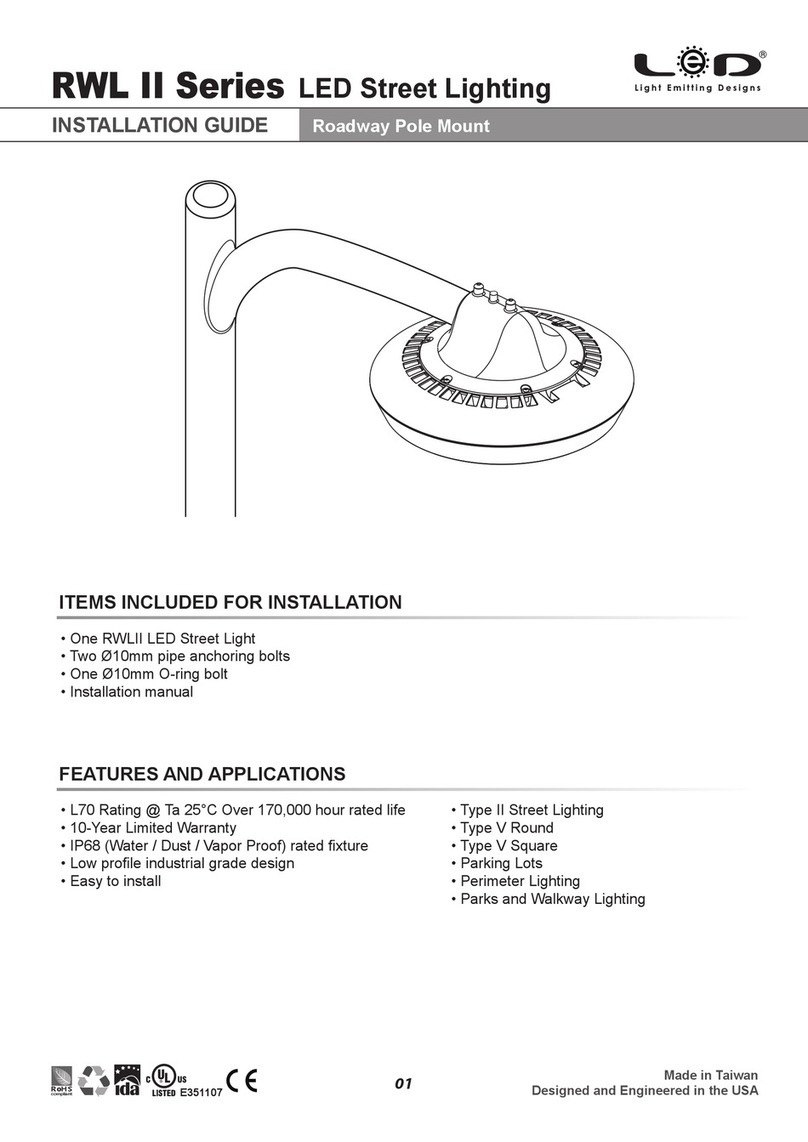
Light Emitting Designs RWL II Series User manual

Light Emitting Designs

Light Emitting Designs RWL II Series User manual

Popular Lighting Equipment manuals by other brands

Life 39.9F70020C quick start guide

Life

Life 39.9F70020C quick start guide

EuroLite LED ML-20 user manual

EuroLite

EuroLite LED ML-20 user manual

LIGMAN OD-50141 installation manual

LIGMAN

LIGMAN OD-50141 installation manual

Home Accents Holiday 1002461144 instructions

Home Accents Holiday

Home Accents Holiday 1002461144 instructions

Experia IRiS Ripple Light instruction manual

Experia

Experia IRiS Ripple Light instruction manual

Erco Gecko Mounting instructions

Erco

Erco Gecko Mounting instructions

Inter-lux ZTA.100.Surface Installation and maintenance instructions

Inter-lux

Inter-lux ZTA.100.Surface Installation and maintenance instructions

Whelen Engineering Company TN Series installation guide

Whelen Engineering Company

Whelen Engineering Company TN Series installation guide

IKEA BJÖRKSPIREA manual

IKEA

IKEA BJÖRKSPIREA manual

Toolland PM 6640 instruction manual

Toolland

Toolland PM 6640 instruction manual

GTD GTD-LP200 user manual

GTD

GTD GTD-LP200 user manual

LIVARNO home 1105-W-UK manual

LIVARNO home

LIVARNO home 1105-W-UK manual

ProLights EclPar IPMFC user manual

ProLights

ProLights EclPar IPMFC user manual

Velvet EVO Series user manual

Velvet

Velvet EVO Series user manual

IDTOLIGHT GENT installation instructions

IDTOLIGHT

IDTOLIGHT GENT installation instructions

MAYTONI S35 installation manual

MAYTONI

MAYTONI S35 installation manual

MaxLite MLFP14DP4535 user manual

MaxLite

MaxLite MLFP14DP4535 user manual

SLV Elektronik 550621 instruction manual

SLV Elektronik

SLV Elektronik 550621 instruction manual

manuals.online logo
manuals.online logoBrands
  • About & Mission
  • Contact us
  • Privacy Policy
  • Terms and Conditions

Copyright 2025 Manuals.Online. All Rights Reserved.

FEATURES AND APPLICATIONS
• L70 Rating @ Ta 25°C Over 80,000 hour rated life
• All-purpose LED utility lighting with short ROI period
• Cost effective solution as a true LED replacement
with a 5-Year Warranty
• Glare-Free, 210° comfortable uniform lighting
for all working environments
• Easy to install
Made in Taiwan
Designed and Engineered in the USA
R HS
o
compliant
• Manufacturing Plants
• Warehouses
• Parking Structures
• Utility Lighting
• Car Bays
• Convenient Stores
• Assembly Lines
ITEMS INCLUDED FOR INSTALLATION
• One SML Series LED Surface Mount Luminaire
• Two sets of mounting kit
• Installation manual
INSTALLATION GUIDE
SML500/1000/1500
12-38Watt LED Linear Utility Lighting
01
External Dimensions
73mm
2⅞"
109mm
4¼"
INSTALLATION GUIDE
SML500/1000/1500
12-38Watt LED Linear Utility Lighting
WARNING
* BEFORE YOU INSTALL this fixture please read these instructions carefully and completely
Made in Taiwan
Designed and Engineered in the USA
R HS
o
compliant
RISK OF ELECTRIC SHOCK
• Installation must be done by a certified electrician
and / or qualified personnel.
• Make sure to turn OFF the main power from the circuit
breaker or fuse box before installing, servicing or
inspecting this fixture.
• Make sure all grounding wires are connected correctly.
Packaging Information
Case Quantity Weight
16 22.60 kg
49.72 Ibs
Dimensions (LxWxH)
98 x 39 x 44 cm
38⅝ x 15⅜ x 17¼ in
RISK OF FIRE
• Ensure that all line voltage wire is intended for specified
product wattage.
• Use UL and / or CE approved wires for all input
connections, minimum size required 22 AWG (0.33mm²)
• Do not use this product in environments where the
temperatures could exceed 50°C (122°F)
02
845mm
33¾ "
16
Made in Taiwan
Designed and Engineered in the USA
R HS
o
compliant
1.
2.
• Handle fixture with care while unpacking
the unit from its packaging and carefully
examine the unit for defects before
installing. Report any damage and save
all packing materials if any part is
damaged during transport. We
recommend wearing work gloves when
installing this fixture to prevent dirt and oil
from coming into contact with the fixture.
• Unlock and open the junction box cover
by pressing the two push button lock
mechanism as shown.
• Remove the junction box cover by
sliding it out.
INSTALLATION GUIDE
SML500/1000/1500
12-38Watt LED Linear Utility Lighting
03
3.
4.
Made in Taiwan
Designed and Engineered in the USA
R HS
o
compliant
• Align the hinge mechanism on the
junction box cover and the junction box
and carefully slide in the fixture all the way
through
• Make sure that the fixture can rotate
around the hinge and is firmly suspended
from the hinge.
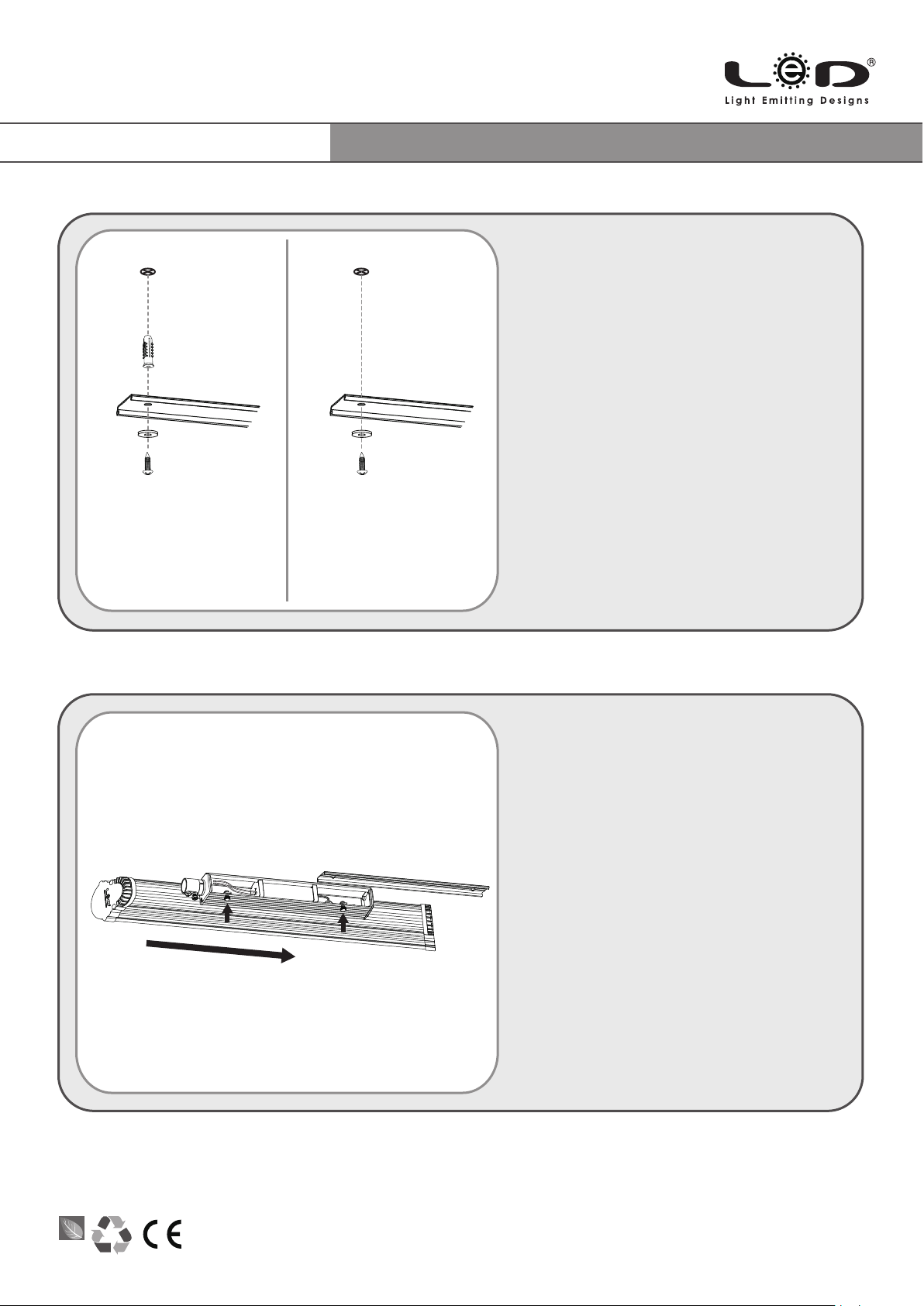
Concrete Wood
• Use the junction box cover as a template
to mark the screw holes location onto the
intended mounting surface.
• For concrete surfaces use a Ø9/32"
(7mm) drill bit and drill holes 1-1/4" (32mm)
deep at the marked locations. (Make sure
that all dimensions are precise)
• Hammer the two concrete anchors into
the two drilled holes until they are flush with
the surface.
• Tighten the junction box cover firmly onto
the intended surface with the two screws
and washers provided in the mounting kit.
• For wooden surfaces use a Ø1/8" (3mm)
drill bit and drill holes 7/8" (20mm) deep at
the marked locations.
• Tighten the junction box cover firmly onto
the intended surface with the two screws
provided in the mounting kit.
INSTALLATION GUIDE
SML500/1000/1500
12-38Watt LED Linear Utility Lighting
04

Made in Taiwan
Designed and Engineered in the USA
R HS
o
compliant
5.
Warning!
• Before connecting any AC input electrical wiring to the electric grid make sure to turn OFF power to
all appropriate circuit at the breaker box.
• Insert the AC line input wires and the conduit through the side entrance hole of the junction box.
Install proper electrical fittings at the entrance hole for wire protection. Nominal strip length with (5/8")
15 mm long.
• Connect the AC input line (L) wire to the corresponding marked AC line (L-BLACK) wire with a
wire nut. Connect the AC input neutral (N) wire to the corresponding marked AC neutral (N-WHITE)
wire with a wire nut. Make sure to cap the input ground wire ( ) with a wire nut.
• When all wire connections are completed make sure the fixture has slid in all the way and that all
wires are enclosed underneath the junction box. Close and lock the fixture by rotating it upwards
and pressing the two locking mechanisms inwards then release them to lock the fixture onto the
junction box cover.
INSTALLATION GUIDE
SML500/1000/1500
12-38Watt LED Linear Utility Lighting
05
INSTALLATION GUIDE
SML500/1000/1500
12-38Watt LED Linear Utility Lighting
LeD is a trademark of Light Emitting Designs, Inc.
© 2017 Light Emitting Designs, Inc.
SML SERIES INST GUIDE 12142015
www.lightemittingdesigns.com
2140 N. Hollywood Way #6486 Burbank, CA 91510 USA
tel: 1 888 662-4466, e-mail: [email protected]
Wiring & Application Diagram
NOTE: • Ensure that all line voltage wire is intended for specified
product wattage.
• Use UL and / or CE approved wires for all input connections,
minimum size required 22 AWG (0.33mm²)
• Refer to the specific dimmer installation manual for exact
wiring instructions.
WARNING
RISK OF ELECTRIC SHOCK
• Installation must be done by a certified electrician and / or qualified personnel.
• Make sure to turn OFF the main power from the circuit breaker or fuse box before installing, servicing or inspecting this luminaire.
• Make sure all grounding wires are connected correctly.
06
Dimming
Dim – (Brown)
N– (White)
L– (Black)
Ground (Green)
Dim + (Blue)
AC Input