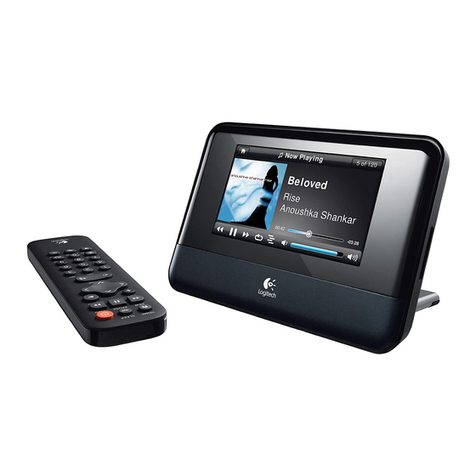
Squeezebox™ Duet User Guide 1
Contents
About Squeezebox Duet...............................................................................................................2
Getting Help............................................................................................................................2
Package Contents ..................................................................................................................3
System Requirements ...........................................................................................................3
Before You Begin............................................................................................................................4
Choose Your Network Setup................................................................................................4
Find Your Wireless Network Settings.................................................................................4
Using Squeezebox Controller..............................................................................................5
Squeezebox Controller Interface .......................................................................................6
Set Up the Hardware .....................................................................................................................7
Charge the Battery ................................................................................................................7
Connect Squeezebox Receiver............................................................................................8
Set Up A SqueezeNetwork™ Account ........................................................................................9
Listen To You Own Music With No Computer..................................................................9
Install SqueezeCenter (Optional) .............................................................................................10
Connect Squeezebox Duet ........................................................................................................11
All-Wireless Network Configuration.................................................................................11
Hybrid Network Configuration .........................................................................................13
Bridged Network Configuration.......................................................................................16
The Squeezebox Controller Display.................................................................................18
Playing The Music.........................................................................................................................20
Random Mix ..........................................................................................................................20
Browsing Your Library.........................................................................................................20
Playlists...................................................................................................................................21
Favorites.................................................................................................................................21
Clearing “Now Playing” ......................................................................................................22
Editing A Playlist Saved On Your Computer...................................................................22
Searching Your Music Library............................................................................................22
Tagging Your Music Files....................................................................................................23
Internet Radio.......................................................................................................................23
Music Services.......................................................................................................................24
Appendix A: Configuring Your Firewall ...................................................................................26
Appendix B: Button Color Codes ..............................................................................................27
Appendix C: Updating the Software ........................................................................................29
Appendix D: Supported File Formats.......................................................................................30
Appendix E: Using Apple iTunes................................................................................................31
Appendix F: Troubleshooting ....................................................................................................32
Appendix G: Restoring Default Settings..................................................................................38
Additional Information ...............................................................................................................39
Online Help ...........................................................................................................................39
Contacting Support.............................................................................................................39
Developer Resources...........................................................................................................39
Logitech Contact Information ..........................................................................................39
Return Information..............................................................................................................39
Logitech®Hardware Product Limited Warranty.....................................................................41
Safety Information.......................................................................................................................42