Verify Motor Direction
This step explains how to check motor direction by running the motor at a low speed via the
keypad in HAND mode. Verify that the power and motor wiring matches the previous step and
covers are installed before applying power.
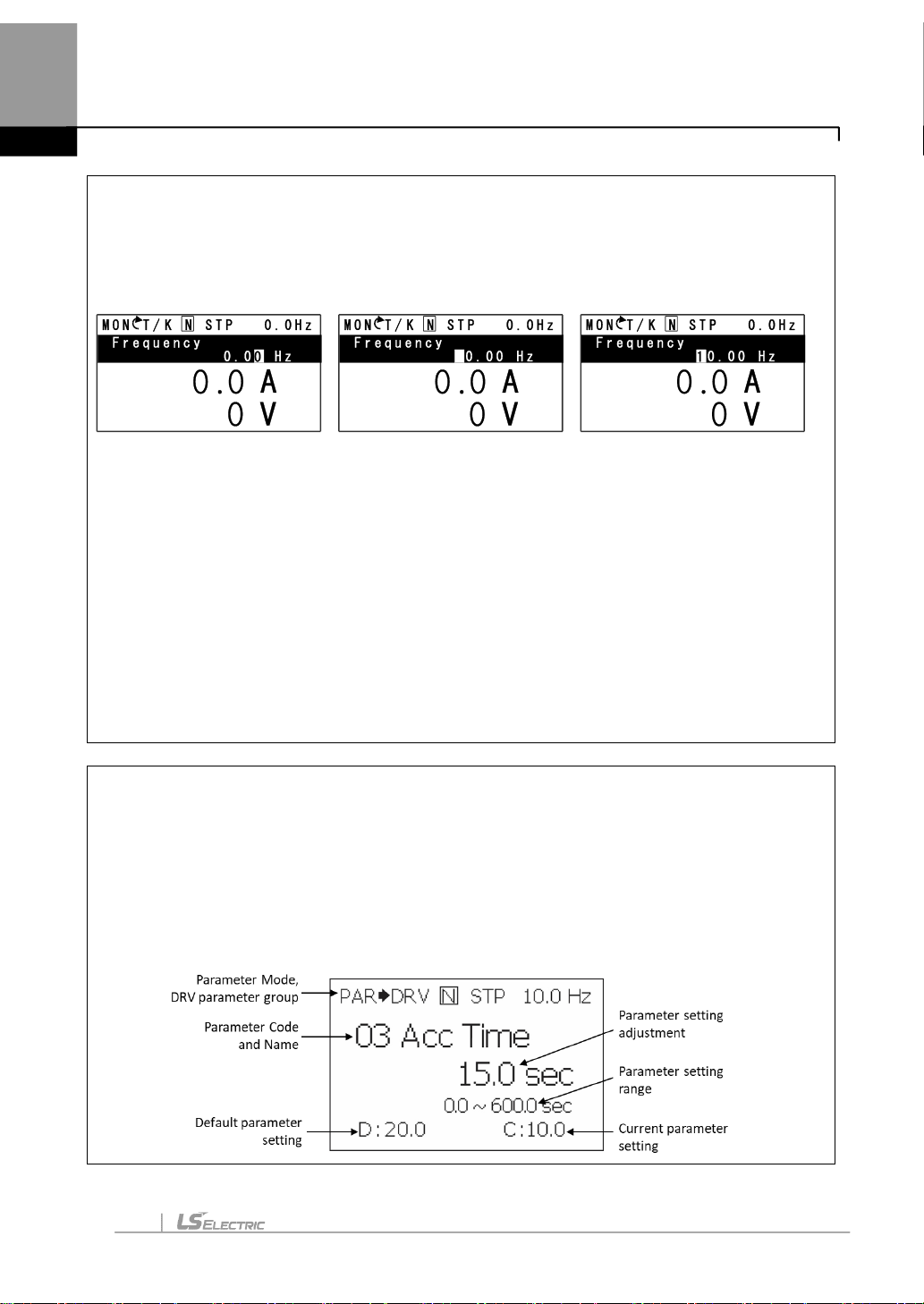
At first power up, the display will look like below. “0.0 Hz” represents the default HAND frequency
reference.
Checking Direction
Use the above mentioned steps to run the motor in the forward direction in HAND mode. The
displaywill brieflyshow the output frequencyof the VFD until it reaches 10Hz.
Look at the motor shaft to verify rotation is correct. Press the OFF key to STOP.
If motor direction is incorrect, stop the motor with the OFF key, and power down the VFD.
Wait at least 5 minutes to let the VFD capacitors discharge.
Swap anytwo output leads between the VFD and the motor. This will change motor direction.
Verifycorrect rotation via the previous steps.
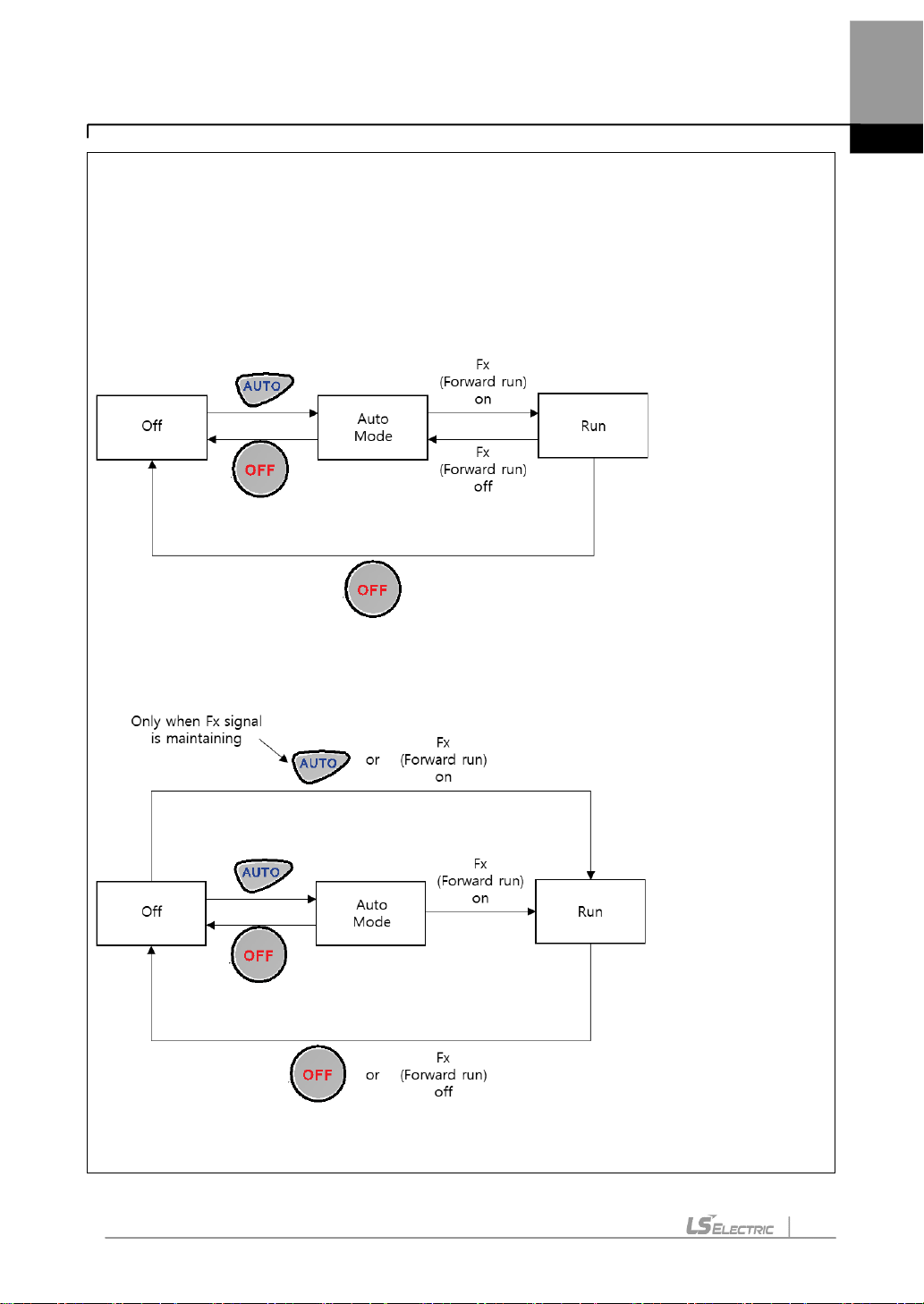
Changing Acceleration Time - Example
1. Press the [MODE] key from the main display to access PAR Mode.
2. In the DRV group, press down to select DRV 03 (Acc Time).
3. Press the [PROG/ENT] key access the current setting.
4. Use the UPand DOWN arrows to increase and decrease the value.
5. Use the LEFT or RIGHT arrows to move the cursor over to select different digits.
6. Press the [PROG/ENT] key once the desired value is set. This saves the change.
7. DRV 03 will be displayed again indicating the parameter change has taken effect with the new
value displayed.
Press UP arrow so that 10.00
is displayed.
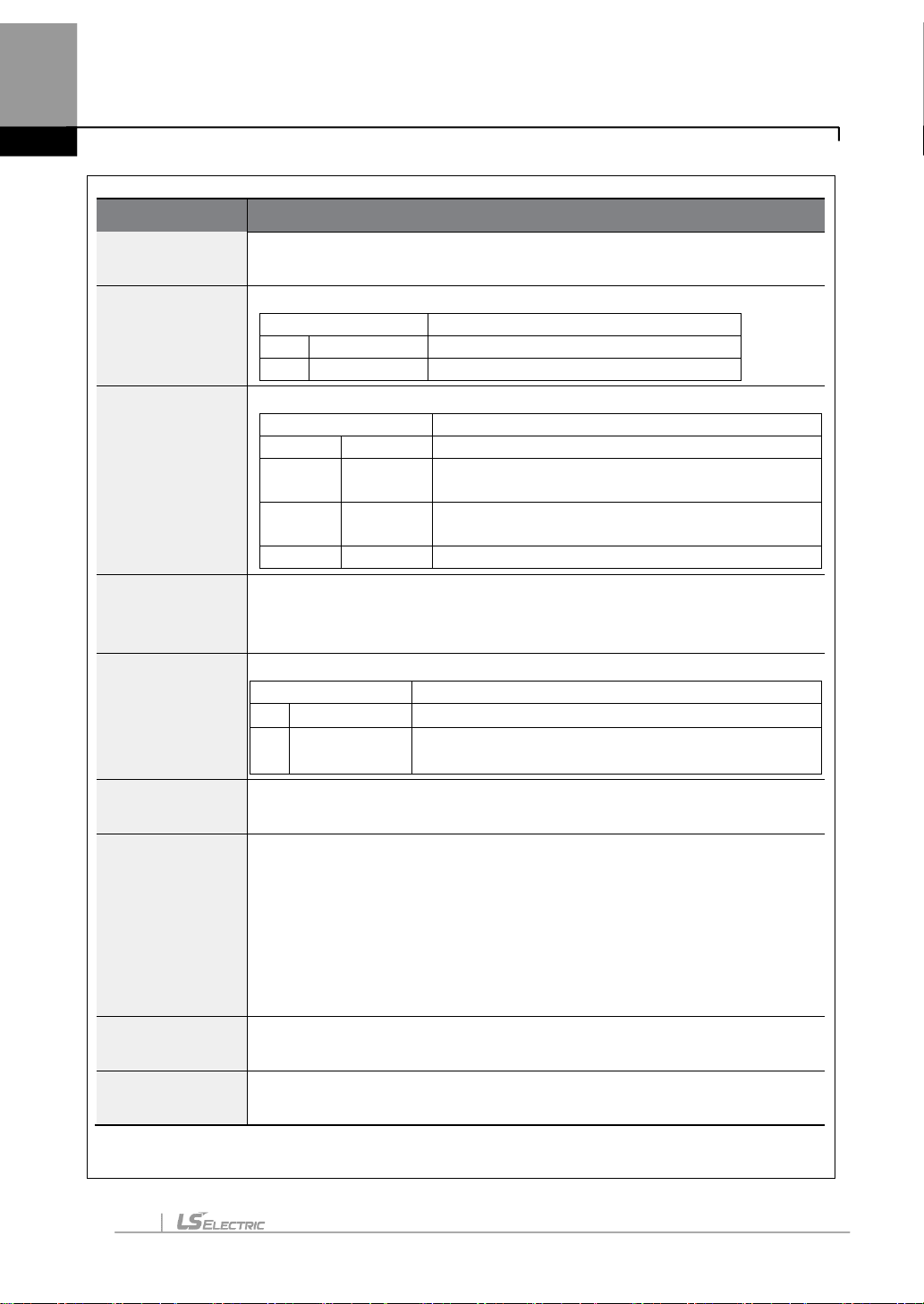
Press the Hand keyto run the
motor in the forward direction.