manuals.online logo
Brands
  1. Home
  2. •
  3. Brands
  4. •
  5. Magnetrol
  6. •
  7. Transmitter
  8. •
  9. Magnetrol 2xx User manual

Magnetrol 2xx User manual

This manual suits for next models

1

Other Magnetrol Transmitter manuals

Magnetrol Echotel 335 Assembly instructions

Magnetrol

Magnetrol Echotel 335 Assembly instructions

Magnetrol Eclipse 706GWR User guide

Magnetrol

Magnetrol Eclipse 706GWR User guide

Magnetrol STI R95 User manual

Magnetrol

Magnetrol STI R95 User manual

Magnetrol Eclipse 706-512 User manual

Magnetrol

Magnetrol Eclipse 706-512 User manual

Magnetrol Enhanced Model 705 User manual

Magnetrol

Magnetrol Enhanced Model 705 User manual

Magnetrol Eclipse 706 User manual

Magnetrol

Magnetrol Eclipse 706 User manual

Magnetrol Enhanced Model 705 User manual

Magnetrol

Magnetrol Enhanced Model 705 User manual

Magnetrol KOTRON SMART RF 805 User manual

Magnetrol

Magnetrol KOTRON SMART RF 805 User manual

Magnetrol Jupiter JM4 User manual

Magnetrol

Magnetrol Jupiter JM4 User manual

Magnetrol Jupiter JM4 User manual

Magnetrol

Magnetrol Jupiter JM4 User manual

Magnetrol Orion Jupiter Enchanced 2 Series User manual

Magnetrol

Magnetrol Orion Jupiter Enchanced 2 Series User manual

Magnetrol Kotron II Series 801 User manual

Magnetrol

Magnetrol Kotron II Series 801 User manual

Magnetrol R82 User manual

Magnetrol

Magnetrol R82 User manual

Magnetrol Pulsar R86 Installation and operating instructions

Magnetrol

Magnetrol Pulsar R86 Installation and operating instructions

Magnetrol eclipse 705 User manual

Magnetrol

Magnetrol eclipse 705 User manual

Magnetrol STI Echotel 350 User manual

Magnetrol

Magnetrol STI Echotel 350 User manual

Magnetrol E3A Modulevel User manual

Magnetrol

Magnetrol E3A Modulevel User manual

Magnetrol Pulsar R96 User manual

Magnetrol

Magnetrol Pulsar R96 User manual

Magnetrol ES Modulevel User manual

Magnetrol

Magnetrol ES Modulevel User manual

Magnetrol STI KOTRON 805 User manual

Magnetrol

Magnetrol STI KOTRON 805 User manual

Magnetrol Eclipse 706GWR User manual

Magnetrol

Magnetrol Eclipse 706GWR User manual

Magnetrol E3A Modulevel User manual

Magnetrol

Magnetrol E3A Modulevel User manual

Magnetrol Kotron Sentinel II 804 Series User manual

Magnetrol

Magnetrol Kotron Sentinel II 804 Series User manual

Magnetrol STI Echotel 338 User manual

Magnetrol

Magnetrol STI Echotel 338 User manual

Popular Transmitter manuals by other brands

Seneca K120RTD installation manual

Seneca

Seneca K120RTD installation manual

Nautel GV40 installation manual

Nautel

Nautel GV40 installation manual

HumanTechnik cm-light operating instructions

HumanTechnik

HumanTechnik cm-light operating instructions

INOR APAQ C130 TC User instructions

INOR

INOR APAQ C130 TC User instructions

Linear DXS-64 operating instructions

Linear

Linear DXS-64 operating instructions

FeinTech ABT00102 instruction manual

FeinTech

FeinTech ABT00102 instruction manual

Geo Web Pack quick start guide

Geo

Geo Web Pack quick start guide

Inovonics EchoStream EN1210W installation instructions

Inovonics

Inovonics EchoStream EN1210W installation instructions

IKONNIK KA-6 quick start guide

IKONNIK

IKONNIK KA-6 quick start guide

Rohde & Schwarz SR8000 Series System manual

Rohde & Schwarz

Rohde & Schwarz SR8000 Series System manual

Audio Technica UniPak ATW-T93 Installation and operation

Audio Technica

Audio Technica UniPak ATW-T93 Installation and operation

NIVELCO EasyTREK SCA-300 Series Programming manual

NIVELCO

NIVELCO EasyTREK SCA-300 Series Programming manual

Honeywell 5816WMBR installation instructions

Honeywell

Honeywell 5816WMBR installation instructions

Kamstrup READy MTU Installation and operation guide

Kamstrup

Kamstrup READy MTU Installation and operation guide

Omega ZW Series user guide

Omega

Omega ZW Series user guide

ABB Field 264H Instructions for installation

ABB

ABB Field 264H Instructions for installation

Dejero EnGo 3x manual

Dejero

Dejero EnGo 3x manual

Rosemount 4600 Reference manual

Rosemount

Rosemount 4600 Reference manual

manuals.online logo
manuals.online logoBrands
  • About & Mission
  • Contact us
  • Privacy Policy
  • Terms and Conditions

Copyright 2025 Manuals.Online. All Rights Reserved.

FOU DATIO Fieldbus™Operating Manual
Enhanced Model 2xx
FOU DATIO Fieldbus™Digital Output
Software v3.x
A Magnetrol Company
Magnetostrictive
Level Transmitter
ead this Manual Before Installing
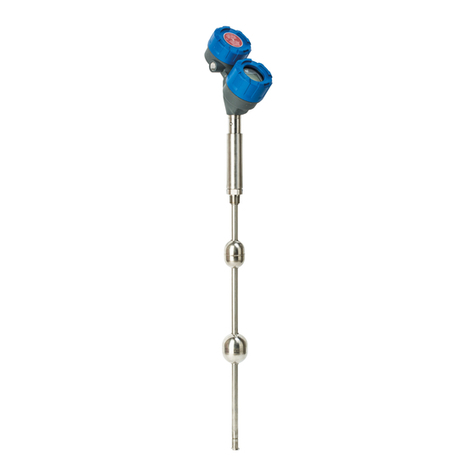
This manual provides information on the Jupiter®magne-
tostrictive transmitter. It is important that all instructions
are read carefully and followed in sequence. Detailed
instructions are included in the Installation section of this
manual.
Conventions Used in this Manual
Certain conventions are used in this manual to convey
specific types of information. General technical material,
support data, and safety information are presented in
narrative form. The following styles are used for notes,
cautions, and warnings.
Notes
Notes contain information that augments or clarifies
an operating step. Notes do not normally contain
actions. They follow the procedural steps to which
they refer.
Cautions
Cautions alert the technician to special conditions that
could injure personnel, damage equipment, or reduce
a component’s mechanical integrity. Cautions are also
used to alert the technician to unsafe practices or the
need for special protective equipment or specific
materials. In this manual, a caution box indicates a
potentially hazardous situation which, if not avoided,
may result in minor or moderate injury.
Warnings
Warnings identify potentially dangerous situations or
serious hazards. In this manual, a warning indicates an
imminently hazardous situation which, if not avoided,
could result in serious injury or death.
Safety Messages
ollow all standard industry procedures for servicing elec-
trical equipment when working with or around high
voltage. Always shut off the power supply before touch-
ing any components.
WA NING! Explosion hazard. Do not connect or dis-
connect equipment unless power has been switched off or
the area is known to be non-hazardous.
Low Voltage Directive
or use in Installation Category II, Pollution Degree 2. If
equipment is used in a manner not specified by the man-
ufacturer, protection provided by the equipment may be
impaired.
Notice of Trademark, Copyright, and Limitations
Orion & Orion logotype, Magnetrol & Magnetrol
logotype, and Jupiter are registered trademarks of
Magnetrol International.
Copyright © 2007 Magnetrol International.
All rights reserved.
Performance specifications are effective with date of issue
and are subject to change without notice. Magnetrol
reserves the right to make changes to the product
described in this manual at any time without notice.
Magnetrol makes no warranty with respect to the accuracy
of the information in this manual.
Warranty
All Magnetrol/Orion electronic level and flow controls
are warranted free of defects in materials or workmanship
for one full year from the date of original factory shipment.
If returned within the warranty period; and, upon factory
inspection of the control, the cause of the claim is
determined to be covered under the warranty; then,
Magnetrol/Orion will repair or replace the control at no
cost to the purchaser (or owner) other than transporta-
tion.
Magnetrol/Orion shall not be liable for misapplication,
labor claims, direct or consequential damage or expense
arising from the installation or use of equipment. There
are no other warranties expressed or implied, except spe-
cial written warranties covering some Magnetrol/Orion
products.
Quality Assurance
The quality assurance system in place at Magnetrol guar-
antees the highest level of quality throughout the compa-
ny. Magnetrol is committed to providing full customer
satisfaction both in quality products and quality service.
Magnetrol’s quality assurance system
is registered to ISO 9001 affirming its
commitment to known international
quality standards providing the
strongest assurance of product/service
quality available.
46-649 Jupiter Magnetostrictive Transmitter - FOUNDATION fieldbus™

Table of Contents
1.0 FOUNDATION fieldbus™Overview ...................................1
1.1 Description ...............................................................1
1.2 Benefits .....................................................................2
1.3 Device Configuration................................................2
1.4 Intrinsic Safety ..........................................................3
2.0 Complete Installation.....................................................4
2.1 Unpacking ................................................................4
2.2 Electrostatic Discharge (ESD) Handling Procedure...4
2.3 Before You Begin.......................................................5
2.3.1 Site Preparation ..............................................5
2.3.2 Equipment and Tools .....................................5
2.3.3 Operational Considerations............................6
2.3.4 Configuration Information.............................6
2.4 Mounting..................................................................6
2.4.1 External..........................................................6
2.4.2 Internal, Direct Insertion................................7
2.5 Wiring ......................................................................8
3.0 Function Blocks..............................................................9
3.1 Overview...................................................................9
3.1.1 Universal ieldbus Block Parameters ..............9
3.2 Resource Block..........................................................9
3.3 Transducer Block.....................................................13
3.3.1 Transducer Block Parameters........................13
3.3.2 Password Parameters.....................................13
3.3.3 Jupiter Configuration Parameters .................14
3.4 User Calibration Parameters....................................14
3.4.1 actory Parameters .......................................14
3.4.2 irmware Version .........................................15
3.5 Analog Input Block.................................................15
3.5.1 AI Block Parameters .....................................15
4.0 Diagnostic Parameters..................................................17
4.1 Simulation eature ..................................................18
5.0 eference Information..................................................19
5.1 Troubleshooting ......................................................19
5.1.1 Troubleshooting ...........................................19
5.1.2 Status Messages ............................................20
5.1.3 Segment Checklist ..................................21
5.2 Agency Approvals.....................................................22
5.2.1 Agency Specifications –
Explosion Proof Installation .........................22
5.2.2 Agency Specifications –
ATEX Intrinsically Safe ................................22
5.2.3 Agency Drawing...........................................23
5.3 Specifications ..........................................................25
5.3.1 unctional ....................................................25
5.3.2 Performance .................................................25
5.3.3 Physical ........................................................26
5.4 Parts ........................................................................27
5.4.1 Replacement Parts ........................................27
5.5 Model Numbers......................................................28
5.5.1 Jupiter Magnetostrictive Transmitter ............28
5.6 References ...............................................................31
Appendix...............................................................31
Configuration Data Sheet .....................................32
FOUNDATION Fieldbus™Enhanced Jupiter®Model 2xx
Magnetostrictive Level Transmitter
46-649 Jupiter Magnetostrictive Transmitter - FOUNDATION fieldbus™
1.0 FOUNDATION Fieldbus™Overview
1.1 Description
OUNDATION fieldbus™is a digital communications system
that serially interconnects devices in the field. A ieldbus
system is similar to a Distributed Control System (DCS)
with two exceptions:
• Although a OUNDATION fieldbus™system can use the same
physical wiring as an existing 4–20 mA device, ieldbus
devices are not connected point to point, but rather are
multidropped and wired in parallel on a single pair of wires
(referred to as a segment).
•
OUNDATION fieldbus™is a system that allows the user to
distribute control across a network. ieldbus devices are
smart and actually maintain control over the system.
Unlike 4–20 mA analog installations in which the two wires
carry a single variable (the varying 4–20 mA current), a dig-
ital communications scheme such as OUNDATION fieldbus™
considers the two wires as a network. The network can carry
many process variables as well as other information. The
Enhanced Jupiter transmitter is a OUNDATION fieldbus™
registered device that communicates with the H1
OUNDATION fieldbus™protocol operating at 31.25
kbits/sec. The H1 physical layer is an approved IEC 61158
standard.
An IEC61158 shielded twisted pair wire segment can be as
long as 6234 feet (1900 meters) without a repeater. Up to
4 repeaters per segment can be used to extend the distance.
The maximum number of devices allowed on a ieldbus
segment is 32 although this depends on the current draw
of the devices on any given segment.
146-649 Jupiter Magnetostrictive Transmitter - FOUNDATION fieldbus™
Control Room
Power Supply
Terminator
6234 feet (1900 meters) maximum
PC
Terminator
Power
Conditioner
Typical Fieldbus Installation
Details regarding cable specifications, grounding, termination,
and other network information can be found in IEC 61158
or the wiring installation application guide AG-140 at
www.fieldbus.org.
1.2 Benefits
The benefits of OUNDATION fieldbus™can be found
throughout all phases of an installation:
1. Design/Installation: Connecting multiple devices to a single
pair of wires means less wire and fewer I/O equipment.
Initial Engineering costs are also reduced because the
ieldbus oundation requires interoperability, defined as
“the ability to operate multiple devices in the same system,
regardless of manufacturer, without a loss of functionality.”
All OUNDATION fieldbus™devices must be tested for
interoperability by the ieldbus oundation. Orion
Instruments Jupiter device registration can be found at
www.fieldbus.org. Choose Magnetrol as the device manu-
facturer when searching for the registration.
2. Operation: With control now taking place within the
devices in the field, better loop performance and control are
the result. A OUNDATION fieldbus™system allows for mul-
tiple variables to be brought back from each device to the
control room for additional trending and reporting.
3. Maintenance: The self-diagnostics residing in the smart
field devices minimizes the need to send maintenance
personnel to the field.
1.3 Device Configuration
Device Descriptions
The function of a OUNDATION fieldbus™device is deter-
mined by the arrangement of a system of blocks defined by
the ieldbus oundation. The types of blocks used in a typi-
cal User Application are described as follows:
esource Block describes the characteristics of the
OUNDATION fieldbus™device such as the device name,
manufacturer, and serial number.
Function Blocks are built into the OUNDATION fieldbus™
devices as needed to provide the desired control system
behavior. The input and output parameters of function
blocks can be linked over the ieldbus. There can be
numerous function blocks in a single User Application.
Transducer Blocks contain information such as calibration
parameters and sensor type. They are used to connect the
sensor to the input function blocks.
2
46-649 Jupiter Magnetostrictive Transmitter - FOUNDATION fieldbus™
An important requirement of ieldbus devices is the inter-
operability concept mentioned earlier. Device Description
(DD) technology is used to achieve this interoperability.
The DD provides extended descriptions for each object and
provides pertinent information needed by the host system.
DDs are similar to the drivers that your personal computer
(PC) uses to operate peripheral devices connected to it. Any
ieldbus host system can operate with a device if it has the
proper DD and Common ile ormat (C ) for that device.
The most recent DD and C files can be found on the
OUNDATION fieldbus™web site at fieldbus.org.
1.4 Intrinsic Safety
The H1 physical layer supports Intrinsic Safety (IS) applica-
tions with bus-powered devices. To accomplish this, an IS
barrier or galvanic isolator is placed between the power
supply in the safe area and the device in the hazardous area.
H1 also supports the ieldbus Intrinsically Safe Concept
( ISCO) model which allows more field devices in a
network. The ISCO model considers the capacitance and
inductance of the wiring to be distributed along its entire
length. Therefore, the stored energy during a fault will be
less and more devices are permitted on a pair of wires.
Instead of the conservative entity model, which only allows
about 90 mA of current, the ISCO model allows a maxi-
mum of 110 mA for Class II C installations and 240 mA
for Class II B installations.
ISCO certifying agencies have limited the maximum
segment length to 1000 meters because the ISCO model
does not rely on standardized ignition curves.
The Enhanced Jupiter Magnetostrictive transmitter is avail-
able with entity IS, ISCO IS, NICO non-incendive, or
explosion proof approvals.
346-649 Jupiter Magnetostrictive Transmitter - FOUNDATION fieldbus™
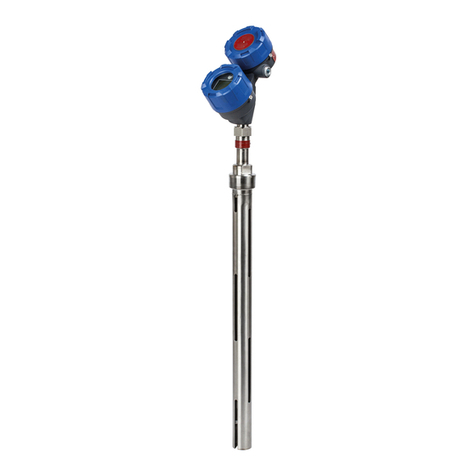
4
46-649 Jupiter Magnetostrictive Transmitter - FOUNDATION fieldbus™
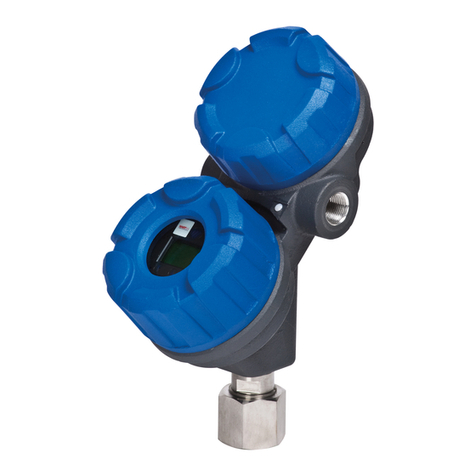
2.0 Installation
Caution: If equipment is used in a manner not specified by manu-
facturer, protection provided by equipment may be
impaired
This section provides detailed procedures for properly
installing, wiring, configuring and, if needed, trouble-
shooting the Jupiter magnetostrictive level transmitter.
In most cases the unit will be shipped from the factory
attached to the Orion Instruments magnetic level indicator.
In some cases, such as retrofit applications of a reed chain
transmitter with a Jupiter instrument, the installation and
set up will need to be performed in the field.
2.1 Unpacking
Unpack the instrument carefully. Inspect all units for
damage. Report any concealed damage to carrier within
24 hours. Check the contents against the packing slip and
purchase order. Check and record the serial number for
future reference when ordering parts.
Caution: Do not discard the shipping container until all parts are
accounted for and inspected.
2.2 Electrostatic Discharge (ESD)
Handling Procedure
Magnetrol/Orion’s electronic instruments are manufac-
tured to the highest quality standards. These instruments
use electronic components that may be damaged by static
electricity present in most work environments.
The following steps are recommended to reduce the risk of
component failure due to electrostatic discharge.
• Ship and store circuit boards in anti-static bags. If an anti-
static bag is not available, wrap the board in aluminum
foil. Do not place boards on foam packing materials.
• Use a grounding wrist strap when installing and removing
circuit boards. A grounded workstation is recommended.
• Handle circuit boards only by the edges. Do not touch
components or connector pins.
• Make sure that all electrical connections are completely
made and none are partial or floating. Ground all equip-
ment to a good, earth ground.
546-649 Jupiter Magnetostrictive Transmitter - FOUNDATION fieldbus™
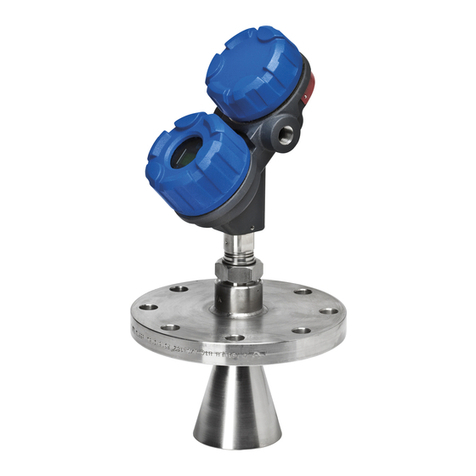
2.3 Before You Begin
Caution: This instrument is intended for use in Installation
Category II, Pollution Degree 2 locations.
2.3.1 Site Preparation
Each Jupiter magnetostrictive transmitter is built to match
the specifications required within the defined model
option number. Wiring terminations will need to be made
and the configuration will need to be accomplished.
Ensure that the power to be supplied to the instrument is
the same voltage (24 VDC) as ordered with the instru-
ment, and that the wiring between the power supply and
the Jupiter transmitter is correct for the type of installa-
tion. See Specifications, Section 5.3.
NOT : Applying incorrect voltage will damage the unit.
When installing the Jupiter transmitter in a general
purpose or hazardous area, all local, state, and federal
regulations and guidelines must be observed. See Wiring,
Section 2.5.
2.3.2 Equipment and Tools
or installation of a new Jupiter with magnetic level indi-
cator set, refer to Orion Instruments instruction manual
46-638.
To attach a Jupiter transmitter to an existing MLI or direct
insertion model, you may need the following tools:
•5⁄16" Nut-Driver (for tightening the mounting clamps).
• Screwdriver and assorted hand tools for making conduit
and electrical connections.
• Digital multimeter or DVM to troubleshoot supply
voltage problems.
6
46-649 Jupiter Magnetostrictive Transmitter - FOUNDATION fieldbus™
2.3.3 Operational Considerations
Exterior ambient temperature of the service should not
exceed the design specifications of the electronics (-40° to
+175° (-40° to +80° C)). The operating temperature
limits of the LCD are -5° to +160° (-20° to +70° C).
Temperatures below -5° will cause the display to tem-
porarily white out, and temperatures above +160° will
cause the display to go temporarily black. It will recover
without damage when the operating temperature range
returns. A sunshade should be used if electronics are
mounted in direct sunlight.
Maximum process temperature for direct insertion
transmitters is +500° (+260° C). Externally mounted
transmitters can be used with process temperatures up
to +800° (+427° C) if the MLI is equipped with an
insulation blanket from the factory.
2.3.4 Configuration Information
Some key information is needed to configure the Jupiter
transmitter. Complete the following operating parameters
table before beginning configuration.
Display Question Answer
Units What units of measurement will be
used? (inches or centimeters) _____________
Probe What probe length is listed on the
Length model information? _____________
Measurement Choose from Level Only or
Type Level and Interface _____________
Sensor Choose from MLI Top,MLI Bottom,
Mount Direct Insertion Near (NPT, BSP, and
600# or less flanges) or
Direct Insertion Extended (Flanged
probes 900# class and over) _____________
2.4 Mounting
2.4.1 External
Caution: Do not rotate the Jupiter electronics enclosure. Rotating
the electronics enclosure could cause damage to sensor
cables.
If ordered from the factory with the MLI, it will be
attached to the gauge and configured for the measuring
range specified at the time of order placement. If not, use
the following directions:
1. Place the Jupiter transmitter and mounting clamps in a
convenient location.
Figure 1
Mounting External Jupiter
746-649 Jupiter Magnetostrictive Transmitter - FOUNDATION fieldbus™
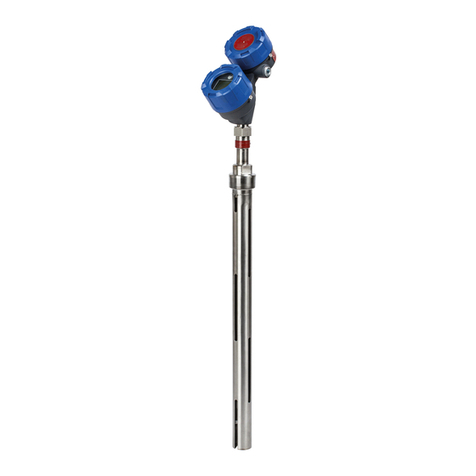
2. Position the Jupiter transmitter on the side of the MLI
where it will be attached. Mark the location and the exact
area where the clamps will be attached to hold the Jupiter
in place.
3. Attach the lower clamp and tighten so that it remains in
place, but loose enough so that there is still room to place
the guide tab from the Jupiter between the inside of the
clamp and the outer diameter of the MLI chamber. See
igure 1.
4. The upper clamp will need to be open to a large enough
diameter to be able to mount to the MLI as well as the
probe. The upper clamp should be positioned just above
the 3⁄4" NPT threads. See igure 2.
5. Mount the Jupiter guide pin in the lower clamp and tight-
en. If necessary, use strapping tape to temporarily hold in
place on the MLI. See igure 1.
6. Position the upper clamp to attach the unit to the MLI
and tighten. See igure 1.
7. Discard any tape temporarily holding the Jupiter to the
MLI.
2.4.2 Internal, Direct Insertion
Use caution when handling probes to ensure probe is not
bent during installation. A bend in the probe may prevent
float from traveling freely up and down the probe.
1. Verify float will pass through vessel opening, if not, it will
be necessary to attach the float after the probe is installed.
2. Carefully insert probe into vessel and thread or bolt to the
mating connection as appropriate.
3. The float is held on the probe by a C-clip inserted into a
groove machined into the tip of the probe. The float is
attached or removed by removing and reinserting the
C-clip. See igure 3. To ensure proper float orientation,
the float is marked “Up ”.
Bottom view
Up
Figure 3
Float Attachment Detail
Figure 2
Upper Clamp
