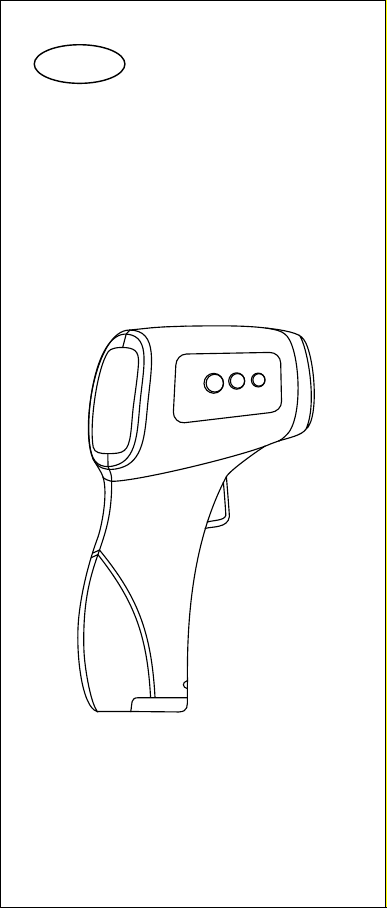
Note: a. Before measurement, please make sure that there is no sweat, hair, cosmetics and hat covering on the forehead. b. In one day, human's temperature would change from time to time, which also influences by other external factors, like age, gender and skin color etc. c. Do not measure the body temperature just after the thermometer measures an object whose tem- perature is quite low or quite high. Normally, measure the temperature after 10 minutes. d. After use, please keep the sensor and the detection head inner part clean. 10.4 Settings Different settings can be done to the thermometer, like the temperature unit, warning tone, tempera- ture alarm point, compensation of temperature de- viation and so on. After the thermometer is “ON”, shortly press “set” to switch over between the hu- man body temperature and object temperature. P- ress it for 2 seconds to get into the function setting10.4.1 Setting menu: MenuF1F2F3F4Function“+” button“-” buttonTemperature unit℉℃℃Default valueRemark-3℃ ~ + 3℃Temperature alarm pointIncrease 0.1℃Decrease 0.1℃38℃Temperature deviationIncrease 0.1℃Decrease 0.1℃0℃Warning toneOffOnOn10.4.2 Set the measuring unit - F1 Press the button “set” for 3 seconds and F1 is dis- played on the screen, as well as the unit “℃”, press “+” to select the unit “” and select the unit℉ “℃”. 10.4.3 Set the temperature alarm point - F2 Press the button “set” for 3 seconds, F1 is disp- layed on the screen; shortly press the button “set” again, F2 is displayed on the screen. Under F2, the temperature increases 0.1℃/0.1oF if the button “+” is pressed for one time. The temperature dec- reases 0.1℃/0.1oF if the button “-” is pressed for one time. The alarm temperature is defaulted as -06-