MAXMIN
VOLUME
MIN MAX
NOTICE: Prior tosettingup, check that the transmitter andreceiver are tuned to thesame
frequency.Two or above transmitters operating in thesame frequency cannot be
used at thesame timeand area, so please select thedifferent frequencies which can
be used simultaneously at local area.
7.1 Connectingthe receiverto an audio mixer oran amplifier
8
Wireless Microphone
ØWhen using astandard audio cable with 3-pin XLR connectors or 6.3
phone
plugs to plug into the MIC IN onthe audio mixer or on theamplifier, please turn
the VolumeLevel Control on thereceiver to around 1o’clock position, the
output levelfor balanced and unbalanced output is about at 77mV.
ØWhen using astandard audio cable with 3-pin XLR connectors or 6.3jphone
plugs to plug into the LINE IN onthe mixer, please turn the VolumeLevel
Control to around MAX. on the receiver position, the output level for
unbalanced and balanced output is about at 770mV.
.
7.2 Connectingthe receiverto power
ØPoint the antennas upward.
ØCheck that thevoltage of thesupplied ACadapter conforms to the voltage (AC110 or 220)
available in local area. Usingthewrong AC adapter may causeirreparable damagetothe
unit.
ØPlug the feeder cable of the supplied AC adapterintoDC INsocket on the receiver.Then
plug the AC adapter into apower outlet.
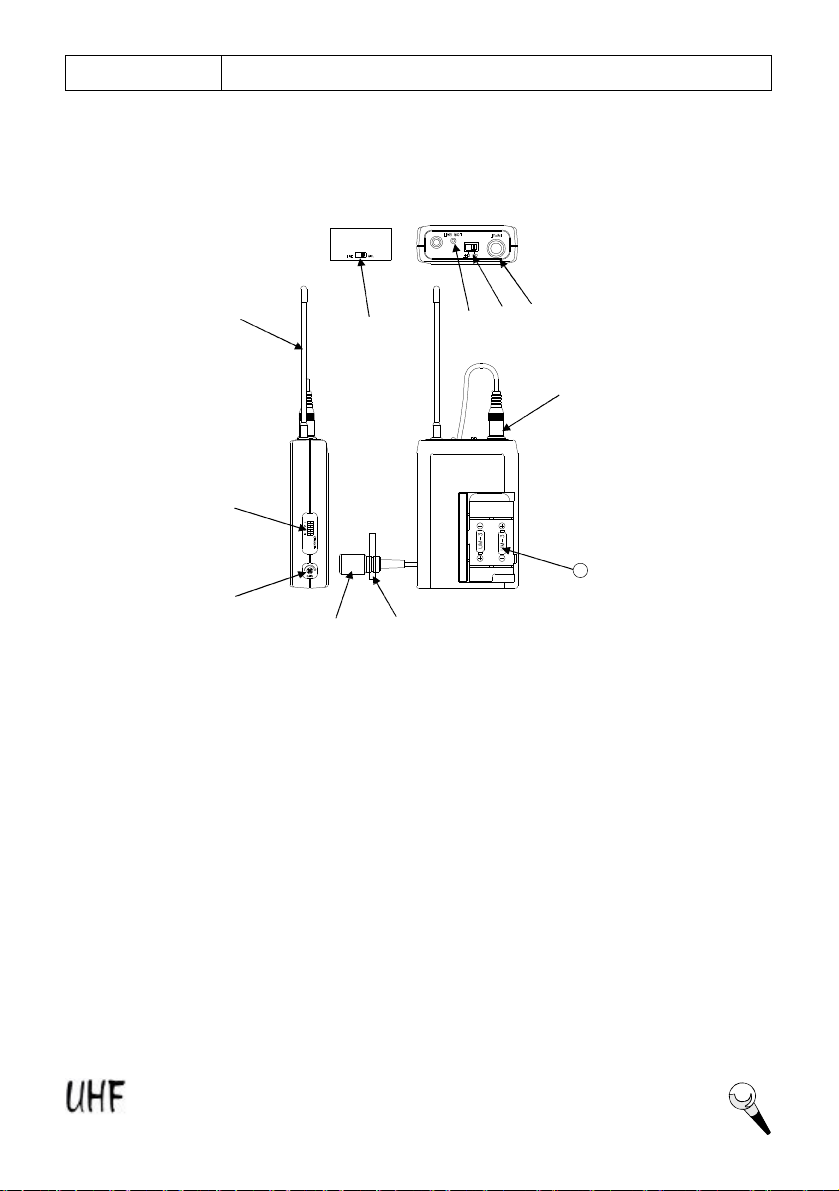
7.3 Insertingbatteries intothe handheld microphone / bodypack transmitter
ØPushto openthe battery cover and insert batteries intothe battery compartment conforming to
the polarity (+)(-) marks. Thetransmitter can not work with incorrectly insertedbatteries.
ØWhen push the ON/OFFswitchto “ON”to switch the power on, the LED will flash momentarily.
If the battery has sufficient power, the LEDflashes once.If the LED stayed on, it indicates
that the battery has insufficient power and should be changed soon. If thestatus LED fails to
flash, the battery is eitherdead or not positioned correctly, andyou should correct the
positioningor change thebattery.
ØPushback the battery cover to click it shut.
7.4 Setting up thehandheld microphone transmitter
ØSwitch the receiver power on and check the frequency and volumelevel.
ØSwitch the transmitter andhi-fiappliance (amplifier, tape deck etc.) power on.
Test the microphone and adjust the levels onyour audio mixer or amplifier.
In order tomake sure thesound quality and avoid distortion, please adjust the volume level
according to following instructions.
Never use the balanced andunbalanced audio outputs at thesame time!This may cause
signal loss or increased noise.