manuals.online logo
Brands
  1. Home
  2. •
  3. Brands
  4. •
  5. Midea
  6. •
  7. Air Conditioner
  8. •
  9. Midea MAW08V1QWT User manual

Midea MAW08V1QWT User manual

Other manuals for MAW08V1QWT

1

This manual suits for next models

2

Other Midea Air Conditioner manuals

Midea 3M-61K User manual

Midea

Midea 3M-61K User manual

Midea MSEAAU-09HRFN1(SB) User manual

Midea

Midea MSEAAU-09HRFN1(SB) User manual
Midea Polar Wind MWF1-05CM User manual
Midea

Midea Polar Wind MWF1-05CM User manual

Midea AIR CONDITIONER User manual

Midea

Midea AIR CONDITIONER User manual
Midea MVD22A-VA1 User manual

Midea

Midea MVD22A-VA1 User manual
Midea 7000 btu Quick start guide

Midea

Midea 7000 btu Quick start guide
Midea MBT-09N8D6-O User manual

Midea

Midea MBT-09N8D6-O User manual

Midea MAP User manual

Midea

Midea MAP User manual

Midea OASIS 3D Inverter Series 11MSFI-A1-1211 User manual
Midea

Midea OASIS 3D Inverter Series 11MSFI-A1-1211 User manual

Midea Silent Cool 26 Pro User manual

Midea

Midea Silent Cool 26 Pro User manual
Midea MFM-24ARN1-Q User manual

Midea

Midea MFM-24ARN1-Q User manual
Midea MSH-07CRN1, MSH-07HRN1, MSH-09 User manual
Midea

Midea MSH-07CRN1, MSH-07HRN1, MSH-09 User manual

Midea MAW User manual

Midea

Midea MAW User manual
Midea MKG Series Operating manual

Midea

Midea MKG Series Operating manual
Midea MCAC-RTSM-2013-04 User manual

Midea

Midea MCAC-RTSM-2013-04 User manual

Midea MW08MSWBA5RCM User manual

Midea

Midea MW08MSWBA5RCM User manual
Midea MEHS-09NIH2 User manual

Midea

Midea MEHS-09NIH2 User manual
Midea MISSION2 3D INVERTER Series User manual
Midea

Midea MISSION2 3D INVERTER Series User manual

Midea MSAG-10CRN8 User manual

Midea

Midea MSAG-10CRN8 User manual
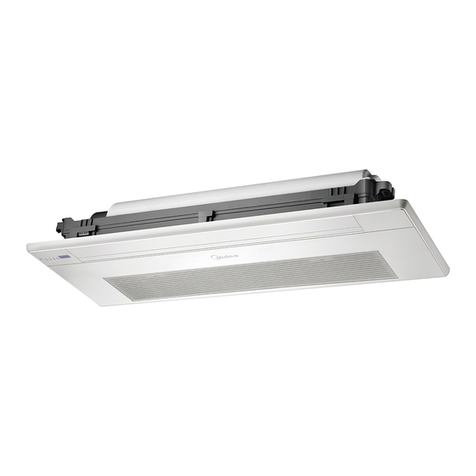
Midea One-way Cassette Series Operating manual
Midea

Midea One-way Cassette Series Operating manual
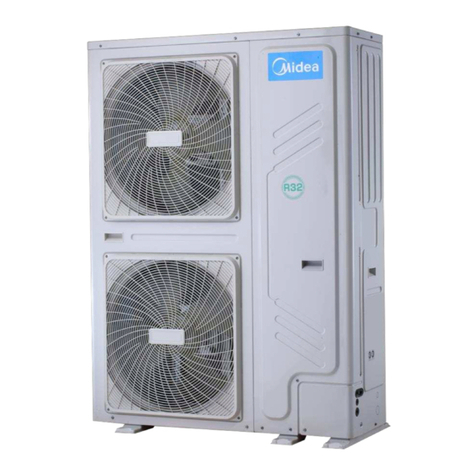
Midea M thermal Mono Series Dimension Guide

Midea

Midea M thermal Mono Series Dimension Guide

Midea 11MSFI-A2-1301 User manual

Midea

Midea 11MSFI-A2-1301 User manual

Midea MPPD-12CRN1-BH9 User manual

Midea

Midea MPPD-12CRN1-BH9 User manual

Midea MPK-09CEN2 User manual

Midea

Midea MPK-09CEN2 User manual

Popular Air Conditioner manuals by other brands

Panasonic CS-E12HKEW operating instructions

Panasonic

Panasonic CS-E12HKEW operating instructions

Mitsubishi Electric MSZ-GE60VA null

Mitsubishi Electric

Mitsubishi Electric MSZ-GE60VA null

Samsung AVMFC052EA0(4) null

Samsung

Samsung AVMFC052EA0(4) null

Haier HSU-09H03/R null

Haier

Haier HSU-09H03/R null

Haier HSU-24C03 null

Haier

Haier HSU-24C03 null

Mitsubishi Electric MSZ-GE22VA null

Mitsubishi Electric

Mitsubishi Electric MSZ-GE22VA null

Samsung AVMCH052CA1 null

Samsung

Samsung AVMCH052CA1 null

nedis ACMB1WT7 quick start guide

nedis

nedis ACMB1WT7 quick start guide

Daikin FCFV50A Operation manual

Daikin

Daikin FCFV50A Operation manual

Fujitsu Inverter ASBA30JFC operating manual

Fujitsu

Fujitsu Inverter ASBA30JFC operating manual

Toshiba RAS-M10SMUV-E installation manual

Toshiba

Toshiba RAS-M10SMUV-E installation manual

Daikin FXLQ20MAVE Operation manual

Daikin

Daikin FXLQ20MAVE Operation manual

CIAT Magister 2 Series Installation, Operation, Commissioning, Maintenance

CIAT

CIAT Magister 2 Series Installation, Operation, Commissioning, Maintenance

Bestron AAC6000 instruction manual

Bestron

Bestron AAC6000 instruction manual

Frigidaire FFRE0533S1E0 Use & care guide

Frigidaire

Frigidaire FFRE0533S1E0 Use & care guide

Samsung AS09HM3N user manual

Samsung

Samsung AS09HM3N user manual

Frigidaire CRA073PU11 use & care

Frigidaire

Frigidaire CRA073PU11 use & care

Soleus Air GB-PAC-08E4 operating instructions

Soleus Air

Soleus Air GB-PAC-08E4 operating instructions

manuals.online logo
manuals.online logoBrands
  • About & Mission
  • Contact us
  • Privacy Policy
  • Terms and Conditions

Copyright 2025 Manuals.Online. All Rights Reserved.

Page 1 Installation GuideInstallation Guide Page 3
Page 2
Models
MAW08V1QWT
MAW10V1QWT
MAW12V1QWT
Window Type
Air Conditioner
You must follow the user manual for
detailed installation instructions
Before using your air conditioner, please read
the user manual carefully and keep for future
reference. For additional support, please call
customer service at 1-866-646-4332.
version A - 03 - 2020
Installation Guide
Scan the following QR code for an installation video.
TOOL & HARDWARE
WINDOW REQUIREMENTS
Required Installation Hardware Optional Installation Hardware
Side Arm Foam 2
Right Extension Arm – Short
(For 22”-26” windows) 1
Cotter Pin 2
Open Window Bracket – LH 1
Open Window Bracket – RH 1
Main Support Pin 2
Right Extension Arm
(For 26”-36” windows) 1
1Main Bracket
1/2” Type A Screw 3
1/2” Type B Screw 2
1/4” Type B Screw 2
Window Sash Lock
Thick Window Sash Seal Foam
Thin Window Sash Seal Foam
Miscellaneous Sealing Foam
Additional Side Arm Foam
1” Type A Screw 2
2
1
1
1
1
Wooden Windows
INNER
WINDOW SILL
INTERIOR
WALL
13.75" min
(349 mm)
22" to 36"
(558 mm to 914mm)
SEAL FOAM
Vinyl-Clad Windows
INNER
WINDOW SILL
13.75" min
(349 mm)
22" to 36"
(558 mm to 914mm)
SEAL FOAM
Wooden Windows
INSIDE
OUTSIDE
INSIDE OUTSIDE
Vinyl-Clad Windows
Vinyl Lip
1. INSTALL THE SUPPORT BRACKET
Right
Extension
Arm
Left Extension Arm
Horizontal Bracket
1.1 Adjust the left extension armout and install
the right extension arm. Set the bracket in
your window.
1.2 Adjust the angled support arms until
they touch the exterior wall. Check that
the bracket is properly tilted downwards
toward the outdoors. Install the support
pins and cotter pins then extend the left
and right extension arms.
Center this part of the
bracket with the center
of the windows.
Extend the Extension Arms until they touch the
Windowsill and the Spring Pin locks in place.
Depending on the
level used, place at
either location below
to check level.
WARNING
Do not use any devices or materials for
installation that are not recommended in
this manual.
NOTICE
Maximum window thickness including
non-removable handle: 2-7/8”
Cotter Pin
Spring
Pin
Locks
Spring Pin Locks
WARNING
• Bracket should only be used for its intended purpose. If not, the warranty will be voided.
• You must follow the detailed installation instructions in the user manual.
WARNING
Maintain control of the bracket until
installation is complete.
Page 4 Installation GuideInstallation Guide Page 6Page 5
2.2 You must install the Open Window Brackets.
Use the 1/2”
Type B screw
Use the 1/4”
Type B
screw
2. SECURE THE UNIT ON THE BRACKET
2.1 Set the air conditioner on the support bracket and
fold down the side armhinges.
3. SEAL AND CLOSE THE WINDOW
3.3 Use the included foamto seal any gaps between the
window and the air conditioner.
Use the window sash seal foam to
seal between the windows
Check fo
Check
for
Gaps
Use the thick window sash
seal foam to seal between
the windows
3.4 Extend both window locks located in the window
slot. For additional security, install the window
sash lock.
FAQ Why is there noise during cooling?
- It is normal to hear airflow, set to a slower fan setting if too loud.
- Window vibration - poor installation. Refer to installation instructions or check with
installer.
FAQ Unit will not connect to Wifi or App does not work?
For additional support and troubleshooting tips,
follow the link in this QR code.
- Wall plug disconnected. Push plug firmly into wall outlet.
- House fuse blown or circuit breaker tripped. Replace fuse with time delay type or
reset circuit breaker.
- Check if the light on the plug is on. If it is off, press the RESET button.
- Power is OFF. Turn power ON.
FAQ Why does the air conditioner not start?
Top view
Extend into Window Track
Remove the factory installed 1/2”
screw and extend the Anti-Tip
Brackets into the window track.
Secure the Anti-Tip Brackets by
re-using the factory installed 1/2”
screw. Failing to use this screw
could damage the air conditioner.
Top of Unit
Use the provided 1/2” Type A screws.
NOTE: Drill 1/8” pilot holes before
screwing into the window sill.
1. INSTALL THE SUPPORT BRACKET (cont.)
1.3 Secure the bracket to the
window with a screw at the end
of each extension armas shown.
Holes at the end or bottomof
the Extension Arms can be used
to secure the Support Bracket to
the window.
3.1 Measure, cut and install the side armfoam.
3.2 Secure the anti-tip brackets into the window track and then close the window.
WARNING
Do not leave the unit unattended during installation.
WARNING
Failing to do this could cause injury or property
damage.
WARNING
Do not leave the unit unattended during installation.
WARNING
You must extend the Anti-Tip Brackets into the Window
Track Opening. Failure to follow this warning may cause
serious injury.