6
Wireless Installation of the Keypad
NOTE: For wireless applications, the distance from the keypad to the opener’s receiver should not exceed 50 ft. Always test the
keypad range before permanently mounting it.
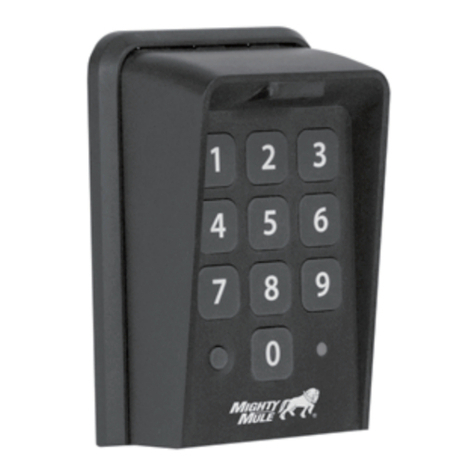
Learning an FM137 to an MM371, MM372, MM571 or MM572
Automatic Gate Opener
1. With the power on for your control box, press and hold the
gate opener's middle orange (S3) button ( ) located on the
control board until you hear a beep, then release it.
2. Next, enter the master code or an entry code, but continue
pressing the last digit until the control board beeps again. Any
programmed code will work.
a. Example: Press 1, 2, 3, and then hold down 4 until the
control board beeps.
3. Test the keypad code by pressing any single digit if the
keypad has not yet timed out.
NOTE: If you hear three short beeps in succession, the
programming mode has timed out and you will need to repeat
steps 1 and 2.
To forget the FM137, simply follow steps 1 and 2 above then test
the keypad to verify that it no longer activates the Operator.
Learning an FM137 to an MM271 or MM272 Automatic Gate Opener
(A dip-switch type transmitter may be required)
1. Use the On/Off switch on the control box to power the system down.
2. Enter the master code or an entry code but continue pressing the last digit. Any programmed code will work.
a. Example: Press 1, 2, 3, and then hold down 4.
3. While still holding the last digit of the code, power the system on with the on/off switch.
4. After the startup beep, there will be a long silence for about 10 seconds, followed by a continuous beep. Keep holding the last
digit of the code on the keypad.
5. Release the button on the keypad.
6. Test the keypad code by pressing any single digit if the keypad has not yet timed out.
To forget the FM137, simply follow steps 1 through 5 above then test the keypad to verify that it no longer activates the Operator.
Note for MM271: The gate must be in the closed position with the arm extended to delete a PIN code. The gate can be in any
position to add a PIN code.
If programming fails on an MM271/MM272: You must use a dip-switch type transmitter (FM134/FM135, MM3BT, RB741/
RB742) to program the keypad. Simply match the dip-switch patterns between the transmitter and FM137 then learn the
transmitter to the system. Contact Tech Support for a complimentary dip-switch type transmitter to program the FM137 if you do
not have one.
S4
S3
S2
LED1
LED2
LED3