4/144
© MOBOTIX AG • Security-Vision-Systems • Made in Germany
S15 Camera Manual: Contents
2 Installation 58
2.1 Determining The Installation Position 58
2.1.1 Positioning A Hemispheric Camera 59
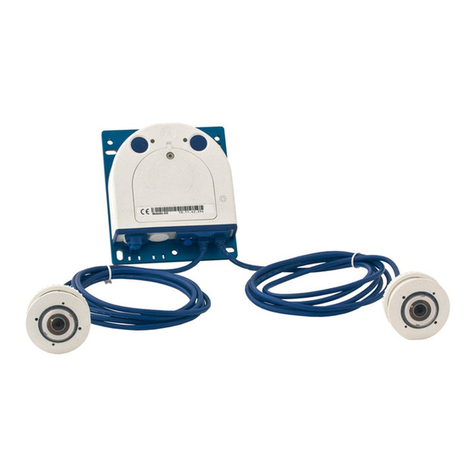
2.1.2 S15D FlexMount Installation Options 64
2.1.3 S15M FlexMount Installation Options 69
2.2 Before Mounting 70
2.2.1 Overview Of Cable Connections 70
2.2.2 Notes On Cable Lengths And Power Supply 72
2.2.3 Network Connection With MOBOTIX Patch Cable 73
2.2.4 Network Connection With Installation Cable 74
2.2.5 Using Sensor Modules (S15D Only) 74
2.2.6 Using The MiniUSB Cable 74
2.2.7 Using MxBus Modules 75
2.2.8 External Audio Support (Microphone/Speaker) 75
2.2.9 Replacing The MicroSD Card 76
2.2.10 Tools Required For Installation 76
2.2.11 Preparatory Steps 77
2.3 Installing The S15D FlexMount 78
2.3.1 Attaching The S15D Base Module 78
2.3.2 Attaching And Connecting The S15D Sensor Modules 79
2.3.3 Plugging In And Removing Extensions 80
2.3.4 Connecting Network Cables And Additional S15D Cables 81
2.4 Installing The S15M FlexMount 82
2.4.1 Connecting Network Cables And Additional S15M Cables 82
2.4.2 Attaching The S15M Camera Housing 82
2.5 Network And Power Connection, Additional Cables 84
2.5.1 Network Cabling For S15 With Patch Cables 84
2.5.2 Network Cabling For S15 With Patch Cables 85
2.5.3 Connecting Additional Cables 87
2.5.4 Power Supply Using A Switch 88
2.5.5 Power Supply When Connected Directly To A Computer 89
2.5.6 Power Supply With Power-Over-Ethernet Products 89
2.5.7 Variable PoE 90
2.5.8 Camera Startup Sequence 91
3 Operating The Camera 92
3.1 Manual And Automatic Operation – Overview 92
3.1.1 Manually Using A Computer In The 10.x.x.x IP Address Range 93
3.1.2 Automatically Using MxControlCenter Or MxEasy 94
3.1.3 Automatically Using DHCP 95