manuals.online logo
Brands
  1. Home
  2. •
  3. Brands
  4. •
  5. Motorola
  6. •
  7. Single Board Computer
  8. •
  9. Motorola MVME177 Guide

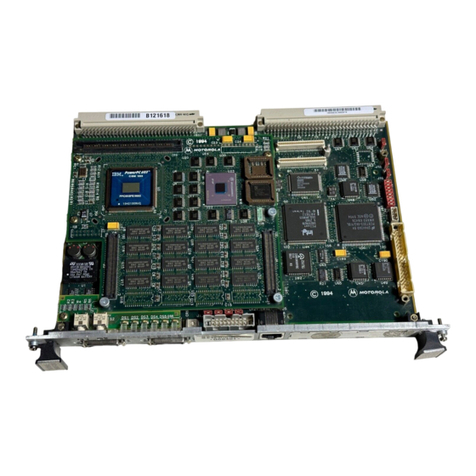
Motorola MVME177 Guide

Other manuals for MVME177

1

Other Motorola Single Board Computer manuals

Motorola MVME187 User manual

Motorola

Motorola MVME187 User manual

Motorola MVME2400 Series User manual

Motorola

Motorola MVME2400 Series User manual

Motorola MVME6100 User manual

Motorola

Motorola MVME6100 User manual

Motorola MCP750HA Series Quick start guide

Motorola

Motorola MCP750HA Series Quick start guide

Motorola MVME1603 Quick start guide

Motorola

Motorola MVME1603 Quick start guide

Motorola CompactPCI CPN5365 Operating manual

Motorola

Motorola CompactPCI CPN5365 Operating manual

Motorola M68MPFB1632 User manual

Motorola

Motorola M68MPFB1632 User manual

Motorola MVME5100 Series Quick start guide

Motorola

Motorola MVME5100 Series Quick start guide

Motorola MVME167-32 User manual

Motorola

Motorola MVME167-32 User manual

Motorola MVME297-002 User manual

Motorola

Motorola MVME297-002 User manual

Motorola MVME197DP User manual

Motorola

Motorola MVME197DP User manual

Motorola MVME1603 Quick start guide

Motorola

Motorola MVME1603 Quick start guide

Motorola CompactPCI CPV5350 Installation and operating manual

Motorola

Motorola CompactPCI CPV5350 Installation and operating manual

Motorola MVME177P Quick start guide

Motorola

Motorola MVME177P Quick start guide

Motorola MVME2600 Series User manual

Motorola

Motorola MVME2600 Series User manual

Motorola MCPN750A Quick start guide

Motorola

Motorola MCPN750A Quick start guide

Motorola MVME197LE User manual

Motorola

Motorola MVME197LE User manual

Motorola MVME2600 Series Guide

Motorola

Motorola MVME2600 Series Guide

Motorola CPIP5430 Quick start guide

Motorola

Motorola CPIP5430 Quick start guide

Motorola MVME2100 User manual

Motorola

Motorola MVME2100 User manual

Motorola McIAS 1610 Series User guide

Motorola

Motorola McIAS 1610 Series User guide

Motorola IXP/CPCI-9120 User manual

Motorola

Motorola IXP/CPCI-9120 User manual

Popular Single Board Computer manuals by other brands

Aaeon EPIC-BT07 user manual

Aaeon

Aaeon EPIC-BT07 user manual

WIN Enterprises PL-80910 user manual

WIN Enterprises

WIN Enterprises PL-80910 user manual

AXIOMTEK SBC81206 Series user manual

AXIOMTEK

AXIOMTEK SBC81206 Series user manual

Embest SOM-PH8800 user manual

Embest

Embest SOM-PH8800 user manual

SeaLevel SBC-R9 user manual

SeaLevel

SeaLevel SBC-R9 user manual

SMART Embedded Computing ATCA-8310 quick start guide

SMART Embedded Computing

SMART Embedded Computing ATCA-8310 quick start guide

WinSystems PPM-LX800-G Operation manual

WinSystems

WinSystems PPM-LX800-G Operation manual

GIGAIPC QBiP-8665A/ user manual

GIGAIPC

GIGAIPC QBiP-8665A/ user manual

VersaLogic Python EBX-11 Reference manual

VersaLogic

VersaLogic Python EBX-11 Reference manual

Micro Computer Specialists IRV-3702 user manual

Micro Computer Specialists

Micro Computer Specialists IRV-3702 user manual

Boser HS-7321 manual

Boser

Boser HS-7321 manual

Premier Farnell Embest SBC8530 quick start guide

Premier Farnell

Premier Farnell Embest SBC8530 quick start guide

OLIMEX A10S-OLinuXino-MICRO user manual

OLIMEX

OLIMEX A10S-OLinuXino-MICRO user manual

E-TOP PISA-E1 user manual

E-TOP

E-TOP PISA-E1 user manual

Nexcom Peak 703P Series user manual

Nexcom

Nexcom Peak 703P Series user manual

Boser HS-6301 manual

Boser

Boser HS-6301 manual

GIGAIPC QBiP-1165G7B user manual

GIGAIPC

GIGAIPC QBiP-1165G7B user manual

OLIMEX A13-OLinuXino user manual

OLIMEX

OLIMEX A13-OLinuXino user manual

manuals.online logo
manuals.online logoBrands
  • About & Mission
  • Contact us
  • Privacy Policy
  • Terms and Conditions

Copyright 2025 Manuals.Online. All Rights Reserved.

MVME177
Single Board Computer
Installation and Use Manual
VME177A/IH2
Notice
While reasonable efforts have been made to assure the accuracy of this document,
Motorola, Inc. assumes no liability resulting from any omissions in this document,
or from the use of the information obtained therein. Motorola reserves the right to
revise this document and to make changes from time to time in the content hereof
without obligation of Motorola to notify any person of such revision or changes.
No part of this material may be reproduced or copied in any tangible medium, or
stored in a retrieval system, or transmitted in any form, or by any means, radio,
electronic, mechanical, photocopying, recording or facsimile, or otherwise,
without the prior written permission of Motorola, Inc.
It is possible that this publication may contain reference to, or information about
Motorola products (machines and programs), programming, or services that are
not announced in your country. Such references or information must not be
construed to mean that Motorola intends to announce such Motorola products,
programming, or services in your country.
Restricted Rights Legend
If the documentation contained herein is supplied, directly or indirectly, to the U.S.
Government, the following notice shall apply unless otherwise agreed to in
writing by Motorola, Inc.
Use, duplication, or disclosure by the Government is subject to restrictions as set
forth in subparagraph (c)(1)(ii) of the Rights in Technical Data and Computer
Software clause at DFARS 252.227-7013.
Motorola, Inc.
Computer Group
2900 South Diablo Way
Tempe, Arizona 85282
Preface
The
MVME177 UserÕs Manual
provides general information, hardware preparation
and installation instructions, operating instructions, and functional description for
the MVME177 Single Board Computer (referred to as MVME177 throughout this
manual). The information contained in this manual applies to the following
MVME177 models:
This manual is intended for anyone who wants to design OEM systems, supply
additional capability to an existing compatible system, or work in a lab
environment for experimental purposes.
A basic knowledge of computers and digital logic is assumed.
To use this manual, you should be familiar with the publications listed in the
Related Documentation
section in Chapter 1 of this manual.
MVME177-001 MVME177-011
MVME177-002 MVME177-012
MVME177-003 MVME177-013
MVME177-004 MVME177-014
MVME177-005 MVME177-015
MVME177-006 MVME177-016
The computer programs stored in the Read Only Memory of this device contain
material copyrighted by Motorola Inc., Þrst published 1990, and may be used only
under a license such as the License for Computer Programs (Article 14) contained
in Motorola's Terms and Conditions of Sale, Rev. 1/79.
All Motorola PWBs (printed wiring boards) are manufactured by UL-recognized
manufacturers, with a ßammability rating of 94V-0.
!
WARNING
This equipment generates, uses, and can radiate
electromagnetic energy. It may cause or be susceptible to
electromagnetic interference (EMI) if not installed and used in
a cabinet with adequate EMI protection.
Motorola
¨
and the Motorola symbol are registered trademarks of Motorola, Inc.
All other products mentioned in this document are trademarks or registered
trademarks of their respective holders.
© Copyright Motorola, Inc. 1995, 1996
All Rights Reserved
Printed in the United States of America
June 1996
European Notice: Board products with the CE marking comply with the
EMC Directive (89/336/EEC). Compliance with this directive implies
conformity to the following European Norms:
EN55022 (CISPR 22) Radio Frequency Interference
EN50082-1 (IEC801-2, IEC801-3, IEEC801-4) Electromagnetic
Immunity
The product also fulÞlls EN60950 (product safety) which is essentially the
requirement for the Low Voltage Directive (73/23/EEC).
This board product was tested in a representative system to show
compliance with the above mentioned requirements. Aproper installation
in a CE-marked system will maintain the required EMC/safety
performance.
Safety Summary
Safety Depends OnYou
The following general safety precautions must be observed during all phases of operation, service, and
repair of this equipment. Failure to comply with these precautions or with speciÞc warnings elsewhere in
this manual violates safety standards of design, manufacture, and intended use of the equipment.
Motorola, Inc. assumes no liability for the customer's failure to comply with these requirements.
The safety precautions listed below represent warnings of certain dangers of which Motorola is aware. You,
as the user of the product, should follow these warnings and all other safety precautions necessary for the
safe operation of the equipment in your operating environment.
Ground the Instrument.
To minimize shock hazard, the equipment chassis and enclosure must be connected to an electrical ground.
The equipment is supplied with a three-conductor ac power cable. The power cable must be plugged into
an approved three-contact electrical outlet. The power jack and mating plug of the power cable meet
International Electrotechnical Commission (IEC) safety standards.
Do Not Operate in an Explosive Atmosphere.
Do not operate the equipment in the presence of ßammable gases or fumes. Operation of any electrical
equipment in such an environment constitutes a deÞnite safety hazard.
Keep Away From Live Circuits.
Operating personnel must not remove equipment covers. Only Factory Authorized Service Personnel or
other qualiÞed maintenance personnel may remove equipment covers for internal subassembly or
component replacement or any internal adjustment. Do not replace components with power cable
connected. Under certain conditions, dangerous voltages may exist even with the power cable removed. To
avoid injuries, always disconnect power and discharge circuits before touching them.
Do Not Service or Adjust Alone.
Do not attempt internal service or adjustment unless another person capable of rendering Þrst aid and
resuscitation is present.
Use CautionWhen Exposing or Handling the CRT.
Breakage of the Cathode-Ray Tube (CRT) causes a high-velocity scattering of glass fragments (implosion).
To prevent CRT implosion, avoid rough handling or jarring of the equipment. Handling of the CRT should
be done only by qualiÞed maintenance personnel using approved safety mask and gloves.
Do Not Substitute Parts or Modify Equipment.
Because of the danger of introducing additional hazards, do not install substitute parts or perform any
unauthorized modiÞcation of the equipment. Contact your local Motorola representative for service and
repair to ensure that safety features are maintained.
Dangerous Procedure Warnings.
Warnings, such as the example below, precede potentially dangerous procedures throughout this manual.
Instructions contained in the warnings must be followed. You should also employ all other safety
precautions which you deem necessary for the operation of the equipment in your operating environment.
!
WARNING
Dangerous voltages, capable of causing death, are present in
this equipment. Use extreme caution when handling, testing,
and adjusting.

Contents
Introduction 1-1
Model Designations 1-1
Features 1-2
SpeciÞcations 1-3
Cooling Requirements 1-3
FCC Compliance 1-5
General Description 1-5
Equipment Required 1-8
Related Documentation 1-9
Support Information 1-11
Manual Terminology 1-12
Introduction 2-1
Unpacking Instructions 2-1
Overview of Start-up Procedure 2-2
Hardware Preparation 2-4
Setup Instructions 2-10
MVME177 Module Installation Instructions 2-12
System Considerations 2-15
Introduction 3-1
Controls and Indicators 3-1
ABORT Switch S1 3-1
RESET Switch S2 3-2
Front Panel Indicators (DS1 - DS4) 3-3
Memory Maps 3-4
Local Bus Memory Map 3-4
Normal Address Range 3-4
Software Initialization 3-8
Multi-MPU Programming Considerations 3-8
Local Reset Operation 3-8
Introduction 4-1
MVME177 Functional Description 4-1
Data Bus Structure 4-1
MC68060 MPU 4-4
Flash Memory and EPROM 4-4
Flash Memory 4-4
EPROM 4-6
SRAM 4-7
Onboard DRAM 4-9
Battery Backed Up RAM and Clock 4-10
VMEbus Interface 4-11
I/O Interfaces 4-11
Serial Port Interface 4-12
Parallel Port Interface 4-14
Ethernet Interface 4-15
SCSI Interface 4-16
SCSI Termination 4-16
Local Resources 4-16
Programmable Tick Timers 4-17
Watchdog Timer 4-17
Software-Programmable Hardware Interrupts 4-17
Local Bus Time-out 4-18
Module IdentiÞcation 4-18
Timing Performance 4-18
Local Bus to DRAM Cycle Times 4-18
ROM Cycle Times 4-19
SCSI Transfers 4-19
LAN DMA Transfers 4-20
Remote Status and Control 4-20
Introduction A-1
Levels of Implementation A-3
Signal Adaptations A-4
Sample ConÞgurations A-4
Proper Grounding A-7
Overview of M68000 Firmware B-1
Description of 177Bug B-1
177Bug Implementation B-3
Autoboot B-3
ROMboot B-5
Network Boot B-6
Restarting the System B-7
Reset B-8
Abort B-8
Break B-9
SYSFAIL* Assertion/Negation B-10
MPU Clock Speed Calculation B-10
Memory Requirements B-11
Terminal Input/Output Control B-12
Disk I/O Support B-13
Blocks Versus Sectors B-13
Device Probe Function B-15
Disk I/O via 177Bug Commands B-16
IOI (Input/Output Inquiry) B-16
IOP (Physical I/O to Disk) B-16
IOT (I/O Teach) B-17
IOC (I/O Control) B-17
BO (Bootstrap Operating System) B-17
BH (Bootstrap and Halt) B-17
Disk I/O via 177Bug System Calls B-17
Default 177Bug Controller and Device Parameters B-19
Disk I/O Error Codes B-19
Network I/O Support B-19
Intel 82596 LAN Coprocessor Ethernet Driver B-20
UDP/IP Protocol Modules B-20
RARP/ARP Protocol Modules B-21
BOOTP Protocol Module B-21
TFTP Protocol Module B-21
Network Boot Control Module B-22
Network I/O Error Codes B-22
Multiprocessor Support B-22
Multiprocessor Control Register (MPCR) Method B-22
GCSR Method B-24
Diagnostic Facilities B-25
Using the 177Bug Debugger B-27
Entering Debugger Command Lines B-27
Syntactic Variables B-28
Expression as a Parameter B-29
Address as a Parameter B-31
Address Formats B-31
Offset Registers B-32
Port Numbers B-34
Entering and Debugging Programs B-35
Calling System Utilities from User Programs B-36
Preserving the Debugger Operating Environment B-36
177Bug Vector Table and Workspace B-36
Hardware Functions B-37
Exception Vectors Used by 177Bug B-37
Using 177Bug Target Vector Table B-39
Creating a New Vector Table B-40
177Bug Generalized Exception Handler B-42
Floating Point Support B-44
Single Precision Real B-45
Double Precision Real B-46
Extended Precision Real B-46
Packed Decimal Real B-46
ScientiÞc Notation B-47
Additions to FLASH Commands B-47
Flash Test ConÞguration Acceptable Entries B-48
Erase Test B-48
Flash Fill Test B-48
Flash Patterns Test B-49
Default Flash Test ConÞguration B-50
SFLASH Command B-51
The 177Bug Debugger Command Set B-53
Disk/Tape Controller Modules Supported C-1
Disk/Tape Controller Default ConÞgurations C-2
IOT Command Parameters for Supported Floppy Types C-5
ConÞgure Board Information Block D-1
Set Environment to Bug/Operating System D-3
Network Controller Modules Supported E-1