manuals.online logo
Brands
  1. Home
  2. •
  3. Brands
  4. •
  5. Motorola
  6. •
  7. Single Board Computer
  8. •
  9. Motorola MVME2600 Series Guide

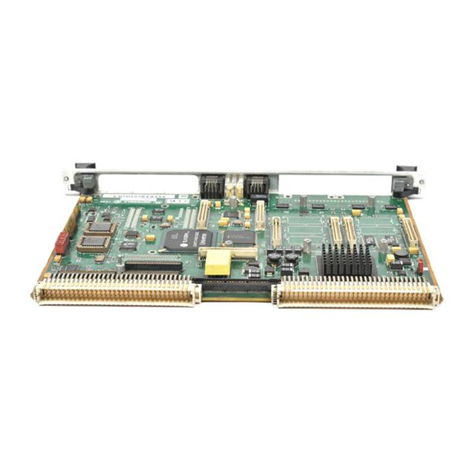
Motorola MVME2600 Series Guide

Other manuals for MVME2600 Series

3

This manual suits for next models

24

Other Motorola Single Board Computer manuals

Motorola MVME167-32 User manual

Motorola

Motorola MVME167-32 User manual

Motorola MVME6100 User manual

Motorola

Motorola MVME6100 User manual

Motorola MVME177 Guide

Motorola

Motorola MVME177 Guide

Motorola IXP/CPCI-9120 User manual

Motorola

Motorola IXP/CPCI-9120 User manual

Motorola CompactPCI CPN5365 Operating manual

Motorola

Motorola CompactPCI CPN5365 Operating manual

Motorola MCPN750A Quick start guide

Motorola

Motorola MCPN750A Quick start guide

Motorola CompactPCI CPV5350 Installation and operating manual

Motorola

Motorola CompactPCI CPV5350 Installation and operating manual

Motorola M68MPFB1632 User manual

Motorola

Motorola M68MPFB1632 User manual

Motorola MVME2600 Series User manual

Motorola

Motorola MVME2600 Series User manual

Motorola MVME177P Quick start guide

Motorola

Motorola MVME177P Quick start guide

Motorola MVME2400 Series User manual

Motorola

Motorola MVME2400 Series User manual

Motorola MVME187 User manual

Motorola

Motorola MVME187 User manual

Motorola CPIP5430 Quick start guide

Motorola

Motorola CPIP5430 Quick start guide

Motorola McIAS 1610 Series User guide

Motorola

Motorola McIAS 1610 Series User guide

Motorola MVME2100 User manual

Motorola

Motorola MVME2100 User manual

Motorola MCP750HA Series Quick start guide

Motorola

Motorola MCP750HA Series Quick start guide

Motorola MVME1603 Quick start guide

Motorola

Motorola MVME1603 Quick start guide

Motorola MVME197LE User manual

Motorola

Motorola MVME197LE User manual

Motorola MVME297-002 User manual

Motorola

Motorola MVME297-002 User manual

Motorola MVME5100 Series Quick start guide

Motorola

Motorola MVME5100 Series Quick start guide

Motorola MVME1603 Quick start guide

Motorola

Motorola MVME1603 Quick start guide

Motorola MVME197DP User manual

Motorola

Motorola MVME197DP User manual

Popular Single Board Computer manuals by other brands

Aaeon EPIC-BT07 user manual

Aaeon

Aaeon EPIC-BT07 user manual

WIN Enterprises PL-80910 user manual

WIN Enterprises

WIN Enterprises PL-80910 user manual

AXIOMTEK SBC81206 Series user manual

AXIOMTEK

AXIOMTEK SBC81206 Series user manual

Embest SOM-PH8800 user manual

Embest

Embest SOM-PH8800 user manual

SeaLevel SBC-R9 user manual

SeaLevel

SeaLevel SBC-R9 user manual

SMART Embedded Computing ATCA-8310 quick start guide

SMART Embedded Computing

SMART Embedded Computing ATCA-8310 quick start guide

WinSystems PPM-LX800-G Operation manual

WinSystems

WinSystems PPM-LX800-G Operation manual

GIGAIPC QBiP-8665A/ user manual

GIGAIPC

GIGAIPC QBiP-8665A/ user manual

VersaLogic Python EBX-11 Reference manual

VersaLogic

VersaLogic Python EBX-11 Reference manual

Micro Computer Specialists IRV-3702 user manual

Micro Computer Specialists

Micro Computer Specialists IRV-3702 user manual

Boser HS-7321 manual

Boser

Boser HS-7321 manual

Premier Farnell Embest SBC8530 quick start guide

Premier Farnell

Premier Farnell Embest SBC8530 quick start guide

OLIMEX A10S-OLinuXino-MICRO user manual

OLIMEX

OLIMEX A10S-OLinuXino-MICRO user manual

E-TOP PISA-E1 user manual

E-TOP

E-TOP PISA-E1 user manual

Nexcom Peak 703P Series user manual

Nexcom

Nexcom Peak 703P Series user manual

Boser HS-6301 manual

Boser

Boser HS-6301 manual

GIGAIPC QBiP-1165G7B user manual

GIGAIPC

GIGAIPC QBiP-1165G7B user manual

OLIMEX A13-OLinuXino user manual

OLIMEX

OLIMEX A13-OLinuXino user manual

manuals.online logo
manuals.online logoBrands
  • About & Mission
  • Contact us
  • Privacy Policy
  • Terms and Conditions

Copyright 2025 Manuals.Online. All Rights Reserved.

MVME2600 Series
Single Board Computer
Installation and Use
V2600A/IH2
Notice
While reasonable efforts have been made to assure the accuracy of this document,
Motorola, Inc. assumes no liability resulting from any omissions in this document,
or from the use of the information obtained therein. Motorola reserves the right to
revise this document and to make changes from time to time in the content hereof
without obligation of Motorola to notify any person of such revision or changes.
No part of this material may be reproduced or copied in any tangible medium, or
stored in a retrieval system, or transmitted in any form, or by any means, radio,
electronic, mechanical, photocopying, recording or facsimile, or otherwise,
without the prior written permission of Motorola, Inc.
It is possible that this publication may contain reference to, or information about
Motorola products (machines and programs), programming, or services that are
not announced in your country. Such references or information must not be
construed to mean that Motorola intends to announce such Motorola products,
programming, or services in your country.
Restricted Rights Legend
If the documentation contained herein is supplied, directly or indirectly, to the U.S.
Government, the following notice shall apply unless otherwise agreed to in
writing by Motorola, Inc.
Use, duplication, or disclosure by the Government is subject to restrictions as set
forth in subparagraph (c)(1)(ii) of the Rights in Technical Data and Computer
Software clause at DFARS 252.227-7013.
Motorola, Inc.
Computer Group
2900 South Diablo Way
Tempe, Arizona 85282
Preface
The
MVME2600 Series Single Board Computer Installation and Use
manual provides
general information, hardware preparation and installation instructions, operating
instructions, a functional description, and various types of interfacing information
for the MVME2603/MVME2604 family of Single Board Computers.The
information in this manual applies to the following MVME2603/MVME2604
models.
MVME2603-1121A MVME2603-1131A MVME2603-1141A MVME2603-1191A
MVME2603-2121A MVME2603-2131A MVME2603-2141A MVME2603-2191A
MVME2604-1021A MVME2604-1031A MVME2604-1041A MVME2604-1091A
MVME2604-1121A MVME2604-1131A MVME2604-1141A MVME2604-1191A
MVME2604-2021A MVME2604-2031A MVME2604-2041A MVME2604-2091A
MVME2604-2121A MVME2604-2131A MVME2604-2141A MVME2604-2191A
This manual is intended for anyone who wants to supply OEM systems, add
capability to an existing compatible system, or work in a lab environment for
experimental purposes. A basic knowledge of computers and digital logic is
assumed.
After using this manual, you may wish to become familiar with the publications
listed in the
Related Documentation
section in Appendix A of this manual.
Motorola
¨
and the Motorola symbol are registered trademarks of Motorola, Inc.
AIXª is a trademark of IBM Corp.
PowerPCª is a trademark of IBM Corp. and is used by Motorola with permission.
All other products mentioned in this document are trademarks or registered
trademarks of their respective holders.
© Copyright Motorola 1998
All Rights Reserved
Printed in the United States of America
May 1998
Safety Summary
Safety Depends OnYou
The following general safety precautions must be observed during all phases of operation, service, and
repair of this equipment. Failure to comply with these precautions or with speciÞc warnings elsewhere in
this manual violates safety standards of design, manufacture, and intended use of the equipment.
Motorola, Inc. assumes no liability for the customer's failure to comply with these requirements.
The safety precautions listed below represent warnings of certain dangers of which Motorola is aware. You,
as the user of the product, should follow these warnings and all other safety precautions necessary for the
safe operation of the equipment in your operating environment.
Ground the Instrument.
To minimize shock hazard, the equipment chassis and enclosure must be connected to an electrical ground.
The equipment is supplied with a three-conductor AC power cable. The power cable must be plugged into
an approved three-contact electrical outlet. The power jack and mating plug of the power cable must meet
International Electrotechnical Commission (IEC) safety standards.
Do Not Operate in an Explosive Atmosphere.
Do not operate the equipment in the presence of ßammable gases or fumes. Operation of any electrical
equipment in such an environment constitutes a deÞnite safety hazard.
Keep Away From Live Circuits.
Operating personnel must not remove equipment covers. Only Factory Authorized Service Personnel or
other qualiÞed maintenance personnel may remove equipment covers for internal subassembly or
component replacement or any internal adjustment. Do not replace components with power cable
connected. Under certain conditions, dangerous voltages may exist even with the power cable removed. To
avoid injuries, always disconnect power and discharge circuits before touching them.
Do Not Service or Adjust Alone.
Do not attempt internal service or adjustment unless another person capable of rendering Þrst aid and
resuscitation is present.
Use CautionWhen Exposing or Handling the CRT.
Breakage of the Cathode-Ray Tube (CRT) causes a high-velocity scattering of glass fragments (implosion).
To prevent CRT implosion, avoid rough handling or jarring of the equipment. Handling of the CRT should
be done only by qualiÞed maintenance personnel using approved safety mask and gloves.
Do Not Substitute Parts or Modify Equipment.
Because of the danger of introducing additional hazards, do not install substitute parts or perform any
unauthorized modiÞcation of the equipment. Contact your local Motorola representative for service and
repair to ensure that safety features are maintained.
Dangerous Procedure Warnings.
Warnings, such as the example below, precede potentially dangerous procedures throughout this manual.
Instructions contained in the warnings must be followed. You should also employ all other safety
precautions which you deem necessary for the operation of the equipment in your operating environment.
!
WARNING
Dangerous voltages, capable of causing death, are
present in this equipment. Use extreme caution when
handling, testing, and adjusting.

All Motorola PWBs (printed wiring boards) are manufactured by UL-recognized
manufacturers, with a ßammability rating of 94V-0.
!
WARNING
This equipment generates, uses, and can radiate electro-
magnetic energy. It may cause or be susceptible to
electro-magnetic interference (EMI) if not installed and
used in a cabinet with adequate EMI protection.
If any modifications are made to the product, the
modifier assumes responsibility for radio frequency
interference issues. Changes or modifications not
expressly approved by Motorola Computer Group
could void the userÕs authority to operate the
equipment.
European Notice: Board products with the CE marking comply with the
EMC Directive (89/336/EEC). Compliance with this directive implies
conformity to the following European Norms:
EN55022 (CISPR 22) Radio Frequency Interference
EN50082-1 (IEC801-2, IEC801-3, IEEC801-4) Electromagnetic
Immunity
This board product was tested in a representative system to show
compliance with the above mentioned requirements. Aproper installation
in a CE-marked system will maintain the required EMC/safety
performance.
For minimum RF emissions, it is essential that you implement the
following conditions:
1. Install shielded cables on all external I/O ports.
2. Connect conductive chassis rails to earth ground to provide a path for
connecting shields to earth ground.
3. Tighten all front panel screws.
vii
Contents
Chapter 1 Hardware Preparation and Installation
Introduction ..........................................................................................................1-1
Equipment Required............................................................................................1-3
Overview of Startup Procedure .........................................................................1-4
Unpacking Instructions .......................................................................................1-5
Hardware ConÞguration.....................................................................................1-5
MVME2603/2604 Base Board Preparation.......................................................1-6
Cache Mode Control (J3) ..............................................................................1-7
Flash Bank Selection (J10).............................................................................1-7
Serial Port 4 Receive Clock ConÞguration (J16)........................................1-9
Serial Port 4 Transmit Clock ConÞguration (J17).................................... 1-11
Serial Port 4 Transmit Clock Receiver Buffer Control (J20) ...................1-12
Serial Port 3 Transmit Clock ConÞguration (J18)....................................1-13
System Controller Selection (J22) ..............................................................1-14
Remote Status and Control.........................................................................1-14
MVME712M Transition Module Preparation ................................................1-15
Serial Ports 1-4 DCE/DTE ConÞguration................................................1-17
Serial Port 4 Clock ConÞguration..............................................................1-17
P2 Adapter Preparation ..............................................................................1-24
MVME761 Transition Module Preparation ....................................................1-25
Serial Ports 1 and 2 ......................................................................................1-27
ConÞguration of Serial Ports 3 and 4........................................................1-27
P2 Adapter Preparation (Three-Row) .......................................................1-32
P2 Adapter Preparation (Five-Row)..........................................................1-34
Hardware Installation........................................................................................1-35
ESD Precautions...........................................................................................1-35
RAM200 Memory Mezzanine Installation .....................................................1-36
PMC Module Installation..................................................................................1-38
PMC Carrier Board Installation .......................................................................1-40
MVME2603/2604 VMEmodule Installation...................................................1-42
MVME712M Transition Module Installation .................................................1-44
MVME761 Transition Module Installation .....................................................1-48
System Considerations ......................................................................................1-50
MVME2603/2604 VMEmodule .................................................................1-52
viii
Chapter 2 Operating Instructions
Introduction .......................................................................................................... 2-1
Applying Power................................................................................................... 2-1
ABORT Switch (S1) ....................................................................................... 2-2
RESET Switch (S2)......................................................................................... 2-3
Front Panel Indicators (DS1 - DS6) ............................................................. 2-4
Memory Maps ...................................................................................................... 2-5
Processor Memory Map................................................................................ 2-5
Default Processor Memory Map 2-5
PCI Local Bus Memory Map........................................................................ 2-6
VMEbus Memory Map ................................................................................. 2-7
Programming Considerations............................................................................ 2-7
PCI Arbitration .............................................................................................. 2-9
Interrupt Handling...................................................................................... 2-10
DMA Channels............................................................................................. 2-12
Sources of Reset ........................................................................................... 2-12
Endian Issues ............................................................................................... 2-13
Processor/Memory Domain 2-14
PCI Domain 2-14
VMEbus Domain 2-15
Chapter 3 Functional Description
Introduction .......................................................................................................... 3-1
Features ................................................................................................................. 3-1
General Description............................................................................................. 3-3
Block Diagram ...................................................................................................... 3-5
SCSI Interface................................................................................................. 3-6
SCSI Termination 3-6
Ethernet Interface .......................................................................................... 3-7
PCI Mezzanine Interface .............................................................................. 3-8
VMEbus Interface.......................................................................................... 3-9
ISA Super I/O Device (ISASIO) .................................................................. 3-9
Asynchronous Serial Ports 3-11
Parallel Port 3-11
Disk Drive Controller 3-12
Keyboard and Mouse Interface 3-12
PCI-ISA Bridge (PIB) Controller................................................................ 3-12
ix
Real-Time Clock/NVRAM/Timer Function ...........................................3-13
Programmable Timers.................................................................................3-14
Interval Timers 3-14
16-Bit Timers 3-15
Serial Communications Interface ..............................................................3-15
Z8536 CIO Device 3-16
Base Module Feature Register ...................................................................3-16
P2 Signal Multiplexing................................................................................3-17
ABORT Switch (S1)......................................................................................3-18
RESET Switch (S2) .......................................................................................3-19
Front Panel Indicators (DS1 - DS6)............................................................3-19
Polyswitches (Resettable Fuses) ................................................................3-20
I/O Power ............................................................................................. 3-20
Speaker Control............................................................................................3-21
PM603/604 Processor..................................................................................3-21
Flash Memory....................................................................................... 3-22
RAM200 Memory Module .........................................................................3-23
MVME712M Transition Module................................................................3-23
MVME761 Transition Module....................................................................3-24
Serial Interface Modules 3-25
Chapter 4 Connector Pin Assignments
MVME2603/2604 Connectors ............................................................................4-1
Common Connectors...........................................................................................4-3
LED Mezzanine Connector J1......................................................................4-3
Debug Connector J2.......................................................................................4-3
Floppy/LED Connector J4 ...........................................................................4-7
PCI Expansion Connector J5 ........................................................................4-8
Keyboard and Mouse Connectors J6, J8 ...................................................4-10
DRAM Mezzanine Connector J7 ...............................................................4-10
PCI Mezzanine Card Connectors ..............................................................4-13
VMEbus Connector P1................................................................................4-15
MVME712M-Compatible Versions..................................................................4-17
VMEbus Connector P2 (MVME712M I/O Mode) ..................................4-17
SCSI Connector (MVME712M I/O Mode)...............................................4-17
Serial Ports 1-4 (MVME712M I/O Mode) ................................................4-20
Parallel Connector (MVME712M I/O Mode)..........................................4-21
Ethernet AUI Connector .............................................................................4-22
x
MVME761-Compatible Versions ..................................................................... 4-23
VMEbus Connector P2 (MVME761 I/O Mode)...................................... 4-23
Serial Ports 1 and 2 (MVME761 I/O Mode) ............................................ 4-25
Serial Ports 3 and 4 (MVME761 I/O Mode) ............................................ 4-26
Parallel Connector (MVME761 I/O Mode) ............................................. 4-27
Ethernet 10Base-T/100Base-TX Connector.............................................. 4-28
Chapter 5 PPCBug
Overview............................................................................................................... 5-1
Memory Requirements ................................................................................. 5-2
PPCBug Implementation.............................................................................. 5-2
Using the Debugger............................................................................................. 5-3
Debugger Commands................................................................................... 5-4
Diagnostic Tests ............................................................................................. 5-8
Chapter 6 CNFG and ENV Commands
Overview............................................................................................................... 6-1
CNFG - ConÞgure Board Information Block ................................................... 6-2
ENV - Set Environment....................................................................................... 6-3
ConÞguring the PPCBug Parameters......................................................... 6-3
ConÞguring the VMEbus Interface........................................................... 6-12
Motorola Computer Group Documents ..........................................................A-1
ManufacturersÕ Documents............................................................................... A-2
Related SpeciÞcations.........................................................................................A-6
Appendix B Specifications
SpeciÞcations ........................................................................................................B-1
Cooling Requirements.........................................................................................B-2
FCC Compliance ..................................................................................................B-3
Appendix C Serial Interconnections
Introduction ......................................................................................................... C-1
EIA-232-D Connections...................................................................................... C-2
Interface Characteristics .............................................................................. C-4
EIA-530 Connections .......................................................................................... C-5