EN
4Rev. 06.09.2022
EN
5
Rev. 06.09.2022
b) Do not use the unit in an explosive area, for example
in the presence of ammable liquids, gases or dust.
The unit produces sparks that can ignite dust or
fumes.
c) If you nd any damage or irregularities in the
operation of the unit, immediately turn it o and
report it to an authorized person.
d) If in doubt as to whether the device is working,
contact the manufacturer’s technical service.
e) Repairs to the device may only be carried out by the
manufacturer's service. Do not attempt to repair the
product on your own!
f) In case of open ames or re, use only dry powder or
snow (CO2) re extinguishers to extinguish the live
equipment.
g) No children or unauthorized persons are allowed
in the work area. (Inattention may result in loss of
control of the unit.)
h) Use the unit in a well-ventilated area.
i) Check the condition of the safety stickers regularly.
Replace them if they are illegible.
j) Keep these instructions for use for future reference.
If the product is to be handed over to a third party,
hand it over with this user manual.
k) Keep packaging components and small installation
parts out of the reach of children.
l) Keep the device away from children and animals.
m) When using this product together with other devices,
also follow the other instructions for use.
2.3. PERSONAL SAFETY
a) Do not operate this device if you are tired, ill or
under the inuence of alcohol, drugs or medication
that could impair your ability to operate the device.
b) The unit may be operated by persons who
are physically t, capable of operating it and
appropriately trained, and who have read this
instruction manual and have been trained in
occupational safety and health.
c) The machine is not intended to be used by persons
(including children) with reduced mental, sensory or
intellectual functions or persons who lack experience
and/or knowledge unless they are supervised or
have been instructed by a person responsible for
their safety on how to operate the machine.
d) The device is not intended to be used by persons
(including children) with reduced mental, sensory or
intellectual functions or persons who lack experience
and/or knowledge unless they are supervised or
have been instructed by a person responsible for
their safety on how to operate the device.
e) Use caution and common sense when operating this
device. A moment's inattention during operation
may result in serious personal injury.
f) The product is not a toy. Children should be watched
to ensure that they do not play with the appliance.
2.4. SAFE USE OF THE DEVICE
a) Do not overload the device. Use tools that are
suitable for the application. A correctly selected
product will do a better and safer job for which it
was designed.
b) Do not use the device if the ON/OFF switch does not
function properly (does not turn on and o). Units
that cannot be controlled by the switch are unsafe,
cannot operate, and must be repaired.
c) Keep unused product out of the reach of children
and anyone unfamiliar with the device or this manual.
Products are dangerous when used by inexperienced
users.
d) Keep the product in good working order. Check
before each use for general damage or damage to
moving parts (cracks in parts and components or any
other condition that may aect the safe operation
of the device). If damaged, have the device repaired
before use.
e) Keep the product out of the reach of children.
f) Repairs and maintenance should be carried out by
qualied personnel using only original spare parts.
This will ensure the safety of use.
g) To ensure the designed operational integrity of the
device, do not remove factory-installed covers or
loosen screws.
h) Do not move, shift, or rotate the device while in
operation.
i) Do not leave the device switched on unattended.
j) Clean the device regularly to prevent permanent dirt
build-up.
k) The product is not a toy. Cleaning and maintenance
must not be performed by children without adult
supervision.
l) Do not start up an empty unit.
m) Do not tamper with the device to alter its
performance or design.
n) Keep the unit away from sources of re and heat.
o) Do not overload the device.
p) Do not block the ventilation openings of the unit!
q) Never charge damaged or defective batteries.
r) Do not charge a frozen battery!
s) Do not charge lithium batteries!
t) Always disconnect the charger from the power
supply when connecting and disconnecting charging
cables to the batteries.
u) Never place the battery directly under or on top of
the charger. Place the charger as far away from the
battery as possible. The charger could be a source of
sparks or create an electric arc.
v) Never place the charger under the hood of a vehicle.
w) Before charging a battery, it is recommended to
remove it from the vehicle and place it in a safe, non-
ammable location.
x) Do not leave the device running unattended for
more than 12 hours.
ATTENTION! Despite the safe design of the device
and its protective features, and despite the use of
additional elements protecting the operator, there is
still a slight risk of accident or injury when using the
device. Stay alert and use common sense when using
the device.
3. INSTRUCTIONS FOR USE
The product is intended for charging (undamaged) car
batteries. It also has a battery regeneration function. It is a
mobile device and is not suitable for permanent installation
in vehicles, boats, campers, etc.
IMPORTANT: the device is not designed to charge
damaged, frozen, lithium batteries or to assist in starting
the engine.
The user is responsible for any damage resulting from
misuse.
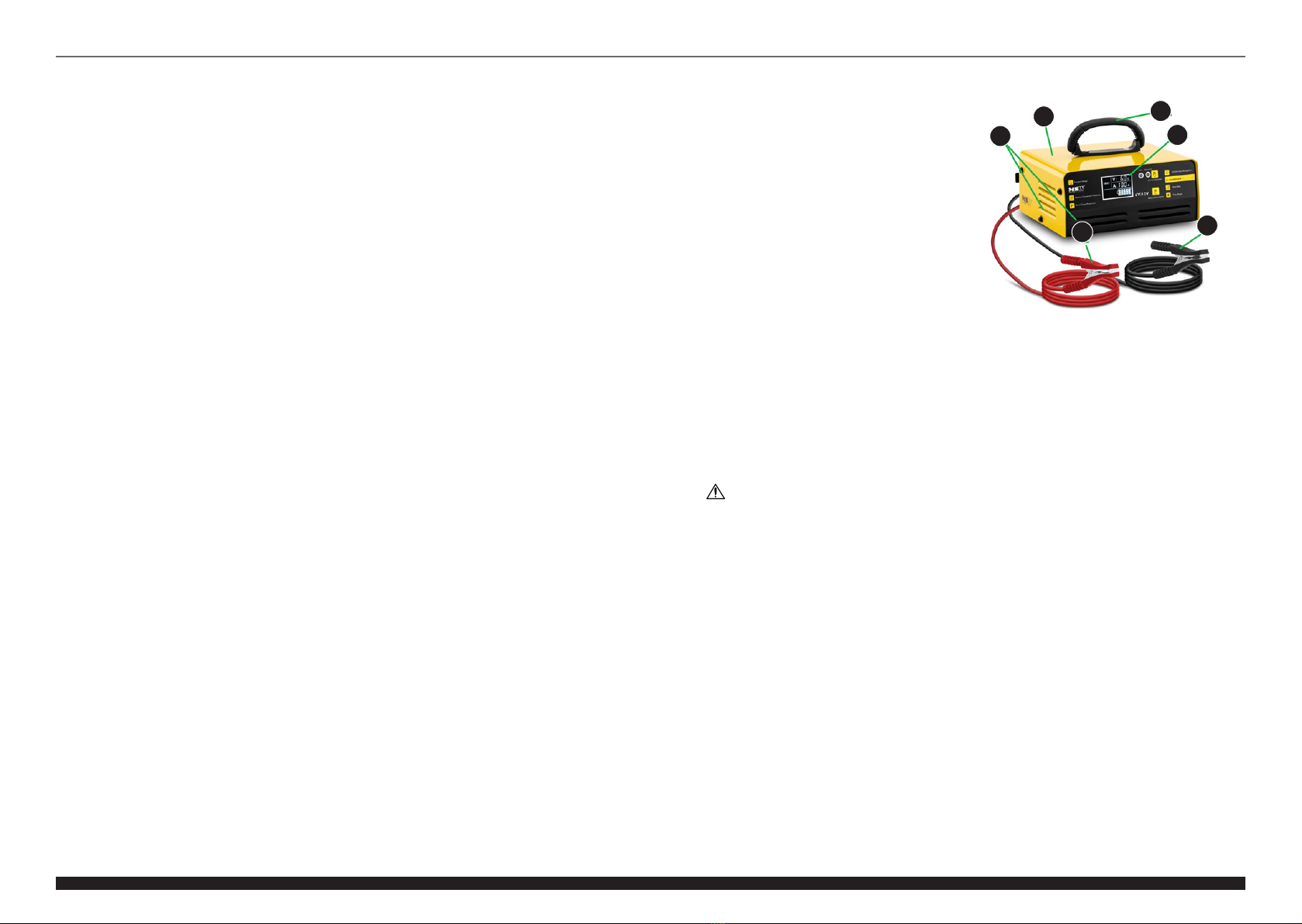
3.1. PRODUCT OVERVIEW
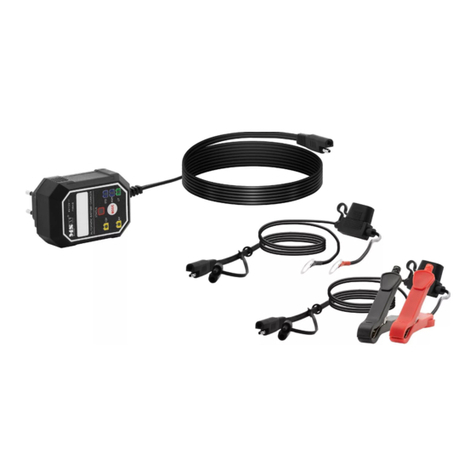
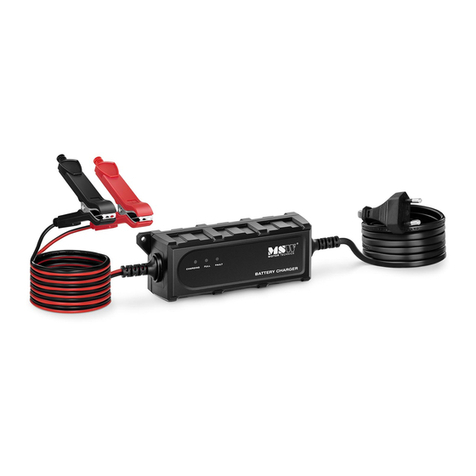
S-CHARGER-6V12-10A (other similar models)
A. Transport handle
B. Casing
C. Control panel with display
• "Current Selection" - button for selecting the
value of the charging current
• "Battery Recondition" - button to enable the
regeneration function
• "Full" - battery charge indicator
• "Abnormal" - Battery problem indicator light
D. Vents (also in the back - not visible in the picture)
E. Positive pole clamp (+)
F. Negative pole clamp (-)
3.2. PREPARATION FOR OPERATION
POSITIONING OF THE UNIT
The ambient temperature must not exceed 40°C and
ambient humidity should not exceed 85%. Place the unit
in a way that ensures good air circulation. Do not place the
device in the engine compartment of the vehicle! Keep the
unit away from any hot surfaces. Always operate the unit
on a level, stable, clean, reproof and dry surface and out
of the reach of children and persons of impaired mental,
sensory and intellectual functions. Place the unit in such
a way that the mains plug can be reached at any time.
Ensure that the power supply to the unit corresponds to
that specied on the identication plate!
CONNECTING THE UNIT
• It is recommended that the battery to be charged
is removed from the vehicle. To locate the battery,
check the vehicle's operating instructions or contact
the manufacturer's authorized service center - as a
rule, in most passenger cars, the battery is located
under the hood in the engine compartment. If it
cannot be easily removed, remember to temporarily
turn o or disconnect the engine and all current
weights in the vehicle, such as radio, lighting, etc. Do
not use any current receivers in the vehicle during
charging, as this may extend the charging time or,
in extreme situations, even make it impossible to
charge the battery.
ATTENTION: modern vehicles have all sorts of
modules, which are often activated even when the
vehicle is seemingly turned o. When charging the
battery installed in the vehicle, you should avoid
e.g. frequently opening of the door or trunk (and/
or leaving them open) or inserting the key into the
ignition, etc.
• First, connect the red clamp to the positive (+) pole
on the battery or the derived pole on the vehicle
under the engine hood. Then connect the black
clamp to the negative pole (-) or the so-called
mass of the vehicle, i.e. a metal element connected
to the body, e.g. a hood lock bolt, or a grounded
element of the engine. After connecting the clamps,
the device will automatically recognize the type of
battery and show its current voltage and the state of
its charge ("%" in the shape of a battery).
NOTE: in batteries with side poles (most often
American vehicles), use special adapters or mounting
screws to connect the charger clamps.
The display of the device should show the current
voltage value of the battery connected to it. In this
state, the charger draws current from the connected
battery.
3.3. WORKING WITH THE DEVICE
CHARGING
It is recommended to charge the battery using a current
("A") the value of which does not exceed 10% of battery
capacity ("Ah"), i.e. if the battery has a capacity of 60 Ah,
it is best to charge it with a current of 6 A. The charges
has an intelligent system that protects the battery against
overcharging.
• After connecting the charger to the battery, you can
connect the device's plug to a power outlet - the
device will automatically start charging the battery
with the lowest current ("A") and the built-in fan will
start.
• To change (increase/decrease) the current value
while charging, press the "Current Selection" button
on the control panel. Press the button until the
charging current value allowed by your device is
selected.
• When the battery is fully charged, the “Full” indicator
will light up on the control panel and the graph will
show the full battery with all % charge bars lit (the
“100%” bar may blink).
REGENERATION
The longer the regeneration time of the battery, the better,
as it heats up less. As a rule, the battery regeneration
time is: 3-4 hours for 6V; 16-18 h for 12V. The maximum
regeneration time should not exceed 24 hours. After this
time, the device will automatically switch to the standard
charging/maintaining battery voltage mode.
IMPORTANT: during regeneration, check the condition of
the battery regularly as it can get hot! In this case, stop the
process immediately and turn o the device. One of the
main reasons for the battery to heat up during charging
is too low electrolyte level and/or unsealed housing (see
more in "TROUBLESHOOTING").
• To regenerate the battery, press the "Battery
Recondition" button on the control panel during
normal charging. In this mode, the device emits
an alternating discrete sound conrming that the
battery recondition process is in progress.
• To disable the recovery mode while it is in progress,
press the "Battery Recondition" button on the
control panel and the device will switch to the
normal charging mode.